Nest Thermostat No C Wire Troubleshooting Guide
A practical, safe guide to diagnose and fix a Nest thermostat when the C wire is missing or unusable, with DIY steps and safety notes.


Most Nest thermostat no C wire issues stem from an absent or misconnected common wire. The quick fix is to identify the C terminal at your furnace or air handler, attach the spare conductor to C, and reconnect a compatible power accessory if you use one. If a C wire isn’t available, consider using a compatible power accessory or scheduling a professional wiring check.
What a 'no C wire' means for Nest
If your Nest thermostat shows a no-C condition, it indicates the 24V common side of the HVAC transformer isn’t providing a stable return path. This isn’t a Nest-only problem; any thermostat wired to a furnace or air handler can experience it when the C wire is missing or improperly connected. According to Thermostat Care, the most common cause is a loose or absent C wire on the control board, often paired with power stealing behavior by the Nest. For homeowners troubleshooting nest thermostat no c wire, the objective is to restore a safe, stable 24V supply to the thermostat or to implement a safe workaround if you can’t run a dedicated C wire. In practice, you’ll verify wiring on both the furnace control board and the thermostat base, confirm the C terminal is clean and fully seated, and check for loose splices that could interrupt the circuit. This approach aligns with Thermostat Care’s guidance for DIYers who are comfortable with basic electrical checks while never neglecting safety.
Quick reality check on nest thermostat no c wire
When you start, ignore flashy theories and focus on the basics: confirm there is a functional 24V power source, verify R and C are correctly connected, and ensure the thermostat is actually receiving power via C. If you don’t see 24V between R and C with a meter, the issue is on the furnace side. If you do see 24V but the Nest still reports a no-C warning, re-check the wiring path from the furnace to the thermostat. Throughout the process, document each change. Thermostat Care’s practical, safety-first approach emphasizes methodical testing over guesswork, which is essential when you’re dealing with a nest thermostat no c wire scenario.
Symptoms that often accompany nest thermostat no c wire
Look for indicators like intermittent power, dim display, rapid battery drain, unexpected reboots, or the thermostat reporting errors during temperature changes. In many cases, these symptoms reveal a weak or intermittent C connection rather than a completely missing wire. The goal is to reproduce the symptom in a controlled way, verify the C circuit’s continuity, and then implement a safe fix. If you notice persistent flicker or loss of voltage, stop and re-check all connections before proceeding with more invasive repairs.
Diagnostic flow: symptom → diagnosis → solution
Begin with the simplest checks: is the C wire present and firmly connected at the furnace and at the thermostat? If yes, test the temperature control system to confirm continuous 24V output. If no C wire is found, options include running a new wire or employing a safe workaround designed for your system. After each fix, re-test power stability to confirm success. If the problem persists, consider transformer health or a faulty control board. Thermostat Care emphasizes documenting every step for traceability and safety.
Steps
Estimated time: 45-90 minutes
- 1
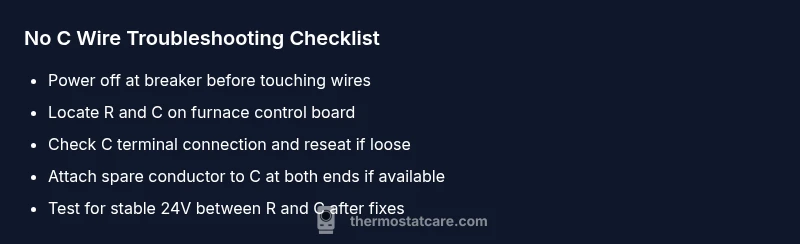
Power down and verify safety
Shut off power at the main breaker and switch off the furnace/air handler to prevent shocks. Remove the thermostat from the wall only after you’ve confirmed the system is de-energized, and keep a clear path to the furnace cabinet. This minimizes risk during the initial checks.
Tip: Always double-check that power is off before touching any wires. - 2
Locate R and C on the furnace control board
Open the furnace cabinet and locate the low-voltage terminal strip. Identify the R (hot) and C (common) terminals and trace their conductors to the thermostat cable. A clearly labeled strip reduces miswiring risks during nest thermostat no c wire troubleshooting.
Tip: Take a photo of terminal labels before disconnecting anything. - 3
Check the C terminal connection
Ensure the conductor on the C terminal is securely fastened. Reseat the wire if it looks loose or corroded. If a spare conductor exists in the thermostat cable, prepare to attach it to C on both ends.
Tip: Clean any oxidation with a dry cloth and reseat the connector firmly. - 4
Attach a spare conductor to C (if available)
At the furnace, attach the spare conductor to the C terminal. At the Nest base, connect the same conductor to the C port. Double-check there are no shorts or contact with other terminals.
Tip: Label the wire quickly to avoid confusion next time. - 5
Test power and reassemble
Restore power to the furnace and thermostat. Check the Nest for stable power and confirm the no-C warning is gone. Observe for a few minutes to ensure no unexpected resets or errors.
Tip: If the Nest still reports issues, test between R and C with a multimeter to confirm 24V. - 6
Evaluate after fixes
If power remains unstable, consider a no-C workaround only if recommended by your HVAC manufacturer. If not, running a dedicated C wire or consulting a pro is advised. Document each step for future reference.
Tip: Keep a wiring diary to track what changes worked or didn’t.
Diagnosis: Nest thermostat shows 'no C wire' or experiences power instability
Possible Causes
- highC wire is missing or disconnected at the furnace control board
- mediumWiring on the thermostat base is loose or misrouted
- lowTransformer or 24V supply issue
Fixes
- easyPower off at the breaker and verify all connections on the furnace control board, then re-seat the C terminal
- mediumRun a spare conductor to the C terminal or add a dedicated C wire from the furnace to the thermostat
- easyIf no spare conductor is available, use a safe power accessory designed for no-C setups following manufacturer guidance
- easyTest the 24V circuit with a multimeter to confirm stable voltage between R and C after fixes
- mediumIf issues persist, have a professional inspect the transformer and control board
Questions & Answers
What causes a Nest thermostat to show a 'no C wire' message?
A missing or disconnected C wire is the most common cause. Power stealing or a loose terminal can also trigger this warning. Check both the furnace board and the thermostat base to confirm proper C wiring.
A missing or loose C wire usually triggers the no C warning. Check the furnace terminal and the thermostat base to confirm wiring.
Can Nest work without a C wire?
It can run without C in some setups, but this often leads to battery drain and instability. Adding a proper C wire or using a safe power accessory is the recommended long-term solution.
It can run without C in some cases, but it’s not ideal. Add a C wire or a safe power accessory for reliability.
What is a C wire and why is it important?
The C wire is the common return in a 24-volt HVAC circuit. It provides steady power to the thermostat so it doesn’t rely on power stealing. Without a solid C, the thermostat can flicker or reboot.
C wire provides steady 24-volt power to the thermostat, preventing flicker or rebooting.
Is it safe to DIY fix no-C-wire problems?
DIY fixes can be safe if you follow proper safety steps and disconnect power first. If you’re unsure, stop and call a professional to avoid damaging equipment or risking shock.
DIY can be safe if you power down first. If you’re unsure, call a pro.
Will a power connector work for every system?
Power connectors can be a safe workaround in some systems, but compatibility varies by HVAC and transformer. Always follow manufacturer guidance and consult a pro if in doubt.
Power connectors work for some systems, but compatibility varies. Check the guidance or ask a pro.
How long does it take to fix nest thermostat no c wire?
Most no-C fixes take 30-90 minutes, depending on whether you run a new wire or install a safe workaround. More complex cases may require professional service.
Most fixes take about 30 to 90 minutes. More complex cases may need a professional.
Watch Video
What to Remember
- Identify C wire and confirm secure connections
- Consider a dedicated C wire for reliability
- Follow a safe, step-by-step diagnostic flow
- Call a professional if you encounter transformer or board issues