Most Efficient Thermostat Settings: A Practical Guide
Discover how to dial in most efficient thermostat settings to cut energy use while keeping comfort. A practical, step-by-step guide with seasonal targets and troubleshooting for homeowners.


Goal: optimize energy use and comfort by applying the most efficient thermostat settings for your climate and system. Start with a clear baseline, then fine-tune heating and cooling setpoints, setback schedules, and smart features. This guide provides actionable steps, safety considerations, and methods to measure results for steady savings across seasons and occupancy patterns.
Why the Right Thermostat Settings Matter
Your home's thermostat is more than a dial; it’s the control center for energy use. Getting the most efficient thermostat settings means balancing comfort with savings across seasons. According to Thermostat Care, a disciplined approach to setpoints, schedules, and feature utilization yields consistent results without sacrificing warmth in winter or cool in summer. By understanding how your equipment responds to small changes, you can tune performance and avoid unnecessary cycling. This article explains why the right settings matter, how they affect energy bills, and what you should aim for as a baseline before adjusting further.
Key idea: small, deliberate adjustments can produce meaningful energy reductions over time when paired with good habits and proper maintenance.
How Thermostat Settings Impact Home Comfort and Bills
Temperature settings influence not only energy use but also indoor comfort, humidity, and air quality. When setpoints are too aggressive, the HVAC system cycles on and off more, causing temperature swings and increased wear. A well-chosen profile keeps rooms within a comfortable range while reducing runtime. Thermostat Care analysis shows that thoughtful adjustments—paired with scheduling and occupancy awareness—can stabilize temperatures and trim wasteful heating and cooling, benefiting both your wallet and your family’s comfort. Long-term gains come from consistent routines rather than one-off tweaks.
Baseline: Determining Your Current Schedule and Temperatures
Begin by mapping how you use your home on typical weekdays and weekends. Record the current heating and cooling setpoints for wake, leave, return, and sleep periods, along with the times you are home. Use a simple chart or app reports to capture outdoor weather, indoor temperatures, and run times. This baseline gives you a reference point for safe, incremental improvements and helps you spot habits that waste energy. According to Thermostat Care, understanding your baseline is the hardest but most rewarding step, because it informs every future adjustment.
Climate Considerations: Heating vs. Cooling Season Targets
Seasonal differences drive different targets. In heating-dominant climates, the goal is to minimize heating load while preserving comfort during cold nights. In cooling-dominant seasons, avoid overcooling and exploit natural cooling when possible. Use separate winter and summer schedules that reflect daylight patterns and occupancy. Thermostat Care recommends adjusting temperature differentials by season rather than using a single year-round setting, ensuring both energy efficiency and consistent comfort. Consider humidity control alongside temperature for peak comfort.
Seasonal Adjustments for Efficiency
Adjust your schedule as the seasons shift. As outdoor temperatures rise or fall, re-evaluate your daytime and nighttime setpoints, and whether you need tighter or looser humidity control. Small, gradual changes—such as raising cooling setpoints on unoccupied days and lowering heating setpoints at night—add up over a season without shocking the system. Use your thermostat’s eco or energy-saver modes when appropriate, and ensure the system isn’t fighting itself with conflicting schedules. Regularly review weather forecasts and adjust in advance rather than in reaction.
Step-by-Step: Dialing in Most Efficient Thermostat Settings
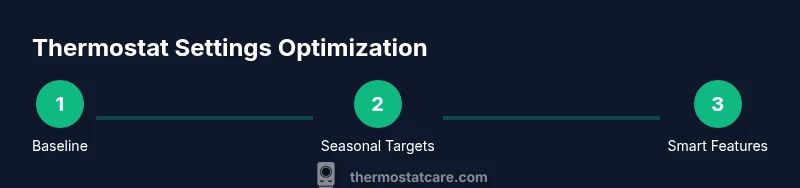
To reach the most efficient thermostat settings, follow this practical sequence. Start with a verified baseline, then implement seasonally appropriate targets. Use clear, simple setbacks and enable occupancy-aware features where available. After each adjustment, monitor indoor comfort and energy use for several days to avoid over-correction. The goal is consistent comfort with the smallest possible runtimes. Thermostat Care notes that documentation is essential—record changes, outcomes, and any deviations in your notes.
Common Scenarios and Adjustments
Small homes heat or cool differently than large homes; multi-story layouts add another layer of complexity. For well-insulated spaces, minor schedule tweaks can yield noticeable savings, while drafty rooms may require targeted zone adjustments or added humidity control. If you have multiple zones, align each zone’s target with its usage pattern and occupancy. In homes with older windows or poor insulation, consider minor climate-based shifts and seal improvements alongside thermostat tweaks for best results.
Safety, Maintenance, and System Compatibility
Before making changes, ensure your system is safe to adjust. For gas furnaces or heat pumps, avoid extreme setpoints that strain the equipment. Regular filter changes, duct inspections, and annual professional checkups help your thermostat changes perform as intended. If your system is older or unusual, consult the manual and consider a staged approach to avoid unexpected cycling or refrigerant issues. Always verify compatibility between your thermostat features and your HVAC equipment.
Using Zonal Control and Smart Features for Efficiency
If your home supports zoning or smart features, leverage them to tailor temperatures by room or area. Occupancy sensing, geofencing, and adaptive schedules can significantly reduce energy use by avoiding heating or cooling empty spaces. When configured correctly, smart features complement manual targets and keep comfort steady across the house. Thermostat Care emphasizes testing zones independently before layering them into a full-house plan.
Measuring Results: Track Savings Over Time
Set up a simple, repeatable method to assess the impact of your changes. Keep a weekly log of outdoor weather, indoor setpoints, and thermostat runtime. Compare energy use with your baseline and note comfort changes. Even small improvements compound over time, especially when you maintain consistent routines and schedules. Use the data to refine targets and ensure long-term gains remain steady.
Troubleshooting Common Efficiency Barriers
If results are not as expected, check for common culprits: incorrect schedules, poor insulation, air leaks, or thermostat misconfigurations. Verify that temperature readings on the wall match room temperatures, and inspect vents and filters for airflow issues. If you notice frequent short-cycling, revisit setpoints and occupancy settings. Persisting problems may require a professional check of equipment health and wiring.
Final Checklist Before You Finish
Review baseline notes, seasonal setpoints, and occupancy rules. Confirm that all zones are aligned with usage patterns and that smart features are enabled where appropriate. Run a final week of measurements to confirm savings and comfort balance. The Thermostat Care team recommends keeping a simple, ongoing log to sustain the gains and stay prepared for seasonal shifts.
Tools & Materials
- Thermostat manual (paper or digital)(Keep handy for model-specific limits and features.)
- Smart thermostat app or web portal(To adjust schedules, view energy reports, and enable smart features.)
- Indoor thermometer or sensor(Verify actual room temperatures when testing settings.)
- Notebook or note-taking app(Record baseline numbers and saved targets.)
- Stable Wi-Fi connection and power source(Needed for remote access and updates.)
- Calendar or occupancy schedule(Helpful for planning but optional.)
Steps
Estimated time: 1-2 hours
- 1
Assess baseline and log run times
Record current heating and cooling setpoints for typical wake/leave/return/sleep periods, note occupancy, and clock times. Use your thermostat app to pull last week’s run-time data. This establishes a reference so you can quantify the impact of future changes.
Tip: Capture at least one full weather cycle (e.g., a week with typical temperatures). - 2
Set a comfortable baseline target
Choose moderate, realistic setpoints that maintain comfort during occupied periods. Avoid aggressive adjustments that reward energy savings at the cost of day-to-day comfort.
Tip: Document why you chose these baselines to guide future tweaks. - 3
Create a simple setback schedule
Implement a straightforward schedule that nudges temperatures during unoccupied hours without abrupt changes. Use a consistent morning/evening pattern for weekdays and adjust on weekends as needed.
Tip: Keep setback changes to a degree or two at a time. - 4
Tune seasonally
Adjust heating and cooling setpoints seasonally to reflect outdoor conditions and daylight patterns. Don’t rely on one year-round settings; seasonal shifts prevent overheating or overcooling.
Tip: Review forecasts and adjust ahead of weather trends. - 5
Enable occupancy-based adjustments
If your thermostat supports it, turn on occupancy sensing, geofencing, or learning schedules. These features reduce runtime in empty spaces while preserving comfort when someone is home.
Tip: Test each feature individually to confirm expected behavior. - 6
Test for a full cycle
Run the new settings for a full cycle (week or two) and monitor comfort and energy use. Look for unwanted swings or short cycling and adjust accordingly.
Tip: Keep your notes organized in a dedicated file. - 7
Account for humidity and ventilation
Humidity can affect perceived comfort. If your system has humidity control or a dehumidifier, ensure it works with the temperature targets to maintain comfortable indoor air.
Tip: Check air leakage and seal gaps that contribute to humidity changes. - 8
Finalize targets and schedule
Lock in a final set of winter and summer targets plus a simple occupancy schedule. Ensure the final plan is documented and easy to follow.
Tip: Back up your final plan in your thermostat app or notes.
Questions & Answers
What is the most efficient thermostat setting for winter?
There isn’t a single universal setting. Focus on a comfortable baseline and seasonal setbacks when the space is unoccupied. Fine-tune through testing while avoiding large swings that disrupt comfort.
There isn’t a single best winter setting. Start with a comfortable baseline and seasonally adjust when the space is unoccupied. Test gradually to keep comfort and savings balanced.
Can a smart thermostat save more energy than a basic one?
Yes, smart thermostats can save energy when used with schedules, occupancy awareness, and learning features. Pair them with well-planned baselines and seasonal targets for the best results.
Yes, smart thermostats save energy when you use schedules and occupancy features together with good baselines.
Why didn’t my energy bill drop after adjustments?
Other factors like insulation, air leaks, or equipment inefficiency can offset thermostat gains. Review the whole system and consider a professional check if savings don’t appear after adjustments.
If the bill doesn’t drop, check insulation and leaks, then consider a professional check if issues persist.
How long does it take to see savings from new settings?
You should start noticing changes within a few days to weeks, depending on weather and usage patterns. Monitor weekly and compare to your baseline.
You should notice changes within a few days to weeks; monitor weekly and compare to your baseline.
Is it safe to adjust the thermostat while the system is running?
Yes, as long as you follow the manual and basic safety guidelines. Make small changes and avoid rapid, extreme shifts.
It's safe to adjust, but make small changes and follow the manual to avoid issues.
Should I hire a pro to optimize thermostat settings?
If you have a complex system, inconsistent comfort, or persistent issues, a professional evaluation can help optimize performance and verify compatibility.
If your system is complex or issues persist, a pro can help optimize performance.
Watch Video
What to Remember
- Establish a clear baseline before changing settings.
- Implement seasonal, not constant, targets for best comfort and savings.
- Use occupancy-based features to boost efficiency.
- Track results and adjust gradually for lasting gains.