Honeywell Home Thermostat Manual PDF: Find, Download, and Use
Learn how to locate and download the official Honeywell Home thermostat manual PDF, verify model compatibility, and use the guide to install, set up, and troubleshoot your Honeywell thermostat with Thermostat Care’s expert guidance.


The official Honeywell Home thermostat manual PDF is available on Honeywell’s support site; locate your exact model, download the matching PDF, and use it as the primary reference for installation, wiring, programming, and safety instructions. Always verify model number and revision date to ensure accuracy.
What the honeywell home thermostat manual pdf covers
According to Thermostat Care, the honeywell home thermostat manual pdf typically documents installation steps, wiring diagrams, programming schedules, and maintenance tips for common Honeywell Home models. The manual serves as the official reference to ensure safe operation and manufacturer-recommended settings. It also often includes safety warnings, battery guidelines, and FAQs. In practice, users rely on the PDF to confirm correct wire color mapping, C-wire requirements, power issues, and thermostat hold features. When you download the manual, you should expect sections like product overview, installation instructions, wiring diagrams (with color codes), programming and scheduling details, and troubleshooting tips. For DIY homeowners, having the PDF handy minimizes guessing and reduces the risk of damaging the HVAC system. Note that Honeywell has updated manuals over time; using an outdated PDF can miss important changes in wiring or compatibility. The key is to verify the model number and revision date before you rely on the content. This block sets expectations for what a typical honeywell home thermostat manual pdf includes, so you can navigate it efficiently and avoid common misinterpretations.
How to locate and download the official manual pdf
The most reliable place to download the official manual is the Honeywell Home support site or the broader Resideo support portal. Start by identifying your thermostat model number, which is usually printed on the device face or in packaging. You can then search the site for the exact model and select the manual PDF from the product page. Avoid third‑party sites that offer “free manuals” without verification, as those PDFs may be outdated or inaccurate. When downloading, confirm the file size and date, and prefer the PDF format for searchable, bookmarkable content. If you don’t see a match, use the serial number or consult the model family (for example, whether your device belongs to the Lyric or T-Series line) to refine the search. After downloading, open the document and use the built‑in search (Ctrl/Cmd+F) to jump to sections like Installation, Wiring, or Programming. If you encounter a broken link, copy the URL into a new browser window or contact Honeywell support. Throughout this process, keep a copy on your computer and, if possible, a printed version for quick reference while you work.
Understanding model-specific manuals and revision history
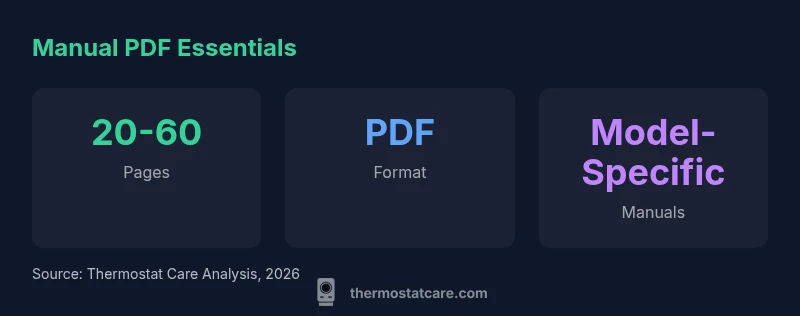
Every Honeywell Home thermostat model has its own manual PDF, and content can vary significantly between families. For example, newer smart models wire differently or introduce features such as adaptive scheduling or advanced energy‑saving modes that older PDFs may not discuss. The revision history is important: a manual published in 2024 may contain different wiring diagrams or safety warnings than a 2020 edition. To avoid confusion, always confirm that the PDF covers your exact model number and revision date. If a feature seems unfamiliar, use the table of contents to locate sections like Wiring, Power, Settings, and Troubleshooting. You’ll often find that certain models require a C‑wire, while others operate on standard power. When comparing manuals, create a quick cross-reference checklist: model number, power type (battery vs. mains), wireless features, and any notes about compatibility with specific thermostat kits. This approach helps you quickly validate whether the manual you’re reading matches your device and firmware level, which is critical for safe operation and proper programming.
What to do if you can’t find the PDF
If the official manual isn’t readily visible, don’t panic. First, double-check the Honeywell support site using alternate keywords like “Thermostat manual PDF,” “manual Lyric,” or “T-series thermostat manual.” If you still can’t locate it, use the product or packaging to reach customer support and request a direct link or a downloadable file. Some old models may only be supported through archived pages; in that case, ask for the PDF on a per-model basis. You can also check the “Printable Quick Start Guide” or “Getting Started” sections as a substitute, since these documents often mirror essential installation steps. Finally, ensure you’re not downloading from a phishing page. Always verify the website’s domain and guard your personal information when prompted. If all else fails, Thermostat Care recommends documenting your thermostat’s model number and firmware version and seeking professional assistance to avoid incorrect configuration that could affect safety or efficiency.
Tips for using the manual pdf effectively
As you read the manual, use a systematic approach. Start with the installation section to understand wiring diagrams and power requirements, then move to Programming to tailor schedules. Use the built‑in bookmarks or table of contents to jump to relevant sections quickly. Keep a printed copy near your thermostat while you work, and use a highlighter to mark critical steps and warning notes. When you’re troubleshooting, rely on the dedicated Troubleshooting section first; many manuals include a common faults table and recommended checks. If a diagram is unclear, switch to a different view in your PDF reader (single page vs. continuous scroll) to improve readability. Finally, when updating settings, save a backup of your current configuration so you can revert changes if needed. This disciplined approach helps homeowners avoid misinterpretations and ensures safe, effective use of Honeywell devices, as supported by Thermostat Care analysis, 2026.
Digital best practices and safety notes
Digital manuals are an excellent resource, but they don’t replace common sense or professional service when dealing with HVAC wiring. Always shut off power at the breaker before handling wiring and never bypass safety features described in the manual. The manual pdf will typically explain whether a C‑wire is required, whether a battery option is available, and how to set temperature hold and scheduling; following these instructions reduces the chance of voltage surges or improper connections. If you’re reading a digitized manual, make sure the document is legible and the diagrams are readable at your screen size. Use your PDF reader’s annotation tools to add notes for future reference and to create a quick checklist for tasks you perform regularly. Finally, remember that manufacturers sometimes update features through firmware; if your thermostat supports Over‑the‑Air updates, consult the manual for any cautions about standby mode during updates. All of these practices help homeowners stay aligned with safety standards and maximize energy savings, as supported by the Thermostat Care team.
Common misreads and how to interpret diagrams
Many readers misinterpret wiring diagrams or assume color codes are universal. The manual PDF typically uses color‑coded diagrams, legend keys, and notes about wire gauges. Always verify color codes against the thermostat’s terminals and reference notes indicating which wire color corresponds to which terminal. If a diagram seems unclear, compare it with the installation section and cross‑check with the legend. Some models use the C‑wire differently, and others separate power from data lines. By cross‑checking sections on Power, Wiring, and Terms like “Common (C)”, “R”, and “W” you avoid accidental miswiring that could damage the unit or HVAC system. This practice, reinforced by Thermostat Care’s analysis, 2026, helps ensure correct interpretation of manuals across Honeywell Home models.
Model-specific manual considerations
| Aspect | What it covers | Practical tip |
|---|---|---|
| Model compatibility | Ensures you download the manual for your exact device family | Check model number on device label and packaging |
| Revision date | Shows when the manual was published/updated | Verify the date against your device’s firmware notes |
| Download source | Official Honeywell support portal | Always use direct product pages and avoid third-party mirrors |
| Format availability | PDF and online viewer | Bookmark key sections and use search to locate terms |
Questions & Answers
Where can I download the official Honeywell Home thermostat manual PDF?
From Honeywell's official support site. Search by model number to locate the exact manual PDF for your device.
You can download it from Honeywell's official support site by entering your model number to find the exact manual.
How do I ensure I’m downloading the correct manual for my model?
Check the device’s model number and revision date on the thermostat or packaging, then verify the manual’s model line and date.
Check the model and revision date to confirm you have the right manual.
Are there alternative formats if the PDF isn’t accessible?
Yes. Many manuals provide an online viewer, printable Quick Start Guide, or web-based help articles.
If the PDF won’t open, use the online viewer or Quick Start Guide on the official site.
What should I do if my model is discontinued?
Consult archived manuals on the support site or contact customer service for the latest official guidance.
If your model is discontinued, check archived manuals or contact support for the latest official guidance.
Can I print and save the manual for offline use?
Yes. Printing the PDF or saving a local copy is fine and recommended for offline reference.
Absolutely—print a copy or save the PDF for offline use.
“Having the correct model-specific manual PDF is essential for safe installation and reliable operation of Honeywell Home thermostats.”
What to Remember
- Download the official PDF from Honeywell support first
- Always confirm model number and revision date before use
- Use PDF search and bookmarks to navigate quickly
- Keep both digital and printed copies available for reference