Ecobee Thermostat Calibration: A Practical Guide
Learn how to calibrate your ecobee thermostat to align readings with actual room temperature. This step-by-step guide covers measurement setup, offset adjustments (if available), verification, and troubleshooting to improve comfort and energy efficiency.


Calibrating your ecobee thermostat ensures the displayed temperature matches the actual room temperature, boosting comfort and energy efficiency. This quick guide walks you through a safe, at‑home calibration check in about 20–40 minutes. You’ll use a reference thermometer, capture measurements, and apply a thermostat offset if your model supports it. No specialized tools are required beyond basic thermometers.
Why calibrate your ecobee thermostat?
Calibrating your ecobee thermostat helps ensure the temperature shown on the display matches what’s truly in the room. When readings are off by even a degree or two, you can experience drafts, overheating, or cooling when you didn’t need it, which wastes energy and reduces comfort. According to Thermostat Care, calibration quality matters more than the brand of thermostat you own; small misalignments compound across the day, influencing HVAC cycling and occupant comfort. By understanding how calibration works, homeowners gain confidence in maintaining steady temperatures and preventing unnecessary energy use. Regular calibration checks can become part of routine thermostat maintenance rather than a one-off repair.
Signs your ecobee thermostat reads inaccurately
You may notice an accuracy issue if rooms heat or cool more slowly than expected, or if the thermostat reading diverges from a trusted reference thermometer placed nearby. Inconsistent readings between zones or noticeable temperature swings in the same room are also red flags. Environmental factors such as direct sunlight, radiant heat from windows, and drafts from doors or vents can skew readings. The Thermostat Care analysis highlights that addressing even small discrepancies can yield tangible improvements in comfort and energy savings over time.
Tools and measurement setup
To perform a reliable calibration check, choose a stable, central location in the occupied space and avoid direct sun, vents, or drafts. You’ll compare the ecobee display against a reference thermometer placed at the thermostat height, in the same air stream and away from the HVAC output. Ensure the room is at a typical living condition (not during peak heating or cooling). Keep notes of each reading and the time of day, since temperature can drift with external conditions. This approach minimizes measurement error and gives you a solid baseline for any offset adjustment.
Step-by-step calibration overview
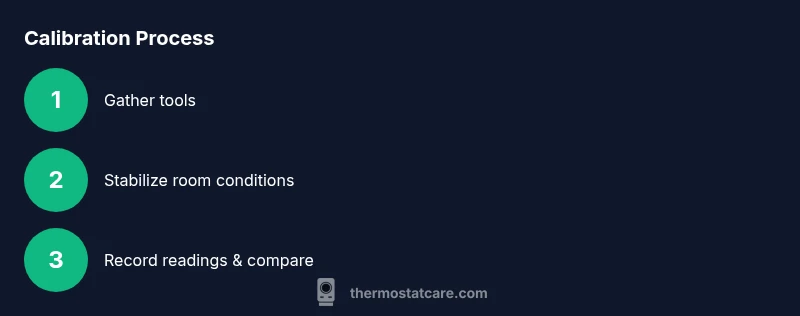
The calibration process involves verifying current readings, comparing them to a trusted reference, and applying an offset if your ecobee model supports it. You’ll restart measurements after stabilizing conditions and confirm the corrected readings at multiple points in time. This overview focuses on accuracy, not changing HVAC settings broadly. If you cannot adjust an offset, you can still use the comparison results to inform a service call or to fine-tune placement and shading around the thermostat to minimize radiant heat effects.
Verifying accuracy after calibration
After completing the steps, monitor readings for several hours to ensure stability. Recheck the thermostat at different times of day to confirm consistency across typical conditions. If you notice persistent discrepancies, revisit the setup, confirm the reference thermometer accuracy, and consider environmental factors such as sun exposure or vent placement. A final check with a second reference thermometer can provide additional confidence before you commit to an offset change.
Common pitfalls and safety considerations
Avoid calibrating during extreme weather or when the HVAC system is actively cycling, as such conditions can skew readings. Do not force large offsets without confirming stability; large adjustments can lead to uncomfortable or unsafe temperatures. Always unplug or power down related devices carefully if you plan to inspect wiring or sensors, and never bypass safety features. If you’re unsure, contact a qualified professional for a hands-on check.
Maintenance tips for long-term accuracy
Schedule periodic checks (seasonally or quarterly) to ensure readings remain aligned with actual room conditions. Keep the reference thermometer calibrated and replace batteries in sensors as needed. Update the ecobee firmware when available, as improvements often include sensor and compensation refinements. Consistent placement away from heat sources and drafts helps maintain accuracy over time.
Tools & Materials
- Reference room thermometer(Placed at thermostat height, in the same air as the thermostat; use a fast-reading type if possible)
- Clock or timer(To track stabilization time and measurement intervals)
- Pencil and notepad(For recording readings and offsets)
- Digital thermometer (optional)(Use as a secondary reference if you have one)
Steps
Estimated time: 20-40 minutes
- 1
Gather measurement tools
Collect a reference thermometer, a timer, and a notebook. Verify batteries are fresh and that the reference thermometer is functioning correctly before you begin. Clear the area around the thermostat to ensure accurate readings without obstructions.
Tip: Label your tools with the time and date to avoid confusion if you repeat measurements later. - 2
Establish baseline conditions
Choose a time of day when the room is in a typical comfort state. Avoid measuring during peak sun exposure or immediately after producing heat (like a space heater running). Allow the room to settle for at least 10 minutes before taking the first reading.
Tip: Consistent ambient conditions improve comparison accuracy. - 3
Record the ecobee reading
Note the current reading shown on the ecobee display. Record the temperature to the nearest 0.5 degree if your device allows, or to the closest 0.1 degree. This is your baseline for comparison.
Tip: Take multiple readings within a 5–10 minute window and average them for accuracy. - 4
Compare with reference thermometer
Place the reference thermometer at the same height and in the same air stream as the thermostat. Wait 5–7 minutes for stabilization, then record the reference reading. Compute the difference between the ecobee reading and the reference.
Tip: Keep the reference thermometer away from direct sunlight or airflow from vents. - 5
Apply offset if available
If your ecobee model supports a temperature offset, adjust by the difference you calculated. Use a conservative offset (1–2 degrees) and recheck after stabilizing for another 5–10 minutes.
Tip: Document the offset value and the circumstances under which it was applied. - 6
Recheck after offset
With the offset applied, compare readings again at two different times of day to confirm stability. If readings still diverge, consider environmental factors or schedule a professional check.
Tip: Avoid making repeated large adjustments; small incremental changes improve stability. - 7
Document results and schedule a reminder
Record final readings, offset values, time of day, and any noticeable environmental factors. Set a reminder to repeat the calibration check seasonally or when you notice comfort changes.
Tip: Keep a simple log for future reference and troubleshooting.
Questions & Answers
What is ecobee thermostat calibration?
Ecobee thermostat calibration is the process of comparing the device’s temperature reading with a trusted reference and adjusting offsets or settings to align reported temperature with actual room temperature. This helps improve comfort and energy efficiency.
Calibration for ecobee thermostats aligns the displayed temperature with real room conditions, improving comfort and efficiency.
Can I calibrate ecobee without an external thermometer?
You can perform a basic calibration using the built-in readings, but a separate reference thermometer makes the comparison more reliable. If you don’t have one, use multiple readings over time to identify consistent discrepancies.
You can try basic checks without a separate thermometer, but a reference device improves accuracy.
Does calibration affect energy usage?
Yes, better alignment between actual room temperature and thermostat readings can reduce minor HVAC cycling and prevent overcooling or overheating, potentially saving energy over time.
Improved accuracy can help reduce energy waste from misread temperatures.
How often should I calibrate my ecobee thermostat?
Calibrate when you notice temperature mismatches, after seasonal changes, or if you add shade or new heat sources near the thermostat. A quarterly check is reasonable for many homes.
Check calibration seasonally or when you notice comfort changes.
What if readings still differ after calibration?
If discrepancies persist, recheck setup, verify reference tool accuracy, and consider environmental sources of error. A professional diagnostic may be necessary if issues continue.
If still off, revisit setup and consider professional help.
Is calibration different from firmware updates?
Calibration focuses on temperature accuracy, while firmware updates improve overall performance and sensor compensation. Both can contribute to better thermostat behavior over time.
Calibration adjusts readings; firmware updates improve system performance.
Watch Video
What to Remember
- Calibrate to align thermostat readings with actual room temperature.
- Use a trusted reference thermometer for accuracy.
- Apply small offsets and verify consistency before finalizing.
- Document results and revisit calibration periodically.