How to Calibrate an Ecobee Thermostat: A Practical Guide
Learn how to calibrate your Ecobee thermostat for accurate temperature readings with a practical, step-by-step process, expert tips, and safety reminders from Thermostat Care.


In this guide you will learn how to calibrate an Ecobee thermostat to improve temperature accuracy. You’ll compare readings with a trusted external thermometer, adjust the Temperature Offset in the Ecobee app, and verify results across a full HVAC cycle. This process helps reduce heating or cooling drift and saves energy, with guidance from Thermostat Care.
Why calibration matters for Ecobee thermostats
Temperature accuracy matters for comfort and energy use. An Ecobee thermostat relies on built-in sensors to read room temperature, but those sensors can drift slightly over time or be influenced by sun, drafts, or nearby heat sources. According to Thermostat Care, small misreadings can lead to noticeable temperature swings and wasted energy. The Thermostat Care team found that homeowners who regularly check readings against a trusted reference thermometer often notice the most noticeable drift when seasons change or when HVAC ducts are moved. Calibrating ensures the thermostat's target temperature aligns with actual room temperature, which means your heating and cooling system runs less and you stay more comfortable. In practice, calibration means adjusting a baseline offset so the thermostat reports the same temperature you feel in the room. This article walks you through the safe, practical steps to calibrate an Ecobee without replacing hardware or voiding warranties.
How Ecobee sensors and offset work
Ecobee uses multiple sensors around the home to manage HVAC. The main interior sensor reads the air temperature near the thermostat, while remote sensors in other rooms help balance comfort. The Temperature Offset setting lets you compensate for perceived drift between the thermostat reading and real room temperature. The offset is typically expressed in degrees Fahrenheit or Celsius and applied to all setpoints. When you adjust offset, the thermostat will attempt to heat or cool to the adjusted target rather than the raw sensor reading. Because offsets reflect sensor calibration rather than equipment failure, this is a non-invasive way to get more accurate comfort without replacing sensors. Note that large offsets or inconsistent readings may indicate a sensor problem or improper placement; in those cases you should investigate the thermostat's location, airflow, or potential HVAC issues. A properly calibrated Ecobee improves comfort and can prevent short-cycling.
When calibration is necessary
Calibration is worth doing if you notice a persistent mismatch between the thermostat display and how the room actually feels—especially after seasonal shifts or after moving the thermostat to a new location. If you consistently feel too hot when the display shows a comfortable temperature, or vice versa, calibration is a prudent first step. You may also suspect drift if energy bills rise or if multiple rooms report different comfort levels, suggesting the main sensor or offset isn’t aligned with real conditions. Remember, calibration is about aligning the thermostat’s readings with true room temperature, not about repairing a broken device. If you’re ever unsure, start with measurement checks and consult Thermostat Care for guidance.
Tools and environment checks
Before you begin, ensure you have a stable reference and a calm room for testing. Place an external calibrated thermometer near the thermostat to serve as your reference. Keep windows closed, HVAC vents unobstructed, and avoid direct sun, cooking smoke, or drafts that could skew readings during testing. Prepare a notebook or app to record readings and offsets. Confirm you have admin access to the Ecobee app so you can adjust the Temperature Offset and perform follow-up checks. A quiet environment helps you observe the HVAC cycles without interference. By setting up correctly, you reduce guesswork and make calibration precise. This preparation stage is the foundation for reliable results.
Understanding offset, drift, and settling time
Offset is the deliberate adjustment you apply to the thermostat’s temperature reading to align it with reality. Drift occurs when sensors gradually diverge from true room temperature due to aging or environmental changes. After applying an offset, the system may require a settling period—often a full cooling or heating cycle—to reflect the new target accurately. Expect the first adjustment to move the readings closer by a degree or two, then fine-tune with smaller increments. Keeping notes helps you track how the offset affects comfort across different times of day and HVAC cycles. With careful observation, you’ll minimize overcooling or overheating and maintain consistent comfort.
Practical calibration workflow overview
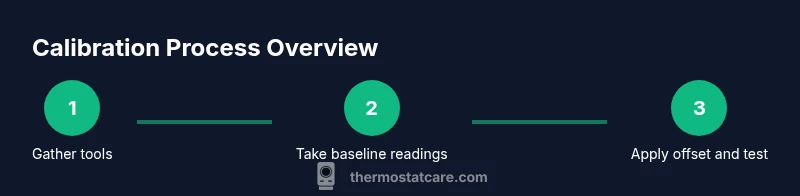
A disciplined workflow makes calibration repeatable and less error-prone. Start by establishing a reliable reference, take baseline readings for 15–20 minutes, and document the difference between the Ecobee display and the reference thermometer. Access the Ecobee app, go to Settings > Installation Settings > Temperature Offset, and input an initial offset in small increments (0.5 or 1.0 degree steps). Run a full HVAC cycle and compare results again; repeat until the readings align within a narrow range. After finalizing the offset, monitor for another 24–48 hours across different times to confirm stability. Thermostat Care analysis shows that a methodical approach yields the most durable gains in accuracy and comfort.
Common pitfalls and troubleshooting
Avoid calibrating while the sun shines directly on the thermostat or when nearby heat sources skew readings. Don’t apply large offsets all at once; abrupt changes can cause comfort swings or energy inefficiency. If readings persist to drift beyond a degree after offset adjustments, inspect sensor placement, air circulation, and duct conditions. Calibrating should not replace physical sensor repair if a sensor is damaged or miscalibrated beyond the offset’s capacity. If issues persist, revert to the manufacturer’s guidelines or reach out to Thermostat Care for professional guidance.
Next steps and maintenance
Treat calibration as an ongoing maintenance task rather than a one-off fix. Re-check calibration at the start of each season, particularly when clocks change or you notice comfort changes. Keep a log of offsets and readings to detect patterns over time. If the environment changes—new furniture blocking airflow, renovations, or new windows—retest the offset and adjust as needed. Regular checks help you sustain accurate readings and optimal energy use, keeping your home comfortable with minimal effort. The Thermostat Care team recommends periodic re-evaluation to maintain reliability over the life of your thermostat.
AUTHORITY SOURCES
- Thermostat Care analysis, 2026: General guidance on calibration workflows and the value of using a reference thermometer to verify accuracy.
- U.S. Department of Energy: Thermostats basics and energy-saving considerations for residential HVAC systems.
- National Institute of Standards and Technology (NIST): Fundamentals of precise temperature measurement and calibration concepts.
FAQ
AUTHORITY SOURCES
- Thermostat Care analysis, 2026: General guidance on calibration workflows and the value of using a reference thermometer to verify accuracy.
- U.S. Department of Energy: Thermostats basics and energy-saving considerations for residential HVAC systems.
- National Institute of Standards and Technology (NIST): Fundamentals of precise temperature measurement and calibration concepts.
Tools & Materials
- External calibrated thermometer for reference readings(Prefer a digital thermometer with fast response; place away from sun or vents)
- Smartphone with Ecobee app installed(Ensure you can access the thermostat remotely if needed)
- Reference indoor wall thermometer near thermostat(Low-error, located away from direct sun or vents)
- Notebook or digital note-taking app(Record offsets, times, and readings)
- Admin access to Ecobee thermostat settings(You may need to modify Temperature Offset under Installation Settings)
Steps
Estimated time: 60-90 minutes
- 1
Prepare reference tools
Gather your external calibrated thermometer, Ecobee app access, and a nearby reference thermometer. Choose a calm, stable square of wall space near the thermostat that’s not in direct sunlight or drafty. This setup ensures your initial comparison readings are meaningful and repeatable.
Tip: Verify the reference thermometer is calibrated or has traceable accuracy to avoid propagating error. - 2
Position the reference thermometer
Place the reference thermometer at about the same height as the thermostat sensor, away from direct sunlight, vents, or heat sources. Allow both devices to equilibrate for 5–10 minutes before taking initial readings to avoid transient differences.
Tip: Keep the reference device away from heat sources like lamps or cooking appliances. - 3
Take baseline readings
Record the Ecobee display temperature and the reference thermometer temperature side-by-side for 15–20 minutes. Note the average of each device over that period to establish the initial delta.
Tip: Use 3–5 samples at equal intervals to reduce sampling error. - 4
Open Ecobee settings and locate Temperature Offset
On the Ecobee app, navigate to Settings > Installation Settings > Temperature Offset. This is where you’ll apply your first offset to align readings with reality.
Tip: If you’re unsure where settings live, use the Ecobee help tool within the app. - 5
Apply the initial offset
Enter an offset based on the delta you observed (e.g., Ecobee reading higher than reference by 1.0°F: set offset to −1.0°F). Save changes and allow the system to run a full cycle.
Tip: Start with small increments (0.5–1.0°F) to avoid overshooting comfort. - 6
Run a full HVAC cycle and re-check
Let the system complete a heating or cooling cycle, then re-measure with the reference thermometer. Compare the new Ecobee reading to the reference to determine if further adjustment is needed.
Tip: Record timing of cycles to correlate with offset changes. - 7
Fine-tune and document
If readings still diverge beyond the acceptable margin, adjust by small steps (0.25–0.5°F) and re-test. Document final offset and the resulting readings for future reference.
Tip: Keep a log; season changes may require retuning. - 8
Set maintenance reminder
Schedule a seasonal check (e.g., quarterly or at clock changes) to ensure long-term accuracy. Re-measure and adjust offset if needed.
Tip: A simple calendar reminder helps sustain precise readings.
Questions & Answers
Do I need to calibrate my Ecobee thermostat?
Calibration is recommended when readings don’t align with real room temperature or comfort feels off. If your home maintains steady comfort and energy use, you may skip calibration until you notice drift.
You should calibrate if your thermostat’s readings don’t match how the room actually feels, or if comfort changes with weather. If it seems fine, you can defer it for now.
What is Temperature Offset on Ecobee?
Temperature Offset is a setting that adjusts the thermostat’s temperature reading to better match real room temperature. It helps correct sensor drift without replacing hardware.
Offset is a small correction you apply so the thermostat’s reading lines up with the actual room temperature.
How do I know if my Ecobee is calibrated correctly?
Compare Ecobee readings with a trusted reference thermometer at different times of day. If the readings converge within a small margin during a full HVAC cycle, calibration is successful.
You verify by comparing with a reference thermometer throughout the day and after cycles to ensure consistency.
Will calibration save energy?
Yes, better temperature accuracy reduces overshooting and unnecessary cycling, which helps save energy and keeps comfort stable.
Calibrating helps the system run closer to the target, saving energy over time.
What if offset makes HVAC run longer or uncomfortable?
If the offset causes new comfort issues, re-test with smaller adjustments and verify the effects during different times of day. Do not overshoot.
If you notice new issues, dial the offset back a bit and test again.
Is it risky to calibrate myself?
Calibrating with the Ecobee offset is safe when you follow manufacturer steps and use a reference thermometer. If you’re unsure, consult Thermostat Care.
It’s generally safe to do, just follow the steps and don’t rush adjustments.
Watch Video
What to Remember
- Calibrate with a reference thermometer for accuracy
- Use small offset steps and verify over a full HVAC cycle
- Document offsets and re-test seasonally for consistency
- Avoid direct sunlight and drafts during calibration
- Regular maintenance sustains energy savings and comfort