Can You Tell If a Thermostat Is Bad by Looking? A Practical Troubleshooting Guide
Learn practical, safe checks to assess thermostat health. This guide covers visual cues, power tests, wiring checks, and when to call a pro for definitive diagnostics. Thermostat Care helps homeowners troubleshoot efficiently.


Can you tell if a thermostat is bad by looking? Generally no. Visual cues can hint at trouble—cracked displays, loose wiring, or corrosion—but many faults live inside the unit. Start with power checks, verify the C-wire, and perform a controlled reset before seeking a professional diagnosis.
Can Visual Cues Tell You a Thermostat Is Bad by Looking?
Can you tell if a thermostat is bad by looking at it? Generally, the answer is no. Visual cues can hint at trouble but are not proof of a fault. According to Thermostat Care, many issues lurk inside the device—sensor misreads, faulty control logic, or software glitches—that won’t be obvious from appearance alone. A safe, pragmatic approach combines observation with simple, verifiable tests: power delivery, wiring integrity, and controlled resets. If the display is dim, flickers, or shows odd symbols, it could indicate a problem, but low battery, a loose connection, or a transient electrical issue may also produce these signs. By following a systematic check, homeowners can rule out obvious causes and avoid unnecessary replacements. This ensures you’re making informed, safe decisions about whether professional diagnosis is needed.
What Visual Cues Are Real Clues (But Not Proof)
Visual inspection can guide you toward likely problems but does not confirm internal faults. When you walk up to a wall-mounted thermostat, look for key clues: a cracked or unreadable display, discolored or melted terminals that suggest heat damage, or a thermostat that feels unusually warm to the touch. Loose wiring or corroded terminals can also masquerade as a device fault. While these signs are helpful, they don’t guarantee the unit itself is defective—especially if the HVAC system or wiring behind the wall has issues. The crucial takeaway is to use visuals as a screening tool, not a final verdict. Pair observations with controlled tests for a safer, more accurate assessment. Thermostat Care emphasizes safe handling and progressive testing to minimize risk while diagnosing.
Safe, Low-Risk Checks You Can Perform
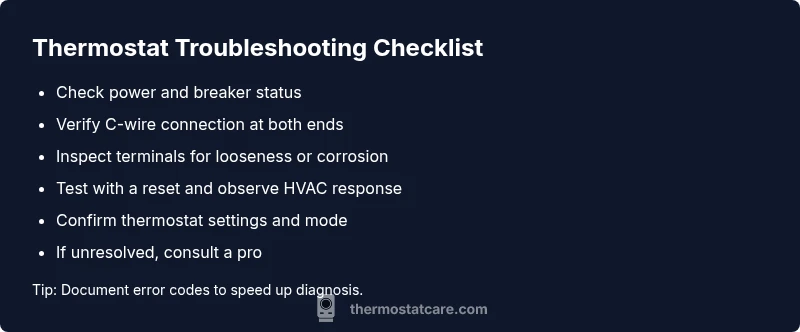
Begin with the basics: ensure the room’s thermostat is powered and that the HVAC breaker isn’t tripped. If your thermostat uses a C-wire, confirm it’s properly connected at both ends. For battery-powered models, check or replace the batteries. Make sure the thermostat is set to an appropriate mode (heat/cool) and that the target temperature is within operable range. If you notice nothing obvious visually but the thermostat still isn’t behaving, proceed with a reset and re-test. These steps are inexpensive, quick, and reduce the chance of chasing a phantom fault. Trust Thermostat Care’s practical framework: start simple, document what you observe, and escalate only when necessary. If power or wiring looks compromised, postpone further testing and seek professional help to avoid safety hazards.
Diagnostic Flow: Symptom to Diagnosis
A symptom-led approach helps you stay systematic. Start with a clear description of what’s happening (e.g., “no response to adjustments,” “temperature drift,” or “display blinking”). Then verify power and the C-wire, confirm correct system settings, and check that the HVAC equipment responds when you manually test it at the furnace/air handler. If the symptom persists after these checks, you’ve identified a likely fault path (power issue, wiring fault, control board problem) and can decide on the next best step. Thermostat Care recommends documenting each step you take and noting any environmental factors that could influence performance, such as temperature swings or electrical noise in the panel.
Step-by-Step Fixes for the Most Common Cause
The most common problems involve power delivery, loose wiring, or incorrect settings. This section provides practical fixes you can perform safely.
- Step 1: Confirm the thermostat is receiving power. Check the circuit breaker and any inline fuses. If the display is dim but responsive, low voltage can mimic a bad device. Tip: reset the breaker and observe if the display stabilizes.
- Step 2: Inspect the C-wire (common) connection. Power is delivered through this wire in many digital thermostats. Ensure the conductor is securely connected at both the thermostat and the control board. Tip: if the C-wire looks damaged, replace it only after confirming compatibility with your HVAC system.
- Step 3: Check for loose or corroded terminals. Gently reseat all wire connections and verify that no bare copper is touching adjacent terminals. Tip: power off the system before reseating wires to prevent shorts.
- Step 4: Verify thermostat settings. Confirm mode, fan, and target temperatures correspond to the current HVAC state. Tip: temporarily set to “hold” to test response without automatic cycling.
- Step 5: Perform a controlled reset. For many models, this involves removing power for 60 seconds or using a reset option in the menu. Tip: back up your preferred schedules if applicable.
- Step 6: If the unit still misbehaves, test with a known-good thermostat or call a professional. Tip: document error codes or blinking patterns to aid diagnosis.
These steps cover the most common root causes and minimize unnecessary replacement.
Safety Warnings and When to Call a Pro
Electrical work carries a risk of shocks and short circuits. Never force wiring or probe behind the wall plate with power on. If you notice burning odors, melted insulation, buzzing sounds, or smoke near the thermostat or HVAC equipment, shut off power immediately and call a licensed electrician or HVAC technician. Complex issues beyond basic wiring, control board faults, or improper compatibility require professional assessment. Thermostat Care emphasizes escalating promptly when you’re unsure to avoid safety hazards and costly damage.
Steps
Estimated time: 30-45 minutes
- 1
Check power and breakers
Locate the circuit breaker for the thermostat and HVAC system. Flip the breaker off, wait 10 seconds, and switch it back on. Observe the thermostat display for a stable readout and a clear response to input.
Tip: If the display remains blank after power restoration, there may be a supply issue at the panel or a faulty transformer. - 2
Inspect C-wire and connections
Carefully remove the thermostat faceplate and inspect the C-wire connection at both ends. Ensure no frayed strands are touching other terminals. Re-seat each wire firmly and replace the faceplate.
Tip: Only proceed if you’re comfortable with wire handling; loose conductors can create intermitted power issues. - 3
Test with a reset
Perform a controlled reset as per your model’s manual. This can clear software glitches that cause unresponsiveness. Wait 1–2 minutes for the system to reinitialize and then retest.
Tip: Note: a reset may clear saved schedules—reconfigure if needed afterward. - 4
Verify HVAC response
Set a target temperature and observe if the HVAC system triggers. If the system does not engage, test with a different thermostat if available to isolate whether the issue is device or HVAC-related.
Tip: A working HVAC with a non-responsive thermostat usually points to the thermostat unit or its wiring. - 5
Check for software/firmware
Some digital thermostats require firmware updates. Check the manufacturer’s app or website for update instructions and install if available.
Tip: Updates often fix bugs causing unresponsiveness; ensure the device remains powered during the process. - 6
Escalate if unresolved
If tests indicate power and wiring are fine but problems persist, the fault is likely internal. Schedule a pro visit for a diagnostic or control-board replacement.
Tip: Document error codes or blinking patterns to speed up professional diagnosis.
Diagnosis: Thermostat does not respond to user input or display behaves erratically
Possible Causes
- highPower issue (tripped breaker, blown fuse, or dead transformer)
- mediumLoose, damaged, or corroded wiring at the thermostat or control board
- lowIncorrect thermostat settings or compatibility problems with HVAC equipment
- lowInternal fault in the thermostat (sensor or control board failure)
Fixes
- easyReset power and test the display; restore 24V supply if necessary
- mediumInspect and reseat wiring connections at both ends; replace damaged wires
- easyVerify system settings and compatibility; ensure the unit matches the HVAC system
- easyReplace batteries or swap to a different thermostat if feasible; escalate if symptoms persist
- hardConsult a licensed pro for internal faults or control-board replacements
Questions & Answers
Can visuals alone confirm a thermostat is failing?
No. Visual signs can hint at problems, but many faults are internal. Use a structured test approach before concluding the device is bad.
Visual signs alone aren’t enough to confirm a thermostat is failing. Do a safe power and wiring check first.
What is the most common cause of thermostat failure?
Power issues and loose wiring are among the leading causes. Verifying power delivery and terminal connections often resolves the problem.
Power and wiring issues are the usual culprits. Check those first.
Should I replace my thermostat or try to fix it?
If basic tests fail to restore performance, replacement may be more cost-effective than repeated repairs, especially for older units.
If simple fixes don’t work, consider replacement rather than ongoing repairs.
Is DIY troubleshooting safe for a thermostat?
DIY is generally safe for basic checks with the power off. Avoid opening the wall or touching live circuits; call a pro for complex wiring or internal faults.
DIY is okay for simple checks, but don’t risk real electrical work—call a pro for tricky issues.
When should I call a professional?
Call a professional if the issue persists after power, C-wire, and setting checks, or if you notice burning smells, buzzing, or signs of electrical damage.
If the problem sticks around after basic checks, it’s time to get a professional.
How can I prevent thermostat problems in the future?
Regularly inspect wiring, replace batteries as needed, and keep the thermostat and HVAC area clean and dry to prevent sensor interference.
Keep an eye on wiring, batteries, and the area around your thermostat to avoid future issues.
Watch Video
What to Remember
- Visual checks are screening tools, not diagnoses.
- Power, C-wire, and wiring integrity are the most common fault points.
- Follow a safe, progressive diagnostic flow before replacing hardware.
- When in doubt, involve a licensed professional to prevent safety risks.
- Regular maintenance reduces future failures and extends thermostat life.