Wiring RV Thermostat: A Step-by-Step DIY Guide
Learn how to wire an RV thermostat safely with a practical, field-tested approach. This Thermostat Care guide covers tools, wiring basics, step-by-step actions, safety tips, and troubleshooting for common RV HVAC setups.


Wiring an RV thermostat involves identifying control wires, providing the correct power, and ensuring secure connections. This hands-on guide walks you through wire functions (R, C, W, Y, G), compatibility checks, and a clear step-by-step process to connect or replace a thermostat. Expect practical safety tips and tested troubleshooting steps.
Why RV thermostat wiring matters
If you're upgrading or repairing an RV thermostat, proper wiring ensures safety, reliable heating and cooling, and prevents damage to the RV electrical system. According to Thermostat Care, most thermostat failures stem from loose connections, incorrect wire identification, or mismatched power supplies. In an RV, space, rugged conditions, and the dual power environment (12V DC from the coach battery and, when plugged in, AC shore power) add complexity. This guide will help you identify the common wire functions, understand voltage considerations, and perform wiring with care. We’ll cover four common wire configurations and show you how to adapt to different thermostats. By the end, you’ll know how to connect or replace the thermostat with confidence, while keeping your RV’s electrical system safe and compliant.
RV thermostat wiring basics
In most RVs, the thermostat controls heating and cooling through a low-voltage control circuit built to run on 12V DC from the coach battery. Some modern RV thermostats are energy-smart and may require a common (C) wire to power features like digital backlights or Wi-Fi. The core wires are generally labeled R (power), C (common), W (heat), Y (cool or compressor), and G (fan). If you’re replacing an old mechanical stat with a digital model, you may need to repurpose or add wires. Always verify your RV’s HVAC control board compatibility before pairing a thermostat. Remember that the RV environment can create more vibration and temperature swings, so secure connections and strain relief are essential.
Tools and safety prerequisites
Before you touch any panel, gather the essential tools and review safety basics. You’ll need a voltage tester or multimeter, wire strippers, small screwdriver set, needle-nose pliers, electrical tape, wire nuts, and possibly extra thermostat wiring. Wear safety glasses and disconnect power from both battery and shore power while working. A non-contact tester can help you confirm that no voltage is present before you start. If your RV uses a propane furnace, isolate the furnace area to prevent accidental ignition. For accuracy and to protect your warranty, handle components gently and avoid forcing wires into terminals.
Wiring scenarios you’ll encounter
Two common RV wiring setups exist: a four-wire configuration (R, W, G, and Y) that powers basic functions, and a five-wire configuration that adds a C-wire for power-hungry or smart thermostats. Some older systems use only three wires. When you’re wiring, identify color codes used in your RV (colors can vary by manufacturer). If in doubt, refer to your RV’s wiring diagram or contact the manufacturer. For safety, never mix high- and low-voltage connections, and avoid routing wires near water lines or heat ducts where heat can degrade insulation. This section sets the stage for careful wiring and reduces surprises during installation.
Step-by-step overview of the wiring process
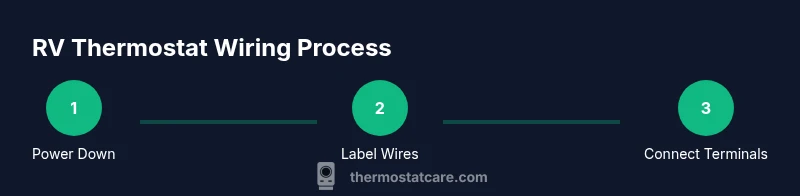
Here’s a high-level map of the process. First, confirm the exact thermostat model and your HVAC control board’s wire functions. Next, map each existing wire to its terminal on the new thermostat, labeling the cables so you don’t mix them up. Finally, reassemble, secure the harnesses, and perform a careful power-up test. For best results, plan your cable route to minimize strain and ensure a clean installation that won’t shake loose on the road.
Detailed wiring steps you will perform
Step-by-step guidance follows below in the formal STEP-BY-STEP block, but here’s a practical narrative to prepare you. Start by turning off power at the RV battery disconnect and shore power breaker. Then locate the HVAC control board in the RV’s utility cabinet and inspect the terminal strip. Label wires with its function (R, C, W, Y, G) using tape and note their colors. This helps prevent misconnection during installation. Attach each labeled wire to the corresponding terminal on the thermostat base (R to R, C to C, etc.). Tighten screws firmly but avoid over-tightening. Mount the thermostat, ensuring wires have slack and do not get pinched. Finally, restore power and test heat and cool modes. Visual references, such as wiring diagrams and photos, help verify accuracy.
Testing and verifying connections
With power restored, verify that the thermostat powers on and reports room temperature accurately. Test cooling by setting a low temperature and confirming the air conditioner engages; test heating by setting a high temperature for the furnace; observe the fan operation and duct airflow. If the thermostat displays error codes, consult the manual and check wire terminals for looseness or misconnection. A quick continuity check with a multimeter ensures each control wire has a proper path to the HVAC control board. If you feel a loose connection after a road trip, recheck terminal screws and strain relief.
Common problems and quick fixes
If your RV thermostat shows no power, confirm you wired the R and C wires correctly and that the power source is on. A non-responsive touchpad can indicate a dead battery or a backlight draw; consider replacing with a model that uses a C-wire. Loose wires inside the wall plate are a frequent cause of intermittent operation. Ensure there’s no pinched cable behind the thermostat and that mounting screws aren’t grounding the wrong surface. For compatibility questions, refer to the thermostat’s compatibility list and your RV’s wiring diagram.
Maintenance reminders and next steps
Routine checks keep RV thermostats performing reliably on the road. Periodically inspect wire insulation for cracking, verify that wire nuts remain tight, and test thermostat response monthly, especially after long trips or extreme temperatures. Consider labeling wires with color-coded tags for future upgrades and planning ahead for 12V and 120V power transitions. The Thermostat Care team emphasizes patience and a gradual pace when working inside an RV wall, as vibration and limited space can make quick fixes fail under load. Always keep a spare thermostat or two in the rig for contingency planning, and store a basic tool kit for on-the-road adjustments.
Authority sources
- Energy.gov: Thermostats and energy-saving tips – https://www.energy.gov/energysaver/thermostats
- NIST.gov: Standards and guidelines for electrical systems – https://www.nist.gov/
- EPA.gov: Indoor air quality and HVAC safety – https://www.epa.gov/
Tools & Materials
- multimeter or voltage tester(Check for power at thermostat wires and verify 12V DC supply in RV mode)
- wire strippers(Use 22-18 AWG wire stripping range; avoid nicking insulation)
- screwdriver set(Phillips and flat-head, small sizes for thermostat screws)
- electrical tape(Insulate wire splices and terminal connections)
- wire nuts or terminal blocks(Secure splices and clean terminations)
- labeling materials(Label wires by function to prevent mix-ups)
- replacement thermostat (optional)(For upgrade or replacement testing)
- extra thermostat wiring (optional)(If upgrading to 5-wire or adding a C-wire)
Steps
Estimated time: 45-90 minutes
- 1
Power down and verify
Turn off power at the RV battery disconnect and shore power; use a voltage tester to confirm no voltage on thermostat wires. This prevents shocks or shorts while you work.
Tip: Double-check both power sources before touching wires. - 2
Access the control panel
Open the cabinet where the HVAC control board is mounted; locate the thermostat terminal strip and any color-coded wires. If needed, remove the wall plate carefully to expose terminals.
Tip: Take a photo of the original wiring before removing anything. - 3
Label and map wires
Label each wire with its function (R, C, W, Y, G) using tape and note their colors. This helps prevent misconnection during installation.
Tip: Color codes vary; rely on terminal labels as your primary map. - 4
Connect wires to the new thermostat
Attach each labeled wire to the corresponding terminal on the new thermostat base (R to R, C to C, etc.). Tighten screws firmly but avoid over-tightening.
Tip: If there is no C terminal, you may need a C-wire adapter or add-a-wire module. - 5
Mount the thermostat and secure wiring
Carefully mount the thermostat to the wall, ensuring wires have slack and do not get pinched. Use strain relief if your model provides it.
Tip: Leave a small margin so the plate sits flush. - 6
Restore power and test
Reconnect shore power and battery, power on the thermostat, and test heat and cool modes. Verify the HVAC response and temperature readings.
Tip: Test in both heating and cooling to catch miswired wires.
Questions & Answers
Do RV thermostats require a C-wire?
Many RV thermostats benefit from a C-wire, especially digital or Wi-Fi models. If your system lacks a C-wire, you may need to install an adapter or run a new conductor.
In most cases, digital RV thermostats benefit from a C-wire; if you lack one, an adapter or extra conductor can help.
Is wiring an RV thermostat safe for DIY?
DIY wiring is possible with proper safety, power-down procedures, and adherence to manufacturer instructions. If you’re unsure, consult a pro, as incorrect wiring can damage the RV’s electrical system.
It can be safe if you power down, follow the manual, and avoid guessing. If unsure, seek professional help.
What tools are essential for RV thermostat wiring?
A basic test meter, wire strippers, screwdrivers, electrical tape, and proper wire nuts are essential. Keep spare thermostat wire if you’re upgrading or adding a C-wire.
You’ll need a meter, wire stripper, screwdrivers, tape, and wire nuts.
How can I tell if a wire is R or C?
Use the control board labeling and thermostat backplate to map wires. If unsure, use a multimeter to check voltage when power is on; R is typically 12V DC in RVs, C is common.
Map wires by terminal labels; use a meter to confirm power presence.
What if the thermostat doesn’t power on after wiring?
Double-check all terminal connections, confirm power sources are on, and test the voltage at the R wire. A loose ground or a short can prevent startup; re-seat wires and try again.
Check power, verify connections, and test the R line for voltage.
Watch Video
What to Remember
- Identify wire functions before attaching
- Power down electrodes and verify no voltage present
- Label wires for future maintenance
- Test both heat and cool modes after wiring
- Use proper strain relief and secure mounting