How to Wire a Thermostat with a Heat Pump
Learn how to wire a thermostat with a heat pump, covering safety, wire mapping, and testing. Thermostat Care provides practical, step-by-step guidance for homeowners troubleshooting heat-pump setups.


This guide explains how to wire a thermostat with a heat pump, focusing on safety, terminal mapping, and testing. Start by confirming compatibility and shutting off power, then connect R, C, Y, G, and O/B/Aux signals per the heat pump diagram and the thermostat manual. According to Thermostat Care, ensure the C-wire is present or a power extender is used if needed. Finally, test all modes to confirm proper operation.
Wiring basics for heat pumps
A heat pump relies on a compact set of control wires to coordinate indoor comfort with outdoor equipment. The most common signals you’ll encounter are R (24V power), C (common), Y (compressor), G (fan), and W or Aux/E (emergency or auxiliary heat). The O/B terminal controls the reversing valve, which determines whether the system operates in heating or cooling mode. Some systems also use Y2 or W2 for second-stage heat. Colors are not a guaranteed indicator of function; always consult the heat pump’s wiring diagram and the thermostat’s manual to confirm which terminal each wire should occupy. Thermostat Care emphasizes that matching terminal functions across devices reduces miswiring risk and protects equipment. If a dedicated C-wire is unavailable, you’ll often need a power extender kit or a thermostat designed for systems without C power.
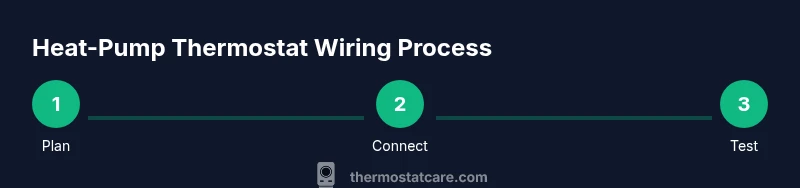
When wiring a heat-pump setup, plan for three core goals: supply power to the thermostat (R and C), control the compressor and fan (Y and G), and manage heat modes (O/B and Aux/E). This upfront mapping saves time during the actual connection and reduces the chance of cross-wiring signals that could damage components.
Safety prerequisites before you begin
Safety comes first. Begin by turning off power at the main breaker and at the exterior disconnect for the heat pump to eliminate the risk of shock. Use a non-contact voltage tester to verify there is no voltage present on the thermostat wires before touching any conductors. Never work with energized circuits; even a small arc can injure you or damage equipment. If you’re unsure about any step, stop and consult a licensed HVAC technician. Keep the work area dry and well-lit, remove the thermostat from the wall, and label wires as you disconnect them. Thermostat Care notes that strict safety practices help preserve warranties and prevent dangerous situations when wiring heat-pump systems.
Understanding thermostat terminal labels for heat pumps
Standard heat-pump wiring uses a set of labeled terminals that may vary slightly by brand. Typical terminal labels include R (24V supply), C (common), Y (compressor contactor), G (indoor fan), O/B (reversing valve), and Aux/E (emergency or auxiliary heat). Some thermostats separate W1 or W2 for auxiliary heat or second-stage heat, while others combine signals under W or AUX. For heat pumps, O/B polarity matters: O energizes in cooling in many systems, while B energizes in heating in others. Your heat pump’s outdoor unit wiring diagram and the thermostat’s installation guide are your best references for correct mapping. If your system lacks a C-wire, you may need a power extender kit or select a thermostat designed for non-C configurations. Thermostat Care stresses confirming that each wire’s function, not color, matches the terminal it goes to across both devices.
Wiring concepts and diagram interpretation
Planning wiring begins with mapping each function to a terminal on both devices. Connect R to R, C to C, Y to Y, and G to G. For heat-pump operation, connect the reversing valve wire to O/B and ensure the thermostat is set to the correct reversing valve option (O or B) based on your equipment. Then wire W or Aux to the auxiliary heat terminal on the thermostat; some models also need W2 for second-stage heat. If you lack a dedicated C-wire, verify whether a power extender kit is acceptable for your thermostat or if a battery-powered option is feasible. Always reference the heat pump’s manual and the thermostat’s wiring guide to avoid misinterpretation. A careful documentation photo at the start helps during reassembly and reduces mistakes.
Common mistakes and how to avoid them
Common wiring mistakes include assuming wire color equals function, which can lead to miswired terminals. Another mistake is omitting the C-wire or failing to set the thermostat for heat-pump operation, which can hinder power and mode selection. Never force-fit wires into the wrong terminals; tighten screws securely to prevent loose connections. Always double-check the O/B wiring and polarity, as an incorrect setting can cause the valve to energize at the wrong time, reducing efficiency or damaging the outdoor unit. Finally, neglecting to test all modes after wiring is a frequent oversight—system checks should cover heat, cool, and emergency heat if applicable.
Testing and confirming operation after wiring
After completing the wiring, reassemble the thermostat, restore power, and begin with a controlled test. Set the system to heat mode and verify that the outdoor unit engages, the indoor fan runs, and auxiliary heat (if present) responds as expected. Switch to cool mode to confirm proper compressor operation and confirm that the reversing valve toggles when switching modes. Test emergency heat and the reversing valve again to ensure consistent performance across conditions. If anything seems off, recheck each wire’s terminal position against the diagram and verify power at both the thermostat and outdoor unit. Thermostat Care recommends a short, repeatable test routine to ensure reliability before relying on the setup for daily comfort.
Tools & Materials
- Digital multimeter(to verify voltage at wires before touching terminals)
- Non-contact voltage tester(to confirm circuits are de-energized)
- Screwdriver set (Phillips and flathead)(to remove covers and secure terminals)
- Wire strippers/cutters(for clean wire ends and proper terminations)
- Electrical tape or wire nuts(to secure splices and insulate connections)
- Thermostat wiring diagram (heat pump)(reference for correct terminal mapping)
- Labeling supplies (labels or tape)(to mark wires as you disconnect them)
- Safety gloves(optional protection when handling hot components)
Steps
Estimated time: 60-120 minutes
- 1
Power down and verify de-energization
Shut off power at the main breaker and the outdoor disconnect. Use the multimeter to confirm there is no voltage present on thermostat wires before touching them. This reduces the risk of shock and equipment damage.
Tip: Double-check the outdoor disconnect if you have one. - 2
Remove thermostat cover and identify wires
Carefully remove the faceplate and take note of how wires are connected. If needed, take a clear photo for reference. Do not force wires out of their terminals; keep track of each wire’s position.
Tip: Label each wire with its terminal name to avoid confusion during reassembly. - 3
Check heat-pump compatibility with your thermostat
Consult both the heat pump manual and the thermostat’s wiring guide to confirm support for O/B reversing valve and Aux/E heat. If you lack a C-wire, determine whether your thermostat can operate with a power extender kit or a non-C configuration.
Tip: If uncertain, pause and seek professional guidance to prevent damage. - 4
Disconnect existing wires from the thermostat
Gently loosen and detach each wire, keeping track of which terminal it came from. Do not yank; use a small tool to lift the terminal clamp if needed. Store wires neatly to prevent mix-ups.
Tip: Retain the old wiring diagram or photo for quick cross-checks. - 5
Connect wires to the thermostat per the wiring diagram
Insert each wire into the correct terminal: R to R, C to C, Y to Y, G to G, O/B to O/B, and W/Aux to Aux/E (or W) as specified. Tighten screws firmly but avoid over-tightening that could damage the terminal.
Tip: Verify no stray strands; trim excess copper if needed. - 6
Reassemble the thermostat and restore power
Mount the thermostat back to the wall plate and turn the power back on at both the main panel and outdoor disconnect. Give the thermostat a moment to boot and present a default screen.
Tip: If the display is blank, re-check the C-wire and power connections. - 7
Configure thermostat for heat-pump operation
Enter the thermostat settings and set system type to heat pump. Enable O/B reversal and select the appropriate option for your reversing valve polarity. If you have auxiliary heat, ensure Aux/E is enabled and correctly mapped.
Tip: Document your settings for future reference or service calls. - 8
Test all modes and confirm operation
Call for heat, then call for cool, and finally test emergency heat if available. Observe outdoor unit engagement, reversing valve action, and indoor fan behavior in each mode.
Tip: If anything seems off, revert to the wiring diagram and re-check terminal connections.
Questions & Answers
Do I need a C-wire for a heat pump thermostat?
Most digital thermostats require a C-wire for a stable power supply. If your system lacks a C-wire, you may need a power extender kit or a thermostat designed for non-C configurations.
Most digital thermostats need a C-wire; if you don’t have one, you might need a power extender kit or a thermostat designed for non-C power.
Can I wire a thermostat with a heat pump if there is no C-wire?
Yes, you can sometimes use a power extender kit or a thermostat designed for systems without a C-wire. Always verify compatibility with your heat pump and thermostat model.
Yes, you can in some cases with a power extender kit or a non-C thermostat—check compatibility first.
What is O/B on a thermostat, and how do I wire it?
O/B controls the reversing valve on many heat pumps. Connect to the O/B terminal and set the thermostat to energize in heating or cooling according to your system’s requirements.
O/B controls the reversing valve. Hook it to the O/B terminal and set the correct polarity.
How do I test the heat pump after wiring?
Power up, set to heat and verify outdoor unit engagement and indoor fan. Repeat for cooling and emergency heat if available. If something seems off, recheck wiring against the diagram.
Turn on heat, check outdoor unit and indoor fan, then do the same for cooling and emergency heat.
What are common mistakes when wiring heat pump thermostats?
Setting wires by color, skipping the C-wire, not enabling heat-pump mode, and misplacing O/B can lead to improper operation or damage. Always follow manufacturer guidance.
Common mistakes include misplacing wires and not enabling heat-pump mode.
Is it safe to wire a thermostat with a heat pump myself?
DIY wiring can be safe if you follow safety steps, have the right diagrams, and are comfortable with electrical work. For complex systems, consider a professional.
You can DIY if you follow safety rules and have the right diagrams, but hire a pro for complex setups.
Watch Video
What to Remember
- De-energize before touching wires and test power after wiring.
- Map each wire to the correct terminal on both devices.
- Configure heat-pump mode and O/B polarity accurately.
- Test all modes to confirm correct operation and avoid defaults.
- Keep manufacturer diagrams handy for future service.