Amazon Thermostat Wiring: A Step-by-Step Guide
Learn how to wire an Amazon thermostat safely with a clear, step-by-step approach. This guide covers wiring basics, safety checks, adapters, and troubleshooting to ensure reliable performance.


This guide explains amazon thermostat wiring and how to wire a smart thermostat safely. You’ll learn common wiring configurations, safety checks, and how to handle C-wire and power issues. Before you start, gather a compatible HVAC system, thermostat base, wire strippers, and a multimeter. Follow the step-by-step instructions to complete the wiring confidently and avoid common mistakes.
Why Amazon Thermostat Wiring Demands Care
Powering a smart home starts with reliable thermostat wiring, and amazon thermostat wiring deserves extra care due to multiple system configurations. The Thermostat Care Team notes that improper wiring can damage both the thermostat and HVAC control board, void warranties, and create unsafe conditions. This is especially true when mixing older 24-volt systems with modern power-stealing thermostats or when trying to reuse wire colors without confirming their function. In practice, take time to trace each conductor, confirm its terminal mapping, and verify that the power is off before touching any wires. This section provides a high-level view of why accuracy matters, how to assess your system, and how to prepare for a safe install. You’ll learn to identify R and C wires, whether a jumper is necessary, and how to avoid common mislabeling mistakes that lead to incorrect mode operation.
Understanding Common Wiring Configurations for Amazon Thermostats
Amazon thermostat wiring typically uses a 24-volt power source delivered via the R terminal, with a return path often bridged between Rc and Rh on many manufacturers’ bases. The C-wire supplies continuous power, while W1, Y1, and G control heat, cooling, and fan, respectively. Heat pumps require O/B for reversing valves. If your system lacks a dedicated C-wire, you may need a C-wire adapter or a dedicated power extender kit. Always map each conductor before breaking the old connections, and confirm that the new thermostat’s terminal labels align with your wires. Thermostat Care emphasizes validating compatibility between your HVAC equipment and the new unit, especially if you have legacy wiring.
The Role of the C-Wire and Power in Modern Thermostats
A stable C-wire provides a continuous return path for the thermostat’s power, preventing reboot cycles and flaky readings. In some installations, the thermostat may steal power from other circuits, leading to dim displays or inconsistent sensing. If there is no C-wire, Thermostat Care suggests solutions such as a power extender kit or an approved C-wire adapter, but avoid improvising with other wires. When wiring, keep the C-wire separate from high-voltage lines, and avoid looping or crossing conductors that may cause interference. This section helps you understand why C-wire matters and how to verify its presence using safe testing methods.
Step-by-Step Wiring Overview Before You Start
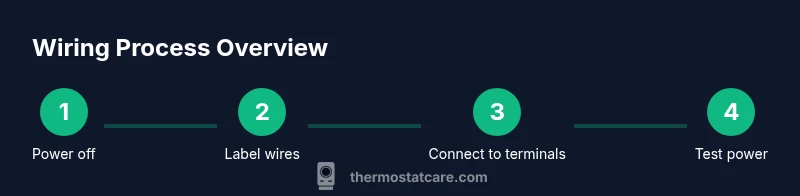
Before you jump into wiring, establish a plan: identify all wires, confirm terminal mappings, and prepare tools. Visually compare the old thermostat’s wiring to the new base, taking photos for reference. Maintain a clean work area and label each conductor with its destination terminal. This overview sets you up for the detailed, step-by-step instructions that follow and minimizes the risk of miswiring.
Safety First: Electrical Precautions and Codes
Electrical work requires respect for safety rules and local electrical codes. Always switch off the circuit breaker supplying the thermostat and HVAC unit, and verify no voltage is present with a non-contact tester before touching any wires. Use insulated tools, dry hands, and avoid working in wet conditions. If you see damaged insulation, corrosion, or scorch marks, stop and consult a pro. Following these precautions reduces the risk of electric shock or equipment damage.
Troubleshooting Common Wiring Issues
After wiring, you may encounter issues such as thermostat power loss, unresponsive displays, or incorrect mode operation. Common culprits include loose connections, mislabeled wires, or using the wrong terminal for a given function. Double-check each connection, re-tighten screws, and ensure wires are fully inserted. If you’re uncertain, consult the installation manual or seek professional help. Thermostat Care recommends keeping a wiring diagram handy to cross-check wire functions.
Verifying Connectivity: Testing After Wiring
Power up the system and test basic functions: display responsiveness, heat and cool call responses, and fan operation. Use a multimeter to verify that the R terminal reads the expected 24 volts relative to the C terminal, and check that no voltage leaks to ground. Confirm that the thermostat menus reflect accurate sensor readings. If something misbehaves, revisit wiring mappings, re-seat connections, and perform a controlled power cycle. Thermostat Care’s testing checklist can guide you through a methodical verification.
Optimizing Wiring for Performance and Longevity
Organize bundles with cable ties, label every conductor, and keep wire runs tidy and away from high-voltage lines. Short, well-protected wire runs reduce resistance and noise, improving reliability. Store extra wire ends safely and avoid over-tightening terminal screws. Consider upgrading to a modern, color-coded wire set to simplify future maintenance. Thermostat Care recommends documenting your wiring layout for future upgrades or troubleshooting.
Tools & Materials
- Multimeter(AC voltage validation between R and C; auto-range preferred)
- Non-contact voltage tester(Quick energized check before handling wires)
- Wire stripper(Strip insulation to 1/4 inch (6 mm) for solid connections)
- Screwdriver set (Phillips and flathead)(For terminal screws and mounting)
- Electrical tape(Insulate exposed conductors)
- Wire nuts (assorted sizes)(Secure splices and pigtails)
- Thermostat base and mounting screws(New unit mounting hardware)
- Labeling supplies (tape, marker)(Identify wires during transfer)
- Manufacturer wiring diagram for your HVAC system(Reference for terminal mapping)
Steps
Estimated time: 45-75 minutes
- 1
Power down and verify
Switch off the circuit breaker for the thermostat and HVAC system. Use a non-contact tester to confirm no voltage on wires before touching them. This protects you from shocks and prevents board damage.
Tip: Double-check the panel labeling; assume a live line until tested. - 2
Remove old thermostat and label wires
Carefully remove the cover; photograph or label each wire with its terminal counterpart. Keep wires organized and unhook only one wire at a time to avoid misplacement.
Tip: A photo reference is invaluable if you lose track of wire functions. - 3
Check for C-wire presence and plan wiring
Inspect the bundle to see if a dedicated C-wire exists. If not, decide whether to use a C-wire adapter or a power extender kit recommended by the thermostat manufacturer.
Tip: Avoid forcing a non-C wire to act as C-wire; use an approved adapter if needed. - 4
Connect wires to corresponding terminals
Match each wire to the thermostat terminal according to its function (R to R, W1 to W1, Y1 to Y1, G to G, C to C; if you have O/B or AUX, connect as appropriate). Ensure snug, straight seating with no stray strands.
Tip: Inspect terminal screws; a loose connection is a common failure point. - 5
Mount and secure the new thermostat
Attach the mounting plate to the wall, then snap the thermostat body onto the plate. Ensure the unit sits flat and without wobble, and tuck wires neatly inside the wall space.
Tip: Use a level to ensure alignment for a clean install. - 6
Restore power and perform a basic test
Turn the circuit breaker back on and observe the thermostat display. If it powers up, proceed to a basic function test for heat, cool, and fan.
Tip: If the display remains blank, recheck wiring and power at the R and C terminals. - 7
Test all modes and finalize setup
Run through heat, cool, fan, and any auxiliary stages. Confirm proper operation and adjust settings like hold, swing, and schedule as needed.
Tip: Document the final wiring map for future maintenance.
Questions & Answers
Is it safe to perform amazon thermostat wiring myself?
Wiring a thermostat can be safe if you follow proper steps: power off, verify voltages, and connect only matching terminals. If unsure, consult a professional.
Wiring can be safe if you power down first and verify connections. When in doubt, consult a professional.
What should I do if there is no C-wire in my wiring bundle?
If there’s no C-wire, consider a C-wire adapter or a power extender kit approved by your thermostat manufacturer. Do not improvise with other conductors.
No C-wire? Use an approved adapter or power extender, not improvised wiring.
How can I tell which wire goes to which terminal on my thermostat?
Label or photograph the existing connections, then map each wire to the equivalent terminal on the new thermostat. Cross-check with the HVAC system’s wiring diagram.
Label wires and map them to the new thermostat’s terminals; check against the HVAC diagram.
Why does my thermostat show no power after wiring?
Possible causes include a loose terminal, incorrect R or C connection, or a tripped breaker. Reopen the panel, reseat wires, and re-test.
Check for loose connections and ensure R and C are correctly seated; reset power if needed.
Can I reuse old thermostat programming after wiring?
Yes, you can transfer scheduling, but verify that the new unit supports your programming method. You may need to re-enter schedules after wiring.
You can reuse schedules if the new thermostat supports them; re-enter them if needed.
Do I need professional help for complex HVAC setups?
If you have a heat pump with advanced wiring or unusual wire configurations, consult a licensed HVAC technician. Complex systems carry higher risk.
For complex setups, consult a licensed HVAC tech.
Watch Video
What to Remember
- Power off before touching wires
- Label and map each conductor
- Confirm R and C wiring before finalizing
- Test all modes after wiring
- Document the wiring layout for future maintenance