How to Manage Thermostat: A Practical Guide for Homeowners
Learn practical steps to manage your thermostat for comfort, energy savings, and reliability. This guide covers programming, calibration, maintenance, and troubleshooting for homeowners.


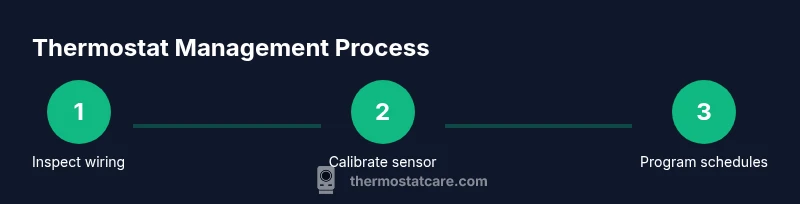
According to Thermostat Care, disciplined thermostat management reduces energy waste and extends equipment life. This guide shows you practical steps to manage your thermostat, from basic wiring checks and calibration to programming schedules and routine maintenance. You’ll learn how to keep your home comfortable while lowering bills, with clear actions you can take today.
Why Proper Thermostat Management Matters
Effective thermostat management matters because it directly impacts comfort, energy usage, and the longevity of your HVAC system. A well-maintained thermostat ensures your home reaches and maintains set temperatures without excessive cycling, which wastes energy and wears components. The Thermostat Care team emphasizes that consistent management—not just occasional tweaks—creates predictable comfort and lower utility bills. When you know how to check wiring, calibrate accuracy, and optimize scheduling, you reduce overcooling or overheating and prevent common inefficiencies that creep into daily routines. This foundation is especially important for homes with uneven room temperatures, older systems, or frequent occupancy changes. By treating the thermostat as a living part of your home, you gain reliable control with minimal effort.
In practice, the goal is to align your thermostat behavior with your actual occupancy and comfort needs. Simple steps, repeated regularly, add up to meaningful savings over a season. Thermostat Care analysis shows that even small adjustments—like a modest setback overnight and more aggressive daytime settings during occupancy—can compound into noticeable energy reductions without sacrificing comfort. This guide helps you build a routine that fits your lifestyle while maintaining system health.
note):null},
Tools & Materials
- Screwdriver set (Phillips and flat-head)(For removing thermostat faceplates and mounting plates; keep screws labeled)
- Multimeter (optional)(Used to verify voltage at the thermostat wires if you suspect electrical issues)
- Smartphone with thermostat app(Essential for setup, remote control, and monitoring)
- Replacement batteries (if battery-powered)(Have on hand in case the unit uses batteries for power)
- Soft cloth or brush(For cleaning terminals and dust from the mounting area)
Steps
Estimated time: 60-90 minutes
- 1
Power down and open the thermostat
Turn off power at the circuit breaker or disconnect switch for the HVAC system. Remove the thermostat cover gently to expose wiring, taking note of which wire goes to each terminal. This prevents electric shock and helps you inspect connections safely.
Tip: If you’re unsure which breaker controls the HVAC circuit, label the panel to avoid accidental re-energizing during work. - 2
Inspect wires and terminals
Look for loose, frayed, or disconnected wires at the R, C, W, Y, G terminals and any jumpers. Tighten screws carefully and ensure wire insulation is intact. A secure, clean connection improves response time and accuracy.
Tip: Take a photo of current wiring before adjusting so you can restore the original configuration if needed. - 3
Test power presence and voltage (optional)
If you have a multimeter, verify that the thermostat circuit is receiving the expected voltage. If readings are inconsistent, consult a professional before proceeding to avoid equipment damage.
Tip: Only perform voltage checks if you have experience with electrical testing to prevent shocks or shorts. - 4
Calibrate and clean for accuracy
Use the thermostat’s calibration option if available to correct any offset between actual room temperature and the display. Clean any dust from the sensor area and ensure it isn’t blocked by a wall or furniture.
Tip: Calibrations should be done after a stable baseline temperature has been reached, typically after 15-30 minutes of constant conditions. - 5
Update settings and connect to Wi-Fi
If your thermostat is smart, update to the latest firmware and connect to your home Wi-Fi. Enable scheduling and geofencing features if desired to automate comfort and energy use.
Tip: Use a strong, unique Wi-Fi password and enable auto-update to keep security and features current. - 6
Create an energy-saving schedule
Program daily temperature ramps that match your routine—cooler when away or asleep, moderate when home and active. Test the schedule with a quick test cycle to confirm the system responds correctly.
Tip: Keep a simple, repeatable pattern; complex schedules often lead to missed adjustments. - 7
Test HVAC response
Run a heating and cooling cycle to verify rapid response and comfort return times. Check for unusual sounds or delays and verify that setpoints are reached within expected windows.
Tip: If the system doesn't respond as programmed, recheck wiring and app settings before calling service. - 8
Document and review monthly
Record settings, maintenance actions, and any symptoms you notice. Review monthly to tweak schedules, verify battery life, and ensure optimal performance.
Tip: A small notebook or digital note works well to track changes over time.
Questions & Answers
Why should I manage my thermostat regularly?
Regular management ensures comfort, reduces energy waste, and extends HVAC life by preventing inefficient cycling. Small, intentional adjustments compound into meaningful savings over time.
Regular thermostat management helps you stay comfortable while saving energy and avoiding unnecessary wear on your system.
How often should I calibrate or replace batteries?
Calibrate whenever you notice temperature readings drift by more than a degree. Replace batteries at least once a year if your model uses them, or when the display indicates low power.
Calibrate when readings drift, and replace batteries yearly if your model uses them.
What is the best practice for programming schedules?
Create consistent daily patterns aligned with your routine. Keep a simple schedule, test changes, and adjust for weekends or holidays to maintain comfort and efficiency.
Keep a simple, repeatable schedule that matches your daily routine.
What should I do if my thermostat won’t power on?
Check the breaker, confirm batteries (if applicable), and verify the display is receiving power. If problems persist, consult your HVAC technician.
If it won’t power on, check power, batteries, and connections, then seek professional help if needed.
Are smart thermostats worth it for beginners?
Smart thermostats offer convenience and energy savings but require app setup and Wi-Fi. Start with a basic model and expand features as you gain comfort with the interface.
Smart thermostats are convenient and can save energy, but start with a simple model and learn as you go.
What is a C-wire and do I need it?
A C-wire provides continuous power to a smart thermostat. If your current wiring lacks a C-wire, you may need a power extender kit or professional wiring to ensure reliability.
A C-wire powers smart thermostats consistently; if you don’t have one, you may need an upgrade or a kit.
Watch Video
What to Remember
- Program daily schedules for comfort and savings
- Keep wires clean and secure for accurate sensing
- Use the C-wire when possible for reliable power
- Test heating/cooling responses after changes
- Maintain the thermostat with firmware updates and battery checks