How to Keep a Thermostat Warm: A Step-by-Step Guide
Learn practical, house-safe methods to keep your thermostat warm during cold weather. This Thermostat Care guide covers power checks, drafts, calibration, and safe maintenance to prevent freezes and sensor errors.


To keep your thermostat warm and reliable in cold weather, ensure it has a stable power supply, protect it from drafts, and keep the surrounding environment above critical temperatures. This how-to guide covers the best practices, common mistakes, and step-by-step actions to prevent freezing, sensor errors, and display glitches in all rooms.
Why Keeping a Thermostat Warm Matters
Keeping a thermostat warm isn't just about comfort—it directly affects reliability and efficiency. When ambient temperatures around the device drop, internal batteries degrade faster, display readings drift, and electronic components can slow down or reset. According to Thermostat Care, a well-warmed enclosure helps prevent sensor drift and reduces power interruptions during cold snaps. The Thermostat Care team found that drafts behind a wall plate, condensation, and low battery power are among the most common culprits that cause inaccurate readings or intermittent shutoffs. In this guide, we outline practical steps to maintain warmth, prevent unplanned outages, and extend your thermostat's life. Practically speaking, a warm thermostat translates to a more predictable home comfort rhythm and steadier heating costs over the season.
Tips: keep the device away from heat sources like radiators or direct sunlight; a stable environment supports better performance and longer life.
Understanding Cold-Weather Strain on Thermostats
Winter months place extra strain on thermostats as systems cycle more frequently to maintain warmth. Cold drafts, humidity shifts, and power fluctuations can cause sensor drift and momentary accuracy errors. Thermostat Care analysis shows that proximity to exterior walls, vents, or poorly insulated spaces increases the chance of readings diverging from actual room temperature. In households with older units, these effects are more pronounced because older sensors and components lose sensitivity in low-temperature conditions. The key takeaway is simple: keep the thermostat in a stable, dry, draft-free zone, and perform periodic checks to verify that readings align with the room's true temperature.
Pre-Check: Is the Thermostat Warm Enough?
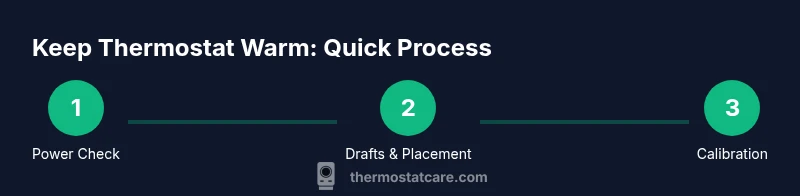
Before diving into maintenance, assess whether the thermostat has a stable power source and is not surrounded by cold drafts. Ensure the installation location is indoors, away from direct air streams (like fireplace openings or open windows), and that the wall behind the mount is well insulated. A warm ambient environment reduces the risk of sensor lag and ensures the device can accurately relay heat requests to the HVAC system. If your thermostat runs on batteries, check battery life and replace as needed. If it’s connected to mains, verify that the unit is receiving power and there are no tripped circuits. These checks form the necessary foundation for the rest of the guide.
Power and Sensor Basics (Part 1)
Power reliability is the first line of defense against temperature-induced errors. A thermostat that loses power mid-cycle can reset, causing the HVAC to run at inappropriate times. If you rely on batteries, replace them with fresh, high-quality cells and test the device right after installation. For wired units, inspect the terminal screws to ensure they’re snug but not overtightened. Sensor accuracy hinges on keeping the area around the thermostat free from dust and grime; a light cleaning with a soft cloth can maintain proper contact with the sensing elements. Where feasible, pair these checks with a quick calibration test to confirm readings match a trusted room thermometer.
Environmental Adjustments: Drafts, Placement, and Insulation
Drafts around the thermostat are more than a nuisance—they can shift perceived temperature and confuse the control logic. If you feel cold air blowing onto the unit, relocate the thermostat or seal the draft source. Ensure the device isn’t mounted directly on an exterior wall with poor insulation or near heating vents that can create false readings. Use gaskets or wall plates designed for thermostat installs to minimize air exchange. Temperature stability is aided by a stable interior environment; modest improvements in insulation behind the thermostat yield noticeable gains in consistency and energy efficiency.
Maintenance Actions to Keep Warm: Batteries, Cleaning, and Calibration
Regular maintenance pays off: replace batteries on schedule, clean dust from the display and vents, and recalibrate if readings drift. A simple room thermometer can help verify accuracy; if the thermostat consistently reads several degrees off, consider calibration or a factory reset (after saving settings). Keep the device free from moisture and ensure the mounting surface remains secure over time. If you’ve upgraded to a smart thermostat, ensure firmware updates are installed to benefit from improved temperature sensing and error handling.
Troubleshooting Common Symptoms
When a thermostat behaves oddly—display flicker, unresponsive controls, or inconsistent heat calls—start with the basics: power, batteries, and sensor cleanliness. If the unit fails to respond to a temperature change, verify the HVAC is receiving the new setpoint signal (you’ll hear the furnace kick on and off as it cycles). Look for error codes in newer models and consult the manual. If readings seem off, compare with a trusted room thermometer. Note that some symptoms point to wiring issues; in those cases, stop and call a pro to avoid electric shock or damage to the HVAC system.
Replacement vs Repair: When to Consider an Upgrade
Thermostats degrade gradually; timing for repair versus replacement depends on the unit's age, how often issues occur, and the cost of parts or service. If your unit is more than a decade old or requires frequent recalibration, replacement may be more cost-effective in the long run. Ask about energy-saving features, compatibility with your heating system, and warranty coverage. A modern thermostat with good installation and regular updates can improve accuracy and reliability, delivering a warmer home with better energy efficiency.
Safety, Best Practices, and Quick Recap
Always prioritize safety: disconnect power when performing any wiring checks beyond battery replacement, and never bypass safety switches. If you’re uncertain, consult a licensed technician. By following these practices, you’ll maintain warmth, protect the HVAC system, and reduce energy waste. The Thermostat Care approach emphasizes precaution, proper power handling, and routine maintenance to keep your home comfortable through winter. With regular checks and mindful installation, your thermostat remains a trusted ally in home comfort.
Tools & Materials
- Screwdriver set (Phillips and flat-head)(Faceplate screws and wiring terminals; choose sizes per your model)
- Non-contact voltage tester(Safely verify power at the thermostat terminals without contacting live wires)
- Replacement batteries (if battery-powered)(Use the correct type as specified by the thermostat manual)
- Electrical tape(Secure exposed wires and ensure tidy terminations)
- Soft cloth or microfiber cloth(Clean dust from display and vents without scratching surfaces)
- Room thermometer or digital thermometer(Gives a reference temperature to compare readings)
Steps
Estimated time: 45-60 minutes
- 1
Verify power supply
Turn off the thermostat’s power at the breaker, then reapply power to ensure the unit powers up normally. Check that the screen lights and settings respond to input. If the unit won’t power on, investigate the breaker, fuses, or wiring with caution.
Tip: If you’re unsure about electrical safety, skip to battery-powered testing or call a pro. - 2
Check and replace batteries (if applicable)
Open the back cover, remove old batteries, and insert fresh ones of the correct type and orientation. Close the cover securely and test.
Tip: Use high-quality alkaline or lithium batteries for longer life. - 3
Inspect for drafts and placement
Feel around the wall for drafts and look for gaps behind the thermostat. If drafts are present, seal or relocate the mounting plate away from exterior walls or vents.
Tip: A gasket or proper wall plate can dramatically cut air exchange. - 4
Calibrate and compare readings
Use a trusted room thermometer to compare actual temperature with the thermostat’s reading. If off by more than a couple of degrees, perform calibration per the manual or reset to factory defaults and reconfigure.
Tip: Calibration should reflect the room’s true temperature, not the thermostat’s preferred setting. - 5
Clean sensors and display
Wipe dust from the display, vents, and sensing window with a soft cloth. Avoid using harsh cleaners that could damage sensors.
Tip: Dust reduces sensor responsiveness and can skew readings. - 6
Check wiring terminals
With power off, inspect terminal screws for tightness and oxidation. Re-seat any loose wires and re-secure with the appropriate torque.
Tip: Loose connections can cause intermittent heat calls or sensor errors. - 7
Test heat cycle
Set a reasonable heat target and observe whether the HVAC responds promptly. Note any delays or unexpected cycling.
Tip: If the system runs continuously, there may be a thermostat-to-HVAC communication issue. - 8
Decide on repair vs replacement
If issues persist after these steps, assess the cost and consider upgrading to a newer model with better efficiency and reliability.
Tip: Weigh maintenance costs against the benefits of a newer thermostat.
Questions & Answers
Why won’t my thermostat stay warm in a cold room?
Cold rooms can cause drafts, sensor lag, or power interruptions that prevent the thermostat from accurately sensing room temperature. Check for drafts, verify power, and replace batteries if needed. If problems persist, you may need calibration or professional service.
Cold rooms can cause drafts and sensor lag. Check power, replace batteries, and calibrate. If it still acts up, seek professional help.
Can drafts around the thermostat affect readings?
Yes. Drafts near the thermostat can cause it to sense a colder or warmer air stream than the room temperature. Reposition or seal the area, and use proper wall plates to minimize air exchange.
Drafts around the thermostat can throw off readings. Seal the area or relocate the unit, and use a proper wall plate.
Should I replace the thermostat if it’s older?
If the thermostat is over 10-15 years old and shows frequent faults, upgrading to a newer model can improve reliability and energy efficiency. Consider compatibility with your heating system and warranty options.
Older thermostats can be unreliable. Upgrading often improves accuracy and efficiency.
Is it safe to reset the thermostat to fix warmth issues?
Resetting can resolve software glitches, but you risk losing custom schedules. Back up settings if possible, then perform a factory reset only if advised by the manual.
Resetting can fix glitches, but back up your settings first.
What should I do if the display is blank?
First, check power at the breaker or fuses. If wired, verify that the unit is properly connected. If the display remains blank, consult the manual or call a technician.
If the display is blank, check power and connections, then refer to the manual or contact support.
Do battery-powered thermostats lose power quickly?
Battery-powered thermostats can drain quickly if batteries are poor quality or the unit is frequently waking up. Replace with fresh, high-quality batteries and minimize unnecessary features running in standby.
Batteries can drain fast if they're low quality or the unit is always awake.
Watch Video
What to Remember
- Keep power and batteries fresh to prevent false readings
- Minimize drafts around the unit to maintain accurate temperature sensing
- Calibrate and clean sensors regularly for reliable performance
- Inspect wiring and terminals to avoid intermittent heat calls
- Evaluate replacement when the unit is old or repeatedly faulty