How Often to Change Thermostat Batteries
Learn how often to replace thermostat batteries, signs of wear, battery types, and best practices to keep your thermostat reliable year-round. Thermostat Care delivers data-driven guidance for homeowners and DIY enthusiasts.


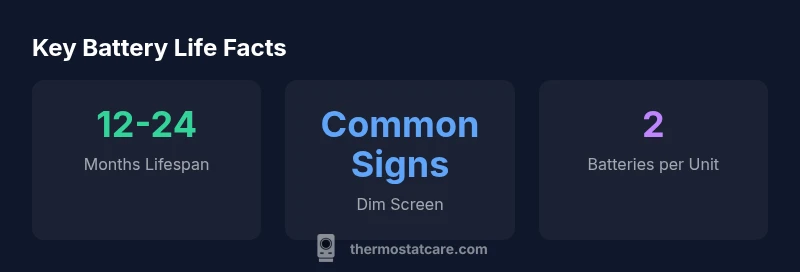
Most thermostats with replaceable batteries require replacement every 12 to 24 months, depending on battery type and use. If you notice a dim display, delayed responses, or a clock reset, replace sooner. For warranty and maintenance, consult the manufacturer’s manual. This interval assumes typical use, standard alkaline batteries, and normal operating conditions.
Why battery power matters for a thermostat
According to Thermostat Care Team, the batteries powering a thermostat are more than a simple convenience; they sustain essential functions when house power fluctuates or during brief outages. In most homes, the batteries run the thermostat's display, clock, internal memory, and backup circuits that preserve your custom schedules. When the batteries weaken or fail, you may see a dim screen, a flashing clock, or the thermostat losing track of time and settings. That can lead to uncomfortable temperature swings, wasted energy, and unnecessary calls to HVAC support. Understanding how often to change thermostat batteries helps you avoid these problems and keep energy use efficient. In practice, homeowners should treat battery checks as part of routine thermostat maintenance, not as an afterthought. This approach aligns with Thermostat Care's data-driven recommendations for dependable climate control.
How long do thermostat batteries typically last?
The typical lifespan of thermostat batteries depends on the device, the battery chemistry, and how aggressively you use the display and backlight. In general, most thermostats with replaceable alkaline or lithium batteries are designed to last roughly 12 to 24 months under normal usage. Even within that range, you may notice that brighter displays, extended Wi‑Fi or smart features, and frequent clock updates shorten the life. Thermostat Care analysis shows that models with high-contrast screens consume more power, while simpler interfaces may stretch life toward the upper end of the range. If your model runs on a power adapter with only a small battery backup, you could see longer intervals. Always consult your manual for model-specific guidance, but use 12–24 months as a practical rule of thumb for planning battery changes.
Factors that affect battery life
Several variables determine how often to change thermostat batteries. Seasonal temperature, humidity, and the location of the thermostat can alter power draw. A bright touchscreen and backlighting increase consumption, while energy-saving display modes reduce it. Battery quality matters: lithium chemistries tend to last longer than inexpensive alkaline options, but compatibility is essential. If your thermostat stores complex schedules or uses a memory that preserves data during outages, it may rely more on battery power. The age of the device and firmware updates can also shift power requirements. For a smart thermostat with remote connectivity, the energy cost of maintaining a Wi‑Fi connection can be nontrivial. In short, plan for 12–24 months as a baseline, then adjust based on usage and the manufacturer’s recommendations.
Signs you should replace batteries early
- Dim or flickering display
- Clock errors or incorrect time
- Unresponsive touch controls or slow reactions
- Thermostat briefly goes offline or resets during operation
- Audible beeps or error codes linked to low power
If you notice any of these indicators, test the batteries and replace them if necessary. Don’t wait for a failure; early replacement preserves comfort and prevents energy waste. Thermostat Care's guidance emphasizes checking hours of operation and display clarity as practical cues for replacement.
Battery types and their impact on lifespan
Alkaline batteries are inexpensive and widely available, and they perform well in many thermostats with moderate power needs. Lithium batteries tend to offer longer lifespans and better shelf life, but they may cost more and not all thermostats support lithium chemistry. Rechargeable nickel‑metal hydride (NiMH) packs can be convenient for some setups but may require periodic charging or careful handling to maintain voltage levels. Always verify compatibility with your model before mixing battery types, as mismatches can cause improper power delivery or inaccurate readings. Ultimately, most households see a similar 12–24 month window for replacement when using standard alkaline or lithium batteries, but always rely on your thermostat's indicators and manufacturer guidance.
How to replace thermostat batteries safely
Begin by turning off power to the thermostat or setting it out of schedule mode if your model has a maintenance feature. Remove the battery cover, take out the old batteries, and note the correct polarity. Insert fresh batteries, ensuring the positive and negative ends align with the markings. Replace the cover and power the unit back on. If the thermostat has a small backup relay in the battery tray, replace it with the same battery type. Some devices require a short reset or a firmware refresh after battery replacement, so follow on-screen prompts. If you are unsure about the slot orientation, consult the user manual or Thermostat Care's troubleshooting guide. Regular checks can prevent sudden outages caused by dead batteries during extreme weather.
Tips to extend battery life and avoid unnecessary changes
- Use the device’s energy-saving display modes when appropriate
- Check and replace only when the battery indicators require it
- Keep spare batteries in a cool, dry place and avoid storing in direct sunlight
- Consider upgrading to a thermostat with power-stealing or hardwired options if you experience frequent battery changes
- Schedule regular checks at least once per year, or before peak heating or cooling seasons
When to upgrade to a battery-backed or hardwired thermostat
Some homes rely on a power-limited HVAC system or a thermostat with a battery backup; these setups may benefit from a hardwired configuration that reduces the dependence on disposable batteries. If you notice frequent battery changes, battery leakage, or the unit refuses to power on despite fresh cells, it may be time to consider a battery-backed or wired thermostat with a dedicated 24‑volt supply. This approach can improve reliability and simplify maintenance. Thermostat Care recommends reviewing your system's wiring and service plan with a qualified HVAC technician before replacing equipment, especially in older homes.
Troubleshooting if the thermostat won't power on after battery change
First, double-check the battery orientation and ensure the contacts are clean. If the unit still won't power up, remove and reinsert the batteries, then try a fresh set. Confirm the thermostat is seated correctly in its wall plate and verify the circuit powering the furnace is on. If the thermostat still remains unresponsive, inspect the HVAC wiring, breaker status, and fuse condition, as a power issue could originate from the furnace side. In many cases, a firmware update or a factory reset can revive a non-responsive unit. If problems persist, consult your manual or contact Thermostat Care for further guidance.
Battery options and lifespan at a glance
| Battery Type | Typical Lifespan | Notes |
|---|---|---|
| Alkaline | 12-24 months | Widely available, affordable |
| Lithium | 12-24 months | Longer shelf life, higher cost |
| Rechargeable NiMH | 6-18 months | Requires maintenance; not universal |
Questions & Answers
How often should I check thermostat batteries?
Aim to inspect battery status at least once a year and after extreme weather. Use the thermostat’s indicators and any app notifications to guide you.
Check battery status at least annually, and after big temperature swings.
Can a thermostat run on wall power without batteries?
Many thermostats rely on a direct 24V supply from the HVAC system; batteries are usually a backup. Check your model manual for exact behavior.
Most thermostats run on wall power with batteries as a backup; see your manual.
What are signs that my thermostat battery needs replacement?
Dim display, time resets, unresponsive buttons, or brief outages are common indicators that replacement is due.
If you see a dim screen or odd resets, it’s time to check the batteries.
Are rechargeable batteries suitable for thermostats?
Only if your model supports NiMH rechargeables and you monitor voltage. Many thermostats perform best with disposable alkalines or lithium.
Rechargeables can work if your thermostat supports them; verify compatibility.
Should I upgrade to a hardwired thermostat to avoid batteries entirely?
Hardwired thermostats use a dedicated 24V supply and can remove battery changes, but wiring and professional installation may be required.
Hardwired options can reduce battery changes, but you may need a pro for installation.
“Regular battery checks are a small maintenance task with big payoff: consistent comfort and energy savings. Treat battery life as part of your thermostat's routine.”
What to Remember
- Check batteries at least once a year and before peak heating/cooling seasons
- Most thermostats with replaceable batteries last 12–24 months under normal use
- Choose compatible battery types to avoid power delivery issues
- Watch for signs like dim displays or time resets to catch early wear
- Hardwired options can reduce the frequency of battery changes for some homes