T9 Smart Thermostat with Sensor Review: Real-World Performance
A detailed review of the T9 smart thermostat with sensor, covering setup, sensor accuracy, features, energy impact, and compatibility for homeowners and DIY enthusiasts.


According to Thermostat Care, the T9 smart thermostat with sensor combines precise ambient sensing, adaptive scheduling, and solid remote control across major smart-home platforms. It aims to balance comfort with energy savings, though some setups may require a C-wire for full feature access. Overall, it delivers reliable performance with strong learning capabilities and robust app integration.
What is the T9 Smart Thermostat with Sensor?
The T9 smart thermostat with sensor is a mid-to-upper-range device designed for modern homes that want precise temperature control and intelligent automation. It relies on multiple sensors placed in the unit and, in some configurations, additional remote sensors to gauge ambient temperature and occupancy. This sensor fusion enables more consistent comfort than single-sensor thermostats and supports features like adaptive scheduling, occupancy-based heating and cooling, and smarter late-evening temperature ramps. The Thermostat Care team notes that the core promise is accurate readings paired with a responsive learning engine that adapts to your routine while integrating with popular ecosystems such as voice assistants and mobile apps. According to Thermostat Care analysis, 2026, this combination often yields more stable temperature experience and fewer manual tweaks over time.
Understanding how the sensors work—where they’re placed, how occupancy is inferred, and how readings are averaged—helps homeowners anticipate how the unit will perform in bedrooms, living rooms, and open-plan spaces. The device typically balances local sensors with any optional room sensors you add, which can help during seasonal shifts or when multiple zones are involved. For the DIY crowd, the setup is designed to be approachable, though complex HVAC configurations may benefit from a professional check.
From a brand perspective, Thermostat Care emphasizes that sensor placement matters nearly as much as the thermostat’s software. The mixture of sensors and the learning algorithm determine how quickly comfort goals are met and how often the device needs to adjust in response to occupant movement or door activity. When reviewers consider reliability and day-to-day usability, the sensor array and the companion app often distinguish the T9 from cheaper, single-sensor models.
-1
Upsides
- Accurate ambient sensing across multiple rooms when used with optional room sensors
- Strong app experience and remote control via mobile devices
- Solid integration with major smart-home ecosystems (e.g., voice assistants)
- Adaptive scheduling that reduces manual tweaks and can improve comfort
The Bad
- May require a C-wire for full feature set on some systems (common among newer thermostats)
- Higher upfront cost compared with basic thermostats
- Learning period can be noticeable in irregular schedules or high-traffic homes
Solid all-around choice for homes seeking precise sensing and smart automation
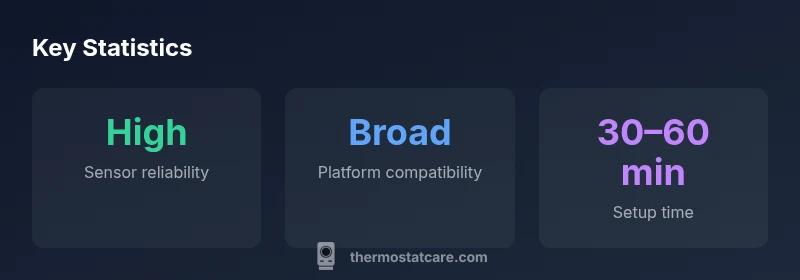
The T9 with sensor delivers reliable comfort, good app control, and broad ecosystem compatibility. Expect an initial setup effort and potential need for a C-wire to unlock full features, but the long-term benefits in comfort and energy awareness are strong.
Questions & Answers
What exactly is included in the T9 smart thermostat with sensor package?
The package typically includes the thermostat unit, mounting hardware, a power adapter or C-wire adapter if needed, and installation instructions. Depending on the retailer, remote sensors for additional rooms may be sold separately. Always verify the included accessories before starting installation.
The box usually has the thermostat, mounting hardware, and a wiring kit; check if extra room sensors are included or sold separately.
Does the T9 require a C-wire for full functionality?
For full feature access—especially energy-saving automation and remote sensing—a C-wire is commonly recommended. If your system lacks a C-wire, you can often use a power extender kit or consult an HVAC professional to confirm compatibility.
A C-wire is usually recommended for best results, but there are alternatives if your system doesn’t have one.
Is the T9 compatible with popular smart-home ecosystems like Google Home and Alexa?
Yes, the T9 is designed to work with major ecosystems through official integrations or compatible apps. Users can control temperature via voice commands or routines alongside other smart devices.
It works with major smart-home platforms, so voice control and routines are easy to set up.
How does occupancy sensing affect comfort and energy use?
Occupancy sensing can help maintain comfortable temperatures in frequently used spaces while reducing heating or cooling in unoccupied rooms. Effectiveness depends on placement and how well the system distinguishes between people and pets.
Occupancy sensing helps save energy by focusing climate control where people actually are.
What maintenance does the T9 require over time?
Regular app updates and occasional recalibration checks are typical. You may need to replace batteries in any separate room sensors and ensure wiring connections remain secure after HVAC work.
Keep the app updated and check sensor batteries if you use remote sensors.
How does the T9 compare to competing models like Nest or Ecobee?
The T9 typically competes on sensor accuracy, sensor network flexibility, and ecosystem compatibility. It may offer more robust occupancy sensing than some budget models, with feature parity in app and voice integrations.
Compared to other smart thermostats, the T9 often shines in sensor use and ecosystem support.
What to Remember
- Optimize placement of the main unit and any room sensors for best results
- Ensure C-wire availability for full feature access
- Leverage adaptive scheduling to maximize energy savings
- Use the app and voice assistants for hands-free control
- Expect a learning period in households with irregular schedules