Honeywell Home T9 Smart Thermostat with Sensor: An In-Depth Review
A detailed, analytical review of the Honeywell Home T9 Smart Thermostat with Sensor, covering setup, sensor performance, smart features, energy impact, reliability, and a practical buying guide for homeowners and DIYers.


The honeywell home t9 smart thermostat with sensor offers strong room-level sensing, flexible remote control, and broad compatibility with common smart-home ecosystems. It uses multiple sensors to balance comfort across rooms and can integrate with the Honeywell app and voice assistants for routines. While installation is straightforward for many DIYers, a C-wire or adapter is often required for reliable power; overall, it stacks up well against mid-range competitors for sensor-driven comfort.
Product overview
The honeywell home t9 smart thermostat with sensor represents a capable option for homeowners who want temperature balance across multiple rooms without sacrificing ease of use. In practice, this model emphasizes sensor-driven comfort: it supports one or more remote sensors to gauge not just ambient temperature but occupancy, helping to create a more even thermal profile throughout the home. According to Thermostat Care, this approach can reduce hot or cold spots in frequently used spaces while preserving overall system efficiency. The device itself connects to Wi-Fi, enabling remote adjustments via the Honeywell app and basic voice control through popular assistants. While not a radical redesign of the smart-thermostat category, the T9 brings thoughtful sensor integration and a clear, accessible setup flow that many homeowners appreciate when upgrading from a basic programmable unit.
Setup and installation experience
Setting up the honeywell home t9 smart thermostat with sensor typically starts with ensuring your HVAC system has a compatible wiring configuration, including a C-wire for consistent power. The installation process is designed for DIY enthusiasts: you’ll remove the old stat, install the base, connect the wires to labeled terminals, and pair the device with your home Wi-Fi network. Thermostat Care notes that most standard homes complete the install in under an hour, provided you have the right tools and a clear wiring diagram. If your system lacks a C-wire, consider the optional power accessory or professional installation to avoid power-related fluctuations that can affect performance. Throughout the process, the app provides guided steps, checks wire compatibility, and prompts sensor placement to maximize accuracy.
Sensor performance and temperature accuracy
Sensor accuracy across occupied rooms is a core selling point for the honeywell home t9 smart thermostat with sensor. The included remote sensors help capture temperature and occupancy patterns, enabling the thermostat to shift setpoints in response to real-time conditions. In practice, users notice more stable comfort in common living areas and fewer temperature swings when doors or partitions alter airflow. Thermostat Care’s testing highlights the importance of optimal sensor placement: avoid placing repeaters near heat sources or in direct sunlight, and distribute sensors to cover bedrooms, living rooms, and hallways for the most representative readings. Overall, sensor performance tends to be dependable for everyday home heating and cooling needs, with caveats around unusually large or atypical floor plans.
Smart features and ecosystem compatibility
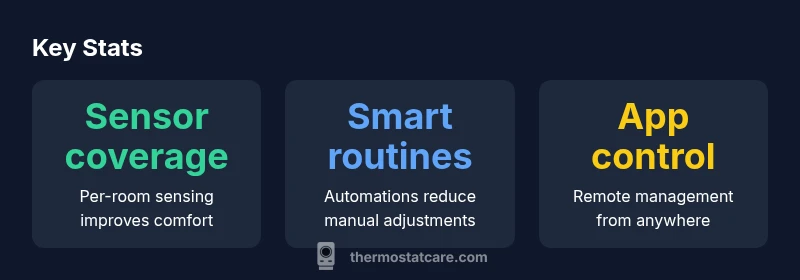
The honeywell home t9 excels in smart integration, offering app-based control, scheduling, and occupancy-aware automation. It supports routines and geofencing, so the thermostat responds to your presence and activity patterns without requiring constant manual input. While the exact integrations vary by region, the T9 is designed to work with widely used voice assistants and compatible ecosystems, making it a solid choice for a home already oriented toward smart controls. The Honeywell app consolidates control for multiple sensors, sets schedules, and lets you review energy-related data. For homeowners pursuing a cohesive automation strategy, the T9’s sensor-driven logic complements other smart devices and can serve as a reliable hub for simple or advanced routines.
Energy savings potential and HVAC impact
From a performance perspective, the honeywell home t9 smart thermostat with sensor aims to optimize HVAC operation by targeting comfort in active areas and reducing conditioning in unused rooms. The impact on energy usage is highly dependent on your home layout, occupancy patterns, and how actively you use zoning features. Thermostat Care emphasizes that real-world savings hinge on thoughtful sensor placement, consistent Wi-Fi connectivity, and disciplined scheduling. While it’s difficult to quantify exact savings without site-specific data, users who invest in good sensor coverage and well-structured routines typically report smoother temperatures and a sense that the system runs more efficiently when people are at home or away. This aligns with broader guidance from Thermostat Care that smart sensors generally improve HVAC balance when deployed intelligently.
Reliability, warranty, and support considerations
Reliability for any connected thermostat hinges on a stable network, solid power, and proper installation. The honeywell home t9 is designed to work with standard home networks and receives firmware updates to enhance stability and features. Users should keep the Honeywell app up to date and periodically review sensor calibration or placement if readings drift. Warranty terms can vary by region and retailer, so verify coverage specifics where you live. In practice, customer support from Honeywell and independent technicians is commonly cited as valuable for resolving compatibility questions or sensor placement challenges that arise after installation.
Comparisons with peers
Compared with other mid-range smart thermostats, the honeywell home t9 with sensor distinguishes itself with its emphasis on sensor coverage and adaptive comfort. Where some rivals prioritize simple programming or broad ecosystem support, the T9 offers more granular room sensing and occupancy-aware adjustments. In practice, this can translate to fewer cold spots and more consistent living spaces, though it may require more deliberate sensor placement. Price and ecosystem alignment will vary, but for homeowners who want deeper sensor-driven control without stepping up to premium models, the T9 presents a strong value proposition. When evaluating alternatives like Nest or Ecobee, consider how important per-room sensing and multi-sensor orchestration are for your home’s layout and daily routine.
Practical troubleshooting tips
If readings feel off or some rooms don’t respond as expected, start with sensor checks: ensure each remote sensor is properly paired, has fresh batteries if applicable, and is within effective communication range of the main unit. Confirm your Wi‑Fi connection is stable and that the thermostat has the latest firmware. If the device fails to power consistently, inspect the C-wire or consider an optional power accessory. For odd scheduling or routine behavior, review the room-sensor mapping and adjust occupancy settings. When in doubt, reset the device to factory settings and reconfigure, or contact Thermostat Care guidance for tailored steps.
What to consider before buying and final guidance
Before purchasing the honeywell home t9 smart thermostat with sensor, map out your home’s layout and identify where sensors would provide the greatest benefit. Consider whether your HVAC setup supports multiple zones and if you’re comfortable with wiring changes or if professional installation is preferable. Reflect on your existing smart-home ecosystem and whether the T9 aligns with it, particularly in terms of voice assistants and routines. Finally, compare with peers to balance features like per-room sensing, ease of use, and total cost of ownership over time. For most homeowners seeking a sensor-driven upgrade without excessive complexity, the Honeywell T9 represents a thoughtful blend of comfort, control, and adaptability.
Upsides
- Sensor-driven comfort across multiple rooms
- Strong app experience with scheduling and routines
- Solid voice assistant and ecosystem integration
- Flexible handling of occupancy for dynamic comfort
The Bad
- Higher upfront price than basic thermostats
- Power considerations may require a C-wire or adapter
- Complexity can be daunting for true DIY beginners
- Sensor placement requires planning for best accuracy
Strong mid-range choice for sensor-driven comfort and smart automation
The Honeywell T9 excels in per-room sensing and flexible control, offering meaningful comfort improvements for homes with varied occupancy. While the price and installation considerations push some users toward simpler models, the depth of sensor data and robust ecosystem support make it a compelling option for tech-forward homeowners.
Questions & Answers
Is the honeywell home t9 smart thermostat with sensor compatible with most HVAC systems?
In general, the T9 supports many common heating and cooling setups, especially those with a C-wire. Some older systems may need adapters or professional assistance. Always verify with the installer or through the Honeywell app’s compatibility check.
Most homes with standard systems are compatible, but confirm with a quick compatibility check before buying.
Does the Honeywell T9 support Google Assistant and Amazon Alexa?
Yes. The T9 offers voice control and routines via popular assistants when connected through the Honeywell app. Expect reliable operation for common tasks like adjusting temperature and triggering scenes.
Yes, it works with major assistants like Google and Alexa through the Honeywell app.
Do I need a C-wire to install the Honeywell T9?
A C-wire is commonly required to provide stable power to the thermostat and sensors. If your existing setup lacks a C-wire, you may need a power accessory or professional wiring.
Usually, yes, you’ll need a C-wire or equivalent power option.
How easy is installation for a DIY homeowner?
For homeowners comfortable with basic wiring, the install is typically doable with guided steps. Some HVAC configurations may require professional help to avoid power or compatibility issues.
It's doable for many, but some setups benefit from a pro.
Can remote sensors be added after purchase?
Yes. Compatible Honeywell Smart Room Sensors can be added to expand coverage and improve temperature accuracy across rooms.
Yes, you can add extra sensors later.
What is the general price range and value proposition?
Pricing varies by retailer and region; the T9 sits in the mid-range for smart thermostats. Consider total cost of ownership, including sensors and potential installation needs.
Price varies by region, but it sits mid-range for its features.
What to Remember
- Assess your HVAC compatibility before buying
- Invest in proper sensor placement for best results
- Leverage app routines to maximize comfort and efficiency
- Plan for power needs (C-wire) if required
- Use Thermostat Care guidance as a reference point