Honeywell Z-Wave Thermostat Review: Hub-Based Smart Home Comfort (2026)
An in-depth, analytical review of the Honeywell Z-Wave thermostat, covering hub integration, installation, energy management, and practical guidance for homeowners and DIY enthusiasts.


Definition: The Honeywell Z-Wave thermostat is a smart heating and cooling controller designed to pair with a Z-Wave hub, enabling remote control, scheduling, and automations as part of a broader smart home. It offers strong HVAC compatibility and dependable performance when used with a compatible hub, but setup can be more complex than Wi‑Fi‑only models and requires a compatible ecosystem.
Honeywell Z-Wave Thermostat: Context and Position in 2026 Smart Homes
The Honeywell Z-Wave thermostat is a purpose-built device designed to sit at the center of a Z-Wave smart home. It is not a standalone Wi‑Fi thermostat; it requires a Z-Wave hub to unlock its full automation potential. In practice, this means it pairs with popular hubs that can orchestrate multiple devices, scenes, and geofenced actions. From a homeowner's perspective, this approach can deliver deeper automation, precise scheduling, and smoother integration with sensors, door locks, and lighting. According to Thermostat Care, the product's strongest value arises when you already operate a Z‑Wave ecosystem or plan to add more Z‑Wave devices to your home. If you are starting from scratch with a Wi‑Fi-centric smart-home, you may find a hubless thermostat more approachable, but you may miss out on advanced cross-device automations. For those who care about HVAC compatibility, zoning, and long-term expandability, the Honeywell Z-Wave thermostat provides a sturdy platform with clear upgrade paths. In this section, we explore how it fits into evolving smart homes, what to expect from setup, and how it compares to competing approaches in 2026.
How Z-Wave Integration Works with This Thermostat
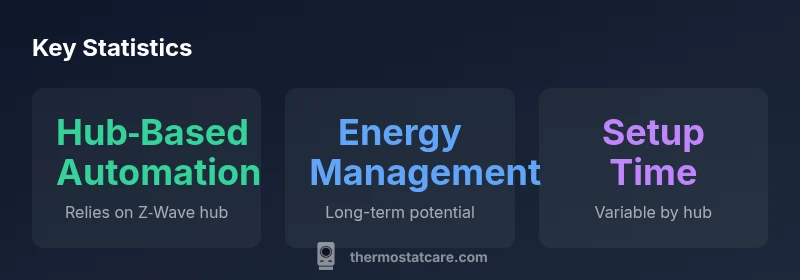
The Honeywell Z-Wave thermostat relies on a Z-Wave hub to enable cross-device automations. Once paired, you can create scenes that trigger the thermostat based on door sensor status, occupancy, or lighting conditions. The hub handles communication with other Z-Wave devices, so even if the thermostat is well isolated in one zone, it can be part of a broader energy-management strategy. Expect typical benefits like remote temperature adjustments, scheduled routines, and geofence-based changes when you leave or return home. Important caveats include the need for a compatible hub with current firmware and, in some setups, a stable mesh network to minimize latency. In practice, the value comes from ecosystem synergy rather than standalone capabilities, so consider your existing or planned smart-home devices before committing to this model.
Energy Management and Real-World Savings
Energy management with a Z-Wave thermostat depends heavily on automation-driven routines rather than off-the-shelf energy ratings. When integrated with a capable hub, you can design presets that optimize heating and cooling around occupancy, time-of-day tariffs, and outdoor temperature patterns. Over time, this can reduce unnecessary runtime, but savings hinge on how consistently automations run and how accurately the HVAC system responds to the setpoints. For many users, the real benefit is predictability—knowing the home is adjusting to a schedule you trust, even when you’re away. It is important to calibrate setback schedules to your climate and to test any smart-home routines during different seasons to avoid uncomfortable swings.
Installation, Wiring, and HVAC Compatibility
Installing the Honeywell Z-Wave thermostat is more involved than basic Wi‑Fi thermostats because it assumes a hub-based workflow and, in many cases, a wired C‑wire connection. Begin by turning off power to the HVAC system at the breaker, then map your HVAC wiring to the thermostat base according to the included diagrams. The C‑wire is often required for stable operation, particularly on heat-pump systems or multi-stage furnaces. Compatibility with single-stage and multi-stage HVAC configurations varies by model and hardware revision, so verify your control board’s compatibility and whether any dealer-installed adapters are needed. Expect a precise installation process, but follow manufacturer instructions and double-check all fan, compressor, and reversing valve connections before powering up the system.
Apps, Interfaces, and Automation Capabilities
Once installed, the Honeywell Z-Wave thermostat can be controlled via a Z-Wave hub app, a native thermostat interface, and any automations defined in the hub ecosystem. The user interface typically emphasizes clear temperature control, scheduling, and quick access to mode changes. The real power, however, comes from automation rules that coordinate with other devices—locked doors, smart vents, and lighting—creating a cohesive energy-management strategy. Expect notifications for critical events like HVAC fault codes or climate anomalies, and a steady stream of firmware updates that improve reliability and expand compatible devices over time. While the hub expands capability, you’ll want to ensure you have a robust network and a hub with active development to maximize future-proofing.
Testing Methodology and What We Look For
Thermostat Care evaluates hub-based thermostats with a structured testing framework: setup clarity, reliability of remote control, latency in command execution, and responsiveness to schedule changes. We test across several scenarios: quick temperature adjustments from the app, automation-triggered changes, and geofencing behavior with smartphones. We also assess how well the thermostat maintains stable temperatures during HVAC cycling and how it handles multi-zone configurations when integrated with a capable hub. We document any delays, misfires, or edge-case programming issues to help homeowners anticipate real-world performance rather than rely on spec sheets alone.
Common Pitfalls and Troubleshooting
A common pitfall is attempting to pair without a compatible hub, which can render many automations unusable. Latency in Z-Wave networks can also affect how quickly the thermostat responds to commands, especially in busy networks or poor mesh configurations. Firmware incompatibilities between the thermostat and the hub can cause scene failures or misreported temps, so ensure all devices run current firmware. If you encounter pairing issues, check the hub’s device list, re-run discovery, and verify that the C‑wire is delivering stable power. Finally, remember that hub-dependent devices are only as reliable as the hub ecosystem itself, so factor hub reliability into your long-term planning.
Practical Setups and Quick Start Checklist
To get started quickly, ensure you have a compatible Z-Wave hub and a wired C‑wire. Then, replace the old thermostat following the wiring diagram, add the thermostat to the hub, and create a basic schedule that mirrors your daily routine. Expand gradually: add a few smart vents for zoned comfort, a presence sensor for occupancy-based changes, and a simple energy-scene that reduces runtime during peak hours. Regularly verify device availability and test scenes monthly to catch drift or miscommunication early. A deliberate, staged setup reduces frustration and yields more consistent results over time.
How It Stacks Up Against Wi‑Fi‑Only Thermostats
Compared with Wi‑Fi‑only thermostats, the Honeywell Z-Wave model shines when you already have or plan to build a Z‑Wave ecosystem. The value lies in deeper automation, robust scene orchestration, and stronger compatibility with other security and smart-home devices. However, the floor risk is higher: if your hub or network wobbles, or if you upgrade to a different standards ecosystem, you may lose some functionality unless you maintain cross-compatibility plans. For users seeking maximum simplicity and direct cloud control from a single app, a Wi‑Fi‑only model may be easier to adopt, but it may not offer the same breadth of cross-device automations or local control in offline scenarios.
Upsides
- Robust Z-Wave integration enables automation and scenes with compatible hubs
- Broad HVAC compatibility when paired with a capable controller
- Clear, detailed display and dependable temperature control
- Strong ecosystem documentation and community guidance
The Bad
- Requires a Z-Wave hub; not a standalone Wi‑Fi thermostat
- Setup can be more complex than Wi‑Fi‑only models
- Direct app control can be hub-dependent and may require hub firmware updates
- Potential hub latency in busy networks
Best for hub-enabled smart homes that want deep automation and HVAC control
The Honeywell Z-Wave thermostat excels in hub-based ecosystems, delivering reliable control and flexible schedules. Its value depends on hub readiness and your willingness to work through a more involved installation. For homeowners invested in Z-Wave, it is a strong, future-proof choice.
Questions & Answers
Do I need a Z-Wave hub to use the Honeywell Z-Wave thermostat?
Yes. The thermostat is designed to work with a Z-Wave hub to unlock its automation capabilities. Without a hub, you’ll primarily rely on basic manual control, and some features may be unavailable.
Yes. You’ll need a Z‑Wave hub to access automations and scenes.
Is the Honeywell Z-Wave thermostat compatible with Wi‑Fi-only ecosystems?
This model does not offer full standalone Wi‑Fi control. It can connect to the internet indirectly through a Z‑Wave hub that has internet access, but direct cloud control is hub-dependent.
Not directly; it relies on a hub for remote access and automations.
Can I install this thermostat myself, or do I need a professional?
If you’re comfortable with basic HVAC wiring, you can install it yourself following the manufacturer’s wiring diagram. However, a professional may be preferable for complex HVAC setups or to verify compatibility with a multi-stage system.
You can do it yourself if you’re comfortable with wiring, otherwise a pro helps avoid mistakes.
Does it support multi-zone HVAC configurations?
Yes, but true multi-zone support depends on your hub and other zone-control devices. Expect smoother operation when paired with zone controllers and properly configured scenes.
It can support zones when your hub and devices are set up to handle zoning.
What maintenance is required after installation?
Regularly check hub compatibility and firmware updates. Periodically test automations, review temperature accuracy, and ensure sensors and vents stay within expected ranges.
Keep the hub up to date and test your automations from time to time.
How does it compare to Wi‑Fi‑only thermostats in cost and complexity?
Hub-based setups typically involve higher upfront complexity and potential hub costs but offer deeper automation. Wi‑Fi‑only thermostats are simpler to install and control but may lack advanced cross-device routines.
It’s more complex but pays off with automation and flexibility.
What to Remember
- Choose a hub-ready thermostat if you already own a Z‑Wave ecosystem
- Plan for a wiring check (C-wire) and hub pairing
- Expect strong automation when paired with compatible devices
- Test scenes and routines to avoid latency and misfires