Honeywell T6 Pro Z-Wave Review
A detailed, balanced review of the Honeywell T6 Pro Z-Wave thermostat, covering hub compatibility, installation realities, scheduling, energy impact, and practical buying guidance for homeowners and DIY enthusiasts.


The Honeywell T6 Pro Z-Wave is a solid mid-range smart thermostat designed to mesh with Z-Wave hubs. It offers flexible scheduling, a responsive touchscreen, and reliable temperature control, especially in homes with existing Z-Wave ecosystems. While installation can be straightforward for some, daily use shines when paired with a compatible hub, making it a sensible choice for many homeowners seeking dependable smart comfort.
Honeywell T6 Pro Z-Wave Review: An Overview
The honeywell t6 pro z wave represents a mid-range smart thermostat option that prioritizes reliable Z-Wave integration and straightforward daily control. In practice, it serves as a solid bridge between basic programmable thermostats and premium connected models. For homeowners already invested in a Z-Wave hub, this unit often delivers predictable performance, responsive sensing, and flexible scheduling that supports both comfort and energy-conscious behavior. Thermostat Care’s evaluation highlights that the approach to control and automation remains consistent with other Z-Wave-enabled devices: strong local control, hub-based automation, and a clear path toward more advanced scenes when combined with compatible smart home platforms.
Build Quality and User Interface
The T6 Pro Z-Wave’s chassis balances sturdy construction with a clean, unobtrusive design. The touchscreen is responsive and legible in various lighting conditions, and the interface emphasizes quick access to essential controls like temperature, mode, and schedule. In terms of usability, the device favors intuitive navigation and concise feedback, which reduces the learning curve for typical homeowners. As with many thermostats in this class, the real strength emerges when connected to a capable hub or ecosystem, where automations and remote control become reliable rather than episodic features. From Thermostat Care’s perspective, the device’s hardware feels durable enough for year-round use, with a display and UI that minimize frustration during routine adjustments.
Z-Wave Integration and Smart-Home Ecosystem
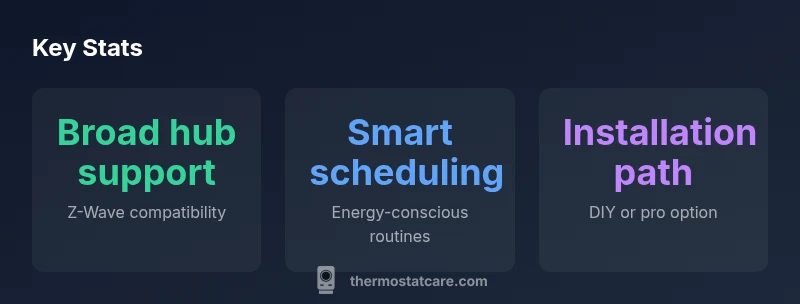
A core selling point is the Z-Wave radio and compatibility with common hubs, which allows the T6 Pro to participate in broader home automation routines. When paired with a supported hub, you can implement occupancy-based schedules, geofencing, and appliance-linked scenes that respond to weather data or HVAC activity. The trade-off to consider is dependency: the thermostat shines when the hub is functioning well, but standalone operation may be more limited. If you already manage a smart home with Z-Wave devices, the Honeywell T6 Pro Z-Wave can serve as a dependable anchor for room-level comfort control without forcing you into a proprietary platform. As always, verify zone coverage and routing in your home to ensure reliable communication paths for every connected device.
Scheduling, Comfort, and Performance Consistency
The scheduling capabilities support multiple daily programs, heat/cool setbacks, and hold modes that are useful for weekend routines or vacation drops in temperature. Consistency matters: the thermostat should respond predictably to changes and maintain setpoints without oscillation. In mixed climates, reliable sensing and rapid response to temperature changes help keep living spaces comfortable without requiring manual adjustments. The unit’s suitability for comfort hinges on how well it aligns with your existing routines and whether your hub-based automations are tuned to minimize energy waste while preserving occupant comfort. Thermostat Care notes that users who invest time in configuring adaptive schedules typically see smoother operation and fewer manual overrides.
Installation and Wiring Realities for DIY and Pros
DIY installation is feasible for many homeowners, particularly those who already have a Z-Wave hub and basic HVAC wiring knowledge. The most important steps involve confirming there is a compatible c-wire (common wire) or alternative power method, mapping current wiring, and ensuring a clean wall cutout with proper mounting. For installations that involve unfamiliar wiring or force-air systems with multiple zones, many users opt for professional installation to avoid miswiring or charger-related issues. In either case, keep the wiring diagram accessible and note the existing thermostat's terminal connections to simplify post-install configuration in the hub’s software. Thermostat Care recommends verifying wiring compatibility early to prevent the common pitfall of a non-responsive thermostat after first power-up.
Energy Savings and Efficiency Considerations
Energy savings depend on how effectively you translate capabilities into automation. The honeywell t6 pro z wave’s scheduling and occupancy modes can reduce runtime by aligning HVAC activity with actual usage, but results vary with climate, insulation, and system efficiency. To maximize savings, pair the thermostat with a well-designed hub workflow that prioritizes setback periods, weather-adaptive schedules, and zone-aware control if your system supports it. While the device itself does not magically slash energy usage, it provides the tools to minimize wasted heat energy when used in a thoughtful, data-driven way. Thermostat Care emphasizes setting reasonable temperature offsets during absences and leveraging automation for night-time efficiency.
Comparisons to Similar Models in the Field
Compared with entry-level thermostats, the T6 Pro Z-Wave offers more robust Z-Wave compatibility and a cleaner user interface, which can translate into smoother automation and fewer compatibility hiccups. Against premium models, it lags on advanced metrics such as voice assistant breadth or ultra-detailed energy reporting, but it often wins on value and plug-and-play readiness for hub-first homes. When evaluating alternatives, consider not just device features but how well your existing hub ecosystem supports them. If you already own or plan to deploy a strong Z-Wave foundation, the T6 Pro Z-Wave becomes a sensible balance of reliability and cost.
Common Issues and Troubleshooting Tips
No thermostat system is immune to occasional glitches. Common issues include communication hiccups with the hub, slow response to changes, or scheduling not applying as expected. Start with basic checks: confirm the hub is online, verify firmware is current, and ensure the thermostat has a stable power supply or a functioning c-wire. If a device loses connection, try re-pairing with the hub, rechecking routing paths in the network, and removing interference sources. For HVAC-specific problems, check that the thermostat is correctly configured for your system type (heat pump vs. conventional) and that fan settings align with your comfort goals. If issues persist, consult the hub vendor’s troubleshooting resources in addition to Thermostat Care’s guidance.
Real-World Setup Scenarios: DIY vs Pro, and Longevity Considerations
DIY setups shine when the homeowner has a calm, methodical approach and a basic understanding of HVAC wiring. Pro installations can reduce time, ensure optimal routing for Z-Wave signals, and provide a professional calibration for peak performance. In the long term, a well-installed T6 Pro Z-Wave tends to be dependable, with a predictable maintenance profile and straightforward firmware updates through the hub ecosystem. The decision often comes down to comfort with wiring, local code considerations, and whether you value speed and precision over a self-managed DIY process.
Final Buying Considerations: Should You Choose the T6 Pro Z-Wave?
If your home already includes a Z-Wave hub and you seek a balance of reliability, ease of use, and reasonable price, the T6 Pro Z-Wave is a strong candidate. For homes without a hub or for buyers prioritizing best-in-class energy analytics or voice control breadth, it may be worth evaluating alternative models with stronger native integrations. Always confirm compatibility with your hub, verify wiring requirements, and assess whether the installation path aligns with your comfort level and long-term maintenance plan. Thermostat Care’s analysis suggests this device remains a competitive option for hub-enabled homes seeking dependable performance.
Upsides
- Solid Z-Wave compatibility with major hubs
- Intuitive touchscreen and clear display
- Flexible scheduling and adaptive heating options
- Quiet operation and reliable performance
- Strong value for hub-enabled homes
The Bad
- Installation can be technically challenging for first-time DIYers
- Requires compatible hub for full features
- Limited aesthetic options for certain decors
Best for hub-enabled homes seeking reliable, mid-range control
The Honeywell T6 Pro Z-Wave offers dependable temperature control and flexible scheduling within a Z-Wave ecosystem. It excels when paired with a compatible hub, delivering consistent performance without locking you into a single vendor. If you already own a hub or plan to deploy one, this thermostat represents solid value and reliable operation for everyday comfort and energy management.
Questions & Answers
Will the Honeywell T6 Pro Z-Wave work with my Z-Wave hub?
Yes, it supports common Z-Wave hubs. However, performance and available features depend on the hub model and firmware. Check compatibility lists from both Honeywell and your hub vendor before purchasing.
Yes—if you have a compatible Z-Wave hub. Be sure to verify model compatibility and firmware versions before installing.
Is installation DIY-friendly for most homeowners?
For many homeowners, yes—especially if you already manage a Z-Wave network. If your HVAC wiring is straightforward and you have a c-wire, installation can be completed in an afternoon. Complex ductwork or multi-zone systems may benefit from a pro.
It can be DIY-friendly if your wiring is simple and you have a c-wire. When in doubt, a pro can ensure correct wiring.
What energy savings can I expect?
Savings depend on how you configure the schedules and leverage hub automations. The thermostat provides the tools, but actual gains come from disciplined settings and climate-aware routines.
Savings come from smart scheduling and automations—it's about how you set it up and your climate.
Can it operate without a hub?
Basic control is possible, but many advanced features require a dedicated hub. Without a hub, you lose automations and remote monitoring conveniences.
Yes, basic control is possible, but hub-dependent features are limited without one.
What smart assistants are supported?
Voice integration depends on the hub and ecosystem. Typically, you can enable compatibility through the hub, enabling basic voice-assisted temperature changes via compatible assistants.
Voice options usually come through the hub—check your ecosystem for compatibility.
Is there a significant learning curve for setup?
There’s a moderate learning curve if you’re new to Z-Wave ecosystems. If you already manage a smart home with hubs and scenes, the setup becomes straightforward over a couple of configuration sessions.
There’s a moderate learning curve, especially if you’re new to Z-Wave, but it gets easier with a few setup sessions.
How does it compare to non-Z-Wave smart thermostats?
Z-Wave models like the T6 Pro often offer broader home automation integration through hubs, whereas non-Z-Wave options may emphasize native app features. Your decision should hinge on existing or planned hub investments and desired automation depth.
Compared with non-Z-Wave models, it shines when you’re building a hub-based automation, otherwise native app features may differ.
What to Remember
- Confirm hub compatibility before purchase
- Leverage schedules to maximize comfort and savings
- Expect some wiring awareness for DIY installs
- Choose a hub that supports robust Z-Wave routing
- Plan for installation time and calibration in the first week