Honeywell WiFi 9000 Review: A Modern Smart Thermostat
In-depth analysis of the Honeywell WiFi 9000, covering setup, features, energy use, privacy, and real-world performance for homeowners and DIY enthusiasts.


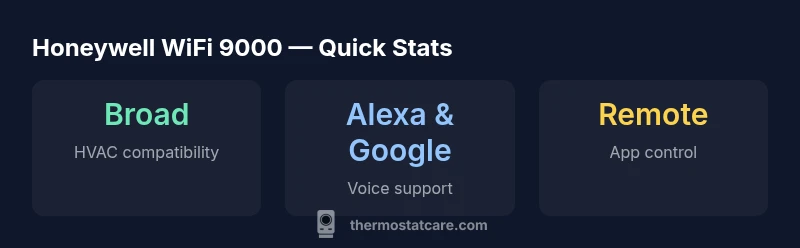
The Honeywell WiFi 9000 is a capable smart thermostat that blends reliable WiFi connectivity with strong scheduling and voice assistant compatibility. It supports most 24V HVAC systems and offers real-time energy insights via its app. For straightforward setups, it’s a solid DIY choice; for complex multi-stage systems, plan for professional help. Overall, it’s a solid mid-range option that balances features and value for many homes.
Overview: What the Honeywell WiFi 9000 Brings to the Table
The honeywell wifi 9000 is positioned as a mid-to-upper feature set thermostat for households seeking reliable WiFi connectivity and smart-home integration without paying luxury-level prices. In this section, we examine its core capabilities, installation prerequisites, and how it stacks up against common expectations for modern thermostats. For homeowners evaluating smart thermostats, the honeywell wifi 9000 offers intuitive controls, a responsive app, and a broad compatibility footprint with typical 24V heating and cooling setups. Throughout this review, we’ll reference real-world usage patterns encountered by the Thermostat Care team and provide practical guidance for debugging common issues. The emphasis is on actionable insights you can apply today, especially if you’re upgrading from a non-networked model. As with any product, the usefulness of the honeywell wifi 9000 hinges on your existing equipment, your network reliability, and your willingness to customize schedules to your routine.
Hardware, Design, and Installation Considerations
The Honeywell WiFi 9000 features a clean, modern display and a full-color touchscreen that is readable in bright lighting. The unit typically ships with a standard mounting plate and a faceplate that fits most wall openings. When evaluating the hardware, homeowners should check the 24V common (C) wire availability and the terminal labels on the existing furnace or air handler. For many standard homes, installation is a straightforward swap for the old programmable thermostat; however, older systems or 2-stage setups can require extra steps. The network requirements are modest: a functioning 2.4 GHz Wi‑Fi network is sufficient for most functions, while 5 GHz may offer faster app responsiveness in some environments. If your home uses a proprietary control system or a non-standard wiring scheme, you may need a compatible adapter or professional assistance. In all cases, keep the user manual handy, plan for power interruptions, and label wires for reassembly. The honeywell wifi 9000 is designed to minimize on-wall clutter with a compact footprint and a stable mount.
Software Experience: App, Smart Home Integrations, and Privacy
The software experience with honeywell wifi 9000 centers on the companion app, which provides remote control, scheduling, and energy monitoring. The app generally supports iOS and Android devices and provides step-by-step setup wizards. In terms of smart-home integration, the Honeywell platform offers compatibility with major ecosystems, including voice assistants and popular smart-home hubs. Privacy and security are valid concerns with any networked device, and Honeywell addresses this with regular firmware updates and configurable privacy settings. Users should enable two-factor authentication where available and review device permissions to minimize data exposure. For households already invested in a particular ecosystem, verify whether the honeywell wifi 9000 supports your preferred routines, geofencing, and voice commands. The real-world experience often hinges on Wi-Fi reliability and router quality; disruptions can impact remote control and scheduling until connectivity is restored. Overall, expect a responsive, user-friendly interface with reasonable privacy safeguards.
Energy and Savings: What It Means for Your Bills
Smart thermostats frequently promise energy savings by optimizing temperature schedules and learning occupancy patterns. Honeywell’s implementation focuses on adaptive scheduling, temperature hold management, and remote adjustments when plans change. In practice, most households experience improved comfort and potential reductions in heating and cooling usage, especially when paired with consistent schedules. However, energy savings are highly dependent on climate, occupancy, and how aggressively you deploy eco modes. We avoid promising dramatic savings without context; instead, we guide you to calibrate the honeywell wifi 9000 to your actual routines, set reasonable setback temperatures, and use the occupancy-based features during peak hours. For homes with older, inefficient systems, energy improvements may unlock more noticeable benefits, while newer systems with efficient equipment may see subtler gains. Thermostat Care analysis suggests that the value of such devices increases when paired with proper insulation and smart-zone management, rather than relying on the device alone.
Compatibility and Wiring: Which Systems Are Supported
The honeywell wifi 9000 is designed to work with most standard 24V heating and cooling equipment, including gas, electric, and heat-pump systems. It supports conventional single-stage configurations as well as many multi-stage setups, though the exact wiring may vary by model. Before purchasing or installing, verify the compatibility by checking the furnace control board, the number of wires, and the presence of a C-wire for power. If you do not have a C-wire, some installations may still be possible using power-stealing methods or external transformers, but this can impact reliability. For complex systems, consider having a licensed technician review the wiring diagram and confirm compatibility with the Honeywell WiFi 9000. In addition, ensure your HVAC equipment’s control board supports 24-volt thermostats and that you are comfortable with basic electrical work. The goal is a solid, code-compliant connection that supports the thermostat’s Wi-Fi and scheduling features.
Setup Walkthrough: From Box to Button
Starting with the box, ensure you have the basic tools: a screwdriver, a small flat tool for terminal removal, and a stable ladder if needed. Remove the old thermostat, label each wire, and confirm the presence of a C-wire for power. Install the mounting bracket, attach the wires to their corresponding screws, and secure the thermostat on the wall. Power up and connect to your home Wi‑Fi network. The honeywell wifi 9000 will prompt you to create or sign in to a Honeywell account, optionally linking to an existing smart-home platform. After pairing, configure basic settings like temperature units, display brightness, and scheduling. Test the system by adjusting setpoints and confirming that the HVAC responds promptly. Consider enabling eco or energy-saving modes if your climate supports them. If you encounter pairing issues, verify router settings, ensure the device is not isolated on a guest network, and try a factory reset if necessary. This process is manageable for many DIY homeowners with cautious planning.
Common Troubleshooting and Maintenance
No device is perfect, and the honeywell wifi 9000 is no exception. Common issues include Wi‑Fi dropouts, delayed responses, and occasional sensor drift. First, check the router: ensure the thermostat is within range, the network is stable, and firmware is up to date. If the app cannot connect, re-enter credentials, reboot the router, and re-pair the thermostat. For sensor drift, recalibrate using the app’s built-in tools and verify ambient conditions. Regular maintenance includes updating firmware, cleaning the screen, and ensuring vents remain clear for accurate readings. If you observe frequent disconnects in a busy 2.4 GHz environment, consider moving the thermostat closer to the router or using a mesh network. In more stubborn cases, contacting Thermostat Care or Honeywell support for guidance can prevent frustration and minimize downtime.
Comparing Honeywell WiFi 9000 to Alternatives
When evaluating the Honeywell WiFi 9000 against other smart thermostats, consider ecosystem compatibility, price, and reliability. The Honeywell solution tends to offer broad compatibility with common HVAC setups and strong app performance. Alternatives such as Nest or Ecobee may offer different strengths, like more mature voice features or better room-sensing in some layouts. The decision often comes down to your existing smart-home preferences and comfort with install complexity. If you value a brand that emphasizes reliability in a traditional HVAC setup and straightforward troubleshooting, Honeywell remains a solid option. If you chase advanced room-by-room sensing or deeper integration with Google or Apple ecosystems, you might compare features and pricing before purchasing.
Real-World Use Scenarios and Recommendations
A practical scenario is a mid-sized home with a mixed climate, where occupants are frequently away and want automatic adjustments. The honeywell wifi 9000 can handle geofenced schedules and occupancy-based cooling or heating to optimize comfort and energy use. For a rental property, the remote control and alert features help managers monitor temperature across units. For a home office, you can set schedules and separate zones to maintain comfort while reducing energy usage during off-hours. In all cases, plan for a reasonable budget for the installation and consider professional help if you encounter wiring complexities or multi-stage configurations. The value comes from consistent scheduling, remote access, and a clear improvement in user experience over non-networked thermostats.
Security, Privacy, and Reliability Considerations
As a networked device, the honeywell wifi 9000 raises questions about data security and privacy. Ensure you keep firmware up to date, use strong unique passwords for your Honeywell account, and enable two-factor authentication if available. Location data and usage patterns can be sensitive; review privacy settings and consider privacy-preserving options in the app. Reliability depends on your home network, the router’s performance, and the thermostat’s firmware stability. Honeywell generally issues regular updates to address bugs and security concerns. For households with concerns about privacy, it may be worthwhile to isolate the thermostat on a dedicated guest network or use a separate IoT VLAN to minimize exposure to other devices. Real-world reliability improves with a modern router and robust Wi‑Fi coverage.
Maintenance and Upgrades: Keeping Honeywell WiFi 9000 Fresh
To maximize longevity, keep firmware updated, periodically check wiring integrity, and clean the display. If your home’s network changes (new router, mesh system), revisit setup steps to maintain reliable connectivity. In many households, setting a predictable update cadence and performing annual checks saves headaches. The honeywell wifi 9000 benefits from ongoing software improvements that address compatibility with other devices and privacy protections. Keeping trusted backup schedules and a fallback mode when the app cannot reach the device can help preserve comfort until connectivity is restored. In short, treat the thermostat as part of your home’s smart ecosystem, maintaining both hardware and software to ensure dependable performance over time.
Upsides
- Reliable WiFi connectivity and remote control
- Strong voice-assistant compatibility (Alexa/Google Assistant)
- Intuitive scheduling and energy insights via app
- Broad HVAC compatibility for standard 24V systems
The Bad
- Installation can be challenging for complex multi-stage systems
- Sensor drift in extreme conditions may require recalibration
- Higher upfront price vs. non-smart thermostats
Solid all-around choice for most homes
The Honeywell WiFi 9000 offers reliable connectivity, broad compatibility, and a strong app experience. While installation can be trickier for complex systems, the long-term convenience and potential energy benefits justify it for many households.
Questions & Answers
Does the Honeywell WiFi 9000 work with Alexa?
Yes. It integrates with Alexa for voice control and routines. You may need to enable the Honeywell skill and link accounts.
You can use voice commands with Alexa to adjust temperature and run routines, after linking your Honeywell account.
Is installation easy for a standard condo with a single-stage system?
For standard gas or electric furnaces with a single stage, installation is usually straightforward following the included guide. Complex wiring or lack of a C-wire can complicate the process.
If you have a simple system, you can likely do it yourself; for more complex setups, consider a pro.
What HVAC systems are compatible with the Honeywell WiFi 9000?
It supports common 24V systems, including many single-stage and some multi-stage configurations. Check your wiring and the control board labels before purchasing.
Most standard 24-volt systems work, but verify wiring first.
Can I reset the Honeywell WiFi 9000 and what happens to schedules?
Factory resets restore defaults, including schedules. You’ll need to reconfigure Wi‑Fi and preferences afterward.
Reset erases schedules; you’ll have to set them up again.
Does it support geofencing or energy-saving modes?
Yes, it supports geofencing and energy-saving modes to adjust temperature based on location and occupancy.
Geofencing helps save energy by adjusting temps when you’re away.
What is the price range for the Honeywell WiFi 9000?
Prices vary by retailer and promotions; expect a mid-range price for a new unit in 2026.
Prices vary; check current deals from major retailers.
What to Remember
- Choose Honeywell WiFi 9000 for strong app control and voice integration
- Expect straightforward use for standard HVAC setups
- Be prepared for possible professional help with multi-stage systems
- Budget for equipment costs and installation time