How to Fit Thermostat: A Complete How-To Guide
Learn how to fit a thermostat safely and correctly. This comprehensive guide covers compatibility, mounting, wiring, configuration, testing, and maintenance to help homeowners install or upgrade a thermostat with confidence.


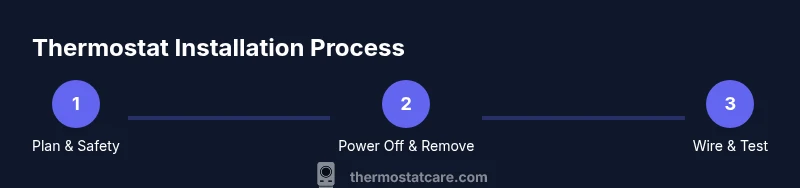
This guide shows you how to fit a thermostat safely and correctly. You’ll verify compatibility, shut off power, mount the base, wire the terminals, configure settings, and test performance. A proper fit improves comfort, avoids wasted energy, and preserves system safety. Follow these steps to complete a reliable installation suitable for most common heating/cooling setups.
Planning and safety basics
Before you touch any wires, plan your thermostat fit carefully. This step saves you from miswired terminals, incompatible models, and avoidable trips to the basement at odd hours. According to Thermostat Care, a thoughtful assessment of your heating or cooling system and the thermostat's compatibility with it is the foundation of a successful installation. Start by identifying your current thermostat model, the wiring you expect to use, and whether your system uses single-stage or multi-stage heating. Check for compatibility with your furnace or heat pump, especially if your system includes O/B reversing valves in heat pumps or auxiliary heat when you have a backup electric heater. Create a simple wiring map on paper, labeling each wire by color and function (for example, R, W, Y, G, C). This reduces confusion during the actual wiring and helps you spot missing or extra conductors. Finally, ensure you have a clear workspace, good lighting, and a plan to reassemble faceplates after testing.
This stage sets expectations and reduces risk, which Thermostat Care emphasizes as essential for a smooth install. Plan around your HVAC downtime, and budget extra time for potential troubleshooting. If you’re unsure about whether your current wiring supports a smart thermostat, seek guidance from Thermostat Care’s troubleshooting resources before you begin.
null
Tools & Materials
- Voltage tester(To verify whether wires are live during removal or reattachment.)
- Screwdriver set (Flathead and Phillips)(Sizes #1 and #2 commonly fit most mounting plates.)
- Wire labels or masking tape(Label wires by function (R, W, Y, G, C) to prevent mix-ups.)
- Mounting plate and screws(Ensure the plate matches your thermostat model and wall type.)
- Drill and wall anchors (if needed)(Use for solid mounting on drywall or brick.)
- Smart thermostat power adapter or compatible battery (if needed)(Some models require no external battery, others need one during setup.)
Steps
Estimated time: 90-150 minutes
- 1
Verify system compatibility
Check your HVAC system type (furnace, heat pump, or boiler) and ensure the chosen thermostat is compatible with it. Review whether your setup supports a C-wire for power and confirm whether your wires include R, W, Y, G, and C. A quick compatibility check reduces the risk of non-functionality after install.
Tip: Consult the thermostat’s compatibility chart and your furnace model label to confirm supported configurations. - 2
Power off at the breaker and thermostat
Shut off power to the HVAC system at the main service panel. If your old thermostat has a battery, remove it. This prevents electrical shock and unexpected system activation while you work.
Tip: Double-check there is no voltage at thermostat terminals before touching wires. - 3
Remove the old thermostat and note wiring
Carefully detach the old device. Take a photo or label each wire with its terminal name as you remove it. This record will be invaluable when wiring the new thermostat.
Tip: If a wire is stuck under a terminal, don’t yank—loosen the screw and free the wire gently. - 4
Remove mounting plate and assess wall
Unscrew the old plate and inspect the wall for damage. If the wall is uneven, use shims or a ready-made mounting spacer to create a flat base for the new unit.
Tip: A flat, level base ensures accurate readings and prevents the device from tilting. - 5
Attach mounting plate to wall
Position the mounting plate level against the wall and secure it with screws. If you’re drywall mounting, use appropriate anchors to support the weight of the thermostat.
Tip: Use a level and mark screw holes before drilling to avoid misalignment. - 6
Prepare wires for thermostat routing
Carefully trim any excess wire insulation and ensure wires are clean and undamaged. If you need to shorten wires, do so evenly and trim with precision. Create a small margin so wires don’t pull loose later.
Tip: Keep wire ends straight to prevent fraying and ensure clean insertion into the thermostat terminals. - 7
Connect wires to the new thermostat base
Match each wire to the corresponding terminal on the new base (R to R, W to W, Y to Y, G to G, C to C). If your system lacks a C-wire, consult the thermostat manual for alternative power options.
Tip: If a terminal is not present on your model, tape and label the unused wire before tucking it back into the wall. - 8
Mount the thermostat body and secure connections
Attach the thermostat body to the mounted base and gently push wires into the back housing. Replace any cover plates and ensure the unit sits flush against the wall.
Tip: Avoid pinching wires in the casing; ensure a clean, unobstructed path for the wires. - 9
Configure thermostat settings and network
Power on the thermostat and follow the on-screen setup. Connect to Wi‑Fi if it’s a smart model, and input your location, time zone, and heating/cooling preferences.
Tip: Use the manufacturer app or device interface to confirm firmware is current and activate any energy-saving features. - 10
Test heating and cooling functions
Set to heat and cool, observe response times, and check for proper cycling. Listen for unusual sounds and confirm temperature changes align with the readings on the display.
Tip: If either function malfunctions, recheck wiring and power; a quick re-seat of wire connections can resolve many issues. - 11
Calibrate, fine-tune, and document
Fine-tune temperature offsets if the thermostat offers calibration options. Record your preferred schedule and settings for future maintenance, and note the model for reference.
Tip: Keep a simple one-page setup sheet with model number, date of install, and Wi‑Fi credentials for easy troubleshooting. - 12
Plan for maintenance and upgrades
Establish a routine for battery checks (if applicable) and firmware updates. Consider future upgrades that add additional sensors or smarter integration with your home network.
Tip: Set calendar reminders to review firmware releases and compatibility with other smart home devices.
Questions & Answers
Do I really need a C-wire for my thermostat?
Many modern thermostats require a C-wire for reliable power, especially smart models. If your current wiring lacks a C-wire, you can often use a power extender kit or select a model that supports battery operation or Power Stealing. Always consult the thermostat’s compatibility guide before proceeding.
Most smart thermostats need a C-wire, but there are power options if your house doesn’t have one.
What should I do if the thermostat won’t power on after installation?
Double-check that all wires are seated properly in their terminals and that power is truly on at the breaker. If the display remains blank, verify the voltage at the RH or R terminal and ensure the common wire is correctly configured. If problems persist, consult the installation guide or contact support.
If it won’t power on, recheck wiring and power at the breaker, then try again or seek help.
Can I install a thermostat myself if I’m not experienced?
Many homeowners successfully install thermostats with basic electrical caution and careful following of the instructions. If your system uses line-voltage wiring or you’re uncertain about wiring, a licensed technician is recommended to avoid safety risks and equipment damage.
DIY is possible for low-voltage systems if you follow safety steps; for complex systems, consider a professional.
How can I verify compatibility with my HVAC system?
Review the thermostat’s model compatibility list and compare it to your HVAC type (furnace, heat pump, boiler) and the wiring available in your wall. If in doubt, contact the manufacturer or Thermostat Care for guidance before purchasing.
Check the model’s compatibility list and match it to your system to avoid buying the wrong unit.
What maintenance is needed after fitting a thermostat?
Regularly check batteries (if applicable), update firmware, and review scheduling settings as seasons change. Clean the thermostat surface and ensure the wall mount remains secure to prevent misalignment.
Keep firmware updated and check that the unit stays securely mounted for continued accuracy.
What if my old thermostat used a different wiring layout?
Some older systems use different color-coding or additional wires. Use the wiring map you created during planning to map familiar wires to the new bases, and don’t force connections to unfamiliar terminals.
If wiring layouts differ, rely on your map and the thermostat’s installation guide to avoid mistakes.
What to Remember
- Plan before you start to prevent mistakes
- Match wires to the correct terminals for reliable operation
- Always power down before handling wiring
- Test all functions and calibrate for accurate readings
- Keep documentation for future maintenance and upgrades