White-Rodgers Thermostat: How to Use
Learn how to use a White-Rodgers thermostat with a complete, step-by-step approach. From model identification and power options to programming schedules and troubleshooting, Thermostat Care provides practical guidance for homeowners.


This practical guide answers white rodgers thermostat how to use by walking you through model identification, power options, basic navigation, and scheduling. You’ll learn to program temperatures, hold settings, and troubleshoot common issues. It’s designed for homeowners and DIY enthusiasts seeking clear, safe steps to get comfort and energy savings with a White-Rodgers thermostat.
What is a White-Rodgers thermostat and why use it
A White-Rodgers thermostat is a common control device for home heating and cooling. It provides a user-friendly interface to set temperatures, create schedules, and manage energy use. In practice, using a White-Rodgers thermostat means balancing comfort with efficiency, especially during seasonal changes when heating and cooling demands shift. For homeowners exploring how to use this equipment, understanding its core purpose helps you make smarter decisions about when to run your HVAC system and how to program the unit for different times of day. If you are researching white rodgers thermostat how to use, you’ll find that most models include straightforward menus, a backlit display, and built-in safety features that prevent extreme settings.
This overview emphasizes practical steps you can take in everyday situations, from routine temperature adjustments to more advanced scheduling. You’ll also learn common terminology and what each control does, so you can approach your thermostat with confidence rather than guesswork.
Identifying your White-Rodgers model and why it matters
Before you can dive into setup and programming, locate the exact model of your White-Rodgers thermostat. The model number is typically printed on a label inside the battery compartment or on the back of the unit. Knowing the model helps you access the correct wiring diagram, menus, and feature set. With the model in hand, you can confirm compatibility with your HVAC system and determine whether you have a basic battery-powered unit or a powered model that uses a C-wire for constant power. This step is essential for ensuring you follow the correct installation and operation steps for your specific device.
Thermostat care emphasizes that the more you know about your model, the smoother the setup process will be. By taking a few minutes to identify it, you reduce trial-and-error steps and minimize potential mistakes when adjusting settings.
NOTE: If you’re unsure, photograph the wiring area and consult the manual for model-specific guidance. This reduces risk when you’re adjusting connections or replacing batteries.
Power options: battery vs C-wire and common concerns
White-Rodgers thermostats come in both battery-powered and hard-wired versions. Battery-powered units are common in older homes and are easier to install because they don’t require a dedicated C-wire. Hard-wired models rely on a common wire (C-wire) for constant power, which can affect display responsiveness and feature availability. If your display is dim or unresponsive, or if you notice frequent battery drain, it may indicate that your thermostat needs a C-wire or an updated power configuration. When working with power, always ensure the circuit is de-energized before touching wires and follow the manufacturer’s wiring diagrams for your model.
In the context of white rodgers thermostat how to use, plan for a power assessment early in the process. If you lack a C-wire and your model supports power sharing or a “power extender kit,” you may be able to adapt without a full wiring upgrade. If you’re unsure about wiring safety, consult a professional rather than attempting repairs that require wiring changes.
Pro tip: For battery-powered models, replace both batteries at the same time with fresh alkaline cells to maintain consistent performance during seasonal changes.
Basic navigation and settings: getting around the menus
Most White-Rodgers thermostats offer a touchscreen or button-based interface. Start by waking the display and locating the main menu, which typically contains sections for Temperature, Schedule, Settings, and System Status. Use simple taps or button presses to navigate between sections, select a function, and confirm changes. If your model supports it, enable backlight to improve readability in dim rooms. When walking through the menus, keep your model number handy so you can reference the exact steps in the user guide if you ever get stuck.
For those asking how to use a White-Rodgers thermostat, remember that a calm, systematic approach avoids accidental changes. If you’re interrupted, go back to the previous screen rather than guessing a setting, which helps prevent unintended temperature swings or scheduling conflicts.
Setting schedules and temperature targets: a practical workflow
Programming a schedule ensures your HVAC runs when you actually need it, which saves energy and enhances comfort. Start by setting a daily wake, work, leave, and sleep temperature. Many White-Rodgers models allow you to program different days or use a weekday/weekend pattern. After establishing a basic schedule, tune it in over a week by adjusting the setpoints by a degree or two to better match your routines.
When considering white rodgers thermostat how to use, it’s useful to create a simple template: higher stable temperatures when you’re home, lower temperatures when you’re away, and moderate changes around bedtime. If you have a smart or Wi-Fi-enabled model, you can usually adjust schedules from your phone or a web browser, which adds convenience for vacations and irregular schedules.
Tip: Start with conservative changes (1–2 degrees) and gradually optimize while monitoring comfort and energy use.
Advanced features: Hold, Vacation, and adaptive recovery
Beyond basic scheduling, many White-Rodgers thermostats offer Hold (temporary override), Vacation mode (savings when away for extended periods), and adaptive recovery (pre-heating or pre-cooling to reach a target on time). Hold lets you freeze the current setting for a set period without changing the schedule, which is useful for guests or unusual routines. Vacation mode minimizes energy use by maintaining a setback temperature. Adaptive recovery can optimize comfort by initiating heating or cooling ahead of your planned time, reducing last-minute temperature swings.
When exploring white rodgers thermostat how to use, experiment with these features to find a balance between comfort and savings. If your model supports remote access, you can enable and manage these modes via a companion app for extra flexibility.
Troubleshooting common issues: quick checks that fix most problems
If the display is blank, first check power to the unit and battery condition if applicable. If a connection drop occurs, verify wire connections and ensure the thermostat is communicating with the furnace or air conditioner. For inaccurate temperatures, recalibrate the sensor or check for drafts near the thermostat that could cause rapid temperature changes. In case the system won’t respond after a software update, perform a soft reset or power cycle as described in the manual. Keeping a log of issues and fixes helps you identify patterns that indicate larger HVAC concerns.
This section on white rodgers thermostat how to use emphasizes practical, repeatable checks that prevent unnecessary service calls. Start with simple checks—power, batteries, wiring—and escalate only if the issue persists or reappears under similar conditions.
Safety first: wiring cautions and professional help when needed
Electrical work carries risks. If you’re uncomfortable with any part of the process, especially wiring or power isolation, stop and seek professional help. Always turn off power at the breaker before removing the thermostat cover or touching wires. Use the manufacturer’s wiring diagram and avoid mixing wires or forces that could damage terminals. If you notice damaged wires, scorch marks, or buzzing, discontinue work and contact a licensed technician. Remember that incorrect wiring can damage the thermostat or HVAC components and may void warranties.
For safety-conscious homeowners, this section reinforces the practical boundary between DIY tasks and professional service when replacing or modifying thermostat hardware.
Maintenance, battery care, and cleaning: keeping your thermostat reliable
Regular maintenance helps your White-Rodgers thermostat perform consistently. Clean the display and exterior with a dry cloth to remove dust, and inspect the terminal area for loose connections. If your unit uses batteries, replace them at least once per year or when the low-battery indicator appears. Keep the interior free of moisture and avoid cleaning with liquids that could seep into connections. Scheduling a quick annual check can catch potential issues early and help you maintain accurate temperature control and energy savings.
Advise readers on white rodgers thermostat how to use: routine care minimizes false readings and extends the device’s life.
Wi-Fi and smart home integration: what to expect
Many White-Rodgers thermostats offer smart features that connect to your home network for remote control and reporting. If your model supports Wi-Fi, follow the manufacturer’s app setup steps to pair the thermostat with your home network. Ensure your router has sufficient coverage in the HVAC area, and keep firmware updated for security and reliability. Smart features can enhance energy savings, provide remote access, and support voice assistants via compatible platforms. If you’re unsure about compatibility, consult the manual for supported apps and devices—this helps you maximize the benefits of your thermostat’s smart capabilities.
In the context of white rodgers thermostat how to use, smart features add convenience, but only when configured correctly and with up-to-date security practices.
Where to find official manuals and support resources
The most reliable source for model-specific instructions is the manufacturer’s official website. Enter your model number to access PDFs, wiring diagrams, and troubleshooting guides. If you don’t have the model number handy, check the original packaging or the back of the thermostat for a label. Customer support lines can help you interpret diagrams and walk you through any difficult steps. Keeping these resources handy ensures you have a trusted reference when performing updates or adjustments.
This knowledge base aligns with the goal of white rodgers thermostat how to use, providing authoritative guidance to supplement hands-on experience.
Quick-start checklist: your 10-step starter
- Identify your model. 2) Confirm power type (battery or C-wire). 3) Remove and inspect the cover. 4) Label wires and take photos. 5) Reconnect wires to the correct terminals. 6) Restore power and verify the display. 7) Set clock, language, and basic temperature. 8) Program a simple daily schedule. 9) Test heat and cool. 10) Save and monitor for comfort and energy savings.
Next steps: putting knowledge into practice
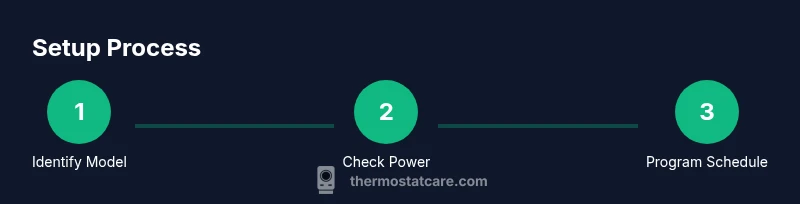
With a solid understanding of white rodgers thermostat how to use, you can confidently identify your model, ensure proper power, navigate menus, and implement schedules. Start with a basic day-and-night routine and then explore extra features like Hold, Vacation, or adaptive recovery. If you encounter persistent issues, refer to the official manuals or contact support. Continual practice will improve your comfort and energy efficiency over the seasons.
Tools & Materials
- Screwdriver set (Phillips and flathead)(Phillips #2 is most common; flathead for terminal covers)
- User manual or model-specific guide(Keep handy for wiring diagrams and feature lists)
- Non-contact voltage tester(Optional for verifying power at wiring terminals)
- Camera or smartphone(Photograph wires before removal and during wiring changes)
- Stable power source and cautionary PPE(General electrical safety; follow local codes)
Steps
Estimated time: 45-60 minutes
- 1
Power off and remove the cover
Switch off the HVAC circuit at the breaker and remove the thermostat cover to access wiring. Confirm no power is flowing to prevent shocks. This initial action sets a safe baseline for any inspection or wiring work.
Tip: Take a photo of the wiring before touching anything to document the original configuration. - 2
Inspect wires and locate the C-wire
Visually inspect the wires connected to the thermostat terminals. Identify the C-wire if present, which provides constant power for digital features. If you don’t see a C-wire, note whether your model is battery-powered or if a power extender kit is applicable.
Tip: If you’re unsure which wire is which, refer to the printed labeling on the terminals or the user manual. - 3
Insert batteries or verify power source
If the unit is battery-powered, insert fresh batteries following the polarity indicators. For wired models, ensure the supply wires are properly connected to the designated terminals. Do not mix battery types.
Tip: Use new batteries of the same type to maintain consistent readings. - 4
Reconnect wires to the thermostat base
Attach wires to the correct terminals according to the labeling in your manual. Ensure each wire is securely fastened and that there are no loose strands. This step is crucial for reliable operation and safety.
Tip: Double-check that each wire is in the correct terminal to prevent misbehavior. - 5
Power on and verify the display
Restore power to the system and observe the thermostat display. Confirm that the screen lights up clearly and that the status indicators reflect normal operation. If the screen doesn’t illuminate, recheck power connections and battery status.
Tip: If the display lags or flickers, give the unit a brief reset as described in the manual. - 6
Set clock, language, and basic hold
Configure the correct time and preferred language. Set a temporary hold if you want to test a specific temperature without altering the schedule. This establishes the baseline for continued programming.
Tip: Start with 12-hour or 24-hour display as preferred for clarity. - 7
Program a simple daily schedule
Create a basic wake, home, away, and sleep schedule with modest temperature changes. Save the settings and observe the thermostat’s response over the next 24 hours. This step yields immediate energy-saving benefits and comfort improvements.
Tip: Begin with a conservative temperature delta (1–2 degrees). - 8
Test heating and cooling
Trigger a heating cycle and then a cooling cycle to confirm the thermostat commands the HVAC system correctly. Listen for any unusual noises and watch for delays in response. If a cycle doesn’t start, recheck wiring and power status.
Tip: Note any delays or inconsistent responses for a later review.
Questions & Answers
How do I identify my White-Rodgers thermostat model?
Check the label inside the battery compartment or on the back of the unit. The model number helps you access correct wiring diagrams and menus. If you can’t find it, photograph the label area and search for it online using the brand name and any visible numbers.
Check the label inside the battery cover or on the back for the model number, then refer to the manual for guidance.
Do White-Rodgers thermostats require a C-wire?
Many models rely on a C-wire for stable power, especially smart features. If your thermostat doesn’t have a C-wire, it may be battery-powered or support a power extender kit. Consult the manual to confirm compatibility with your unit.
A C-wire is common for powered models; check your manual to confirm whether your unit needs it.
How do I reset my White-Rodgers thermostat?
Most models reset via a menu option or a power cycle: remove power for 10–30 seconds, then reconnect and allow the unit to reboot. If your model has a dedicated reset procedure, follow the steps in the manual to avoid losing configured schedules.
Power cycle by unplugging or switching off, wait a moment, then reconnect and allow it to reboot.
How do I program a schedule on a White-Rodgers thermostat?
Access the Schedule menu, choose a day pattern (weekday vs weekend), and set wake, away, home, and sleep temperatures. Save the changes and monitor for a full day to see if it aligns with your routine. Update gradually if adjustments are needed.
Open Schedule, set times and temperatures, save, and observe for a day to confirm.
My display is blank or unresponsive; what should I do?
First, check power and battery status. If the display remains blank after verifying power, inspect wiring connections or consider replacing batteries. If problems persist, consult the manual or contact support for model-specific guidance.
Check power and batteries first; if it still doesn’t respond, refer to the manual or support.
Can I connect a White-Rodgers thermostat to Wi-Fi or a smart home setup?
Some White-Rodgers models support Wi-Fi and smart home integrations. Review the manual or manufacturer site for compatibility, supported apps, and setup steps. Ensure your router provides reliable coverage in the installation area.
Some models support Wi-Fi and smart home features; check the manual for compatibility and app setup.
Watch Video
What to Remember
- Identify your model before starting.
- Check power type and battery status first.
- Program a simple daily schedule for energy savings.
- Use Hold and Vacation features to fine-tune comfort.
- Consult official manuals for model-specific details.