Thermostat Delete Pros and Cons: A Practical Comparison for Homeowners
Explore the pros and cons of deleting a thermostat from your smart home. This analytical comparison covers privacy, control, data handling, costs, and best practices for homeowners.


Deleting a thermostat from a smart home involves a clear trade-off: you gain privacy and reduced maintenance, but you sacrifice automation, energy insights, and remote control. This quick comparison outlines two practical options: delete the device from the system or retain it for future use, guided by privacy, device health, and upgrade plans. According to Thermostat Care, the choice depends on your scenario.
Thermostat delete pros and cons: decision framework
The topic thermostat delete pros and cons sits at the intersection of privacy, convenience, and future-proofing. In practice, deleting a thermostat can simplify your digital footprint and ease troubleshooting, but it often comes with a trade-off: you lose automated schedules, energy-usage insights, and remote control capabilities. This block, drawing on Thermostat Care's analytical approach, lays out the decision framework so homeowners can weigh the practical effects before acting. Consider how often you actually use the thermostat remotely, whether data privacy concerns are high, and how you plan to manage HVAC control after deletion. The overall goal is to preserve comfort and efficiency while minimizing unnecessary data exposure and maintenance burden. The Thermostat Care team emphasizes that every home is different, and the right move depends on your health and comfort priorities, not just technical feasibility.
Privacy, data, and security implications
Deleting a thermostat affects privacy in several tangible ways. First, you remove a potential data source that collects usage patterns, temperature preferences, and routine-based scheduling. Second, you disrupt the device’s historical link to your account, which can reduce the risk of data leaks if the device is compromised. Third, a secure deletion should include factory reset steps to erase pairing codes and credentials. For households with shared devices or frequent remodels, removing hardware can simplify account management and reduce the surface area for unwanted access. As part of best practices, homeowners should verify that no other apps or hubs retain residual access to the device after deletion. Thermostat Care Analysis, 2026, highlights privacy benefits of removing unused devices while noting the importance of complete data erasure.
Impact on HVAC control and energy management
When you delete a thermostat, you often interrupt automated climate control flows. This means scheduled programs, adaptive learning features, and remote monitoring may no longer apply, potentially leading to less precise energy management. If you plan to replace the device or consolidate to a single thermostat, you should map existing schedules to the new system to minimize comfort disruptions. In contrast, retaining a thermostat preserves automation continuity and energy-tracking history, which can be valuable for optimizing performance over seasons. Consider whether you have an alternative control plan (e.g., a replacement device or a centrally managed system) that can take over without creating gaps in comfort. The goal is to maintain effective climate control while balancing privacy and maintenance needs.
How to securely delete a thermostat: step-by-step
Secure deletion involves several concrete steps. Start by unpairing the thermostat from all apps and hubs, then perform a factory reset on the device to clear personal data. Next, remove any associated accounts or linked services, and finally delete the device from the mobile app dashboard to remove cloud links. If you use voice assistants or home automation routines, update them to exclude the deleted device. Document the process for future reference and ensure all backups or cloud logs related to the thermostat are purged or archived securely. Following these steps helps ensure a privacy-safe deletion with a minimal risk of residual access.
Option A: Delete thermostat from the system
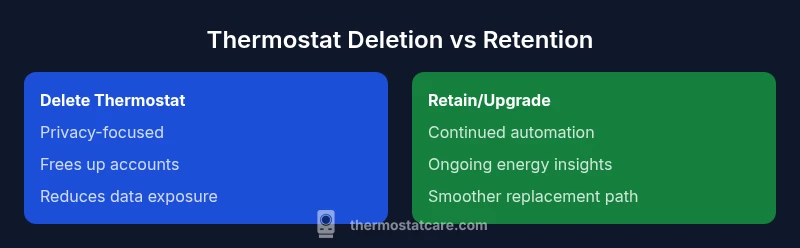
Deleting the thermostat is often preferred when privacy concerns are high, the device is malfunctioning beyond repair, or you’re decommissioning a space. Pros include reduced data exposure and fewer devices to manage, which can simplify troubleshooting and account maintenance. Cons include the loss of automated scheduling, energy insights, and remote control, plus the need to reconfigure or replace the device if you decide to reintroduce it later. In contexts where maintenance tasks are centralized, removing a thermostat can prevent accidental commands and avoid confusion across multiple thermostats.
Option B: Retain the thermostat in the system (no delete)
Retaining the thermostat preserves automation continuity and preserves energy-tracking data, which supports ongoing optimization. It also keeps compatibility with current apps and routines, making future upgrades or replacements smoother. Drawbacks include continued data exposure if the device isn’t properly updated, and the potential for clutter or confusion if you have many devices. If you foresee upgrading to a newer model, plan for a smooth handover by confirming compatibility and updating the control apps to minimize downtime. Thermostat Care recommends evaluating whether continued visibility and automation outweigh privacy concerns for your household.
Security considerations and best practices
Security should be a core consideration in any thermostat deletion decision. If you delete, ensure you perform a full factory reset to erase credentials, disable cloud links, and remove the device from all services. If you retain, keep firmware updated, use strong authentication, and review connected automations to minimize risk. Regularly audit linked devices and permissions, especially after adding new components or changing households. By aligning with best practices, you reduce both privacy risk and operational surprises, preserving a secure, efficient home environment with or without deletion.
Cost, time, and disruption to schedules
The cost and time associated with deleting a thermostat can vary widely. In many cases, you’ll invest time in unpairing, factory resetting, and reconfiguring schedules in a replacement device. If you’re hiring help, you should budget for labor charges and potential wiring adjustments. Retaining a thermostat often has minimal immediate cost, except for occasional firmware updates or replacement parts. The key is to quantify the disruption to your daily routine and the long-term value of remaining automated control versus the privacy and maintenance benefits of deletion.
Real-world scenarios: when deletion makes sense vs when not
Deletion is sensible when privacy and device health are paramount, or when the thermostat is part of a decommissioned space. It’s less compelling when you rely heavily on automated control, energy insights, and the ability to adjust temperatures remotely. In legacy homes with older hubs, a clean delete can prevent compatibility issues, but you’ll want a clear plan for re-adding a new device if you decide to restore automation later. Thermostat Care emphasizes case-by-case assessment, using concrete factors like privacy needs, device health, and upgrade plans.
Post-deletion privacy hygiene and data handling
After deletion, review your cloud accounts for residual device links and verify that any backups do not retain sensitive data from the thermostat. Consider creating a simple checklist to document unpairing steps, factory resets, and account removals. If you plan to reuse the same app ecosystem, re-link a new device with tighter access controls and updated permissions. This hygiene reduces future risk and ensures your home remains secure and properly configured after deletion.
Comparison
| Feature | Delete thermostat from system | Retain thermostat in system (do not delete) |
|---|---|---|
| Impact on HVAC control | Disengages automatic control; requires manual overrides | Continues to control HVAC with existing schedules |
| Data privacy and history | Removes pairing data and usage history; factory reset required | Keeps data and history unless deleted later |
| Security exposure | Reduces attack surface by removing device; requires secure erasure | Maintains access points if device remains connected and updated |
| Removal effort and reconfiguration | Requires steps to unpair and remove from apps; possible reconfiguration | No removal needed unless upgrading or replacing |
| Energy management impact | Schedules may be disrupted; energy savings may dip during reconfiguration | Continuity of routines supports steady energy management |
| Cost and time to perform | Time and potential professional help; setup for new device | Minimal time; costs mainly from future replacement |
| Best use case | Privacy-focused cleanup or decommissioned spaces | Preserve automation and readiness for future upgrades |
Upsides
- Reduces privacy risk by removing an unused device
- Declutters the smart home ecosystem
- Can simplify troubleshooting and account management
- Potentially lowers ongoing data exposure from the device
- May reduce attack surface when the device is not actively used
The Bad
- Loss of remote control and energy insights
- Reconfiguration work when upgrading or adding devices
- Disruption of schedules and automations during transition
- Potential data loss and need to re-pair later
Delete when privacy, health, or decommissioning outweigh automation value
Deleting a thermostat makes sense if you prioritize privacy or are decommissioning a space. If you rely on automation and energy insights, retention or a planned upgrade may be better. The Thermostat Care team recommends weighing privacy needs, device health, and future upgrade plans before deciding.
Questions & Answers
What does deleting a thermostat from a smart home mean?
Deleting a thermostat typically means unpairing it from your accounts and apps, performing a factory reset, and removing it from any routines. This clears data and credentials, reducing privacy risks. It may also involve removing the device from cloud services and dashboards.
Deleting a thermostat means unpairing it, resetting it, and removing it from your apps and routines to protect privacy and reduce clutter.
Will deleting affect energy savings or comfort?
Yes. Deleting can disrupt automated energy-saving routines and schedules. If you later reintroduce a thermostat or replace it, you may need to reconfigure programs to regain energy efficiency and comfort levels.
Deleting can affect energy savings unless you have an alternative control plan in place.
Is data permanently erased when deleting a thermostat?
Factory reset and account removal typically erase most personal data from the device and cloud links. Some cloud logs might remain depending on the provider, so review data retention policies.
Most data is erased with a factory reset, but check your provider’s data retention rules.
Can I delete a thermostat but keep app data or history?
You can choose to delete only the device from the ecosystem while preserving app history for other devices. However, the device’s own usage history will be cleared with the reset.
You can keep other data, but the thermostat’s data will be cleared with deletion.
What are the steps to securely delete a thermostat?
Unpair from all apps, perform a factory reset, remove cloud links, and delete the device from the app dashboard. Verify no active automations reference the device before finalizing deletion.
Unpair, reset, remove links, and delete from the dashboard to delete securely.
What to Remember
- Assess privacy risks before deleting
- Map existing automations to a replacement if applicable
- Securely erase data during deletion
- Plan re-pairing or upgrade to minimize disruption
- Retain a thermostat if you value continuous automation