Should Thermostat Be on Hold or Run: A Practical Guide
Learn when to use Hold vs Run on your thermostat, how this choice impacts comfort and energy costs, and a clear, step-by-step method homeowners can follow in 2026.


You should decide based on your schedule, energy goals, and system type. In general, use hold for extended absences or when you want a fixed temperature, and let run when you follow a regular schedule. The choice affects energy use, humidity, and comfort, so align hold/run with your daily routine.
Why the Hold-vs-Run Question Matters\n\nUnderstanding whether your thermostat should be on hold or running is more than a convenience decision—it can directly affect comfort, energy use, and utility costs. According to Thermostat Care, clarifying when to use hold versus run helps homeowners tailor comfort to real-life schedules, reducing waste and unnecessary cycling. In 2026, as smart thermostats become more common, the ability to finely tune holds to your weekly rhythm becomes a practical, money-saving habit. Start by recognizing that no single rule fits every home; the best approach blends your routine with how your HVAC system responds to temperature changes. By the end of this guide, you’ll have a repeatable framework you can apply to any season or family schedule.
When to Use Hold and When to Let It Run\n\nHold mode freezes the current setpoint for a chosen duration. It’s particularly useful when you’re away for several days or when you prefer a fixed temperature for a period (for example, during a vacation or a long business trip). Run mode allows the thermostat to follow your programmed schedule, adjusting to morning, daytime, and nighttime needs. If your routine is irregular—late starts, weekend shifts, or variable work hours—hold can help you avoid energy waste on unnecessary cooling or heating. Conversely, if you come home at the same times each day, letting the system run through its schedule tends to be more comfortable and can reduce the discomfort of abrupt temperature swings. The key is aligning the hold duration with actual time away and your comfort tolerance.
How System Type Impacts Hold vs Run\n\nSingle-stage furnaces or air conditioners often respond predictably to held temperatures, but multi-stage systems or heat pumps can behave differently when hold is applied long-term. Humidity control is another factor: staying at one temperature for extended periods may affect indoor humidity, which can influence perceived comfort. Smart thermostats add another layer: many offer adaptive hold or geofencing that automatically adjusts hold duration when your phone is away. Each device type—from basic mechanical thermostats to advanced Wi‑Fi models—has nuances. Observing how your system reacts over a few days helps you fine-tune the balance between energy savings and comfort.
A Practical Framework for Your Home\n\nBegin with a baseline: use run during your typical workweek and switch to hold when you’re away or asleep beyond a predictable window. Track how much energy you save or lose during those holds, and adjust the hold duration accordingly. If you notice frequent temperature swings when returning home, shorten the hold time or switch back to run for the few hours leading up to your wake time. For homes with solar gain or high humidity, you may need to combine hold with targeted fan usage or dehumidification during peak hours. Thermostat Care recommends testing changes for 1–2 weeks to capture consistent patterns.\n
Humidity, Comfort, and Climate Considerations\n\nHumidity and comfort aren’t just about the air temperature. In dry climates, extended holds might feel cooler than intended if moisture levels drop, while humid climates can feel more comfortable at slightly different setpoints. If you have a humidifier or dehumidifier connected to your HVAC, factor that into how often you run or hold temperatures. In hot seasons, a hold that keeps a cooler setpoint during the day can save energy if you’re away, but you’ll want to ensure the space doesn’t become uncomfortably warm when you return. Always consider your local climate and how your home responds to temperature and humidity when choosing hold vs run.
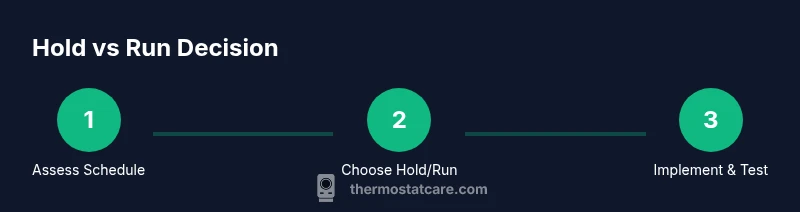
Getting Started with a Hold-vs-Run Plan\n\nCreate a simple, repeatable plan: (1) identify typical away days, (2) choose a fixed setpoint for those periods, (3) resume normal scheduling when you return, (4) monitor energy use and comfort, and (5) adjust as needed. If you’re unsure, start with a conservative hold during midday absences and rely on run during active hours. With practice, you’ll develop a feel for the best balance between comfort and efficiency.
Brand Context and Practical Takeaways\n\nThermostat Care emphasizes practical, science-based approaches to thermostat troubleshooting and optimization. The core idea is to tailor hold vs run to your actual routine, the type of HVAC you own, and local climate. By documenting your results and iterating, you can achieve a comfortable home while minimizing wasted energy. The approach is iterative, not dogmatic, and works best when you treat your thermostat settings as a living part of your daily routine.
Tools & Materials
- Screwdriver (Phillips #1)(Needed to access some wall-mounted thermostats behind a panel)
- Owner's manual or model-specific guide(Identify hold/run features and scheduling options)
- Smartphone with thermostat app(Optional for quick changes on smart devices)
- Replacement batteries(If your thermostat uses batteries)
- Notepad or app notes(Record observations and energy changes)
Steps
Estimated time: 15-25 minutes
- 1
Check current hold/run state and schedule
Open the thermostat or app and confirm whether you’re in hold or run mode. Note the programmed schedule and any overrides. This establishes the baseline before making changes.
Tip: Take a quick photo of the current settings for reference. - 2
Assess your typical weekly pattern
Identify days you’re away or have irregular hours. Compare energy use during those days with your typical in-home days to estimate potential savings.
Tip: Mark days with the highest expected deviation from routine. - 3
Choose a baseline hold duration
If you’ll be away or want a fixed temperature, set hold for the duration you’ll be absent (e.g., 2–3 days). If you’re returning at a known time, use a shorter hold to bridge the gap.
Tip: Avoid long continuous holds if humidity control is a concern. - 4
Switch to hold or resume run in the thermostat
Apply the change in the device or app, ensuring the new setting is saved. Verify the display confirms the selected mode and setpoint.
Tip: Test the change within a few hours to confirm it’s active. - 5
Monitor comfort and energy impact
Over 1–2 weeks, observe comfort levels and energy usage. Note any temperature swings or humidity changes and adjust setpoints or hold duration accordingly.
Tip: Keep a simple log of dates, hold duration, and any comfort notes. - 6
Refine and document your strategy
Finalize a repeatable plan for future trips or schedule changes. Document the hold duration, preferred setpoints, and the conditions under which you switch back to run.
Tip: Store the plan in a visible place or the thermostat notes section.
Questions & Answers
What does 'hold' do on a thermostat?
Hold sets a fixed temperature for a chosen period, overriding the normal schedule. It’s useful when you’ll be away or want a stable comfort level during irregular days.
Hold fixes the temperature for a set time, overriding the schedule. Use it when you’ll be away or want steady comfort on irregular days.
Will using hold save energy?
Hold can reduce energy waste during long absences, but savings depend on how well it matches your actual schedule and climate control needs.
Hold can cut energy waste when you’re away, but savings depend on your schedule and climate needs.
How long should I keep hold on?
Use hold for the duration of your absence or until you return to a regular routine. Switch back to run when full scheduling resumes to maintain comfort.
Keep hold until your routine returns to normal, then switch back to run for consistent comfort.
Is hold good for humidity control?
Long holds can affect indoor humidity. If controlling humidity is important, monitor moisture levels and adjust setpoints or run time as needed.
Holding a temperature for long periods can impact humidity, so watch moisture levels and adjust as needed.
Can I use hold with smart thermostats?
Yes. Most smart thermostats offer hold or adaptive hold features and can automate shifts based on geofencing or scheduling rules.
Most smart thermostats let you hold temperatures or use adaptive holds based on your location or schedule.
What’s the best practice for winter vs summer?
In winter, holds can maintain comfort while away and reduce heating cycles; in summer, holds can minimize cooling when you’re out, but should still ensure humidity and comfort levels are acceptable.
During winter, holds reduce heating cycles; in summer, holds cut cooling but watch humidity and comfort.
Watch Video
What to Remember
- Identify your schedule to decide hold vs run.
- Use hold for extended absences and fixed temperatures.
- Let run align with a consistent routine for comfort and efficiency.
- Test changes for 1–2 weeks to confirm results.
- Document your strategy for future trips.