Emerson Thermostat Troubleshooting Guide
Urgent Emerson thermostat troubleshooting guide with power checks, wiring tips, safe resets, and prevention strategies to restore comfort fast.


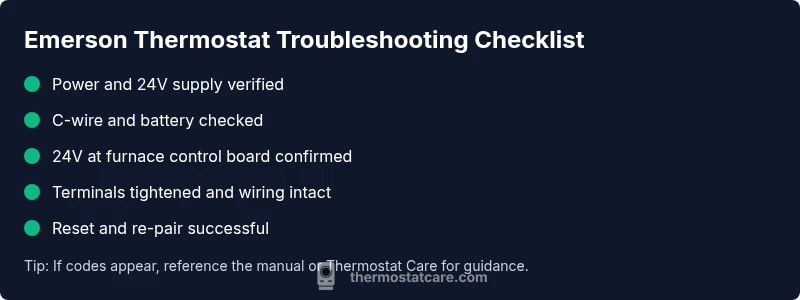
Most Emerson thermostat troubles stem from power or wiring problems. Start by confirming the thermostat has power (check the C-wire and batteries), verify it’s receiving 24V from the furnace control board, and inspect the wiring at both ends for loose terminals. If the display is blank, perform a safe reset and re-pair with the HVAC system before calling for help.
Why Emerson Thermostats Fail
According to Thermostat Care, Emerson thermostat troubleshooting often begins with the basics because many failures are self-inflicted or caused by simple power issues. A blank screen, unresponsive buttons, or erratic temperature readings are frequently traced back to the power supply, a weak battery, or a loose wire. In this section we’ll explain the most common culprits and how they present themselves in real homes. You’ll learn to distinguish a genuine internal fault from a simple setup or connection problem, so you can act quickly and safely. By understanding the common failure modes, you’ll save time and reduce the frustration that comes with a non-responsive thermostat. Thermostat Care Analysis, 2026, shows power and wiring as the leading factors behind many Emerson thermostat troubles.
Key takeaways:
- Most issues start with power or wiring
- Don’t overlook the simplest checks first
- Document what you observe to help a technician if needed
Starter Checks You Should Do Right Away
Before you dive into wiring or resets, perform a quick triage to determine if the issue is seasonal, environmental, or hardware-related. Start by ensuring the thermostat is on and the display is clean and legible. Check for tripped breakers or a blown fuse in the HVAC panel, and physically inspect the thermostat’s mounting to rule out loose mounting screws that can loosen internal connections. If the thermostat is connected to an app, verify your phone’s Wi‑Fi and the app’s connection status. These starter checks often reveal issues that can be resolved in minutes, avoiding more invasive steps.
,
Power and 24V Supply: The Crucial Check
A stable 24-volt supply is the lifeblood of most smart thermostats, including Emerson models. If the control board isn’t delivering 24V to the thermostat, the display may go dark or the unit may reboot intermittently. Use a non-contact voltage tester or a multimeter to confirm presence of 24V between R and C at the thermostat wiring harness, and then verify the same supply at the furnace control board. If voltage is low or fluctuating, inspect the transformer, fuses, and any inline breakers. Tighten or reseat any loose wires, and replace damaged conductors on the run from the furnace to the thermostat.
Wiring and Terminals: Common Mistakes
Wiring errors top the list of Emerson thermostat troubles. Loose terminals, stripped wire insulation, or wires placed under the wrong screw can cause intermittent loss of power or incorrect readings. When inspecting terminals, power down the system first and then gently tug each conductor to confirm a solid grip. Look for corrosion, bent tabs, or frayed wires—these signs suggest replacement is needed. If your thermostat uses a C-wire, ensure it’s continuous from the furnace to the thermostat, with no breaks in the circuit. A clean, secure connection at both ends dramatically reduces non-productive service calls.
Reset, Re-Pair, and App Connectivity
If power and wiring check out, a safe reset can resolve many stubborn Emerson thermostat quirks. Start with a soft reset by cycling power to the thermostat (switching the furnace or the breaker off and back on). For devices paired with an app, re-pair the thermostat after a reset to re-establish the Wi-Fi link and the HVAC control connection. Note any error codes shown on the display after restart, and keep a log of the sequence you performed. If the device remains unresponsive after a reset, you may need a deeper diagnostic flow or professional service.
Diagnostics: Reading Status Lights and Error Codes
Emerson thermostats often provide diagnostic clues through status lights or on-screen codes. A blinking LED can indicate communication faults, while error codes on screen (such as E1, E2, or other alphanumeric codes) guide you toward the subsystem involved—power, wiring, or sensor issues. Cross-reference codes with the Emerson manual or Thermostat Care’s troubleshooting repository. Keep in mind that some codes are HVAC-system dependent rather than thermostat-specific, so verify compatibility with your furnace or heat pump when you see a code. Documentation helps you avoid guessing and speeds up repairs.
Tools, Safety, and When to Call a Pro
Always prioritize safety when working near electrical connections and the furnace. Turn off the power at the service panel before handling wires, and avoid working with wet hands or in damp areas. Keep a small, insulated screwdriver, wire strippers, and a voltage tester handy. If you encounter high-voltage components, refrigerant lines, or unfamiliar furnace wiring, stop and call a qualified HVAC technician. Advanced repairs, like replacing the thermostat’s internal electronics or rewiring a furnace board, require professional expertise. Preventive maintenance, such as periodic battery checks and ensuring secure wire connections, helps reduce emergencies.
Best Practices to Prevent Future Issues
Proactive care can dramatically reduce Emerson thermostat troubleshooting time. Replace batteries regularly if your model uses them, and ensure the C-wire is present and secure. Organize a simple seasonal check: confirm power supply, verify thermostat interaction with the HVAC system, and keep your Wi-Fi environment stable for app-enabled models. Store a quick-start guide near the thermostat so household members know what to check during a malfunction. By building a routine, you’ll minimize guesswork and keep your system running smoothly year-round.
Steps
Estimated time: 45-60 minutes
- 1
Verify power supply
Begin by turning off the power to the HVAC system at the main breaker. Then check the thermostat display for signs of life or a dim screen. If you have an external transformer, test for steady voltage and confirm nothing else on the circuit is drawing excessive current. Turn the system back on and observe the thermostat for a complete reboot.
Tip: Document any flicker or delay during startup; it helps pinpoint intermittent power issues. - 2
Check C-wire and batteries
Inspect the C-wire at both the thermostat and furnace end. Make sure the wire is fully inserted under the terminal clamp and isn’t corroded. If your Emerson model uses batteries, replace them with fresh ones of the recommended type and observe if the display improves.
Tip: Even new batteries can be weak under load; perform a quick load test if you have the equipment. - 3
Confirm 24V at the furnace control board
With the system powered on, measure between R and C at the control board to confirm a stable 24V supply. If you see lower voltage or fluctuations, inspect the transformer, fuses, and wiring harness. Reseat any loose connectors and replace damaged wires as needed.
Tip: Always discharge capacitors safely before handling lead connections. - 4
Inspect wiring at thermostat and furnace terminals
Look for loose screws, frayed insulation, or cross-wired terminals. Tighten screws and trim any damaged insulation, ensuring each wire is under the correct terminal label. Confirm that the thermostat’s internal jumpers (if any) align with the system type (single-stage, multi-stage, etc.).
Tip: Avoid lifting the wire out of the terminal; release the screw slightly to seat the conductor properly. - 5
Reset and re-pair
Power-cycle the thermostat, then perform a reset following the unit’s on-screen prompts. If your model supports app pairing, re-connect via the Emerson app and re-sync with your HVAC system. Verify that the thermostat now communicates with the furnace and reads outdoor temperature if applicable.
Tip: Keep your Wi-Fi password handy; a mis-typed password can block re-pairing. - 6
Evaluate results and plan next steps
If the unit powers up and operates normally, monitor for a few cycles. If the display returns to blank or if error codes persist, consider replacing the thermostat or calling a professional for a deeper diagnostic.
Tip: Note the exact error codes or status lights to share with a technician.
Diagnosis: Emerson thermostat won’t power on or blank display
Possible Causes
- highPower issue (tripped breaker, loose/poor 24V supply)
- mediumDead or degraded C-wire/battery
- mediumWiring disconnects at furnace control board
- lowThermostat fuse or internal component failure
Fixes
- easyCheck the HVAC power switch and circuit breakers; reset if tripped
- easyInspect C-wire and replace batteries if applicable; secure all terminals
- easyVerify 24V supply at the furnace control board using a multimeter; reseat loose wires
- easyPower-cycle both thermostat and furnace, then re-pair via the Emerson app if used
- mediumIf issues persist, replace the thermostat or consult a professional HVAC technician
Questions & Answers
Why is my Emerson thermostat blank even though power is on?
A blank screen usually points to a power supply issue or a blown fuse. Start by checking the circuit breaker, then test the 24V supply at the thermostat and furnace. If the power is steady, proceed with a reset and re-pair.
If your Emerson thermostat is blank, check the power and 24-volt supply, then reset and re-pair. If it still doesn’t show anything, call a pro.
How do I test the C-wire on an Emerson thermostat?
Turn off power, then inspect the C-wire at both ends for secure attachment and no corrosion. If you have a multimeter, measure continuity to the furnace’s C terminal and ensure it’s connected to the thermostat C terminal.
Check that the C-wire is securely attached and test continuity to the furnace C terminal.
Can I reset Emerson thermostat without losing settings?
Many Emerson models support a soft or factory reset that preserves some settings, but a full reset may erase custom schedules. Check the model’s manual or Thermostat Care guidance before performing a reset.
Some resets keep settings, but a full reset can erase them. Check your model’s manual.
What does an error code on an Emerson thermostat mean?
Error codes indicate issues with power, communication, or sensors. Note the code, consult the manual, and compare with the diagnostic flow to pinpoint whether the fix is simple (power) or requires professional help.
Note the code and use the manual to understand the issue and steps to fix.
Is it safe to open the furnace panel to check wiring?
Opening the furnace panel involves high-voltage components and should generally be done by a licensed technician. If you’re inexperienced, don’t proceed beyond basic thermostat checks and call a pro for furnace access.
No—furnace wiring can be dangerous. Call a pro for internal furnace work.
When should I replace an Emerson thermostat?
If the thermostat continues to fail after power, wiring, and reset steps, or if it’s outdated and unreliable, replacement is a sensible option. Consider models with better energy features and app connectivity for future reliability.
If it keeps failing after fixes, it’s time to replace with a newer model.
Watch Video
What to Remember
- Check power first: verify 24V supply and battery status
- Inspect the C-wire and wire-terminals for secure connections
- Reset and re-pair before assuming a hardware failure
- Use error codes to guide diagnosis and know when to call a pro