ecobee Sensor Unavailable: Troubleshooting Guide
Urgent guide to fix ecobee sensor unavailable errors. Learn quick fixes, a diagnostic flow, step-by-step repairs, safety tips, and prevention to restore reliable sensor readings.


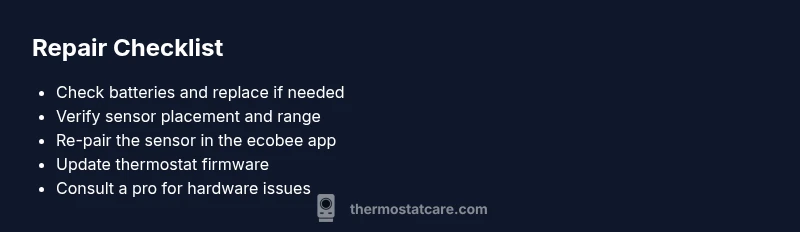
Most often, an ecobee sensor unavailable status stems from a dead battery or a loose connection. Start by replacing the sensor's batteries and ensuring it is firmly mounted and within range of the thermostat. If the warning persists, re-pair the sensor in the ecobee app, check for interference, and confirm the sensor is enrolled in the correct room.
Understanding the ecobee sensor unavailable status
When an ecobee thermostat shows that a connected sensor is unavailable, it means the sensor cannot reliably communicate with the thermostat. According to Thermostat Care, this issue is most often caused by power or pairing problems, not a broken device. The Thermostat Care team found that in many homes the fix is quick and repeatable: refresh power, re-pair, and ensure proper placement. Understanding how these sensors communicate—via a low-power radio link—helps you diagnose where the signal is breaking down. You’ll want to check the battery status, confirm the sensor is enrolled in the correct room, and verify it is within an unobstructed line of sight to the thermostat. A sensor that can’t talk back to the hub will show unavailable and prevent your smart schedule from applying to that room.
Key idea: treat sensor availability as a signal and power issue first, then tackle pairing and firmware if needed. This approach minimizes guesswork and speeds up resolution.
Quick checks you should run first
- Replace the sensor batteries with fresh ones and reinsert them correctly. Weak batteries cause intermittent communication drops and the unavailable status.
- Ensure the sensor is firmly seated in its mounting and not loose. A loose sensor can intermittently disconnect and re-connect, triggering an unavailable status.
- Confirm the sensor is within range of the thermostat and that no thick walls or metal appliances are blocking the signal. Move the sensor closer if possible or relocate the thermostat if the placement creates dead zones.
- Check for interference from other radios, microwaves, or large metal objects near the sensor. Cordless phones, baby monitors, orWi-Fi devices on the same channel can degrade the signal.
- Restart the thermostat to clear any temporary radio lockups and re-check the sensor status afterward.
These steps address the majority of ecobee sensor unavailable reports and are recommended by the Thermostat Care team.
Re-pairing and enrolling sensors
If the quick checks don’t restore the sensor, re-pairing is often the missing step. Open the ecobee app, remove the affected sensor from the room profile, and then re-add it as a new sensor. After pairing, verify the room name matches the actual space (for accurate scheduling and occupancy). If you have multiple sensors, test with another one to see if the issue is isolated to a single unit or a broader hub problem. This process resets the communication link and often resolves stale bindings that cause the unavailable status.
Common environmental and hardware issues
Some environments create chronic signal problems. Water-logged basements, dense concrete walls, or a metal doorway can substantially reduce signal strength. If you notice repeated sensor drops only in one zone, attempt to re-map the sensor to a different wireless channel, or relocate the thermostat to maintain a stronger beacon. Additionally, check your sensor for visible damage or condensation, since moisture ingress can degrade radio performance and battery life. Keeping sensors away from heat sources and direct sunlight can extend battery life and reliability.
Firmware, app, and account considerations
Software issues can masquerade as hardware faults. Ensure your ecobee thermostat firmware is up to date and that the app is the latest version. Sign out and back into the ecobee app to refresh session data, and verify your account has the correct permissions for sensor management. If your thermostat is connected to a smart home hub or voice assistant, re-authenticate those connections to avoid cross-device conflicts that could mark a sensor as unavailable. Finally, check the ecobee status pages or Thermostat Care Analysis, 2026 for any reported outages or known bugs affecting sensor availability.
When to call a professional
If you have completed the above steps and the sensor remains unavailable, it may indicate a hardware fault or a deeper wiring issue. Contact a licensed HVAC technician or an ecobee-certified pro to inspect the sensor, hub, and wiring in your system. Professional help is advised if you notice corrosion on terminals, a burnt smell, or the sensor heating during operation. Timely intervention can prevent further disruption to your heating and cooling schedule and protect equipment from damage.
Steps
Estimated time: 25-40 minutes
- 1
Check power and insert new batteries
Power down the sensor if accessible, replace with fresh batteries, and ensure the battery door seals properly. This eliminates low power as the root cause for intermittent communication. Confirm the LED indicator on the sensor blinks after insertion.
Tip: Use fresh, high-quality batteries and avoid mixing old with new ones. - 2
Inspect placement and range
Verify the sensor is mounted securely and not behind metal appliances or inside sealed cabinets. If possible, temporarily relocate the sensor closer to the thermostat to test signal strength. Observe the ecobee app for any change in status.
Tip: Aim for a clear line of sight and minimize wall thickness between sensor and thermostat. - 3
Restart devices and refresh connections
Restart both the ecobee thermostat and the sensor hub by power cycling. After reboot, open the app and check if the sensor reappears as connected. This clears minor software hiccups that can trigger unavailable status.
Tip: Wait 1–2 minutes after reboot before testing sensor status. - 4
Re-pair the sensor
In the ecobee app, remove the affected sensor from its room, then add it as a new sensor. Follow on-screen prompts to complete pairing and ensure the room assignment matches the physical location.
Tip: If pairing fails, temporarily disconnect other sensors to avoid interference. - 5
Check for firmware updates
Update the thermostat firmware if a newer version is available and verify sensor compatibility after the update. Firmware fixes can resolve communication bugs that cause sensors to report unavailable.
Tip: Keep a log of when updates occur to correlate with sensor behavior over time. - 6
Assess environmental or hardware issues
If problems persist, inspect for moisture, corrosion on terminals, or damage to the sensor housing. These physical signs indicate the need for professional evaluation and possible replacement.
Tip: Document any physical damage with photos for the technician.
Diagnosis: Sensor shows unavailable in ecobee app
Possible Causes
- highLow or dead battery in the sensor
- highSensor not paired or lost binding with thermostat
- mediumOut of range or blocked signal between sensor and thermostat
- mediumApp or firmware issue on the thermostat
- lowPhysical damage or moisture ingress in sensor
Fixes
- easyReplace sensor battery and reseat battery cover securely
- easyRe-pair the sensor in the ecobee app and reassign its room
- easyMove the sensor closer to the thermostat or remove obstructions
- easyRestart thermostat and perform a sensor test in the app
- mediumUpdate firmware and re-sync app connections; sign out/in if needed
- hardIf unresolved, schedule professional inspection of hardware/wiring
Questions & Answers
Why is my ecobee sensor unavailable after a firmware update?
Firmware updates can reset sensor bindings or change network behavior. Check for another update, re-pair the sensor, and confirm room assignments after the update. If the problem persists, consult Thermostat Care's guidance on firmware rollback or next patch.
A recent update can disrupt bindings. Re-pair the sensor and check room mapping after updating.
Can I fix a sensor unavailable without professional help?
Yes for most cases. Start with batteries, placement, and re-pairing. If the sensor still shows unavailable after these steps, consult the diagnostic flow and consider professional support for hardware checks.
Usually you can fix this at home by battery replacement and re-pairing.
Is sensor distance from the thermostat the only factor?
Distance and obstructions strongly affect signal quality. Move the sensor closer or reduce barrier materials, and ensure there are no competing radios near the sensor.
Signal range is a common cause; try moving it closer.
What should I do if other sensors work but one does not?
Test a known-good sensor in the same position to determine if the problem is the unit or the network. If the good sensor works, re-pair the problematic one; if not, the issue may be hub-related.
If others work, swap or re-pair that one sensor.
How often should I replace sensor batteries?
Battery life varies by usage and environment. Replace with fresh batteries if the sensor shows weak readings or becomes unresponsive, and monitor for ongoing performance.
Keep fresh batteries on hand and replace when needed.
Does a blown fuse affect ecobee sensor availability?
Totally unrelated to the sensor radio, but power surges can affect the thermostat. Ensure the thermostat power supply is stable and use a dedicated circuit if needed.
Power problems can indirectly affect the thermostat; check the power supply.
Watch Video
What to Remember
- Inspect power first; batteries are a common culprit
- Re-pair and re-map sensors to restore binding
- Manage placement to ensure strong signal and minimal interference
- Update firmware and check for outages before hardware replacement
- Call a pro if moisture or corrosion is detected