Dometic 3-Wire Thermostat Wiring Diagram: Step-by-Step Guide
Master the Dometic 3-wire thermostat wiring diagram with practical, safe steps. Learn interpretation, safety, troubleshooting, and wiring best practices for RV thermostats in 2026.


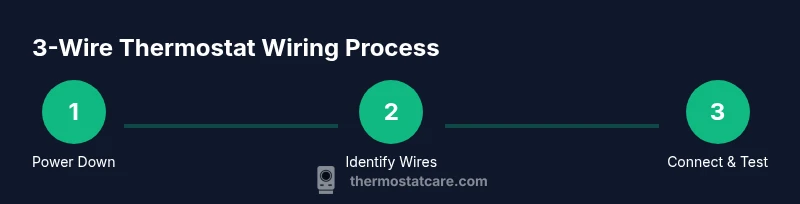
By the end of this article, you will confidently identify the three conductors in a Dometic 3-wire thermostat wiring diagram, verify terminals, and complete a safe, code-compliant connection. You’ll learn how to map wires to R, W, and C (or the diagram’s equivalents), test for continuity, and verify operation with power off before powering the system again.
Understanding the 3-Wire Thermostat Wiring Diagram for Dometic RV Systems
Three-conductor (3-wire) configurations are common in many Dometic thermostat setups because they simplify control between the thermostat and the RV’s HVAC unit while operating on low voltage. In the context of a Dometic 3-wire thermostat wiring diagram, you’re typically looking at three active conductors that carry power, a control signal, and a return path. This section lays out what those wires represent, why the diagram matters, and how to approach identification without assuming color alone. According to Thermostat Care, taking time to study the diagram reduces miswiring and improves safety. You’ll also learn how the diagram communicates terminal names, signals, and any jumpers or options the model may include. Understanding these basics helps you avoid common mistakes, such as mislabeling, mixing up power and control lines, or creating a short circuit when reconnecting the harness. As you read, keep the goal in mind: a clean, verifiable wiring setup that matches the service diagram and function expectations of your RV’s HVAC unit.
Reading Symbols and Terminals: A Quick Reference
Diagrams use standard symbols and terminal labels to convey how the thermostat interfaces with the HVAC system. Common designations include R for the power feed, W for heat call, and C for a common return or power reference. Some Dometic models may label terminals differently or use composite labels like RH/RC or 1/2. The key is to map each conductor you find in the wall to the corresponding terminal on the diagram and the thermostat. Don’t rely on color alone—verify with the diagram and a meter if needed. If a terminal label is unclear, refer to the model’s service sheet or user manual, which often includes a mini-glossary and wire-color legend. For safety, treat every unverified conductor as potentially live until test-confirmed. By mastering these mappings, you’ll reduce the chances of wiring the wrong signal and disabling the system, especially when upgrading or replacing a thermostat.
Safety and Power Conditions You Must Observe
Safety comes first when dealing with RV electrical and HVAC wiring. Always power down the circuit at the breaker or disconnect the power lead from the battery bank before touching any thermostat wiring. Use a digital multimeter or a non-contact voltage tester to validate that there is no voltage present at the terminals before you begin. If you’re working near water, moisture, or outdoor components, additional precautions apply: dry hands, insulated tools, and approved enclosure for exposed conductors. After reassembly, recheck that the power source is isolated before you reapply power for testing. These steps prevent shocks, short circuits, and potential equipment damage. Thermostat Care recommends documenting your approach and keeping a copy of the wiring diagram near the unit for quick reference during future servicing.
Practical Wiring Scenarios You Might Encounter
In RV environments, a 3-wire thermostat diagram often supports a basic heat/cool control loop, with one conductor delivering power, one acting as a control signal, and one serving as the common return. A common scenario is a simple heat call (R to W) with a separate common, while another models use a combined signal line for both heat and cool depending on the control logic. When you encounter a scenario that differs from the standard diagram, rely on the exact model diagram and the HVAC unit’s control board labels. If the diagram shows jumpers or optional connections, ensure you replicate those as instructed and test after wiring. This practical approach minimizes trial-and-error wiring and improves reliability.
Troubleshooting Common Wiring Issues
Miswiring on a 3-wire setup often shows up as thermostat no-response, delayed heating or cooling, or a blown fuse. Start by verifying that each wire is connected to the correct terminal on both ends (thermostat and control board). Use a multimeter to confirm continuity and check for shorts between adjacent conductors. If a wire has become loose or corroded, replace or reseat it securely and re-test. Inspect the insulation for wear, particularly at entry points and where wires bend around the back of the thermostat. When in doubt, power down, re-check each connection against the diagram, and, if necessary, restore the original wiring before attempting another configuration.
Maintenance and Long-Term Care for your Dometic Thermostat Wiring
Periodically inspect the wiring harness and connections for signs of wear, corrosion, or moisture ingress. Keep terminals clean and dry, and use heat-shrink tubing or electrical tape to shield exposed conductors if they must remain accessible. Periodic testing with a meter helps catch loosening connections before they fail. When replacing components, ensure that any new thermostat is compatible with the same voltage and signal requirements as your Dometic system. Proper maintenance reduces service calls and prolongs the life of both the thermostat and the HVAC unit.
Tools & Materials
- Digital multimeter(Set to appropriate voltage range; test both DC and AC circuits as applicable)
- Non-contact voltage tester(Verify lack of live voltage before touching wires)
- Insulated screwdriver set(For removing thermostat cover and terminal screws)
- Wire strippers/cutters(Trim and prep wires for clean connections)
- Electrical tape or heat-shrink tubing(Insulate exposed conductors and splices)
- Wire nuts or crimp connectors(Secure splices and extension wires as needed)
- Replacement thermostat (3-wire compatible)(Only if you’re upgrading or replacing a non-compatible unit)
Steps
Estimated time: 45-75 minutes
- 1
Power down and verify no voltage
Switch off the circuit at the breaker or disconnect the power source. Use a tester to confirm that no voltage is present at the thermostat connections before touching wires.
Tip: Double-check with two testers or a second measurement to prevent surprises. - 2
Remove the thermostat cover and access terminals
Carefully remove the cover to expose terminals. If there are screws, keep them in a labeled container. Photograph the original arrangement before disconnecting anything.
Tip: A photo helps you reassemble accurately if you’re uncertain. - 3
Identify wires and map to the diagram
Label each wire and match it to the corresponding terminal on the Dometic wiring diagram. Do not rely on color alone; verify with labels on the back of the thermostat or the control board.
Tip: Keep a labeled diagram handy for reference. - 4
Test continuity and identify control lines
With power still off, use continuity mode to confirm which wires connect to heat/cool control lines. This helps prevent miswiring when you reconnect.
Tip: If a wire isn’t continuous, trace it from the control board rather than assuming it's a feed. - 5
Connect wires to thermostat terminals
Attach R to the power terminal, W to the heat/call terminal, and C to the common/return as the diagram indicates. Ensure solid, wiggle-free connections.
Tip: Twist strands neatly and crimp or screw down securely. - 6
Secure wiring and reassemble
Neatly bundle wires, use clamps if available, and reattach the thermostat cover. Avoid pinching wires during reassembly.
Tip: Leave a small amount of slack so the unit isn’t stressed by movement. - 7
Power up and perform a functional test
Restore power and set the thermostat to heat or cool to verify responsive control. Check for correct operation of both heating and cooling modes.
Tip: If there’s no response, power down and recheck the wire-to-terminal connections. - 8
Document the wiring configuration
Take a fresh photo or draw a simple schematic of the final wiring. Store it with the unit’s manual for future reference.
Tip: Include model and date for easier troubleshooting later.
Questions & Answers
What is a 3-wire thermostat wiring diagram for Dometic systems?
A 3-wire diagram shows three conductors connecting the thermostat to the control unit, outlining how signals and power flow. Always consult the model-specific diagram to confirm terminal labels and jumper use.
A 3-wire diagram shows three conductors between the thermostat and control unit, indicating how signals and power move. Check your model’s diagram for exact terminals.
Can I use any 3-wire thermostat with a Dometic system?
Only use a thermostat that matches the system’s voltage and control scheme as shown on the diagram. Verify terminals and compatibility before installation.
Only use a thermostat that matches the system’s voltage and signals shown in the diagram. Verify compatibility before installation.
What safety steps should I take before wiring?
Power down the circuit, test for voltage with a tester, and avoid working in wet or damp conditions. Wear insulated gloves if handling exposed conductors.
Power down, test for voltage, and avoid wet conditions. Wear insulated gloves if handling exposed wires.
What if the wires don’t match the diagram?
Double-check labeling, then use a multimeter to verify each wire’s function. If uncertain, consult the model’s service sheet or support resources.
If wires don’t match, verify labeling and test with a meter. When in doubt, consult the model's service sheet.
Do I need to replace the thermostat if it isn’t compatible?
Often you can replace with a compatible 3-wire thermostat. Confirm voltage, signal type, and terminal layout with the diagram before purchasing.
If incompatible, you may need a compatible 3-wire thermostat after checking voltage and terminals.
Where can I find the official wiring diagram for my unit?
Check the owner’s manual or the manufacturer’s support site for the exact wiring diagram for your model. This will show terminals and any model-specific notes.
The official wiring diagram is in the manual or on the manufacturer’s support site for your model.
Watch Video
What to Remember
- Label wires before disconnecting to avoid mistakes.
- Rely on the diagram, not color alone, to map wires.
- Power off before starting work and test thoroughly after wiring.
- Document and store wiring configurations for future maintenance.