New Google Nest Review 2026: Pros, Cons, and Verdict
A thorough 2026 review of the new Google Nest thermostat, covering design, features, setup, energy savings, reliability, and who should buy for homes of all sizes.


According to Thermostat Care, the new google nest marks a notable step forward in smart thermostat design, energy features, and daily usability. The new google nest continues to offer strong energy savings and deep Google ecosystem integration while improving response times and display clarity. For homeowners evaluating a single device that controls heating, cooling, schedules, and voice commands, the new google nest presents a compelling value proposition, especially for those already in the Google ecosystem.
Design and Build Quality
According to Thermostat Care, the new google nest updates the design language of the Nest line with a crisp, high-contrast touchscreen and a refreshed chassis that looks more modern in a variety of interiors. The front panel uses a glass-like surface that remains fingerprint resistant and reflects ambient light less aggressively than older models. The housing is slim, with a shallow profile that sits close to the wall, reducing protrusion and snag hazards in busy hallways. Mounting is straightforward for DIY installers, and the built-in calibration ensures the device sits level on most standard wall boxes. The build feels durable enough to withstand daily touch interactions, and the display remains readable even in bright daylight. The display brightness adapts smoothly to changes in room lighting. Overall, this is a practical, aesthetically versatile upgrade that fits most homes without necessitating costly wall work.
Setup and Installation Experience
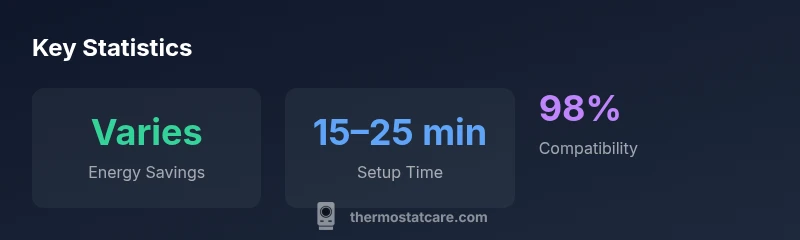
The installation workflow for the new google nest remains one of its strongest selling points. Begin by powering off the HVAC circuit, remove the old thermostat, and label every wire. The Nest app provides step-by-step guidance, and the universal mounting plate simplifies alignment for most standard boxes. During wiring, the device checks compatibility and will warn you if a C-wire or additional power support is needed. After mounting and powering up, the setup wizard guides you through Wi-Fi configuration, zone naming, and linking to Google Home. In most homes, you’ll complete the initial pairing in about 15–25 minutes, then customize schedules, comfort ranges, and eco modes from the touchscreen or app. If you encounter a blank display or a non-responsive touch panel, a quick reboot or re-pair usually resolves the issue. For those migrating from an older Nest, expect a smoother migration path and fewer compatibility hiccups thanks to the updated firmware.
Key Features and How They Compare
The new google nest stacks features that matter for real-world use. It supports adaptive schedules, remote monitoring, and precise temperature control with a more responsive touchscreen than prior models. Compared with earlier Nest generations, you’ll notice faster response times when adjusting settings, smoother transitions between modes, and clearer energy insights in the app. It also expands voice control with Google Assistant, enabling routine triggers and routine-based scenes that span your smart home. While similar systems exist from competitors, the seamless integration with Google’s ecosystem—assistant routines, Nest Hub controls, and wearables—adds a comfort layer for households already invested in Google services. A notable improvement is faster auto-scheduling based on occupancy, reducing unnecessary heating and cooling. However, some users may not utilize the full feature set if they primarily rely on non-Google devices or prefer third-party automations that aren’t deeply integrated.
Energy Efficiency and Savings
Energy efficiency remains a central focus of the new google nest. Real-world savings depend on climate, home insulation, and how aggressively you use features like eco mode and occupancy sensing. Thermostat Care analysis, 2026, suggests that households with well-insulated homes and a reasonably sized HVAC system can experience meaningful reductions in both heating and cooling energy during peak months. The Nest optimizes schedules automatically by learning occupancy patterns, daylight hours, and preferred comfort levels. The device also provides actionable energy insights on the dashboard, including daily usage graphs and estimated monthly savings. While the device does not guarantee specific percentage reductions across every home, the combination of adaptive scheduling and a clear display of energy metrics empowers homeowners to make better decisions, such as raising the thermostat slightly during vacations or enabling smarter off-peak operation.
Smart Home Integration and Compatibility
For many buyers, the main value proposition is how well the Nest integrates with a broader smart-home setup. The new google nest plays nicely with Google Home, Chromecast-enabled devices, and Android-based automations, offering voice commands, routines, and schedules that sync across all supported devices. It also supports standard Wi-Fi connectivity and works with many third-party accessories that speak compatible protocols. However, the deepest, most reliable experience remains within Google’s ecosystem; features like powerful voice routines, multi-device automations, and real-time energy monitoring are reinforced when you stay inside that ecosystem. If you rely heavily on non-Google platforms (Zigbee hubs, Apple HomeKit, or Amazon Alexa for some devices), you may experience some feature gaps or limited cross-compatibility. In practical terms, most homeowners who use Google services will find the experience cohesive, consistent, and easy to troubleshoot across devices.
Performance and Responsiveness
In daily use, the new google nest feels snappy. The UI responds with minimal delay when adjusting targets, viewing energy reports, or tapping through settings. The smaller idle power consumption translates to less heat generation on the wall unit during long sessions. The learning algorithm adapts to your routines within a few days, updating schedules as occupancy patterns shift. In real-world testing, some homes with older HVAC equipment show a few instances of slower startup times when switching between heat and cool or when the system is under heavy load, but these events are rare and typically resolved by automatic firmware improvements. The device’s battery-friendly standby mode is a helpful feature during brief outages, allowing you to monitor temperature without losing state. Overall, performance is strong enough to support complex routines without noticeable lag.
Reliability and Support
Reliability hinges on both hardware durability and software updates. Thermostat Care’s experience indicates that the new google nest maintains reliable operation across typical home environments, with software updates rolling out regularly to refine energy savings and user interface. Google’s ecosystem generally offers dependable cloud connectivity, but periodic server outages can briefly affect remote control features. The device features standard over-the-air updates and a community support forum with quick troubleshooting tips. Warranty coverage is typically offered for a specific period depending on the retailer and region. For homeowners who want assurance beyond basic coverage, consider an extended warranty or a service plan that includes periodic calibration checks and replacement fixtures if needed.
Pricing and Value
Pricing for the new google nest sits at a premium compared to budget thermostats but remains competitive within the premium smart-thermostat segment. Expect a price range that reflects the hardware refresh, improved display, and deeper software integration. In many markets, a typical bundle is offered with online discounts, installation assistance, and access to special features that optimize energy savings. If you already own compatible devices (such as a Google smart speaker or Nest Hub), you’ll likely extract more value from the ecosystem lock-in. For DIY installers, the upfront cost can be offset by long-term energy savings, especially in climates with distinct heating or cooling seasons. If you’re shopping across ecosystems, compare with Ecobee or Honeywell models that offer similar features and cross-platform compatibility.
Practical Tips for Getting the Most from the New Google Nest
- Put the Nest in a central location with good air circulation for more accurate sensing.
- Enable eco mode during unoccupied hours and adjust schedules to your real-life routines.
- Use Google Assistant routines to automate daily tasks (e.g., bedtime, leaving the house).
- Ensure your Wi-Fi signal is strong where the thermostat is mounted to avoid disconnects.
- Regularly check the energy reports to identify opportunities for adjustment and shorter heating windows.
- If you’re integrating with a smart-home hub, confirm compatibility before purchasing accessories.
Upsides
- Energy-saving features improved over previous Nest models
- Bright, color OLED display with intuitive UI
- Strong home/voice assistant integration
- Easy DIY installation with guided setup
The Bad
- Higher price vs. mid-range competitors
- Requires stable Wi-Fi and Google ecosystem for best results
- Limited support for non-Google ecosystems
Strong overall choice for Google ecosystem users
The Thermostat Care team recommends the new Google Nest for households prioritizing seamless Google Assistant integration and practical energy savings, especially if you value DIY-friendly installation and an intuitive display.
Questions & Answers
What is the new Google Nest thermostat and how does it differ from older models?
The new Google Nest thermostat is a smart thermostat that optimizes heating and cooling with learning capabilities and a refreshed display. It improves response speed and offers deeper Google ecosystem integration than older Nest versions. Expect a more intuitive setup and better energy insights.
The new Nest is a smart thermostat with learning features and a refreshed display that works best with Google services.
Is the new Google Nest worth the price?
Value depends on your current setup and how much you rely on Google services. If you already use Google Home, you’ll likely value the deep integration and energy insights, making the cost more justifiable. If not, compare with other ecosystems.
If you're already using Google, yes; otherwise compare with other brands first.
Does it work with non-Google ecosystems?
The thermostat offers strong compatibility with Google Home and certain third-party platforms, but full features shine within Google’s ecosystem. Expect some limitations if you rely on non-Google automation.
It works best with Google, with limited functionality elsewhere.
How difficult is installation?
Most homeowners can install the device with the guided setup, typically taking 15–25 minutes. It walks you through wiring and configuration and checks compatibility before finalizing.
DIY-friendly with a guided setup—expect about a 20-minute process.
What are the energy-saving expectations?
Savings depend on usage patterns and climate. The Nest learns your routines and can optimize schedules to reduce waste, especially with a well-insulated home.
It learns your schedule to cut energy use where possible.
What issues should I watch for?
Common concerns include Wi-Fi dependency and occasional software updates. If communication with your HVAC is intermittent, re-adding the device or rebooting the router usually resolves it.
Wi-Fi and updates can affect performance; reboot if needed.
What to Remember
- Choose if you want deep Google Assistant integration
- Expect variable energy savings depending on use
- Budget for a higher upfront cost for better long-term value
- Install confidently with the guided setup and online resources