Buy Google Nest: Your Practical Guide to Smart Thermostats in 2026
A practical, data-driven guide to buying Google Nest, including compatibility checks, model comparisons, installation tips, and practical energy-saving guidance.


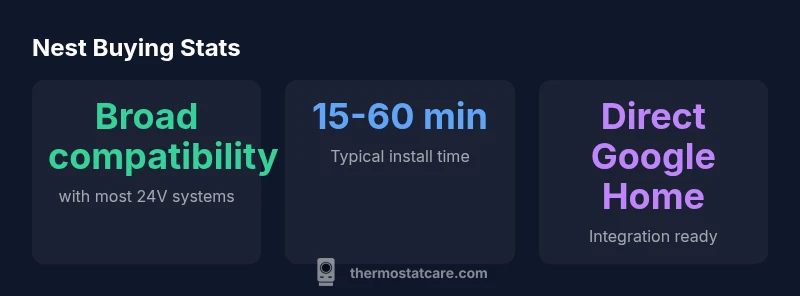
Yes, if you want a reliable, future-friendly smart thermostat with strong Google Home integration, buying Google Nest is a solid move. The quickest way to avoid buyer’s remorse is to verify your HVAC compatibility (most 24V systems work) and determine if you have a C-wire or will use the Nest Power Connector. According to Thermostat Care, starting with a compatibility check significantly reduces post-purchase headaches.
Why buyers choose Google Nest
Nest has established itself as a dependable centerpiece for modern smart homes. When you decide to buy Google Nest, you’re not just purchasing a thermostat—you’re investing in a platform designed to streamline control across devices, schedules, and energy usage. According to Thermostat Care, the Nest ecosystem is favored for reliable software updates, strong integration with Google Home, and an intuitive setup that helps homeowners align comfort with efficiency. In practice, this means you can manage temperature remotely, set routines that adapt to your daily life, and leverage voice control for hands-free adjustments. The decision to buy Nest often hinges on how deeply you want a connected home to operate, and how much you value a single app for thermostat control alongside other smart devices. This article breaks down practical steps and considerations to help you make an informed purchase.
Compatibility first: what to verify before you buy
Compatibility is the keystone of a smooth Nest experience. Most 24V HVAC systems—common in many homes—are compatible with Nest thermostats. If your system uses higher voltages or older wiring, there may be constraints or the need for a separate power source. A reliable compatibility check can save you time and potential frustration during installation. In addition to system type, confirm that your electrical wiring supports a C-wire or that you have a Nest Power Connector as an alternative. Thermostat Care’s 2026 guidance emphasizes starting with a compatibility assessment to minimize post-purchase issues. Finally, review your existing smart-home setup to ensure you can incorporate Nest into routines and voice commands without needing extra hubs.
Nest model choices: standard, E, and learning variants
Google Nest has evolved to offer multiple options tailored to different budgets and needs. The Nest Thermostat (standard) provides robust features, broad compatibility, and strong app control. The Nest Thermostat E offers a more affordable package with essential smart features and simplified aesthetics, making it a good fit for smaller homes or tighter budgets. The Nest Learning Thermostat (classic) introduces advanced learning capabilities and more sophisticated control, typically appealing to homeowners who want deeper automation. When deciding which to buy, consider your heating system type, desired features, and how deeply you want automation to run. Thermostat Care’s experience shows that most households will find the standard Nest Thermostat covers the majority of use cases, while the Learning Thermostat suits enthusiasts who value adaptive schedules and energy insights.
Installation options: DIY or professional help
Installing a Nest thermostat is designed to be approachable for DIY enthusiasts, but it benefits from careful wiring and a clear mounting plan. Before you start, gather the basic tools (screwdriver, voltage tester) and ensure safety—turn off power to the HVAC system before disconnecting any wires. If you’re unsure about wiring, or if your system includes multiple stages or unusual configurations, consider hiring a licensed technician. Thermostat Care recommends a prep checklist: confirm wiring colors, verify the C-wire status, and have the HVAC control board on hand to cross-check terminals. A well-planned install reduces the chance of power issues, sensor misreads, or incorrect mode operation.
Smart-home integration: routines, scenes, and voice control
One of Nest’s strongest advantages is its native integration with Google Home. Setting up routines lets you tie temperature changes to occupancy, time of day, or other smart devices. For example, a “Good Morning” scene can gradually raise the temperature, while a “Good Night” scene lowers it. This level of automation remains a compelling reason to buy Nest if you’re building a cohesive smart-home environment. If you’re exploring multi-brand ecosystems, ensure that your preferred voice assistant and any hub constraints align with Nest capabilities. This alignment helps you avoid feature gaps and ensures future-proofing as your home grows.
Energy savings: what to expect and how to optimize
Energy savings depend on how you use the thermostat and how you leverage Nest’s automation. Effective strategies include setting consistent wake/sleep schedules, using adaptive routines that reflect your actual presence patterns, and ensuring overnight temperatures aren’t excessively aggressive. Nest’s learning algorithms can optimize over time as they observe your habits, provided you supply accurate occupancy signals. While individual savings vary, the overarching goal is to minimize heating and cooling during unoccupied periods, without sacrificing comfort. Thermostat Care’s analysis notes that proper setup and routine design are central to achieving meaningful energy efficiency.
Common pitfalls and quick fixes
Common issues include false readings from sensors, wire misidentification, or misconfigured equipment in older homes. A quick fix for sensor drift is to verify sensor placement and recalibrate within the Nest app. If you lack a C-wire, consider the Nest Power Connector or a professional assessment to ensure reliable power. In some cases, the thermostat may appear offline or fail to update; a power cycle and reboot often resolves these hiccups. By anticipating these issues, you can enjoy a smoother experience after purchase.
Thermostat Care’s verdict on buying Google Nest
In evaluating whether to buy Google Nest, consider your existing smart-home ambitions, the HVAC setup, and how much you value seamless Google ecosystem integration. The Thermostat Care team believes Nest offers compelling value for homeowners who want straightforward automation, robust app control, and ongoing software support. Our guidance emphasizes verifying compatibility first, selecting the model that fits your needs, and following a careful installation plan to maximize performance and minimize troubleshooting. This approach helps ensure your Nest investment delivers long-term comfort and efficiency.
Comparison of Nest thermostat models
| Model Type | Typical Use | Key Benefit |
|---|---|---|
| Nest Thermostat (Standard) | General homes with 24V systems | Strong value; broad features |
| Nest Thermostat E | Budget-conscious upgrades | Simplified features at lower price |
| Nest Learning Thermostat | Energy-centric enthusiasts | Advanced learning and schedules |
Questions & Answers
Is Google Nest compatible with my HVAC system?
Most 24V HVAC systems are compatible with Google Nest. Check the official compatibility list and Thermostat Care's guidance to confirm your specific setup before purchasing.
Most 24-volt systems work with Nest; verify compatibility using the Nest site and Thermostat Care's guide.
Do I need a C-wire to use Nest?
A C-wire is commonly required for consistent power, though some installations can use the Nest Power Connector. If unsure, have a professional assess your wiring.
A C-wire is typically needed, or you can use the official Nest Power Connector.
Can I install Google Nest myself?
Yes, if you’re comfortable with basic wiring and follow the official installation steps. For complex setups, consider a licensed technician to ensure safety and compatibility.
DIY is possible for simple systems, but get help for complex installs.
How does Nest compare to other smart thermostats?
Nest offers strong ecosystem integration with Google Home and consistent updates. Compare features like learning algorithms, energy reports, and compatibility with your HVAC when evaluating options.
Nest shines in integration and updates; compare features with other brands before buying.
What kind of energy savings can I expect?
Savings vary by usage patterns and climate, but optimized schedules and routines generally reduce energy waste. Use occupancy-aware settings to maximize benefits over time.
Savings depend on routines and occupancy—set thoughtful schedules to maximize benefits.
Is Nest warranty covered and what does it include?
Nest products typically include a manufacturer warranty. Confirm the exact terms at purchase and keep receipts for service or replacements.
Check the warranty terms at purchase; keep proof of sale for coverage.
Do I need a hub to use Nest with other smart devices?
In most setups, Nest works directly with Google Home without a separate hub, but some multi-brand ecosystems may benefit from a central hub.
Usually no hub is needed; Nest integrates with Google Home directly.
“"Choosing Google Nest pays off when you verify your HVAC compatibility and wire readiness first. A careful setup minimizes troubleshooting later."”
What to Remember
- Verify compatibility before buying to prevent setup issues
- Choose model based on HVAC type and desired automation
- Plan installation steps in advance for a smooth setup
- Leverage Nest with Google Home for cohesive routines
- Use Thermostat Care resources to guide model selection