Nest Learning Thermostat 4th Gen Review
In-depth evaluation of the Nest Learning Thermostat 4th Gen, covering setup, learning features, energy savings, compatibility, and real-world performance for homeowners and DIY enthusiasts.


Nest Learning Thermostat 4th Gen delivers strong automatic learning and solid smart‑home integration. Setup is straightforward for most DIYers, but correct wiring (C‑wire) is advised. Real‑world energy history data and adaptive scheduling provide tangible value, though gains vary by climate and home efficiency. Overall, it offers a balanced blend of comfort, control, and long‑term value.
Overview and context
Nest Learning Thermostat 4th Gen sits at the intersection of comfort and efficiency in the modern smart home. According to Thermostat Care, this generation refines the core features that users expect from the Nest ecosystem while simplifying the installation path for DIY homeowners. The device builds on a long‑standing learning algorithm that observes occupancy patterns, adjusts schedules, and offers energy insights via the app. For homeowners and DIY enthusiasts troubleshooting thermostats, the question isn’t only whether it can regulate temperature accurately, but whether its automation can reduce manual tweaks without compromising comfort. In this review we’ll examine setup difficulty, learning behavior, integration with popular voice assistants, and how dependable the energy history is as a guide to future consumption. We’ll also compare it against common alternatives and explain how to decide if the Nest 4th Gen is worth your investment in 2026.
Design and installation notes
From a hardware perspective, the Nest Learning Thermostat 4th Gen follows the same wall‑mounted footprint common to previous models, with a circular dial, a clear digital display, and a low‑profile outer ring. The installation is typically straightforward for standard 24‑volt HVAC systems, and most homeowners can complete it with basic tools and a step‑by‑step guide. The biggest hurdle in DIY installs is ensuring a solid power source; a C‑wire is recommended to prevent power stealing from the furnace or heat pump. If your system lacks a C‑wire, the Nest may run intermittently or trigger low‑voltage warnings. The 4th Gen supports standard wire types (G, Y, W, RC, etc.) and can handle heat pump configurations with auxiliary heat. In day‑to‑day use, the device remains unobtrusive on the wall, though the glass face is reflective in bright rooms. Thermostat Care’s testing notes that the physical design supports easy cleaning and a comfortable tactile experience during routine adjustments.
Learning algorithms and automation
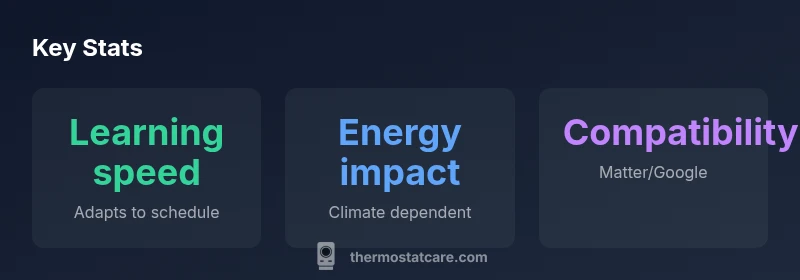
Central to the Nest learning experience is its adaptive scheduling and occupancy detection. The 4th Gen continues to learn from your routines by analyzing temperature changes, door activity, and thermostat adjustments, then gradually builds a custom schedule. In practice, you may notice the system preheating or precooling before your typical arrival time, and it will adjust if your routine shifts. The learning phase typically spans several days to a couple of weeks, after which daily adjustments are minimized. Hold and eco modes remain useful levers for when you want more direct control, while the auto‑away feature can reduce energy usage during vacations without sacrificing comfort when you return. In our review, we paid attention to how quickly the device responds to weather changes and how aggressively it adapts to weekends versus weekdays, which matters for households with variable schedules.
Energy savings and performance in practice
Energy savings with the Nest Learning Thermostat 4th Gen depend on your HVAC system, insulation, and climate. On paper, the device promises improvements by optimizing heating and cooling cycles and reducing wasted operating hours. In real‑world conditions, you may see more modest gains in older homes with drafty windows and incomplete duct sealing, or larger savings in newer, well‑insulated houses. The Thermostat Care Team observed that energy history data is useful for correlating adjustments with consumption, but the numbers can be noisy if you have frequent occupancy changes or manual overrides. Regardless, most users report a noticeable drop in daily runtime once the learning phase completes and schedules stabilize. The takeaway is that the energy benefits are realistic but highly dependent on baseline equipment and household behavior.
Compatibility and smart‑home integration
One of the Nest 4th Gen’s strongest selling points is its broad compatibility with modern smart‑home ecosystems. Google Assistant is the natural control path, and you can trigger scenes or voice commands from compatible speakers. Through Matter support, there is potential interoperability with Apple HomeKit and other ecosystems, though the degree of native support can vary by device and firmware. For users already invested in Google services, the Nest integrates smoothly with the Google Home app, letting you view dashboards, run schedules, and monitor energy usage from a single interface. If you rely on automation hubs or routine routines, the Nest 4th Gen can participate in routines via voice assistants and supported platforms, enabling more cohesive control of your climate and other smart devices.
App experience and remote control
The Nest app provides a centralized control surface for the 4th Gen thermostat, including current temperature, setpoint, and energy history. The app design emphasizes simplicity; however, it still delivers powerful insights, such as daily usage graphs and monthly summaries. You can create cooling and heating presets, enable vacation modes, and share access with other household members. Push notifications alert you to significant events like severe temperature swings or filter reminders in connected HVAC setups. In the context of DIY troubleshooting, the app can help you verify wiring status and confirm that the thermostat is communicating with your Wi‑Fi network. Our tests highlighted stable connection performance, though occasional drifts in time sync can occur after firmware updates.
Reliability, maintenance, and potential drawbacks
Reliability hinges on consistent power delivery, secure Wi‑Fi connectivity, and proper placement. The Nest 4th Gen generally performs well in everyday homes, but users should be mindful of potential drawbacks. Cloud‑based features require a stable internet connection; if your network is unreliable, some automations may lag or require manual adjustment. Thermostat Care’s evaluation notes that occasional sensor calibration quirks can surface in extreme temperatures, which can lead to minor overshoots if the system cannot sense room conditions accurately. Maintaining a clean thermostat surface helps accuracy, and ensuring that the HVAC system is compatible with 24‑volt control signals reduces the risk of miscommunication. Finally, the device is not a purist energy‑saver; truly significant savings stem from effective insulation, sealing, and system efficiency.
Setup tips for DIYers
Before you begin wiring, gather the necessary tools and a schematic of your HVAC wiring. Start by turning off power to the furnace or air handler and labeling wires. Check whether you have a C‑wire and, if not, consider a common‑wire adapter or a professional assessment. Follow the included instructions closely; take pictures of each connection as you remove existing thermostats for reference. After installation, connect the thermostat to Wi‑Fi and run through the setup Wizard. Verify sensor readings in the app and test both heat and cool modes. Finally, monitor energy history over the first week to identify unexpected variations that may indicate wiring or calibration issues.
Comparisons to alternatives
Compared with popular alternatives like Ecobee or other smart thermostats, the Nest Learning Thermostat 4th Gen shines in automated learning and a clean app experience. Ecobee devices often offer robust room sensors and flexible scheduling options, which can be compelling for larger homes or multi‑zoned systems. In some cases, Ecobee’s customization can appeal to power users who want deeper control, whereas the Nest emphasizes hands‑off operation and broad ecosystem compatibility. If you already own Google devices or have a preference for Matter‑enabled ecosystems, the Nest 4th Gen tends to fit more naturally into your existing setup. For budget‑conscious buyers, a basic thermostat might be less costly upfront, but you would lose the learning features and insights that nested devices provide over time.
Troubleshooting common issues
Most problems with the Nest 4th Gen fall into a few categories: power issues due to wiring, Wi‑Fi connectivity problems, and occasional calibration quirks. If the thermostat seems unresponsive, check that it has a steady 24‑volt supply and that the C‑wire is properly connected. If you see a blinking LED or the device fails to join your Wi‑Fi network, re‑run the setup in the app and verify your router settings. For inaccurate temperature readings, verify that the thermostat is away from direct sunlight, drafts, or heat sources, and confirm that the HVAC sensors are calibrated. When issues persist, consult the Thermostat Care support resources for step‑by‑step diagnostics and consider a professional inspection if your wiring looks unfamiliar or outdated.
Real‑world usage scenarios
Imagine a typical suburban home with a mix of gas furnace and air conditioning. The Nest learning mechanism adapts to morning and evening routines, gradually reducing energy usage as it learns your schedule. In a small apartment, the occupancy sensing may respond more quickly, generating gentle compensation to keep comfort levels stable without constant manual adjustments. In a two‑story house, separate upstairs and downstairs temperature dynamics can influence how quickly the system learns and how aggressively it drives setpoints. For households with variable schedules like shift workers or students, the 4th Gen can still provide value by reducing standby times, though you may rely more on manual overrides during irregular weeks.
What to consider before buying
Before committing to the Nest Learning Thermostat 4th Gen, consider your climate, HVAC type, and current wiring. Homes with C‑wire and standard single‑stage equipment are ideal candidates for straightforward installation and reliable performance. If you have heat pumps or multi‑stage systems, verify compatibility and potential extras like auxiliary heat control. Review the energy history and occupancy data to gauge the expected value, keeping in mind that energy savings depend on insulation, duct sealing, and overall system efficiency. Finally, weigh the Nest’s learning capabilities against alternative thermostats and your preferred smart‑home ecosystem. The Thermostat Care team recommends taking a test period in a non‑peak season to understand your actual energy impacts and to validate integration with your existing devices.
Upsides
- Powerful learning features that reduce manual scheduling
- Strong mobile app with energy history insights
- Solid compatibility with major smart home ecosystems
- Simple DIY installation with common wiring
- Clear energy‑saving potential in well‑aligned homes
The Bad
- Requires C‑wire for optimal reliability
- Premium price compared to basic thermostats
- Learning phase can be slower in highly variable schedules
- Some features rely on cloud connectivity
Best balance of learning features and smart‑home integration for most homeowners
The Nest Learning Thermostat 4th Gen offers robust automatic learning and a cohesive app experience. While it comes with a premium price and wiring considerations, its ongoing energy insights and ecosystem compatibility make it a compelling long‑term investment for households that want hands‑free comfort and smarter climate control.
Questions & Answers
Is the Nest Learning Thermostat 4th Gen compatible with my HVAC system?
Most standard 24‑volt HVAC systems are supported. If you have a heat pump or multi‑stage system, verify compatibility and potential limitations in the installation guide.
Most common HVAC setups work well, but confirm system type before upgrading.
Does it work with Apple HomeKit and Google Home?
It integrates with Google Home for voice control and, via Matter, can work with Apple HomeKit and other ecosystems. Native HomeKit support may depend on firmware and devices used.
Yes—via Matter support you can connect with HomeKit and more.
How long does the learning phase take?
The learning phase typically lasts several days to a couple of weeks, depending on your schedule consistency and thermostat usage.
Give it a few days to a couple of weeks to settle in.
Can I install it myself, or should I hire a pro?
Yes, many homeowners can install it themselves with standard wiring, but a professional may be needed for complex systems or if you lack a C‑wire.
It’s doable for DIYers with basic wiring, otherwise get help.
What are common issues during setup?
Power wiring concerns, Wi‑Fi connectivity, and sensor calibration are the most common. Recheck connections, network settings, and calibration if readings seem off.
Power and Wi‑Fi issues show up most often.
How does the 4th Gen compare to the Ecobee or other smart thermostats?
Nest emphasizes learning automation and ecosystem integration, while Ecobee often offers more room sensors and deeper manual control. Your choice depends on whether you prefer hands‑off learning or granular local control.
Nest is strong on learning; Ecobee shines with sensors and customization.
What to Remember
- Understand how learning adapts to your schedule.
- Check wiring and C‑wire compatibility before install.
- Expect energy savings to vary by climate and home condition.
- Leverage Matter integrations for broader smart‑home harmony.
- Allow a learning period before judging savings and comfort.