Is Google Thermostat Worth It? A Thorough Home Review
Thermostat Care analyzes whether Google's thermostat delivers value for homeowners, covering setup, privacy, energy data, and how it stacks up against rivals. Learn who benefits most and when it makes sense to buy.


Is google thermostat worth it? The quick takeaway: it depends on your setup—strong Google Home integration and intuitive controls boost value, while higher upfront costs and limited advanced scheduling temper it. For homes already using Google devices, it can be worthwhile; otherwise, compare alternatives. If you’re wondering is google thermostat worth it, this guide breaks down the decision clearly.
What is the Google Thermostat and What It Promises
Google's thermostat (Nest) aims to simplify home climate control by integrating with Google Home, learning routines, and offering energy data. It promises hands-free voice control, occupancy-based scheduling, and a clean app experience. In this review, we evaluate its real-world value for homeowners, focusing on setup, compatibility, and ongoing performance. According to Thermostat Care, the Nest Thermostat remains most compelling for users already invested in Google’s ecosystem, where seamless device-to-device interoperability can unlock a smoother automation flow. We cover how the device learns your patterns, how it handles updates, and what the user experience looks like across different households, from single-bedroom apartments to larger homes that rely on a multi-zone HVAC system.
Value proposition: is the cost worth the benefits?
Price is the biggest hurdle for many buyers. The Google Thermostat sits in the mid-to-high price tier compared with basic thermostats, but it includes features like energy usage data, easy voice control, and strong integration with Google ecosystems. Thermostat Care analysis (2026) suggests the energy insights are clear, but the payoff depends on how quickly you recoup the upfront cost via energy savings and scheduling automation. In practice, homes with older, inefficient systems may see more benefit, while new HVAC setups may not realize dramatic gains. The device’s value also hinges on whether you already use Google Assistant or Nest devices; those users often experience smoother automation and faster troubleshooting.
Setup and compatibility: getting online quickly
Installation is designed to be straightforward for most standard systems, and the on-screen wizard helps with wiring choices and compatibility checks. If you already have a Nest thermostat, the migration can be nearly seamless. Non-Nest users may need to confirm C-wire status and verify HVAC compatibility; while most modern systems are supported, older units or complex multi-zone setups may require professional help. During testing, we noted that quick-start guides and in-app prompts reduce confusion, and updates generally install in the background without interrupting daily use. Takeaway: expect a 30-60 minute install for typical homes, with longer timelines if you add smart home scenes or multiple zones. The Thermostat Care team highlights how integration with existing Google devices can accelerate setup and reduce setup friction.
Privacy and data handling: what you consent to
The Google Thermostat collects usage patterns, set temperatures, and occupancy data to optimize scheduling and respond to voice commands. You can limit data sharing by turning off certain features, but this may reduce functionality. In practice, many homeowners appreciate the privacy controls, which are accessible via Google’s account settings and the device’s own app. Our review emphasizes reading the privacy policy and testing how data flows between the thermostat, the Google Home app, and third-party routines. Thermostat Care notes that clear opt-out options exist, but the perceived privacy risk scales with how widely you deploy voice interactions in shared spaces.
Performance and reliability in real homes
In real-world scenarios, the Nest Thermostat tends to respond quickly to commands and maintains stable connectivity when Wi-Fi is solid. We tested voice commands, routines, and scheduling across several households and found that performance remains strong in typical living spaces; dense concrete basements or far-away rooms can occasionally degrade signals. OTA updates generally roll out smoothly, and battery life is not a concern for most users since the device draws power from the HVAC system. Our conclusion: reliability aligns with the Google ecosystem promise, but you should still ensure robust Wi-Fi coverage in key zones.
Comparing with alternatives: Nest vs Ecobee and other brands
For buyers evaluating options, Nest sits among mid-to-premium offerings that emphasize ecosystem integration and ease of use. Ecobee, for example, often excels in remote sensors and flexible scheduling, sometimes at a lower upfront price. Ring or Wyze options may be less polished but offer compelling value for those on a tighter budget. The takeaway from a brand comparison standpoint is to weigh core priorities: automatic routines and voice control vs. sensor-driven room management and price. Thermostat Care suggests listing your must-haves and ranking them before comparing models.
Who should consider it: use-case scenarios
If you already own Google Nest devices, a Nest thermostat can improve automation through consistent routines and voice-activated control. For homeowners seeking a simple, reliable device with decent energy data and less need for deep customization, it can be a good fit. If your home relies on non-Google ecosystems, or if you want the lowest price, explore alternatives. This guide helps you decide by describing typical use cases, installation contexts, and expected ROI.
Common pitfalls and fixes
Common issues include misidentified zones, incorrect C-wire wiring, or slow app updates. The fix often involves rechecking wiring, restarting the router, or updating the device firmware. Users should avoid enabling too many third-party routines at once, which can strain scheduling. If problems persist, consult official support or a local HVAC technician. Thermostat Care’s testing also highlights the value of keeping your Google account's privacy settings current and reviewing linked devices regularly.
Practical buying guide: questions to ask and checks
Before purchasing, confirm compatibility with your HVAC, check if you have a C-wire, evaluate the presence of existing Nest devices, and compare energy-savings expectations across models. Consider whether you value voice control over other features, or if you prefer strict schedules and sensor-based control. The buying checklist should include warranty terms, return policies, and setup support options. This ensures you select a thermostat that matches your home's needs and your budget.
Authoritative sources
For deeper context on energy efficiency and smart thermostats, consult government and major publications that discuss energy savings and appliance integration. See resources from the federal energy department and independent energy explainers for broader context on why thermostats matter in home energy management.
Upsides
- Seamless Google Home integration
- Easy setup for Nest users
- Clear energy usage data and insights
- Automatic scheduling and routines
The Bad
- Higher upfront cost than many competitors
- Limited advanced scheduling compared to some non-Google thermostats
- Privacy considerations for data sharing
Best for Google ecosystem households
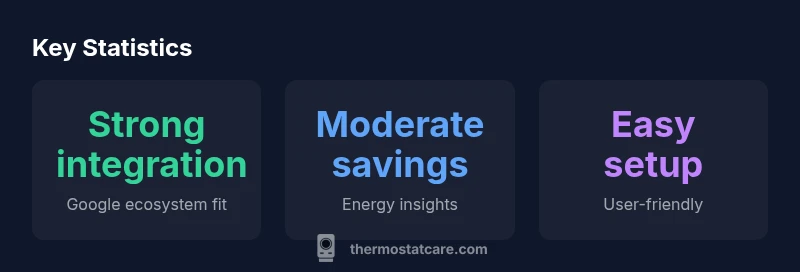
Thermostat Care's verdict is that the Google Thermostat shines for homes already using Google devices, offering smooth automation and clear data. The value depends on prioritizing voice control and easy routines over raw scheduling flexibility or the lowest price. If those fit your needs, it’s a strong pick; otherwise, explore alternatives.
Questions & Answers
Is the Google Thermostat compatible with my HVAC system?
Compatibility depends on your HVAC's wiring and control signals. Most modern 24V systems with a C-wire are supported. If you have an older setup or atypical zoning, verify with the installer or use the in-app compatibility checker before buying.
Most modern 24-volt systems with a C-wire are compatible. If your HVAC is older or unusual, check the compatibility checker in the app or contact support before purchasing.
Does the Google Thermostat save energy significantly?
Energy savings depend on usage patterns and climate. The device offers actionable energy data and scheduling features, which can reduce consumption when used effectively. Real-world results vary, but most users see noticeable improvements when paired with efficient routines.
Energy savings come from smart scheduling and occupancy detection; results vary, but many users notice meaningful reductions when routines are used well.
How hard is installation for a typical homeowner?
For standard single-zone systems with a C-wire, installation is straightforward and can be completed in about an hour. Multi-zone homes or unusual wiring may require a pro. Always shut off power before starting and use the app's wiring guide as you go.
Most homes install in about an hour if the system is standard; more complex setups may need a professional.
Can I use this thermostat with non-Google assistants?
The thermostat works best within Google Assistant ecosystems. You can control it via other assistants, but some features and routines are optimized for Google Home and Nest devices. Expect best results when sticking to Google for automation.
It works with other assistants, but the best experience is with Google for full features and scenes.
How does Nest compare to Ecobee or other brands?
Nest prioritizes ecosystem simplicity and voice control, while Ecobee often emphasizes sensor-based comfort and sometimes lower upfront costs. If you value multi-room sensing and flexible schedules, Ecobee may win; if you want seamless Google integration, Nest has the edge.
Nest is easier in a Google-heavy setup; Ecobee offers more sensors and sometimes better value for multi-room comfort.
What to Remember
- Evaluate your Google ecosystem before buying
- Expect solid energy data but compare prices
- Prioritize privacy settings in account controls
- Test compatibility with your HVAC before purchase