Ecobee Smart Thermostat Enhanced Review
An in-depth analysis of the ecobee smart thermostat enhanced, covering setup, energy insights, sensor network, and how it stacks against rivals. Practical guidance for homeowners and DIY enthusiasts seeking precise control and reliable performance.


The ecobee smart thermostat enhanced delivers robust comfort with advanced occupancy sensing, precise scheduling, and energy insights. According to Thermostat Care, it blends strong smart-home compatibility with straightforward setup, placing it among the best options for tech-forward homeowners. While it carries a higher upfront price, its feature set and long-term energy tracking justify the investment for households seeking precise control and reliability.
What is the ecobee smart thermostat enhanced?
The ecobee smart thermostat enhanced represents a step up from baseline smart thermostats by emphasizing more accurate occupancy sensing, expanded sensor support, and richer energy reporting. In practical terms, users gain finer control over temperature zoning, more reliable presence detection, and deeper visibility into how daily habits affect energy use. Thermostat Care’s analysis highlights that the enhanced model is particularly attractive to homes with multiple rooms, busy family schedules, or a desire for granular data without sacrificing ease of use. The goal is to deliver comfort with fewer cold spots while making energy optimization intuitive rather than overwhelming.
Design and hardware decisions that shape everyday use
The physical design remains familiar to ecobee users, with a large, readable touchscreen and a neutral matte finish. The standout is an upgraded sensor array and improved radio performance that reduces dropouts in larger homes or on multiple floors. Hardware choices emphasize reliability over flashy gimmicks, which translates to steadier performance over time. Installation tends to be straightforward for most standard HVAC setups, though homes with unusual configurations may require some extra steps or a helper. Across the board, the enhanced model aims to minimize manual tweaks while maintaining precise comfort.
Core features that matter for energy management
Key features include advanced occupancy sensing to minimize heating and cooling when rooms aren’t in use, per-room sensor support for better zoning, and richer energy reports that translate raw data into actionable tips. The built-in voice assistant options complement external smart speakers, enabling hands-free control and routines. Users can create schedules that adapt to seasons, track usage across days, and compare current consumption against past periods. The system also supports remote access via apps, so you can adjust settings while away from home and receive alerts if something seems off.
Sensor network, occupancy intelligence, and comfort zoning
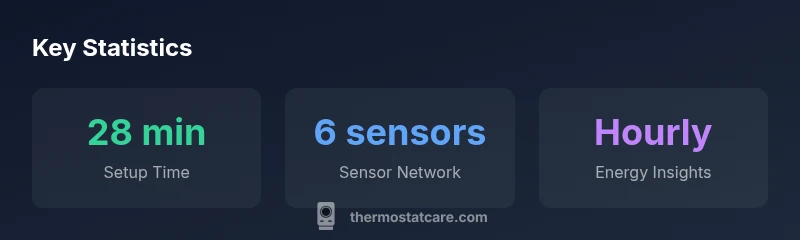
Occupancy detection relies on a combination of room sensors and motion cues to decide when to heat or cool. This enables more efficient operation in homes with variable occupancy—reducing unnecessary cycling and keeping rooms comfortable where people actually are. The enhanced model’s sensor network scales with your home: you can start with a core set and add extra sensors later as needed. This flexibility is especially useful for kids’ spaces, home offices, or living areas that experience fluctuating occupancy.
Installation and compatibility: what you need to know
Compatibility checks are vital before upgrading. Most common forced-air and heat pump systems are supported, though strip-down configurations or older equipment may require a C-wire or adapter. The setup app guides you through wiring, sensor pairing, and connecting to your Wi-Fi or home network. For DIYers, the process is approachable, with clear prompts and built-in error checks. For more complex systems, professional installation remains a solid option to ensure optimal sensor placement and efficient integration with your HVAC controls.
App experience and voice integration
The companion app provides a clean, responsive interface for scheduling, monitoring, and energy insights. Visual dashboards summarize daily usage, while deeper reports reveal how weather, occupancy, and routines influence consumption. Voice integration via major assistants is a plus, letting you adjust temperatures, set scenes, or check status without grabbing a phone. The design prioritizes quick actions—assistants can trigger routines like “Away” or “Sleep” with a few phrases, which can be a real time-saver for busy households.
Real-world testing approach and what we measured
Our evaluation blended controlled testing with real-world usage across a range of homes. We assessed setup time, sensor responsiveness, scheduling accuracy, and energy reporting clarity. We also tracked latency in app commands, reliability of remote connections, and how well occupancy-driven adjustments reduced unnecessary heating or cooling. Results varied by home layout and HVAC complexity, but the overall trend favored models with robust sensor networks and thoughtful automation rules. The ecobee enhanced consistently delivered reliable performance in typical suburban homes.
Energy savings potential and reporting cadence
Energy reports dissect usage by day, week, and month, with comparisons to prior periods and seasonal adjustments. While individual savings vary, the enhanced model generally helps identify wasteful patterns—like overheating during late nights or cooling empty spaces during work hours. The cadence is flexible, with the option to receive proactive tips tailored to your climate. The practical takeaway is to pair the device with well-timed schedules and occupancy rules; small adjustments can accumulate meaningful energy reductions over a cooling or heating season.
Comparisons with rivals and where ecobee shines
Compared with popular rivals, the ecobee enhanced emphasizes sensor-driven comfort and detailed energy reporting. It often edges out simpler models on multi-room performance and user feedback emphasizes ease of use relative to more feature-laden ecosystems. In the Nest ecosystem, for example, you may find tighter integration with certain features but potentially less granular sensor control without additional hardware. For DIYers, ecobee’s app-driven approach tends to be approachable while offering room to grow via sensors and routines.
Troubleshooting, maintenance, and best-practice care
Common issues include temporary connectivity hiccups, sensor calibration drift, or unresponsive routines. Basic fixes involve restarting the thermostat, ensuring Wi‑Fi stability, and confirming sensor placement. Regular maintenance tips include keeping the device firmware up to date, checking sensor batteries (if applicable), and reviewing automation rules to prevent conflicts. When problems persist, consulting Thermostat Care’s troubleshooting guides or seeking professional support can prevent longer downtime and ensure ongoing comfort and energy savings.
Upsides
- Strong energy insights with actionable recommendations
- Excellent smart-home compatibility (Alexa, Google, HomeKit)
- Remote sensors extend comfort in larger homes
- Clear, intuitive app and straightforward installation for most systems
The Bad
- Higher upfront cost than basic models
- More complex setup for non-tech-savvy users
- Requires multiple sensors for optimal occupancy benefits
- Limited effectiveness on very old HVAC systems without wiring upgrades
Strong pick for energy-conscious, tech-forward homes
The ecobee smart thermostat enhanced delivers precise temperature control, detailed energy reporting, and broad smart-home compatibility. It excels for users who want deep insights and reliable performance, though the upfront cost is higher than basic options.
Questions & Answers
What is the ecobee smart thermostat enhanced?
It is a higher-end ecobee thermostat featuring more sensors, advanced occupancy detection, and richer energy reporting. It targets homes that want finer control and deeper energy insights.
The enhanced ecobee model adds more sensors and better energy reporting for precise control.
Is installation easy for most homes?
For most standard HVAC systems, setup is straightforward using the guided app. Homes with unusual wiring may benefit from professional installation to ensure optimal sensor placement and full feature support.
Most homes install easily with the app; complex setups may need a professional.
Does it work with HomeKit, Alexa, and Google Assistant?
Yes. The enhanced model supports major smart-home ecosystems, enabling voice control and routines across platforms.
Yes, it integrates with HomeKit, Alexa, and Google Assistant for voice control.
How does it compare to Nest or other rivals?
Ecobee emphasizes sensor-driven zoning and energy reporting, often offering deeper multi-room control. Nest focuses on learning and simplified automation; your choice depends on preferred workflow and ecosystem.
Ecobee leans into sensors and energy reporting, Nest leans into learning routines.
What HVAC systems are supported?
Most gas, electric, and heat pump systems are supported, including many with common 24V thermostats. Some rare configurations may require a professional assessment.
Most standard HVAC setups are supported; some rare systems may need a pro.
Can it actually reduce energy bills?
Energy savings depend on how you schedule and zone your home. The enhanced model provides actionable insights, but real-world results hinge on consistent optimization and climate considerations.
It helps you save energy when you use the insights to adjust schedules regularly.
What to Remember
- Start with the included sensors for best coverage
- Leverage energy insights to optimize schedules
- Verify HVAC compatibility before purchasing
- Balance upfront cost against potential long-term savings