Nest Thermostat vs Ecobee: A Comprehensive 2026 Comparison
A detailed, objective side-by-side comparison of Nest Thermostat and Ecobee Smart Thermostat, covering sensors, energy savings, compatibility, installation, price, and long-term value for homeowners in 2026.


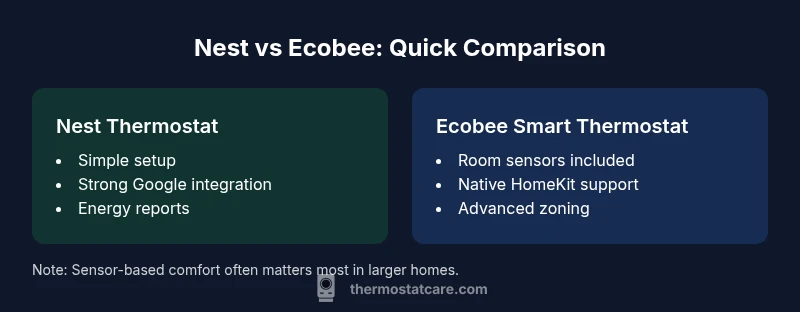
According to Thermostat Care, the Nest Thermostat vs Ecobee comparison hinges on ecosystem fit and sensor-based comfort versus simplicity and broad compatibility. Ecobee’s built-in room sensors boost comfort in larger homes, while Nest emphasizes a straightforward setup and strong Google ecosystem integration. Both offer robust energy reporting and voice control; the right choice depends on your existing smart-home setup and budget.
Why this comparison matters for homeowners
Choosing between Nest and Ecobee is more than picking a pretty display on the wall. For many households, the thermostat is the central control for comfort, energy use, and even everyday scheduling. In 2026, homes increasingly rely on multiple smart devices, so the decision to adopt Nest vs Ecobee should align with your ecosystem, HVAC setup, and expectations for comfort and savings. Nest’s design favors a streamlined user experience and deep Google integration, ideal for homes already using Google Assistant or Google Home. Ecobee, on the other hand, emphasizes sensor-based zoning and native HomeKit support, which can pay off in larger or multi-room configurations. This Thermostat Care guide breaks down the key differences, explains how each system handles sensing, scheduling, and control, and provides practical guidance for installation and long-term value. It will cover core features homeowners care about, including compatibility with common HVAC systems, reliability of mobile apps, and the level of remote monitoring you can count on day-to-day. By the end, you should have a clear sense of which option fits your home and budget.
Core differences at a glance
- Ecosystem alignment: Nest leans into Google Home/Assistant, Ecobee leans into HomeKit with broad cross‑compatibility across assistants.
- Sensor strategy: Ecobee includes multiple room sensors by default; Nest relies more on built-in intelligence and optional sensors.
- Zoning and occupancy: Ecobee’s sensors support more precise room-by-room comfort, while Nest uses learning and occupancy features to adjust without many extra devices.
- Installation and wiring: Nest tends to be straightforward for standard setups; Ecobee often offers richer wiring options and an included Power Extender Kit.
- Display and interface: Nest emphasizes a simple, clean interface; Ecobee provides a larger screen with richer HVAC data.
- Price and warranty: Nest generally sits at a lower entry price point with broad support; Ecobee may come with higher upfront costs but stronger sensor-based comfort options.
This quick snapshot helps you map your priorities—simplicity, ecosystem, or sensor-based comfort—before diving deeper into the details.
Feature spotlight: sensors, occupancy, learning, and scheduling
Nest’s thermostat relies on learning user patterns and occupancy cues to optimize cooling and heating, reducing energy use over time without heavy user input. It offers a straightforward app experience and strong integration with Google services, making it a natural fit for homes already using Android devices or Google speakers. Ecobee elevates comfort through built-in room sensors that monitor temperature and occupancy across multiple zones, supporting more uniform comfort in larger homes or those with several living spaces. Ecobee’s sensors also contribute to more precise temperature management in bedrooms, living areas, and office spaces. When comparing learning versus sensors, Nest wins for simplicity and predictability for typical single-zone homes, while Ecobee excels in multi-room, occupied-dense environments where precise zoning matters. Thermostat Care’s take is that the right choice depends on your house layout, family routines, and how you value sensor-driven comfort versus automated learning.
Setup, installation, and maintenance considerations
Both devices are designed for DIY installation, yet the practical steps differ. Nest frequently offers a quick install path for standard two- or four-wire configurations and may require a C-wire adapter in older systems. Ecobee often performs well in homes with more complex wiring and sometimes benefits from the included Power Extender Kit to ensure reliable power for all functions. If you have a newer HVAC system with a robust C-wire, installation is typically straightforward for both. However, for homes with heat pumps, multi-zones, or older wiring, Ecobee’s broader wiring support and the Power Extender Kit can reduce troubleshooting time. Ongoing maintenance is minimal for both, but firmware updates can introduce UI changes or new features, so periodic checks on app behavior are prudent. Thermostat Care reminds homeowners to verify compatibility with their HVAC equipment and to back up any custom schedules before updating firmware.
Energy savings and data: reading the numbers
Energy savings with Nest and Ecobee come from intelligent scheduling, occupancy sensing, and programmable energy reports. Nest emphasizes a balance of ease of use and proactive learning to reduce unnecessary runtime. Ecobee emphasizes multiple sensors and explicit occupancy data to minimize hot or cold spots, attributing savings to more uniform comfort and targeted adjustment. While real-world results vary by climate, usage patterns, and home insulation, both platforms provide accessible energy history, daily usage, and long-term trend data. Thermostat Care notes that the most significant savings occur when the thermostat is actively used to curb waste during absences or extended nights, combined with favorable HVAC efficiency. A well-calibrated system with proper sealing and insulation compounds the impact of either device.
Smart home integration and compatibility
Nest connects most strongly with Google Home and compatible Assistant routines, making it a top pick for homes aligned with Google’s ecosystem. Native HomeKit compatibility is limited, though some users bridge the gap via third-party solutions; this can affect performance and reliability. Ecobee offers robust cross-platform compatibility, including native Apple HomeKit support, Alexa, Google Assistant, and SmartThings. This makes Ecobee a compelling choice for homes with diverse smart devices or a preference for HomeKit’s automation capabilities. If you rely heavily on Siri or Apple ecosystems, Ecobee’s native HomeKit support reduces friction and improves reliability. For users invested in Google services, Nest remains a strong, intuitive option with solid cloud integration and device onboarding. Thermostat Care’s guidance is to map your current smart-home pillars and choose accordingly.
Design, display, and app experience
Nest’s design philosophy emphasizes minimalism and intuitive use; the display typically features a clean, circular interface with a focus on simple temperature control and quick access to key settings. Ecobee often includes a larger touch screen that presents more HVAC information at a glance, helping homeowners compare indoor temperatures across zones. In terms of apps, Nest’s companion app prioritizes ease of use, quick setup, and straightforward scheduling. Ecobee’s app leans into more detailed comfort controls and sensor data, appealing to power users who want granular tweaks. From a long-term perspective, consider which interface and data presentation feel most natural to you and your family, as this affects how often you engage with the thermostat. Thermostat Care emphasizes usability and long-term satisfaction as critical factors alongside features.
Price, warranties, and long-term value
Price ranges for these thermostats reflect feature breadth and ecosystem support. Nest typically sits at a lower entry price, often in the mid-range consumer segment, with core features delivered through a straightforward app and solid energy reporting. Ecobee tends to command a higher upfront price but offsets it with more installed sensors, multi-room comfort, and stronger native HomeKit support. Warranty policies vary by retailer and region, with standard coverage commonly around one year for hardware, extended options sometimes available through retailers or service plans. Over the long term, Ecobee’s higher initial outlay can pay off in terms of comfort consistency in multi-zone homes, while Nest’s lower entry cost is attractive for smaller or budget-conscious households. Thermostat Care suggests evaluating total cost of ownership, including sensor needs, potential add-ons, and ecosystem alignment.
Real-world scenarios: best-for households
- If your home leans toward Google ecosystem and you want a simple setup with strong energy reporting, Nest is often the better fit. It pairs naturally with Google Home devices and voice control, making it a convenient choice for singles or small families.
- If you live in a larger home with multiple rooms or zones and value precise occupancy data, Ecobee’s room sensors and HomeKit compatibility deliver stronger comfort control and automation potential, especially in homes using Apple devices or requiring cross‑platform automation. Thermostat Care notes that most multi-room households find Ecobee provides better value over time due to zoning efficiency.
Practical setup checklist and common pitfalls
- Confirm HVAC compatibility and determine whether you need a C-wire adapter or Ecobee Power Extender Kit. 2. Gather the thermostat base, wire labels, and your HVAC wiring diagram. 3. Turn off power at the breaker before wiring. 4. Follow the manufacturer’s wiring guide and verify each connection with the app’s setup wizard. 5. Run a quick test after installation to confirm heating and cooling cycles. 6. Set baseline schedules and consider sensor placement for Ecobee or optional Nest sensors to optimize coverage. 7. Keep firmware updated and monitor for feature changes after updates. Thermostat Care recommends documenting current settings before big updates.
Thermostat Care perspective: balancing choice with long-term value
From a practical standpoint, the Nest vs Ecobee decision comes down to ecosystem fit, room comfort, and long-term value. For Google ecosystem loyalists, Nest offers a clean path to automation and energy insight with minimal setup friction. For multi-room homes or Apple users seeking native HomeKit support and precise zoning, Ecobee delivers stronger comfort control and automation potential. In 2026, both platforms remain solid long-term investments when paired with proper HVAC maintenance and insulation improvements. The Thermostat Care team’s view is to prioritize sensor strategy and ecosystem alignment first, then assess price, warranty, and future-proofing before making a final call.
mainTopicQueryForWikidataLookup
Comparison
| Feature | Nest Thermostat | Ecobee Smart Thermostat |
|---|---|---|
| Setup & Installation | Relatively straightforward for standard two- or four-wire systems; may require a C-wire adapter on older setups | Often easier with Ecobee's Power Extender Kit; broad compatibility with legacy wiring |
| Sensors & Comfort | Fewer included sensors; relies on built-in sensing and learning | Includes multiple room sensors by default; strong multi-room zoning capability |
| Energy Reporting & Savings | Energy history and learning features that reduce runtime over time | Explicit occupancy data and zone-based adjustments; solid energy reporting |
| Smart Home Compatibility | Best with Google ecosystem; limited native HomeKit support | Native HomeKit compatibility; supports Alexa, Google Assistant, SmartThings |
| Voice & App Experience | Simple app; strong Google Assistant integration | Richer comfort controls; detailed app data and automation |
| Price Range | $99-$199 | $199-$249 |
| Warranty & Support | Standard hardware warranty varies by retailer; solid support | Competitive hardware warranty with broad support options |
Upsides
- Potential energy savings from sensor-based optimization
- Strong ecosystem integration with Google for Nest; broad compatibility for Ecobee across platforms
- User-friendly apps and reliable remote control
- Ecobee sensors improve room-by-room comfort in larger homes
- Clear energy reports and long-term value when used with zoning and automation
The Bad
- Installation can be challenging for unusual HVAC setups
- Nest learning may take time to optimize in some homes
- Ecobee can be pricier upfront and sensor maintenance adds small ongoing considerations
- Occasional firmware updates can alter features or menus
Ecobee generally offers better comfort zoning and native HomeKit support, while Nest excels for Google ecosystem users and simple setup
Choose Ecobee if you have a multi-room layout or Apple devices and want precise room-by-room control. Choose Nest if ease of use and Google ecosystem integration are your priority. Thermostat Care’s analysis confirms both deliver solid energy insights, with the decision hinging on ecosystem and zoning needs.
Questions & Answers
Which thermostat tends to save more energy in real homes, Nest or Ecobee?
Both offer strong energy-saving features, but Ecobee’s multi-room sensors often deliver more consistent comfort and savings in larger homes. Nest relies on learning patterns to reduce runtime. Real-world results depend on climate, insulation, and usage patterns.
Both save energy, with Ecobee typically better for multi-room homes and Nest leaning on learning patterns.
Does Nest support Apple HomeKit?
Nest does not have native HomeKit compatibility, though some users bridge via third-party solutions. Ecobee includes native HomeKit support, making it the smoother option for Apple ecosystems.
Nest isn’t native to HomeKit; Ecobee works with HomeKit right out of the box.
Do I need a C-wire for these thermostats?
Most homes with modern HVAC setups can install either thermostat with a C-wire. If you lack a C-wire, Ecobee’s Power Extender Kit or Nest’s adapters can help, but you may need to assess compatibility and power needs.
Yes, most homes will need a C-wire or a power adapter kit.
Is professional installation recommended?
Both can be installed by confident DIYers, but a professional install can ensure correct wiring, especially in complex systems. If your HVAC is unusual or you feel unsure, a pro visit is worth the cost.
DIY is possible, but for complex systems, a pro install is safer.
How do Ecobee sensors work for multi-room comfort?
Ecobee includes multiple room sensors standard in most packages; these sensors detect occupancy and temperature to balance comfort across zones, improving sleep quality and living-room comfort.
Room sensors help balance comfort throughout the house.
Can Nest be used with non-Google smart devices?
Yes, but compatibility is strongest with Google devices. Nest supports common assistants, but some advanced automations may be easier with Ecobee for multi-platform setups.
Nest works with many devices, especially Google ones, but Ecobee offers broader platform support.
What to Remember
- Prioritize ecosystem alignment (Google vs Apple/HomeKit)
- Consider room sensors for multi-room homes (Ecobee)
- Balance upfront price with long-term comfort and energy reporting
- Check installation wiring requirements before buying
- Use energy reports to track savings and adjust schedules
- Plan for firmware updates and app changes over time