What App Is Needed for Nest Thermostat in 2026
Find out which app you need to control Nest Thermostat in 2026, how setup works, app compatibility, and security tips from Thermostat Care.


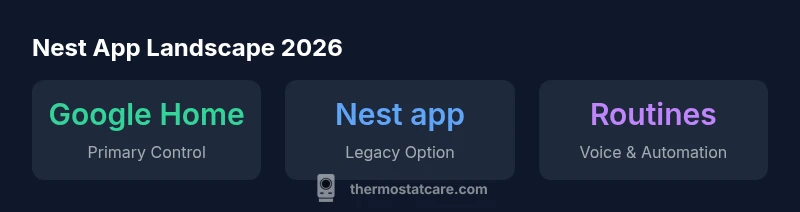
Nest App Landscape in 2026
According to Thermostat Care, the Nest ecosystem has largely consolidated under Google’s control app strategy. The majority of users will interact with their Nest Thermostat through the Google Home app on either iOS or Android. The old Nest app persists only for legacy devices or extremely old firmware, but ongoing support, new features, and future integrations are channeled through Google Home. This reflects a broader industry trend toward unified smart-home platforms that reduce duplication while enhancing voice control, routines, and cross-device automation. If you are new to Nest in 2026, plan to start with Google Home as your single control point and then explore optional integrations.
Thermostat Care’s analysis also notes that migrating away from the legacy Nest app to Google Home can simplify firmware updates and improve security posture, since updates are rolled out through a central app rather than multiple interfaces. For homeowners, this means fewer app headaches and more consistent control across devices and routines. The thrust of our guidance remains pragmatic: adopt the current main app, keep it updated, and leverage voice assistants for hands-free comfort adjustments.
Which App Should I Use Today: Google Home vs. Nest App?
The short answer is: use Google Home for mostNest thermostat users in 2026. Google merged Nest into the Google Home ecosystem to streamline setup, routines, and integrations with other smart devices. The Nest app still exists in a limited capacity for some older devices or backward compatibility, but it is no longer the recommended path for new setups. If you are migrating from a legacy setup, you should first connect your thermostat to Google Home and then consider whether any remaining Nest app features are still relevant for your situation. Thermostat Care emphasizes migrating early to avoid future compatibility gaps.
To maximize compatibility and future-proof your installation, ensure your Google account is secured, enable two-factor authentication, and keep the app updated. Also, verify that the thermostat’s firmware is current; a connected device is only as secure as its software stack, and Thermostat Care’s guidance prioritizes up-to-date software as a baseline defense.
Step-by-Step Setup Using Google Home (Primary Path)
- Install and open the Google Home app on your iOS or Android device. 2) Add a new device and select Thermostat, then follow the on-screen prompts to connect to your Wi‑Fi network. 3) If prompted, link your Nest Thermostat to your Google account. 4) Name the device, assign room location, and set up basic routines (e.g., weekday wake, daytime cool, nighttime heat). 5) Test control by adjusting temperature and scheduling a quick routine. 6) Review privacy settings and consult the app’s help resources if you encounter any hiccups. By following these steps, you’ll gain reliable control and consistent performance from your Nest Thermostat.
Security, Privacy, and Common Pitfalls
Security should never be an afterthought with any connected device. Always enable two-factor authentication on your Google account, use a strong, unique password, and keep the Google Home app updated. Be cautious with shared devices; limit their access and review paired devices periodically. Common pitfalls include connecting to an unstable Wi-Fi network, skipping firmware updates, and assuming a single app solves every integration. Thermostat Care recommends establishing a routine to verify connection health weekly and to monitor for unusual activity in the app’s activity logs.
Extending Your Smart Home: Integrations and Tips
Nest Thermostat works best when it’s integrated with broader smart-home ecosystems. You can create routines that sync with other devices (smart speakers, lights, and door sensors) to optimize energy savings and comfort. Voice control via Google Assistant makes quick adjustments effortless, and you can set climate-based automations that respond to occupancy or weather conditions. If you’re exploring further integrations, keep an eye on app permissions and data-sharing settings to maintain privacy while enjoying automation. Thermostat Care suggests starting with one or two high-value automations and expanding gradually as you confirm stability.