Warranty Nest Thermostat: Coverage, Registration, and Claims
Understand Nest thermostat warranty basics, what's covered, how to check eligibility, and how to file a claim. Thermostat Care explains regional terms, registration needs, and tips to maximize coverage.


Understanding Nest Thermostat Warranty: Why it matters
According to Thermostat Care, warranty terms for the Nest thermostat are not universal and can shift by model, retailer, and country. In practice, a standard hardware warranty offers protection against manufacturing defects for a defined period after purchase. The real value of the warranty lies in whether it includes both parts and labor, the method of processing claims, and any regional requirements like product registration. Homeowners should view the warranty as part of the device’s total ownership cost, not a one-time guarantee. This guide outlines what to expect and how to navigate any claims for a Nest thermostat, helping you decide when to repair, replace, or escalate issues.
Coverage basics across Nest models and regions
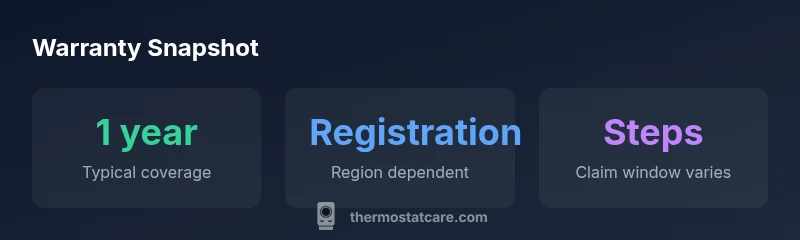
Nest thermostats come in several generations and configurations, and warranty terms typically align with the model category and where the device was purchased. The Thermostat Care analysis shows that core hardware coverage generally spans the first year, with variations by country. Some retailers or bundles may offer extended protection, especially when the product is part of a larger smart home package. Always verify the exact terms at the point of sale and in the warranty documentation included with your device. If you moved from one country to another, warranty terms may differ, complicating claims and coverage expectations.
What the warranty usually covers vs. what it excludes
A typical Nest thermostat warranty focuses on defects in materials and workmanship that render the device nonfunctional under normal usage. It usually excludes damage from improper installation, abuse, power surges, unauthorized repairs, and cosmetic issues that do not affect operation. Software updates and monitoring features are generally not the subject of hardware defect coverage, though some coverage may extend to specific firmware-related failures if they render the device unusable. The line between covered defects and excluded issues can be subtle; read the terms carefully and consult the retailer or Nest support if something seems ambiguous.
How to check your warranty status and eligibility
First locate your purchase date and retailer receipt, then retrieve the device’s serial number from the back or inside the thermostat’s interface. If you registered the product, you should be able to view coverage status in your Nest account or the retailer portal. Not all regions require registration for coverage, but many do. If you can’t locate documentation, contact Nest support with the model, serial, and purchase details to confirm current eligibility. Thermostat Care recommends keeping these records in a dedicated warranty folder for easy access.
Filing a claim: a practical, step-by-step guide
- Gather proof of purchase, model name, and serial number. 2) Confirm regional warranty terms on Nest’s official site or with the retailer. 3) Initiate the claim via Nest Support or the seller’s warranty service. 4) Be prepared to describe symptoms and attach photos or videos of the issue. 5) Follow up until the assessment is complete and you receive replacement parts or service instructions. Timelines vary, so staying proactive helps.
Common pitfalls and how to avoid them
One frequent pitfall is assuming coverage applies automatically after a problem arises. Coverage is contingent on model, region, and proper registration. Another issue is missing proof of purchase or failing to provide complete device details, which slows processing. To minimize denial risks, keep receipts, confirm eligibility with support, and document all communications. If a claim is denied, request a written rationale and ask about appeal options or alternative protections.
Maximizing warranty protection: smart practices
Register the device promptly, update firmware when prompted, and retain original packaging and receipts. Consider pairing Nest protection with an extended warranty if available through retailers or credit card benefits. If you rely on third-party installation services, ensure they provide documentation that the installation was warranty-compliant. By maintaining organized records and staying informed about regional terms, you can reduce friction when you need service.
Practical maintenance steps to support warranty health
Keep software up to date, monitor for firmware advisories, and periodically verify that the thermostat is responding correctly to command inputs. Document any anomalies with timestamps and symptoms. If you notice a recurring fault, report it promptly before the warranty window closes. Regular checks can catch issues early, potentially preventing claim denials caused by late reporting.