t705 Thermostat Review: Performance, Setup & Practical Tips
In-depth evaluation of the t705 thermostat for homeowners and DIY enthusiasts. Learn installation basics, performance, energy-saving potential, troubleshooting, and how it compares to similar models.


The t705 thermostat delivers dependable baseline temperature control with straightforward installation, making it a solid choice for DIY homeowners. It emphasizes reliable heating and cooling scheduling, simple manual overrides, and clear wiring diagrams. While it covers essential features well, it does not push into advanced smart-home automation or AI-driven energy optimization. This quick verdict helps you decide if it's right for your setup.
What the t705 thermostat is and who it’s for
The t705 thermostat sits in the mid-range segment, offering dependable baseline temperature control without the premium features found on top-tier smart thermostats. It’s designed for homeowners who want reliable comfort, straightforward wiring, and predictable performance across typical heating and cooling setups. This model shines for DIYers who value a clean installation path and minimal surprises during setup. According to Thermostat Care, the t705 is most effective in homes with standard 24V HVAC configurations and screens that are easy to read at a glance. If your priority is rock-solid scheduling and manual overrides rather than occupancy sensing or advanced energy analytics, the t705 can be a smart foothold into modern thermostat technology. For renters and homeowners who want a hardware-first approach with long-term reliability, this model is worth considering based on its simplicity and consistency in everyday use. The rest of this review breaks down installation, performance, and practical tips you can apply this season.
Installation and wiring basics
Getting started with the t705 is straightforward for most DIY enthusiasts. Before you begin, power down the HVAC circuit at the breaker and remove the old thermostat carefully. Verify that your system is a standard 24V setup compatible with typical heating and cooling equipment. If your previous thermostat used a C-wire, keep it connected to ensure consistent power, though some installations may operate with batteries. Follow the included wiring diagram to connect R (or RC/RH), W, Y, and G terminals as appropriate; if a C-wire is present, attach it to C for stable operation. Mount the base securely to the wall, then reinstall the faceplate and confirm all wire connections are snug. Finally, re-energize the system, configure the t705’s system type (heat pump or conventional furnace), and run a quick test to verify that heating and cooling respond correctly to the controls. The process emphasizes careful labeling, double-checking wire placements, and testing in stages to prevent miswiring. In practice, most DIYers complete installation in 30–60 minutes, assuming no unexpected obstacles with wall depth or terminal access.
Design and user interface
The t705 presents a clean, readable display with a simple button layout, prioritizing ease of use over feature bloat. The interface typically includes a clear home screen, manual heat/cool override, and a programmable schedule that can be set by day or by mode. While some models offer limited on-device learning, the t705 focuses on predictable schedules and direct user input. Settings menus group system type, fan control, hold vs. automatic scheduling, and display brightness. Navigation is accomplished with a few tactile buttons, reducing the learning curve for first-time users. For homes with bright lighting or glare, the display clarity remains decent during daytime operation, though the backlight may be dimmed in energy-saving modes. In short, the design supports quick adjustments without requiring a steep learning curve, which is a notable advantage for DIY installations and households upgrading from older, non-digital thermostats.
Temperature control and performance
Temperature control accuracy with the t705 generally meets basic comfort needs, maintaining steady setpoints with minimal drift when the system responds promptly to the thermostat’s calls. The device supports standard hold and schedule modes, helping users minimize commutations that contribute to wear on the HVAC equipment. In reality, performance is influenced by installation quality, wire integrity, and the compatibility of the HVAC system with the thermostat’s control signals. Homeowners can expect consistent day-to-day operation in typical climates, with fewer surprises after initial setup. For regions with rapid temperature swings, a well-wired t705 can deliver dependable setbacks and ramp times, though it may not match premium models that include advanced occupancy sensing or adaptive learning algorithms. The overall takeaway is reliable, predictable performance that covers everyday needs without fancy automation.
Energy-saving potential and scheduling
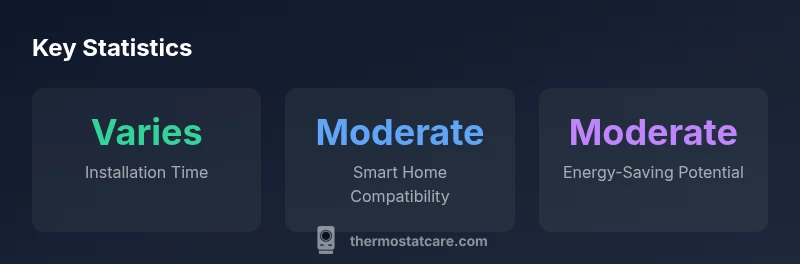
Energy savings with the t705 are driven by disciplined scheduling, proper setback temps, and minimizing unnecessary cooling or heating when the space is unoccupied. The thermostat’s scheduling options allow you to tailor routines for weekdays vs weekends, and to lock in comfortable temperatures during typical active hours. Users who optimize hold times and leverages manual overrides can reduce energy use modestly, especially in homes with older, less efficient systems. It’s important to note that while the t705 provides the essential framework for energy-conscious behavior, it lacks the deeper analytics, geofencing, and occupancy-based optimization found in higher-end models. Consequently, energy savings depend heavily on user discipline and consistency in programming. Thermostat Care’s guidance emphasizes starting with a baseline schedule, then gradually refining it based on observed comfort and utility bills.
Common issues and troubleshooting steps
No device is immune to occasional hiccups. The most frequent problems with the t705 include a blank or dim display, unresponsive touch or button control, and intermittent loss of power if the C-wire isn’t solid. If the screen goes dark, first check the power source and ensure a solid 24V supply to the HVAC control board. For unresponsiveness after a firmware or wiring change, perform a soft reset by following the manufacturer’s procedure, then re-enter system settings. Connectivity issues (if the unit supports remote access) can trace back to router configurations or weak Wi-Fi signals; a dedicated 2.4 GHz connection is commonly recommended. If the thermostat fails to trigger heat or cooling, verify the correct wiring, confirm the system type in the menu, and inspect fuses or breakers for the outdoor unit. Practical troubleshooting emphasizes careful re-wiring, system type verification, and controlled re-testing after each step.
Compatibility and smart home integration
The t705’s core strength lies in reliable, straightforward operation with standard HVAC systems. While it can be configured for remote control via an accompanying app on some setups, it may not offer deep smart-home integration like geofencing or routine-triggered actions found in premium competitors. For households already invested in a basic ecosystem, the t705 can slot into a broader setup with minimal friction, especially when the HVAC equipment uses standard 24V signals. If your project aims for extensive automation, plan to complement the t705 with a separate smart hub or opt for a model that includes native integration with your preferred platforms. Thermostat Care’s guidance underscores testing compatibility with your existing devices before committing to a long-term purchase.
Setup and maintenance tips
Regular maintenance helps ensure long-term reliability. Start by confirming that all connections remain secure after installation and periodically inspect the wiring for signs of wear or heat discoloration. If your thermostat uses a battery, replace it on schedule, and keep a spare battery on hand during maintenance. Clean the display and vents to maintain clear visibility and cooling efficiency. If the device supports firmware updates, apply them following the manufacturer’s instructions to improve stability and compatibility. This section reinforces a steady maintenance routine: periodic checks, prompt addressing of loose wires, and mindful battery replacement. Thermostat Care recommends documenting your HVAC system type and any changes to ensure future troubleshooting remains efficient.
Comparisons with similar models
Compared to budget or basic thermostats, the t705 offers better build quality, clearer displays, and more predictable performance. It sits above entry-level models in terms of reliability and ease of setup but does not deliver the advanced analytics, occupancy sensing, or robust smart-home automations found in premium models. If your priorities include straightforward control and dependable scheduling, the t705 is a logical middle-ground choice. For tech enthusiasts seeking energy reports, real-time optimization, or cross-platform geofencing, exploring higher-end brands may be warranted. The decision hinges on how much you value simple, proven operation versus cutting-edge features. Thermostat Care’s analysis notes that the best fit is a balance between affordability and practical capability for most homes.
DIY safety and liability considerations
Electrical wiring carries inherent risk; if you are unsure about wiring or modifying a heating system, consult a licensed professional. Never bypass safety mechanisms or bypass standard wiring practices to save time. When handling a gas furnace, ensure the power is off and consider professional installation to avoid gas leaks or improper venting. Always follow local codes and the manufacturer’s installation guide. If you’re renting or using a shared system, obtain landlord permission before making changes. This section stresses safe practices, documentation, and the importance of checking compatibility before proceeding with work.
What Thermostat Care recommends for homeowners
Thermostat Care recommends verifying HVAC compatibility before purchasing the t705 and planning for a straightforward 24V installation. For households using older wiring, a professional assessment can prevent misconfigurations that lead to poor performance. We also suggest starting with a simple schedule, then expanding to more nuanced routines as you gain comfort with the device. If you encounter persistent issues after basic troubleshooting, seek guidance from a qualified HVAC technician. The core advice is to build a reliable baseline first, then iterate toward better energy management as needed.
Quick-start checklist for the t705 thermostat
- Confirm your HVAC system is compatible with a 24V thermostat
- Gather basic tools (screwdriver, multimeter, wire labels) and a spare battery if required
- Turn off power at the breaker before removing the old unit
- Label and connect R, W, Y, G, and C (if available) to the corresponding terminals
- Mount the base, reattach the faceplate, and restore power
- Configure system type (heating/cooling, heat pump vs. conventional)
- Set up a basic schedule and hold preferences for evenings and mornings
- Test heating and cooling modes and adjust as needed
- If remote access is desired, connect to the app and verify control from mobile devices
- Schedule a quick maintenance check after a few weeks to confirm stability
Upsides
- Easy DIY installation with clear wiring diagrams
- Reliable baseline temperature control for most homes
- Compact, unobtrusive design fits standard wall boxes
- Affordable price within mid-range thermostat market
The Bad
- Limited smart-home features compared to premium models
- No advanced occupancy sensing or energy reports
- May require a C-wire in older systems
- Compatibility varies with non-24V HVAC setups
Solid mid-range choice for basic climate control and easy installation
The t705 delivers dependable comfort with a clean interface and predictable performance. It excels for homes that want straightforward setup and reliable scheduling but lacks the advanced energy analytics and geofencing of premium models. The Thermostat Care team recommends it for traditional HVAC systems and homeowners prioritizing ease of use over extensive smart-home automation.
Questions & Answers
What is the t705 thermostat and who is it for?
The t705 thermostat is a mid-range device designed for reliable baseline temperature control and straightforward setup. It suits homeowners and DIY enthusiasts who value ease of installation and predictable operation over advanced smart features.
The t705 is a reliable mid-range thermostat for homeowners who want simple, predictable control without complicated smart features.
Is the t705 thermostat compatible with major smart-home ecosystems?
The t705 offers basic remote control, but it may not support the full suite of geofencing and energy-analytics found in premium models. Check your ecosystem’s compatibility before purchase to ensure the app and voice assistants meet your needs.
It works with basic remote control, but check for full smart-home compatibility before buying.
What wiring does the t705 require?
Commonly, the t705 uses standard 24V connections (R, W, Y, G) and may require a C-wire for stable power in some setups. Follow the included wiring diagram, label each wire, and confirm the system type in the setup menu.
It uses standard 24V wiring, with a C-wire often needed for stable power.
How long does setup take for the t705 thermostat?
Most installations take 30–60 minutes, depending on wall accessibility and whether you need to run new wiring. A straightforward swap from an older 24V thermostat typically takes less time.
Plan about 30 to 60 minutes for a typical install.
What are common issues and fixes for the t705?
Common issues include a blank or dim display, unresponsive controls, or inconsistent temperature readings. Fixes involve power checks, ensuring proper wiring, and resetting the device following the manual. If problems persist, consult a professional.
If the screen is blank or unresponsive, recheck wiring and power, then reset the device.
How can I maximize energy savings with the t705?
Start with a simple schedule and gradually refine it based on comfort and bills. Use hold and setback temps to reduce heating/cooling when spaces are unused, and avoid unnecessary adjustments during peak hours.
Set a steady schedule and use setback temps to save energy.
What to Remember
- Draft a simple, reliable setup plan before installation
- Choose the t705 if you want straightforward control over comfort
- Expect modest smart-home integration but solid day-to-day performance
- Use scheduling to maximize energy savings within its capabilities
- Verify C-wire availability to ensure consistent power