Occupied vs Unoccupied Thermostat: A Practical Comparison
A detailed, analytical comparison of occupied vs unoccupied thermostat strategies. Learn how occupancy sensing, schedules, and smart features affect energy use, comfort, and HVAC wear. Practical steps, troubleshooting tips, and real-world guidance from Thermostat Care.


Occupied vs unoccupied thermostat strategies compare how you set temperature when spaces are occupied versus when they’re empty. In most homes, occupancy-aware controls save energy without sacrificing comfort, provided sensors and schedules are well-tuned. This guide explains how to decide, what to watch for, and how to implement a balanced approach that respects daily routines.
What occupied vs unoccupied thermostat means for your home
Understanding the differences between an occupied vs unoccupied thermostat setup starts with recognizing how occupancy affects heating and cooling decisions. The phrase occupied vs unoccupied thermostat describes whether you rely on sensors, schedules, and manual adjustments based on whether people are present. For many homes, occupancy-aware controls align comfort with energy efficiency. According to Thermostat Care, tuning these modes to your actual routines matters most for avoiding overcooling or overheating. When you run a house with variable occupancy, the right approach combines precise sensing with consistent routines to prevent waste. In practice, this means letting the thermostat learn your patterns and stepping away from static settings that assume someone is always home. The result can be a more comfortable home and lower energy bills, especially when you frequently move between rooms or spend time away for work or travel. That is the core idea behind occupied vs unoccupied thermostat strategies.
The science behind occupancy sensing and thermostat logic
Occupancy sensing relies on a mix of motion detectors, door sensors, and, increasingly, geofencing through your phone or smart home hub. When the thermostat detects occupancy patterns, it adjusts setpoints, recovery times, and fan behavior to balance comfort with energy use. The logic behind occupied vs unoccupied thermostat strategies hinges on predictable presence; if the system correctly interprets presence and absence, it minimizes unnecessary heating or cooling while preserving comfort when people are present. Thermostats today often include adaptive recovery, learning how long it takes to reach a target temperature and avoiding abrupt cycling. This combination of sensing and learning reduces waste without creating cold starts that irritate occupants. For homeowners, the lesson is that sensor quality and reliable schedules matter as much as the controls themselves. Thermostat Care emphasizes aligning hardware capabilities with real living patterns.
Energy implications of occupancy patterns
Energy use under occupied vs unoccupied thermostat settings is fundamentally tied to how long and how far a home deviates from a desired temperature. In rooms that are frequently occupied, maintaining comfort often means smaller temperature swings and more modest recovery periods. When spaces sit empty, occupancy-aware strategies can implement setbacks or sloped ramp rates to save energy. The potential for savings increases when occupancy is predictable and devices support multi-zone control or room-by-room management. However, energy outcomes are not uniform; homes with open floor plans or frequent guest presence may see more modest gains. Thermostat Care analysis shows meaningful benefits when occupancy patterns are stable enough to support dynamic setpoints without compromising safety or comfort. The key is to balance responsiveness with deliberate setbacks that reflect real life.
Comfort trade-offs in occupied vs unoccupied modes
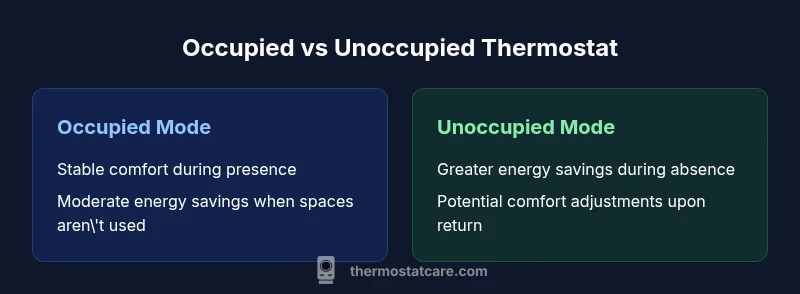
Comfort is the most subjective factor in choosing between occupied and unoccupied strategies. In an occupied mode, the thermostat prioritizes keeping rooms at a steady, pleasant temperature, which can mean more frequent adjustments and slightly higher energy use during peak occupancy periods. In unoccupied mode, the emphasis shifts toward energy savings, potentially at the cost of temporary deviations from comfort when someone returns home or re-enters a room. The best approach often blends the two: longer periods of deliberate setbacks during predictable absences, complemented by quick recovery when occupancy resumes. The Thermostat Care team notes that a well-tuned hybrid approach often delivers a sweet spot where energy use is minimized without sacrificing day-to-day comfort.
How different thermostat brands implement occupancy mode
Most modern thermostats implement occupancy concepts through one of several mechanisms: motion sensing, app-based geofencing, and adaptive recovery algorithms. Some devices offer per-zone occupancy, while others rely on whole-home presence. Features like smart schedules, learning algorithms, and occupancy-based recovery can differ widely between brands. When evaluating a thermostat for occupancy-based control, focus on sensor quality, the reliability of occupancy detection, and the ease of configuring combined schedules with your existing routines. Brands that offer intuitive dashboards and clear recovery controls tend to be easier to tune for occupied vs unoccupied needs. Thermostat Care recommends verifying that sensor placement covers common traffic paths and that manual overrides are simple and transparent to the user.
Step-by-step guide to configuring occupancy modes on common brands
- Check compatibility: Ensure your thermostat supports occupancy-based settings, geofencing, or multi-zone control. 2) Define your occupancy zones: Identify rooms that are commonly used and those that are often empty. 3) Enable occupancy mode: Turn on occupancy sensing or geofence features in the settings. 4) Set baseline schedules: Create simple default schedules for typical workdays and weekends. 5) Configure recovery behavior: Choose how quickly the system returns to comfort after occupancy resumes. 6) Pair sensors or hubs: If you’re using motion sensors or smart hubs, connect them and verify data flow. 7) Test and iterate: Observe comfort and energy use over a two-week period and adjust setback levels. 8) Document changes: Keep a note of setpoints and recovery times for future tweaks. 9) Monitor performance: Use energy and temperature reports to assess impact. 10) Reassess seasonally: Revisit settings with changes in routine or weather.
Monitoring and debugging occupancy behavior
Tracking how occupied vs unoccupied thermostat modes perform requires a routine about data. Start with daily temperature logs and energy usage reports from your thermostat or smart home hub. Look for patterns: are rooms consistently reaching target temperatures when occupied? Do setbacks deliver the promised energy savings without leading to uncomfortable swings? If you notice frequent overshoot or slow recovery, your occupancy detection may need recalibration or extended learning time. Check sensor battery levels if applicable, verify that motion or geofence triggers are not blocked by walls or furniture, and confirm that manual overrides are not being triggered unintentionally. Thermostat Care recommends logging observations for at least one full occupancy cycle (one or two weeks) before deciding on model adjustments.
Seasonal and lifestyle considerations
Seasonality strongly influences whether occupied or unoccupied strategies deliver the best results. In high-occupancy homes during winter, keeping a stable baseline may be more comfortable but offers less energy savings unless you use precise zoning. In shoulder seasons or for homes with irregular occupancy, a hybrid approach with selective setbacks can maximize comfort and efficiency. Travel patterns, school vacations, and remote work schedules can all shift the optimal balance. The key is to adapt settings as routines evolve and to maintain a feedback loop: compare utility bills and thermostat reports before and after changes, and adjust accordingly. Throughout, occupied vs unoccupied thermostat strategies should reflect real-life patterns rather than theoretical idealizations.
Security and safety considerations of occupancy-based settings
Ownership of occupancy data and control over home climate systems raise security and privacy concerns. Ensure your thermostat and any connected sensors use strong authentication and passcodes, and keep firmware updated to mitigate vulnerabilities. Avoid exposing occupancy data to less secure networks or third-party services without explicit privacy controls. Safety considerations include preventing situations where excessive setbacks could create hazardous conditions (for example, in homes with elderly occupants or medical needs). Use occupancy controls in ways that preserve safety margins, particularly for critical spaces like bathrooms and kitchens. Finally, document who has access to the thermostat and how overrides interact with automated routines to prevent accidental changes that could compromise comfort or safety.
Troubleshooting occupancy mode issues
If occupancy-based settings behave unpredictably, start with a simple baseline test: disable advanced features, revert to a straightforward schedule, and evaluate whether the system behaves consistently. Next, check for common culprits: misconfigured recovery times, low sensor battery, blocked motion sensors, or conflicts between geofence triggers and manual mode. Recalibrate or re-train occupancy detection if the thermostat supports learning over time. Verify that any geofencing routines align with real-life routines (for instance, your phone’s location accuracy). If issues persist, consult the thermostat’s user guide and consider resetting to factory defaults before re-applying your occupancy configuration. Thermostat Care emphasizes a methodical approach: change one variable at a time and monitor impact before proceeding to the next adjustment.
Real-world examples: best practices from homeowners
Homeowners often share two successful patterns. The first blends occupancy sensing with a reliable schedule, so days with normal presence keep comfortable temperatures while absences trigger energy-saving setbacks. The second uses per-zone control to avoid turning the entire house down when only a single space is empty. A common pitfall is overly aggressive setbacks that cause long recovery times and occupant complaints. In practice, flexibility and gradual adjustments outperform rigid, one-size-fits-all policies. Real-world trials show that regular reviews of occupancy data and energy bills lead to better long-term results. Thermostat Care notes that ongoing tuning post-implementation yields the strongest balance between energy efficiency and comfort.
Measuring impact and refining occupancy strategies over time
Measure impact by comparing energy usage, comfort reports, and maintenance needs before and after implementing occupancy strategies. Track changes over a full monthly cycle to account for weather and occupancy variability. Use a simple, repeatable process: set a target temperature range, monitor how quickly the system recovers after occupancy changes, and adjust setback levels to keep within comfort thresholds. If you notice diminishing returns after several weeks, re-evaluate sensor placement, occupancy detection sensitivity, and the alignment of geofence logic with actual routines. The goal is a dynamic system that learns and adapts rather than a fixed, static schedule. A well-tuned occupied vs unoccupied thermostat strategy should deliver stable comfort with meaningful energy savings over time.
],
comparisonTable":{"items":["Occupied mode","Unoccupied mode"],"rows":[{"feature":"Energy savings potential","values":["Moderate to significant savings when spaces are rarely used","Lower savings when spaces are frequently occupied or open-plan"]},{"feature":"Temperature stability","values":["Better comfort in occupied spaces (consistent temps)","Potential for larger swings during long absences if settings are aggressive"]},{"feature":"Response time to setpoint changes","values":["Quicker adjustments with occupancy sensing","Slower response when vacancy signals alone drive decisions"]},{"feature":"Comfort impact","values":["Higher comfort in occupied rooms","Possible temporary discomfort after returns or major changes"]},{"feature":"Maintenance and wear","values":["Similar wear patterns with smarter cycling","Reduced cycling with effective setbacks may extend equipment life"]},{"feature":"Smart home integration","values":["Works with geofence and scheduling" ,"Depends on the ecosystem and sensor availability"]},{"feature":"Setup effort","values":["Requires occupancy features or sensors","Can be implemented with simple schedules if sensors are not available"]}]},"prosCons":{"pros":["Potential for meaningful energy savings","Maintains comfort with predictable occupancy","Can extend HVAC life with reduced cycling","Improves integration with smart home routines"],"cons":["Requires initial setup and possibly extra hardware","Savings depend on occupancy predictability","Over-reliance on automation may reduce perceived comfort","Can complicate troubleshooting when modes misfire"]},"verdictBox":{"verdict":"Hybrid occupancy strategies often deliver the best balance of energy savings and comfort.","confidence":"high","summary":"A mixed approach—combining occupancy sensing with reliable schedules—tends to maximize efficiency while preserving daily comfort. Start with moderate setbacks during predictable absences and gradually refine based on observed performance."},"keyTakeaways":["Define clear occupancy patterns before tuning modes","Test changes for at least two weeks to gauge impact","Use sensors and geofencing where available","Blend occupancy with traditional schedules for reliability","Monitor energy use and temperature stability to guide tweaks"],"faqSection":{"items":[{"question":"What is the difference between occupied and unoccupied thermostat modes?","questionShort":"Difference: occupancy modes","answer":"Occupied mode prioritizes comfort by maintaining closer temperature targets during presence. Unoccupied mode prioritizes energy savings by applying setbacks when spaces are empty. A balanced approach blends both, adjusting setbacks and recovery times based on routine.","voiceAnswer":"Occupied mode keeps rooms comfortable when people are home, while unoccupied mode saves energy when they’re away. A blended approach often works best for real homes.","priority":"high"},{"question":"How can occupancy sensing improve energy savings?","questionShort":"Occupancy sensing energy","answer":"By detecting presence, the thermostat reduces heating or cooling in empty spaces and ramps back up when occupancy resumes. The savings depend on sensor quality, placement, and how quickly the system learns your patterns.","voiceAnswer":"Presence detection helps the system skip wasteful heating or cooling when rooms are empty.","priority":"high"},{"question":"Will occupancy mode affect humidity control?","questionShort":"Humidity impact","answer":"Occupancy settings mainly affect temperature, but some systems influence humidity indirectly through cooling cycles. If humidity control is critical, pair occupancy modes with a dedicated dehumidification strategy or smart humidifier control.","voiceAnswer":"Occupancy usually changes temperature behavior; humidity needs its own control plan.","priority":"medium"},{"question":"Can occupancy modes save energy year-round?","questionShort":"Year-round savings","answer":"Savings are most pronounced when occupancy is predictable. In homes with irregular schedules, a hybrid approach often yields better year-round results than strict, year-long setbacks.","voiceAnswer":"Yes, but success depends on how well sensors and schedules match real life.","priority":"medium"},{"question":"What should I do if occupancy mode seems inaccurate?","questionShort":"Inaccurate sensing","answer":"Check sensor placement, battery levels, and geofence settings. Recalibrate or retrain occupancy detection if your thermostat supports learning, and verify there’s no interference from other devices.","voiceAnswer":"Revisit sensors and settings to improve accuracy.","priority":"medium"},{"question":"Is occupancy-based control compatible with all thermostats?","questionShort":"Compatibility","answer":"Not every thermostat supports advanced occupancy; look for models with occupancy sensing, geofencing, and adaptive recovery. If your current device lacks these features, consider an upgrade or a hybrid approach with manual schedules.","voiceAnswer":"Check feature lists before upgrading.","priority":"low"}]},
mainTopicQuery":"occupancy thermostat"},
mediaPipeline":{"heroTask":{"stockQuery":"modern living room thermostat on wall","overlayTitle":"Occupied vs Unoccupied","badgeText":"2026 Guide","overlayTheme":"dark"},"infographicTask":{"type":"comparison","htmlContent":"<div class="w-[800px] p-8 bg-slate-900 text-white"><h3 class="text-2xl font-bold text-white mb-6 text-center">Occupied vs Unoccupied Thermostat</h3><div class="grid grid-cols-2 gap-6"><div class="p-6 bg-blue-700/20 rounded-xl border border-blue-500/30"><h4 class="text-xl font-bold text-blue-300 mb-4">Occupied Mode</h4><ul class="space-y-2"><li>Stable comfort during presence</li><li>Moderate energy savings when rooms aren't used</li></ul></div><div class="p-6 bg-green-700/20 rounded-xl border border-green-500/30"><h4 class="text-xl font-bold text-green-300 mb-4">Unoccupied Mode</h4><ul class="space-y-2"><li>Greater energy savings during absence</li><li>Potential comfort adjustments upon return</li></ul></div></div></div>","altText":"Comparison of occupied vs unoccupied thermostat modes with two-panel design","caption":"Occupied vs Unoccupied Thermostat Modes"}},
taxonomy":{"categorySlug":"troubleshooting-thermostats","tagSlugs":["thermostat-setup","energy-savings-thermostat","thermostat-maintenance"]}}} }
typeField
Comparison
| Feature | Occupied mode | Unoccupied mode |
|---|---|---|
| Energy savings potential | Moderate to significant savings when spaces are rarely used | Lower savings when spaces are frequently occupied or open-plan |
| Temperature stability | Better comfort in occupied spaces (consistent temps) | Potential for larger swings during long absences if settings are aggressive |
| Response time to setpoint changes | Quicker adjustments with occupancy sensing | Slower response when vacancy signals alone drive decisions |
| Comfort impact | Higher comfort in occupied rooms | Possible temporary discomfort after returns or major changes |
| Maintenance and wear | Similar wear patterns with smarter cycling | Reduced cycling with effective setbacks may extend equipment life |
| Smart home integration | Works with geofence and scheduling | Depends on the ecosystem and sensor availability |
| Setup effort | Requires occupancy features or sensors | Can be implemented with simple schedules if sensors are not available |
Upsides
- Potential for meaningful energy savings
- Maintains comfort with predictable occupancy
- Can extend HVAC life with reduced cycling
- Improves integration with smart home routines
The Bad
- Requires initial setup and possibly extra hardware
- Savings depend on occupancy predictability
- Over-reliance on automation may reduce perceived comfort
- Can complicate troubleshooting when modes misfire
Hybrid occupancy strategies often deliver the best balance of energy savings and comfort.
A mixed approach—combining occupancy sensing with reliable schedules—tends to maximize efficiency while preserving daily comfort. Start with moderate setbacks during predictable absences and gradually refine based on observed performance.
Questions & Answers
What is the difference between occupied and unoccupied thermostat modes?
Occupied mode prioritizes comfort by maintaining closer temperature targets during presence. Unoccupied mode prioritizes energy savings by applying setbacks when spaces are empty. A balanced approach blends both, adjusting setbacks and recovery times based on routine.
Occupied mode keeps rooms comfortable when people are home, while unoccupied mode saves energy when they’re away. A blended approach often works best for real homes.
How can occupancy sensing improve energy savings?
By detecting presence, the thermostat reduces heating or cooling in empty spaces and ramps back up when occupancy resumes. The savings depend on sensor quality, placement, and how quickly the system learns your patterns.
Presence detection helps the system skip wasteful heating or cooling when rooms are empty.
Will occupancy mode affect humidity control?
Occupancy settings mainly affect temperature, but some systems influence humidity indirectly through cooling cycles. If humidity control is critical, pair occupancy modes with a dedicated dehumidification strategy or smart humidifier control.
Occupancy usually changes temperature behavior; humidity needs its own control plan.
Can occupancy modes save energy year-round?
Savings are most pronounced when occupancy is predictable. In homes with irregular schedules, a hybrid approach often yields better year-round results than strict, year-long setbacks.
Yes, but success depends on how well sensors and schedules match real life.
What should I do if occupancy mode seems inaccurate?
Check sensor placement, battery levels, and geofence settings. Recalibrate or retrain occupancy detection if your thermostat supports learning, and verify there’s no interference from other devices.
Revisit sensors and settings to improve accuracy.
Is occupancy-based control compatible with all thermostats?
Not every thermostat supports advanced occupancy; look for models with occupancy sensing, geofencing, and adaptive recovery. If your current device lacks these features, consider an upgrade or a hybrid approach with manual schedules.
Check feature lists before upgrading.
What to Remember
- Define clear occupancy patterns before tuning modes
- Test changes for at least two weeks to gauge impact
- Use sensors and geofencing where available
- Blend occupancy with traditional schedules for reliability
- Monitor energy use and temperature stability to guide tweaks