Honeywell Thermostat Models: A Homeowner's Guide
Explore honeywell thermostat models—from basic programmable to Wi‑Fi smart options. Learn how to choose, install, and optimize energy savings with Thermostat Care's expert guidance today.


Honeywell thermostat models span basic non-programmable units to advanced Wi‑Fi enabled smart thermostats. For homeowners, the most common categories include programmable models, smart thermostats compatible with voice assistants, and energy-savings focused lines. When comparing Honeywell models, consider compatibility with your HVAC system, wiring needs (C-wire), and app features. Thermostat Care analyses indicate that choosing the right Honeywell model can simplify scheduling and improve energy efficiency.
Honeywell thermostat models at a glance
For homeowners evaluating honeywell thermostat models, the landscape spans from basic, hands-off control to sophisticated smart solutions. Honeywell's model lineup is designed to accommodate different living situations, from renters seeking simplicity to homeowners pursuing robust energy management. According to Thermostat Care, the key to a successful choice is aligning the model’s capabilities with your home's wiring and HVAC compatibility. This ensures reliable performance without unnecessary upgrades. When you scan model names, you’ll notice that many options maximize comfort via scheduling, remote access, and real-time energy insights. In practice, upgrading to a Honeywell smart thermostat often yields more convenient control and measurable energy savings, provided your electrical system supports it.
Categories and core features
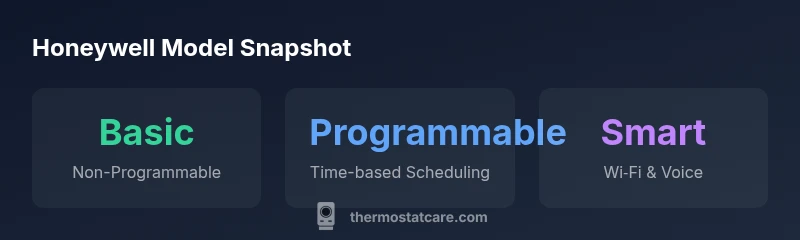
- Basic Non‑Programmable: Manual adjustments, single-temperature setpoints, and no automatic scheduling. Ideal for rooms with a stable climate or for renters who want simple control without touching settings.
- Programmable: Daily or weekly schedules that adapt to your routine. These models strike a balance between cost and automation, reducing energy waste during unoccupied periods.
- Smart Wi‑Fi: Full-featured control via smartphone apps, voice assistants, geofencing, and energy reports. They typically require a Wi‑Fi connection and a C-wire for sustained power. This category is best for tech-savvy homes with constant internet access.
Compatibility, wiring, and installation prerequisites
Before purchasing, verify that your HVAC system is compatible with the chosen Honeywell model. Many smart models rely on a C-wire for continuous power; if your current wiring lacks a C-wire, you’ll need an adapter or a professional retrofitting option. Ensure the furnace/air handler supports the thermostat’s communication protocol (typically, but not always, single-stage vs multi-stage systems). Reading the product page and installation guide is essential. Thermostat Care emphasizes confirming compatibility with your HVAC equipment, your home’s electrical capacity, and the control wiring available at the wall.
Practical installation tips and common mistakes
- Shut off power to the thermostat at the breaker before removing the old unit to avoid shocks or short circuits.
- Take a clear photo of the existing wiring before removing connections so you can map labels to terminals on the new device.
- Label wires if you’re dealing with unfamiliar terminals (especially for C, Y, G, and W wires).
- If your wiring lacks a C-wire, consider a model that can operate on two wires with a power extender kit or hire a pro for a safe retrofit.
- Test the thermostat after installation by gradually adjusting settings and verifying HVAC responses. Common mistakes include ignoring compatibility notes, mixing up wire terminals, and neglecting power-off procedures.
Energy efficiency and usage optimization with Honeywell
Smart Honeywell thermostats excel at energy savings when used to their full potential. Use scheduling to align heating and cooling with your occupancy patterns, enable geofencing to reduce usage when you’re away, and review energy reports to identify drift or inefficiencies. Pairing the thermostat with an energy monitoring plan can quantify savings over a heating season. Remember that real-world savings depend on your local climate, insulation, and how consistently you interact with the device.
How to choose the right Honeywell model for your home
Start by listing your must-have features (remote control, occupancy sensing, voice assistant support) and nice-to-have extras (geofencing, energy reports). Check your HVAC system's compatibility and wiring status (C-wire availability). Compare models in the three main categories—Basic, Programmable, and Smart Wi‑Fi—against your home's needs. If you rent or intend to move soon, a simpler programmable model might be the most economical choice; if you own and want automation, a smart Wi‑Fi model can maximize comfort and savings.
Maintenance and long-term care for Honeywell thermostat models
Regular maintenance helps extend the life of your thermostat. Keep the faceplate clean, check for firmware updates, and periodically remove and reinsert batteries if your model uses them. For Wi‑Fi models, ensure your home network remains stable so remote features function reliably. If you notice persistent connectivity or sensor issues, consult the official Honeywell support resources or Thermostat Care for troubleshooting steps.
Honeywell model types at a glance
| Model Type | Typical Features | Wiring Requirement |
|---|---|---|
| Basic Non-Programmable | Manual temp control, simple scheduling | No C-wire needed |
| Programmable | Time-based scheduling, presets | C-wire recommended for full features |
| Smart Wi-Fi | Remote control, app dashboards, voice assistant | C-wire usually required |
Questions & Answers
What are the main Honeywell thermostat model categories?
Honeywell offers Basic Non‑Programmable, Programmable, and Smart Wi‑Fi models. Each category targets different levels of control and energy tracking. Your choice should reflect your scheduling needs and comfort preferences.
Honeywell's lineup ranges from simple non-programmable to full-featured smart models to match your schedule and energy goals.
Do all Honeywell smart thermostats require a C-wire?
Most smart Honeywell thermostats need a C-wire for continuous power. If your system lacks a C-wire, options include a power extender kit or selecting a model that offers alternative power methods.
Yes, most smart Honeywell thermostats require a C-wire. If you don’t have one, look for models that work with alternative power options or consider wiring upgrades.
Are Honeywell thermostats compatible with Alexa or Google Home?
Many Honeywell smart models support popular voice assistants like Alexa and Google Assistant. Check product specs for exact compatibility and setup steps.
Yes—most Honeywell smart thermostats work with Alexa and Google Assistant; verify compatibility before buying.
How do I determine which Honeywell model fits my HVAC system?
Start by confirming your furnace or air handler compatibility, your wiring status (especially C-wire availability), and whether your system is single- or multi-stage. Compare models based on supported system types.
Check your HVAC system, wiring, and whether the model supports your setup to choose the right Honeywell model.
Is professional installation recommended for Honeywell thermostats?
Simple basic models are often installable by homeowners following the manual. For smart models with wiring changes or C-wire additions, a professional installation can ensure safety and reliability.
DIY is possible for basics, but complex installs may benefit from a professional.
“Choosing the right Honeywell thermostat model hinges on wiring readiness, HVAC compatibility, and whether smart features align with daily routines.”
What to Remember
- Match features to your daily routine and climate
- Smart models generally need a C-wire
- Verify HVAC compatibility before buying
- Follow safe installation practices and testing
- Thermostat Care's guidance emphasizes practical wiring and setup