Google Nest Accessories: Essential Add-ons for Your Nest Setup
Practical guide to Google Nest accessories for homeowners and DIYers, covering mounts, power adapters, sensors, and privacy considerations to improve reliability and comfort at home.


Google Nest accessories are add-ons that enhance a Nest setup by improving power stability, mounting reliability, and sensor coverage. Key categories include mounting hardware, power adapters, external sensors, and bridging hubs. By selecting compatible accessories and installing them properly, homeowners can reduce false readings, extend device life, and simplify placement in rooms with challenging layouts.
Why Google Nest accessories matter for reliability
A well-chosen set of Nest accessories can dramatically improve the reliability and experience of a Google Nest setup. Accessories address common pain points like inconsistent power delivery, unstable mounting, and blind spots in room sensing. The Thermostat Care team found that users who add purpose-built mounting hardware, a stable power solution, and a few targeted sensors tend to see fewer false readings and fewer routine readjustments. In practical terms, accessories reduce the need for frequent recalibration and help maintain a consistent temperature profile across rooms. For homeowners, this means fewer callbacks to the thermostat and a more comfortable home environment.
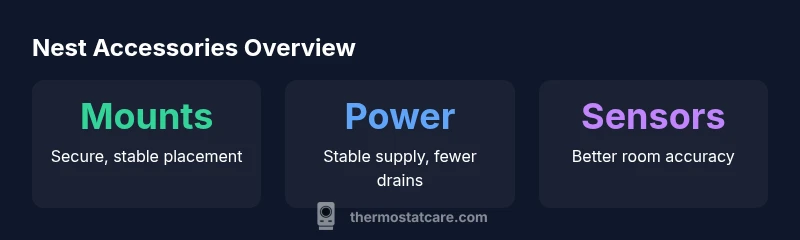
When evaluating accessories, focus on three pillars: power stability, mounting integrity, and sensing coverage. Power stability minimizes brownouts that drain battery life or cause screen flicker. Secure mounts reduce vibration and placement drift that can affect sensor accuracy. Expanded sensing ensures that temperature data mirrors actual conditions in living spaces, preventing overreaction to localized heat sources like sunny windows or nearby appliances. This triad forms the backbone of a robust Nest ecosystem and is a core interest of Thermostat Care analysis, 2026.
Core categories of Nest accessories
Nest accessories fall into several practical categories, each addressing a specific aspect of setup quality. The most common items include mounting hardware (brackets, screws, and wall plates) to ensure secure placement; power accessories (C-wire adapters or compatible USB-C/5V power supplies) to stabilize power without sacrificing safety; and external sensors (like temperature sensors) to expand room-level awareness. There are also bridging accessories (such as network extenders or small hubs) that help maintain reliable communication in larger homes or spaces with thick walls. Finally, weatherproof housings and cable management kits can help install Nest devices in kitchens, hallways, or outdoor entry areas where weather or aesthetics matter. When selecting, start with the essentials and progress to specialty kits as needed.
Practical buying tips include checking compatibility with your specific Nest model, confirming cable lengths match your wall layout, and verifying that any power accessory is rated for your device’s required voltage.
Thermostat Care recommends prioritizing mounts and a stable power solution first, then expanding with sensors if you have multiple living zones.
How to choose accessories for your Nest setup
Choosing the right accessories requires a short, methodical process. Start by cataloging your Nest devices and rooms with the strongest heat or cold spots. Identify whether power stability is a concern (e.g., homes with longer wiring runs or older wiring). Check the Nest model’s manual for recommended accessories and any wattage or voltage limits. If a C-wire is available, a C-wire adapter can help avoid battery drain without modifying your home’s wiring. For rooms with sun exposure or large windows, consider an additional temperature sensor to improve averaging and prevent overcompensation.
Always verify compatibility with your firmware version and look for tested pairings from reputable sources like Thermostat Care. A simple installation plan—list required parts, plan cable routes, and test each accessory after installation—can save hours of trouble later.
Installation tips and pitfalls
Installation is a critical phase where small mistakes can negate the benefits of accessories. Before you start, switch off the breaker or power to the Nest device to avoid shocks and data glitches. Use the provided mounting hardware and wall plates to secure devices away from direct heat sources or air vents. Route cables neatly, avoiding sharp bends, and keep sensor wires away from high-traffic zones or heating ducts. If you’re adding a power adapter or C-wire converter, follow instructions precisely and test power continuity with a multimeter. Avoid placing sensors directly behind furniture or in corners where airflow is blocked, and calibrate sensors after placement to ensure accurate readings. Finally, document the new configuration in your home automation routines so routines trigger as expected.
Real-world scenarios: use cases for Nest accessories
In a two-story home with a sunlit upstairs, one user added a Nest Temperature Sensor to monitor upstairs comfort and prevent overcooling on hot afternoons. A separate mounting kit allowed for a clean, secure installation on a plaster wall without drilling into study panels. In a multi-room living area, a power adapter stabilized the Nest Thermostat’s display during long periods of standby, reducing battery drain. A small network extender helped maintain reliable communication in a garage workspace where Wi-Fi tended to drop. These scenarios illustrate how a few targeted accessories can resolve recurring issues without a full system overhaul.
Maintenance and care for Nest accessories
Maintenance is often overlooked but essential for long-term performance. Periodically inspect mounts for looseness and re-tighten screws as needed. Inspect cables for wear or fraying and replace any damaged components promptly. Clean sensor lenses with a soft, dry cloth to avoid smudges that could impair readings. Keep firmware updated, as updates often include improved compatibility with accessory hardware. If you replace a Nest device or add new accessories, re-check your setup in the Nest app to confirm that automations and schedules continue to run smoothly.
Privacy and security considerations with Nest accessories
Adding accessories can introduce new data streams, so review what each device shares and how it’s stored. Use strong, unique passwords for your Google account and enable two-factor authentication. Prefer accessories from reputable manufacturers with transparent security practices. When possible, limit access to sensitive data in the Nest app and review permissions for any connected hubs or sensors. Thermostat Care emphasizes balancing convenience with privacy; choose accessories that respect user data and offer clear controls to disable or limit data collection when not needed.
What Thermostat Care looks for when evaluating accessories
Thermostat Care uses a practical reliability framework: compatibility with current Nest models, safe electrical integration, robust mounting options, and transparent privacy controls. We favor accessories with clear installation instructions, tested performance claims, and a track record of stability across firmware updates. For DIY users, we recommend starting with basic mounting and power accessories, then iteratively adding sensors or extension kits as needed. Across all recommendations, long-term maintainability and minimal risk are our guiding criteria.
Common Nest accessory categories and uses
| Accessory Type | Power Need | Nest Device Compatibility | Typical Use Case |
|---|---|---|---|
| Mounting bracket | Low | Nest Thermostat, Nest Thermostat E | Permanent mounting in high-traffic areas |
| Power adapter | USB-C/5V | Nest Thermostat | Stabilize power and prevent screen flicker |
| External temperature sensor | Battery-powered or wired | Nest Temperature Sensor | Extend room-level sensing for multi-room comfort |
Questions & Answers
Are third-party Nest accessories compatible with Google Nest devices?
Many third-party accessories are compatible with Google Nest devices, but always confirm compatibility with your specific model and firmware version. When in doubt, consult the Nest app documentation and Thermostat Care guidance.
Many third-party accessories work, but check compatibility with your Nest model and firmware first.
Do Nest accessories affect warranty coverage?
Using approved accessories within manufacturer guidelines should not void the Nest warranty. Always review warranty terms and keep receipts for any compatible accessory purchases.
Accessories bought within guidelines generally won’t void the warranty, but check your terms.
Which Nest accessory is essential for power stability?
A C-wire adapter or compatible power supply is often essential when the Nest device has unstable power or battery drain. Confirm the preferred option for your model in the manual.
A stable power supply or C-wire adapter is usually essential for power stability.
Can I install Nest accessories myself, or should I hire a pro?
Many accessories are DIY-friendly with clear instructions. If you’re uncomfortable with electrical work or wall mounting, consider a professional installation to ensure safety and code compliance.
Most DIY-friendly, but hire a pro if you’re unsure about wiring or mounting.
Will accessories interfere with Google Home routines or automations?
When configured correctly, accessories should integrate with Google Home routines without interfering. Test automations after adding any accessory and adjust triggers if needed.
Set up and test routines after adding accessories to avoid conflicts.
How do I know if a Nest accessory is compatible with my model?
Check the accessory’s compatibility list in the product details and cross-check with your Nest model numbers in the official manuals or Thermostat Care guidance.
Look for model compatibility in product details and manuals.
“Accessory choices should balance power stability, mounting reliability, and sensing coverage. Start with essential mounting and power options, then expand as needed.”
What to Remember
- Prioritize mounts and power accessories for reliability
- Verify compatibility before purchasing
- Expand sensing gradually based on room needs
- Maintain privacy controls with every accessory
- Follow a simple installation plan to avoid mistakes