Can You Cover a Thermostat with a Picture? Safe Decor Tips
Learn whether you can cover a thermostat with a picture, how to do it safely, and decorative alternatives that protect sensors and maintain comfort in your home.


Yes, you can cover a thermostat with a picture frame or wall art, but only if the decoration does not obstruct the display, sensors, or airflow. Choose a frame with a clear window or a purpose-built decorative cover that keeps the sensing area exposed. Avoid anything that traps heat or blocks sunlight. Thermostat Care cautions safe decorative options.
Safety first: why can’t you rush decorating around a thermostat
If you’re asking can you cover a thermostat with a picture, the answer hinges on keeping the device accurate and responsive. Decorative treatment should never obscure the display or the sensing elements, and it must not impede airflow around the unit. Heat sources such as radiators, direct sunlight, or busy kitchens can bias readings, making the system work harder. By following safe decorative options, you protect comfort and efficiency while still achieving a room-friendly aesthetic. According to Thermostat Care, cautious decorating around thermostats reduces the risk of erroneous readings and inefficient HVAC cycling. Remember: a beautiful home doesn’t have to compromise your heating and cooling performance.
Understanding how sensors reading influence comfort
Thermostats rely on precise temperature sensing to control heating and cooling. The sensor is often integrated into the device and can be influenced by nearby heat sources, drafts, or coverings that block air exposure. A decorative frame with a solid back or window that doesn’t reveal the sensor can cause subtle drifts in readings, leading to longer runtimes or premature cooling/heating cycles. Thermostat Care analysis underscores that even small changes in the sensing environment can shift the device’s behavior, especially in older or high-sensitivity models. To maintain reliable operation, keep the sensor’s immediate environment clear and free from interference.
Decorative options that are safer for thermostats
There are practical, aesthetically pleasing options that minimize risk: use a picture frame designed with a clear cutout for the display, or purchase a purpose-built decorative cover that explicitly preserves access to the screen and sensing area. Floating frames or panel art that sits a small distance away from the device can reduce heat buildup on the device surface while still delivering visual appeal. Always verify that any art or frame leaves the front of the thermostat unobstructed and does not block any sensor vents or openings. Thermostat Care recommends choosing décor options marketed as compatible with wall-mounted devices.
How to evaluate your space before decorating
Start by noting where the thermostat sits relative to windows, vents, and direct sunlight. If the unit is in a high-sun area, consider indirect lighting options or a frame with a UV-filtered window that minimizes glare and heat exposure. If it’s near a return vent, ensure the decor doesn’t obstruct air mixing. Measure the clearance around the device to ensure the decoration does not press against buttons or the display. A quick test: temporarily remove the covers and observe whether the room temperature track changes as you adjust settings. This helps you gauge the risk of interference before committing to a permanent decorative option.
Step-by-step decor plan (narrative overview)
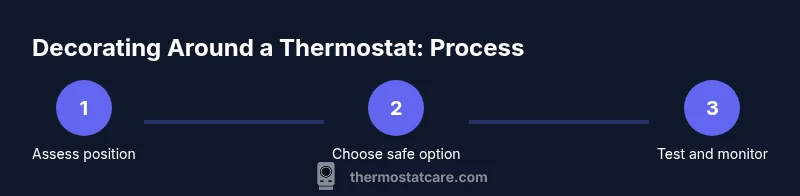
First, identify a safe decorative path that keeps the sensing area visible. Second, select a frame or cover that provides a clear display window and uses non-conductive mounting to avoid contact with the device. Third, ensure there is a comfortable gap around the device to maintain airflow. Finally, test the thermostat over 24–48 hours to confirm readings align with the room’s actual temperature and adjust if needed.
Common mistakes to avoid when decorating around a thermostat
Avoid opaque frames or covers that seal in heat or block the display. Do not mount heavy objects directly over the device or wire into the unit’s terminals. Don’t rely on decorative items to shield the thermostat from drafts or direct sunlight unless they are proven to maintain sensor exposure. Finally, don’t assume a decorative solution is universal; different brands have different sensing placements and recommendations. Always check your thermostat’s manual and seek guidance if unsure.
Alternatives that keep sensors honest without sacrificing style
Consider wall art that sits beside the thermostat rather than over it, or use a matching wall panel that frames the device while leaving sensor openings unobstructed. Some homeowners choose to relocate the thermostat or opt for a model with remote sensor support to separate decoration from sensing. If in doubt, consult the manufacturer’s guidelines for your specific model and consider a covered design only if it is explicitly labeled compatible with your unit.
Tools & Materials
- Decorative picture frame with clear window(Ensure the window reveals the display fully; avoid opaque backs that block visibility)
- Measuring tape(For verifying clearance around the device)
- Pencil and masking tape(Mark placement and alignment without marring walls)
- Screwdriver set(For mounting or securing a decorative frame if needed)
- Level(Helps ensure the frame sits straight)
- Non-conductive spacers(Keep the cover off the device surface and preserve airflow)
- UV-filtering window insert (optional)(Reduces sun glare and heat exposure in sunny rooms)
Steps
Estimated time: 30-60 minutes
- 1
Assess the thermostat position
Review the device placement to identify potential risks. Check for direct sunlight, nearby vents, or heat sources. Confirm that the sensing area and display will remain accessible after decor is installed.
Tip: Take photos from multiple angles to plan the decor layout before touching the device. - 2
Choose a safe decorative option
Select a frame or cover that provides a clear display window and avoids blocking any vents or sensors. Prefer products designed for wall-mounted devices and verify manufacturer recommendations.
Tip: Avoid opaque or solid backs that can trap heat or mislead readings. - 3
Measure for fit and clearance
Use a tape measure to ensure the frame fits around the device without pressing on buttons or the screen. Allow at least a small gap on all sides for airflow and heat dissipation.
Tip: Mark the wall with light pencil lines to guide alignment before mounting. - 4
Mount or center the decor
Attach the frame or decorative panel according to the product instructions. Secure with appropriate anchors if you’re mounting on drywall, and avoid forcing screws near the thermostat’s enclosure.
Tip: Do not contact the thermostat’s face or wiring; keep tools away from live terminals. - 5
Reconnect and test
Power the thermostat and run a quick test by changing temperature settings. Observe how fast the room warms or cools and verify the display remains readable through the window.
Tip: Wait 5–10 minutes between adjustments to assess response accurately. - 6
Monitor performance over time
Check readings over 24–48 hours to confirm there is no drift. If you notice anomalies, remove the decor and restore the original face.
Tip: Keep a small log of readings to compare with the outdoor temperature and comfort level.
Questions & Answers
Will covering a thermostat with a picture affect its accuracy?
Yes, if the decor obstructs the display or sensor or traps heat near the device, readings can drift and the HVAC system may cycle improperly. Use a safe frame with a clear window and verify performance after installation.
Yes, decor can affect accuracy if it blocks the sensor or display; ensure a clear view and test the readings afterward.
Can I use any picture frame around my thermostat?
Not every frame is safe. Choose options specifically designed to accommodate a thermostat’s display and sensor exposure. Always check the thermostat’s manual for guidance and avoid opaque or tight-fitting frames.
Not every frame is safe. Pick options that leave the sensor and display accessible and follow the manual’s guidance.
Will decorating around the thermostat void my warranty?
Warranty terms vary by manufacturer. Decorative additions are generally okay if they do not alter the device or electrical connections, but always verify with the model’s warranty terms. When in doubt, revert to the original faceplate.
Warranty terms vary by model. Check the terms and revert to the original if unsure.
What should I do if the readings drift after decorating?
Remove the decor and test the thermostat again. If readings normalize, the decor was affecting the sensor. If not, consult a professional or return to the original configuration.
If readings drift, remove the decor and test again to confirm the cause.
Are there safer decorative options besides framing?
Yes. Use wall art beside the thermostat or a manufacturer-approved decorative cover that maintains access to the display and sensor. Remote sensor setups can also separate decoration from sensing.
Yes—opt for art beside the unit or approved covers that keep sensors accessible.
Should I consider relocating the thermostat for aesthetics?
Relocation is an option if decoration is a priority and it won’t affect HVAC performance. A professional can help determine a placement that preserves accuracy and efficiency.
If aesthetics are a priority, a relocation by a pro can keep performance intact.
Watch Video
What to Remember
- Decorate without blocking sensing or airflow
- Choose frames with clear windows or maker-approved covers
- Test readings and adjust if needed after 24–48 hours
- Consult manufacturer guidelines for your model
- Consider alternate hiding strategies if unsure