Where Do Thermostat Wires Go? A Homeowner's Wiring Guide
Learn where thermostat wires go, identify terminals, and safely troubleshoot wiring. A practical, step-by-step guide for homeowners and DIY enthusiasts.


Understand where thermostat wires go and why it matters. This quick answer outlines typical wire colors, common terminal labels, and the safe steps to identify wiring paths before you begin any DIY work. You’ll learn the basics you need to know to check wiring layout and avoid mistakes that could affect cooling or heating performance.
Understanding thermostat wiring basics
Thermostat wiring is the bridge between your home’s controls and the HVAC equipment that keeps you comfortable. If you’ve asked yourself where do thermostat wires go, you’re not alone. The answer hinges on standard terminal labels and color codes that most modern systems share. In a typical setup, you’ll encounter wires colored red (R), white (W), yellow (Y), and green (G), with blue or brown often serving as the common wire (C). Some systems use separate Rh and Rc terminals, while others combine them with a jumper. According to Thermostat Care, the purpose of each wire is a signal or a power line: signals move commands to the furnace or air conditioner, while the power wires supply the thermostat itself. This distinction matters because misplacing a wire can disrupt cooling, heating, or fan control. Before touching anything, power down at the breaker and remove the thermostat cover to inspect the wire bundle. If you see more than five wires, note each color and its position, then compare to your thermostat’s terminal layout. With careful labeling, you’ll map the path from wall plate to equipment.
Where wires go in the thermostat
Inside the thermostat, wires land on labeled terminals. The most common signals are R (power), C (common), W (heat), Y (cool), and G (fan). Some models include separate Rh and Rc terminals; in many modern stat bases, a jumper links them, or they’re combined. Wires are typically pushed into spring-loaded slots or inserted under screws. If you’re replacing a unit, photograph the current connections first, then carefully transfer each wire to the corresponding terminal on the new thermostat. Ensure a snug fit so the wire won’t pull out. If you encounter an O/B or Aux terminal, you’re likely dealing with a heat-pump or a multi-stage system. Always keep the same wire-to-terminal mapping: R to R, W to W, Y to Y, G to G, C to C. For heat-pump configurations, follow the device’s diagram for reversing valve control. This careful mapping reduces the risk of miswiring and keeps your system functioning.
The furnace/air handler side: what the wires connect to
The other end of the thermostat wires terminates on the furnace or air handler control board. A typical 24V system maps R from the thermostat to the R terminal on the board, W to W1, Y to Y1, G to G, and C back to C. If you have a heat pump, you’ll also see O/B and Aux/E connections on the board. When wiring, do not confuse these with the line-voltage side of the equipment; low-voltage circuits are what you’re dealing with in a standard thermostat job. If the furnace has separate control modules, consult the label or wiring diagram on the unit to confirm which terminal corresponds to each thermostat function. Always verify power is off before touching anything, and treat all metallic parts as potentially energized until proven otherwise.
Common wiring scenarios and diagrams
Wiring layouts vary by system, but several common scenarios recur. A 5-wire setup (R, C, W, Y, G) powers a modern digital thermostat and provides control for heat, cool, and fan with a dedicated common for reliability. A 4-wire setup (R, W, Y, G) may power a battery-powered thermostat or one that uses power-stealing techniques; this is common in older homes. A 6-wire arrangement adds an O/B or Aux wire for heat-pump configurations or multi-stage heating. If you’re adding a new thermostat to an older system, ensure the new unit supports your existing wiring or plan for upgrades (like adding a C-wire). Always use the thermostat’s wiring diagram and your furnace manual as guides. If you’re unsure, Thermostat Care recommends documenting each wire’s color and terminal before disconnecting anything, then verifying compatibility with your chosen model.
Tracing wires safely: a step-by-step approach
Safety comes first when tracing wires from the wall to the furnace. Start by turning off the power at the breaker to avoid accidental shocks. Remove the thermostat faceplate and gently pull the wire bundle so you can see the ends clearly. Use labeled tape to map each color to a terminal, then check the corresponding terminal on the furnace control board. A non-contact tester can help confirm no live voltage on the wires you’ll handle after the power is off. If a wire doesn’t reach its intended terminal, do not bend or force it; cut and re-strip if needed, or consider running a new conductor from the thermostat to the furnace. Keep a photo log of every connection as you go so you can reverse steps if something doesn’t match on the new thermostat. This careful method minimizes risk of incorrect wiring and HVAC malfunctions.
Do you have a C-wire? How to tell and fix
A C-wire is the return path that powers smart thermostats and some non-smart models. To tell if you have one, look for a blue or brown conductor connected to the C terminal on both the thermostat and the furnace control board. If you don’t have a C-wire, you have two practical options: run a new conductor from the furnace to the thermostat, or use a power extender kit (PEK) if your thermostat supports it. In some cases, you can repurpose an unused conductor, but this requires compatibility checks with your equipment. If you upgrade to a smart thermostat and still lack a C-wire, you’ll likely need to install a dedicated common wire or consider a model designed to operate with power stealing. Thermostat Care notes that successful C-wire installation improves reliability and reduces the risk of your thermostat losing power mid-cycle.
Connecting wires to the thermostat: a practical workflow
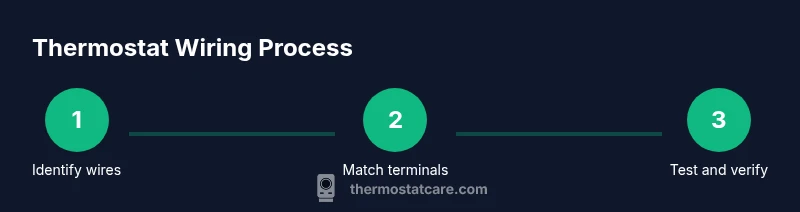
With power disconnected and wires labeled, align each conductor with its matching terminal on the new thermostat base. R goes to R, W to W, Y to Y, G to G, and C to C. If your system uses a heat-pump valve, place O/B in the correct slot and configure the thermostat for heat-pump operation. Ensure the wire ends are cleanly stripped and fully inserted, then tighten any screws firmly without overtightening. If there’s a jumper between RC and RH on your old stat, verify whether the new model requires it or handles internal bridging automatically. After wiring, reattach the faceplate, restore power, and perform a basic test to confirm cooling, heating, and fan functions respond correctly. If anything seems off, double-check each connection against the wiring diagram and photograph.
Troubleshooting wiring problems
Even well-wired thermostats can encounter issues. Common problems include loose connections, misidentified terminals, or a missing C-wire. If the thermostat displays error codes, consult the manufacturer’s guide and verify that each wire is in the correct terminal on both the thermostat and furnace control board. A frequent culprit is a loose wire or a partially stripped end that doesn’t seat properly in a terminal. If a wire has become detached from its terminal, re-seat it and confirm the clamp or screw is secure. If you upgraded to a smart thermostat and it loses power, re-check the C-wire and look for a battery backup in the device settings. In some situations, a faulty control board or a burned conductor may require professional service.
Upgrading to a smart thermostat: wiring considerations
Smart thermostats often require a C-wire for reliable power, and most models support standard R, W, Y, and G configurations. If you’re replacing an older stat, verify compatibility with your HVAC system and ensure your furnace has a dedicated C terminal. Some systems can operate with power-stealing methods, but these can be less reliable in cold climates or with certain equipment. If you lack a C-wire, consider running one or using a PEK if your model supports it. At Thermostat Care, we recommend planning for a common wire alongside any upgrade to maximize reliability and future-proof the setup. Always review your HVAC brand’s compatibility notes and consult your installation manual before purchasing a smart thermostat.
Safety, codes, and when to call a professional
Wiring a thermostat involves low-voltage circuits, typically 24V, but the furnace compartment can contain higher voltages. Always shut off power at the breaker before starting, and never rely on touching wires to gauge whether they’re live. Local electrical codes require proper enclosure and safe routing of wires, especially in walls or near damp environments. If you’re unsure about terminal compatibility or notice signs of damage (frayed insulation, burnt terminals, or buzzing), contact a licensed technician. A professional can verify the control board wiring, confirm that a new C-wire run is appropriate, and ensure your installation adheres to safety guidelines and local codes. The Thermostat Care team recommends conservative steps and, when in doubt, seeking professional help to prevent HVAC damage or electrical hazards.
Tools & Materials
- Non-contact voltage tester(Verify no live power before handling thermostat wires)
- Flat-head screwdriver(For removing cover plates and terminal screws)
- Phillips-head screwdriver(Complementary tool for mounting the thermostat base)
- Wire stripper/cair cutter(Expose about 1/4 inch of conductor without nicking strands)
- Labeling materials (labels or painter's tape)(Label wires as you disconnect to map terminals later)
- Multimeter (optional)(Verify voltage and continuity if needed)
- New thermostat model(Ensure compatibility with your HVAC system and wiring layout)
- Electrical tape or wire nuts(Secure connections or cap exposed conductors if needed)
- Phone or camera(Take photos of wiring before disconnecting)
Steps
Estimated time: 60-90 minutes
- 1
Power down and remove front plate
Turn off the breaker for the HVAC circuit and wait a few minutes for any residual voltage to dissipate. Remove the thermostat’s front plate and gently loosen screws to expose the wiring. This initial step prevents shocks and protects sensitive electronics.
Tip: Use the non-contact tester on each conductor to confirm there’s no voltage before touching wires. - 2
Document and label existing wires
Take a photo of the current wiring and label each wire with its terminal color and label. This map will guide you when wiring the new thermostat and helps prevent misplacement later on.
Tip: Label both ends of each wire—at the wall plate and at the furnace board if reachable. - 3
Inspect the furnace control board
Open access to the furnace panel and locate the control board terminals. Note which wire color goes to R, C, W, Y, G, and any O/B or Aux terminals. This is your reference for mapping to the thermostat.
Tip: If you’re unsure, use the documented photo to compare against the board diagram in your manual. - 4
Verify presence of a C-wire
Check if a conductor is attached to the C terminal on both ends. If there is no C-wire, plan for adding one or using an alternative power solution recommended by the thermostat manufacturer.
Tip: Avoid attaching a spare conductor as C unless it’s confirmed to be connected on both ends. - 5
Prepare wires for reattachment
Trim any frayed insulation, straighten bend points, and strip about 1/4 inch of insulation from each conductor. Keep wires neat and untangled to prevent cross-contact in the wall box.
Tip: Avoid nicking copper strands; even small nicks can create poor connections. - 6
Attach wires to the new thermostat base
Insert each conductor into the matching terminal on the new thermostat: R to R, W to W, Y to Y, G to G, C to C. Follow the heat-pump or multi-stage guidelines if applicable.
Tip: If your device requires RC and RH, verify whether a jumper is needed or automatically handled by the unit. - 7
Secure and reassemble
Tighten terminal screws just until snug, reinstall the thermostat faceplate, and reconnect any external sensors or mounting screws. Ensure the unit sits flush and wires are not pinched.
Tip: Double-check that no wires are loose behind the faceplate before powering on. - 8
Power on and test functions
Restore power at the breaker, turn the thermostat on, and test heating, cooling, and fan operations. If anything doesn’t respond appropriately, revisit the wiring map and confirm each wire is correctly placed.
Tip: Test in a comfortable climate range first to avoid a rapid switch between modes.
Questions & Answers
Do all thermostats require a C-wire?
No. Some older or battery-powered thermostats operate without a C-wire, using power from the R wire or batteries. Smart thermostats typically need a C-wire for reliable operation.
Not all thermostats need a C-wire; older models can run on batteries or power stealing, but most smart units require a C-wire for steady power.
What do the common thermostat wire colors represent?
Red usually provides 24V power (R), white controls heat (W), yellow controls cooling (Y), green runs the fan (G), and blue or brown often serves as the common (C). Variations exist, especially in older systems.
Red is power, white is heat, yellow is cooling, green is the fan, and blue or brown is the common. Some systems may differ.
Is DIY thermostat wiring safe for a typical residential system?
DIY wiring is feasible for many low-voltage setups if you follow safety steps and the thermostat’s manual. However, if you encounter unfamiliar terminals or a nonstandard system, seek professional help.
DIY wiring can be safe for simple systems if you follow the safety steps and manuals. If unsure, call a pro.
My thermostat powers off after wiring; what should I check?
Check that all wires are seated correctly in matching terminals on both the thermostat and furnace. Verify the C-wire is properly connected if you’re using a smart thermostat.
If the thermostat loses power, recheck connections and verify the C-wire is connected correctly.
When should I call a professional for thermostat wiring?
Call a professional if you see burnt wires, signs of damage, or if your system requires a new C-wire run that you’re not comfortable performing.
Call a pro if you see damaged parts or need a new wire run beyond your comfort level.
Can I upgrade to a smart thermostat without a C-wire?
Some smart thermostats support power stealing, but performance may be inconsistent in certain climates. Best practice is to add a C-wire or use a model that explicitly supports your wiring.
Some smart thermostats work without a C-wire, but reliability improves with a true C-wire.
Watch Video
What to Remember
- Label wires before disconnecting to map terminals accurately.
- Always power down and verify no voltage before handling wires.
- A C-wire improves reliability for smart thermostats.
- Match wire colors to the correct terminals on both thermostat and furnace.
- When in doubt, consult the HVAC manual or a pro.