How to Install Thermostat C Wire: A Practical, Safe Guide
Learn how to install a C wire for your thermostat with clear steps, safety tips, and proven methods. This guide covers compatibility checks, locating the C terminal, wiring options, and troubleshooting for reliable thermostat power in 2026.


By the end of this guide you will know how to install a C wire for your thermostat, ensuring reliable power and consistent performance. You’ll learn how to verify compatibility, locate the C terminal on your furnace control board, and safely connect it at both ends. We’ll also cover testing steps and common troubleshooting tips to prevent power issues.
Understanding the C wire and why it matters
The C wire, short for common, provides a stable 24-volt reference for your thermostat. In older systems, thermostats relied on battery power or drew voltage from R and other wires, which could cause flickering displays or cutouts. According to Thermostat Care, a proper C wire reduces power draw on the thermostat and ensures consistent operation for Wi‑Fi or smart thermostats. The Thermostat Care team notes that even in non-smart setups, having a dedicated common wire minimizes sensor drift and false readings. The C wire is typically the other side of the 24V transformer, opposite the R wire, and it completes the circuit back to the furnace or air handler. In many homes, a spare conductor within the cable bundle or an added wire makes this possible. If you don’t have a spare conductor, alternatives exist, such as a Power Extender Kit (PEK) or a dedicated wire from the furnace to the thermostat.
Check compatibility and identify wiring options
Before you touch wires, verify your thermostat supports a C wire and that your HVAC system can provide 24V across C and R. If your thermostat is Wi‑Fi enabled, a C wire is often required for reliable power. Look for a spare conductor in the thermostat cable (commonly 18/4 or 18/5) or plan to run a new wire. Thermostat Care analysis shows that most modern thermostats operate best with a dedicated C wire, especially when features like fan control and sensors are active. If no spare conductor exists, you can consider a Power Extender Kit (PEK) or a dedicated run from the furnace to the thermostat. Each option has pros and cons in terms of cost, complexity, and future-proofing your system.
Locate the furnace control board and C terminal
Power down the system at the breaker and the furnace disconnect before opening panels. Remove the furnace panel to access the control board and identify the terminal labeled C (common). If your board uses alternate labels like COM, B, or C_TERM, follow the manufacturer’s schematic to connect to the common side of the 24V transformer. Ensure you’re looking at the same transformer section used by the thermostat wires (R is the hot side, C is the return). If you’re unsure, consult the wiring diagram glued inside the panel or refer to the furnace’s manual. Handling the control board safely minimizes the risk of shock or shorts.
Alternative strategies if you lack a spare conductor
If there’s no spare conductor, you have several routes. Run a new thermostat cable from the thermostat to the furnace, which delivers a clean C connection but can be invasive to walls. Use a Power Extender Kit (PEK) at the furnace and thermostat to simulate C power when a spare wire isn’t available. Some thermostats support power stealing or use the G wire with caution, but this can affect fan control or other functions. Each method has implications for future upgrades, so weigh the cost, wall access, and warranty implications before choosing.
Wiring plan and safety considerations
Create a simple wiring plan before you touch a wire. Label wires at both ends, confirm which conductor will serve C, and outline how you’ll route the new or repurposed wire. Safety first: always de-energize the system and avoid touching metal contacts. Use insulated tools and keep wires away from sharp edges or moving parts inside the furnace compartment. A tidy, labeled setup reduces troubleshooting time and helps future maintenance.
Common issues and troubleshooting after installation
If the thermostat loses power after connecting C, recheck the C-to-C connection at both ends and verify the thermostat’s power requirements. A flickering display or reset loop often signals a weak C connection or a shared conductor on another terminal. Double-check the R-C path for continuity and verify that the furnace transformer is supplying 24VAC. If you used a PEK, ensure it’s seated correctly and that all wires follow the manufacturer’s wiring diagram. When in doubt, power down again and re-test step by step to isolate the fault.
Quick-reference diagrams and notes for reliability
Diagrams help translate the wiring plan into real actions. For many homes, your wiring map will show: the thermostat cable with terminals labeled R, C, G, W, Y; the furnace control board with corresponding terminals; and a short, labeled jumper or conductor running between thermostat and C at the furnace. Keep notes about wire colors and terminal letters so future technicians or upgrades go smoothly. If you’ve followed these steps and still see power issues, review each connection point for loose screws or stray strands that could arc or short. Consistent labeling and clean terminations improve reliability over time.
Tools & Materials
- Thermostat wiring cable (18/4 or 18/5)(Ensure at least one spare conductor exists, or plan to run a new cable.)
- Screwdrivers (Phillips and flat-head)(Used to remove thermostat plate and furnace panel screws.)
- Wire stripper/c cutter(For trimming insulation without nicking wires.)
- Electrical tape or wire labels(Label wires at both ends for clarity.)
- Non-contact voltage tester(Optional for quick live-checks before handling wires.)
- Continuity tester or multimeter(Helpful to verify conductor integrity.)
- Power Extender Kit (PEK) or C-wire adapter (optional)(Use if no spare conductor and you don’t want to run new cable.)
- Safety gloves(Protect hands when working near electrical components.)
Steps
Estimated time: 60-120 minutes
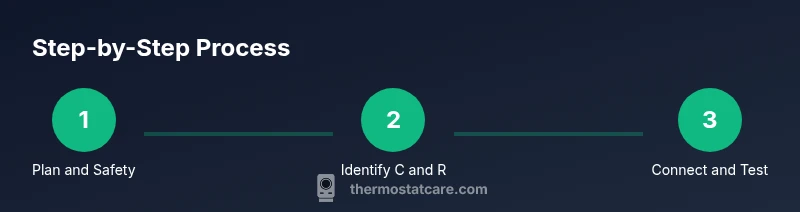
- 1
Power down and prep
Turn off power at the main disconnect and the thermostat. Confirm no voltage is present using a tester before touching any wires. This protects you and the HVAC system during wiring changes.
Tip: Always verify power is off before touching control boards or thermostat wires. - 2
Remove thermostat cover and expose wires
Gently pull off the thermostat faceplate to expose the wire bundle. Note which wires are currently connected and their terminal labels. Do not disconnect anything yet; plan your next move.
Tip: Take a photo of the existing wiring for reference during reassembly. - 3
Check for a spare conductor or plan a new run
Inspect the cable bundle for an unused conductor that can become C. If none exists, decide between running a new cable or using a PEK/adapter. Document which wire will become C.
Tip: If using a spare, avoid repurposing a critical wire (like R, W, Y) without confirming function. - 4
Access the furnace control board
Open the furnace panel and locate the C terminal on the control board. R should be nearby; ensure you’re looking at the same transformer circuit that powers the thermostat.
Tip: Consult the furnace manual if terminal labels vary by model. - 5
Connect the conductor to C on the control board
Attach the identified conductor to the C terminal on the furnace control board. Tighten the terminal securely to avoid impedance or heat buildup.
Tip: Make sure the conductor is fully seated under the terminal screw. - 6
Connect the conductor to C at the thermostat
Land the same conductor on the C terminal of the thermostat. If you’re adding a new wire, route it neatly through walls or conduit and terminate at the thermostat’s C screw.
Tip: Double-check the thermostat’s C labeling and reattach the faceplate after wiring. - 7
Reassemble and label
Replace the thermostat cover and furnace panel. Label wires at both ends and restore power. Confirm there are no loose strands or pinched cables.
Tip: Keep a small wiring map for future maintenance. - 8
Test the thermostat power
Turn the power back on and observe the thermostat display. It should power normally; run a quick temperature change to verify responsiveness and fan control.
Tip: If the display flickers, recheck C and R continuity and ensure no ground fault exists. - 9
Troubleshoot if needed
If power issues persist, re-check every connector, confirm 24VAC across R and C with a multimeter, and verify the PEK or adapter wiring matches the manufacturer’s schematic.
Tip: When in doubt, consult a licensed HVAC technician to avoid damage.
Questions & Answers
Do I need a C wire to power my thermostat?
Most Wi‑Fi or smart thermostats require a C wire for reliable power. Battery-powered models may operate without it, but performance can vary depending on the system and settings. If you’re upgrading or experiencing power issues, adding C is usually the best long-term fix.
Most smart thermostats need a C wire for reliable power. If you have power issues, adding C is typically the best fix.
Can I use the G wire as C?
In some cases, a G wire can be repurposed as C if your thermostat and HVAC system support it. This is not universally safe, and many thermostats rely on the G wire for fan control. Check your thermostat’s manual and ensure you won’t lose fan functionality.
Repurposing G as C isn’t always safe. Check your thermostat and HVAC manual to avoid losing fan control.
What if there’s no spare conductor?
If there’s no spare conductor, you have a few options: run a new thermostat cable, use a Power Extender Kit (PEK), or install a C-wire adapter. Each option has trade-offs in cost, complexity, and wall access. Plan carefully.
No spare wire? You can run a new cable, use a PEK, or install a C-wire adapter depending on your setup.
Is it safe to DIY thermostat wiring?
DIY wiring is feasible with proper safety steps: turn off power, use proper tools, and follow the wiring diagram exactly. If you’re unsure about any step, contact a licensed HVAC technician to prevent electrical hazards or equipment damage.
DIY can be safe if you follow all safety steps and use the correct wiring diagram. If unsure, call a pro.
How do I test that the C wire is working after installation?
Test by confirming the thermostat powers on and responds to temperature changes. If available, measure voltage between R and C at the furnace terminal with a multimeter to verify ~24VAC. Also verify consistency over several cycles.
Power should be steady and the thermostat should respond to changes. You can measure 24VAC between R and C at the furnace to confirm.
What if my thermostat still loses power after wiring?
Re-check all connections at both ends, ensure the C terminal is solid, and verify there’s no shared conductor causing impedance. If problems persist, verify transformer output and consider professional inspection.
If power remains an issue, double-check connections and transformer output, and consider a technician if needed.
Watch Video
What to Remember
- Verify thermostat compatibility before wiring.
- Use a spare conductor or a safe alternative like PEK.
- Label wires and test power at multiple points.
- If unsure, seek professional help to protect your system.