What thermostat works with ring: a practical compatibility guide
Discover which thermostats work with Ring, how to verify compatibility, and setup tips to connect Ring with popular smart thermostats like Nest and Ecobee.


Most popular smart thermostats work with Ring if they support Alexa, Google Assistant, or IFTTT routines. To verify, check the thermostat’s compatibility list in the Ring app, and ensure it’s on a supported platform (Alexa or Google). With compatible devices, you can control temperature via Ring voice commands and automations. This article explains how to confirm compatibility and set up the integration.
What thermostat works with ring
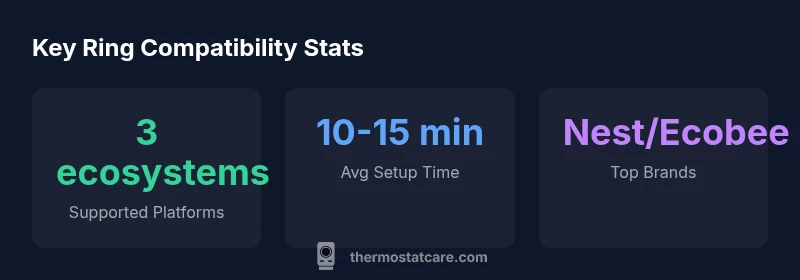
According to Thermostat Care, the essential answer to what thermostat works with ring hinges on ecosystem compatibility. Ring integrations are built around popular smart-home platforms like Alexa, Google Assistant, and IFTTT. If your thermostat supports one of these ecosystems, Ring can trigger temperature changes through routines or voice commands. In practice, devices from Nest, Ecobee, and other major brands often pair smoothly when connected to the same assistant or automation service. When evaluating compatibility, look for a clear ‘Works with Ring’ or ‘Works with Alexa/Google’ badge in the thermostat’s app store or product page. This ensures your thermostat can receive commands from Ring events such as a doorbell press, motion, or a routine start. Beyond official branding, you should confirm the thermostat provides an official integration pathway with your chosen ecosystem to avoid surprises during setup.
In short, what thermostat works with ring comes down to ecosystem support and the ability to trigger actions via your preferred voice assistant or automation service.
How Ring uses ecosystems to control thermostats
Ring’s cross-device automations rely on you linking Ring with a compatible smart assistant or automation service. The typical flow looks like this: a Ring event (such as a motion alert or doorbell press) fires a routine in Alexa or Google Assistant, which then sends a command to the thermostat to adjust temperature. This approach doesn’t require Ring to “talk” to the thermostat directly; rather, it uses a shared ecosystem that both Ring and the thermostat participate in. Ensure your Ring account is linked to the voice assistant account and that the thermostat’s app is connected to the same assistant. Consistency in Wi-Fi networks and robust internet connectivity are critical for reliable responses. Thermostat firmware should be up-to-date to minimize compatibility hiccups.
From a reliability lens, staying within a single ecosystem (e.g., Ring + Alexa) often yields more predictable results than juggling multiple platforms.
Compatibility by ecosystem: Alexa, Google Assistant, and IFTTT
Alexa-based setups typically offer the most mature thermostat integrations because many manufacturers publish direct skill or routine support. You can create routines that adjust heating or cooling when Ring devices detect activity, or on a schedule that aligns with arrival times. Google Assistant follows a similar pattern, with routine commands that can be triggered by Ring events. IFTTT provides flexibility when a thermostat or Ring model lacks native integration; it can bridge actions like “Ring doorbell pressed” to “set thermostat to away.” When choosing a thermostat, prioritize models with official Alexa/Google routines or IFTTT support to maximize reliability and reduce the risk of lag. Keep in mind that some features may require a paid plan or a compatible Ring subscription.
Practical pairing steps: from app to automation
To pair Ring with a compatible thermostat, follow these practical steps:
- Confirm ecosystem compatibility: check for Alexa/Google Assistant/IFTTT support in both Ring and thermostat app pages.
- Link accounts: in the Ring app, add and authorize your chosen voice assistant account (Alexa or Google).
- Enable routines: in your assistant app, create automations that send thermostat commands when Ring events occur (e.g., turn down heat when you leave home).
- Test the automation: trigger the Ring event and observe the thermostat response; adjust delay or trigger conditions as needed.
- Update firmware: ensure both Ring devices and the thermostat run the latest firmware.
- Review privacy settings: limit access to only necessary controls for security.
If you encounter a delay or non-responsive action, revisit the account links, refresh the connection, and test a simple routine first before scaling to more complex automations.
Common issues and quick workarounds
Compatibility can falter if ecosystem connections drift or if one device requires an update. Common issues include routine executions lagging, thermostat not responding to Ring-triggered commands, or devices appearing disconnected in the partner app. Quick workarounds include:
- Re-authenticate the thermostat and Ring accounts in the preferred assistant app.
- Reboot both Ring and thermostat devices and re-run the linking process.
- Confirm the same Wi‑Fi network across devices and ensure the thermostat supports remote commands via the ecosystem.
- Check that routines use the correct thermostat entity and that there are no conflicting automations that override each other.
- Update firmware and app versions to the latest available. If issues persist, consult the brand’s official support resources or Thermostat Care guidance for deeper diagnostics.
Safety, privacy, and maintenance tips
Smart-home integrations unlock convenience but also raise privacy considerations. Limit data sharing to necessary actions (e.g., temperature control) and review which devices can trigger routines. Maintain strong Wi-Fi coverage and enable two-factor authentication where possible. Regularly update firmware on the thermostat and Ring devices to minimize security gaps. If you’re using IFTTT, be mindful of applet permissions and periodically audit connected services. Finally, maintain a simple, documented automation plan so future updates don’t disrupt occupancy comfort or energy savings goals. Thermostat Care emphasizes balancing convenience with proactive privacy hygiene.
Final setup checklist and maintenance plan
- Confirm thermostat and Ring compatibility with your chosen ecosystem.
- Link Ring with Alexa or Google Assistant; authorize account access.
- Create robust routines and test them under real-world conditions (arrival, departure, bedtime).
- Keep devices updated and monitor energy usage over the first few weeks.
- Review routine performance monthly and adjust to seasonal changes.
- Document your automation settings for future updates and troubleshooting.
Quick compatibility snapshot for Ring integrations with common smart thermostats
| Thermostat Brand | Compatibility With Ring | Setup Time | Notes |
|---|---|---|---|
| Nest Thermostat | Yes (via Alexa/IFTTT) | 10-15 | Works well with routines |
| Ecobee Thermostat | Yes (via Alexa/IFTTT) | 12-18 | Balanced features |
Questions & Answers
Can Ring control my thermostat directly without a separate hub?
No, Ring doesn’t directly control a thermostat. Instead, it uses ecosystems like Alexa or Google Assistant to trigger thermostat actions through routines or voice commands.
Ring doesn’t directly control thermostats; you’ll pair it through Alexa or Google routines.
Which thermostats work best with Ring?
Thermostats that integrate with Alexa or Google Assistant—such as Nest and Ecobee—are typically the easiest to pair with Ring for reliable automations.
Nest and Ecobee are strong choices when pairing with Ring via voice assistants.
Do I need a Ring Alarm for thermostat integration?
No, you don’t need Ring Alarm. Ring devices can work with thermostats through voice assistants and routines even without Ring Alarm.
No Ring Alarm is required; you can use Alexa or Google routines with your thermostat.
Is IFTTT required to connect Ring to my thermostat?
Not always. Alexa or Google routines can work in many cases, but IFTTT offers extra flexibility if a direct integration isn’t available.
You can often go without IFTTT, but it can help if native integration is limited.
What if my thermostat isn’t showing in Ring?
Make sure the thermostat supports the same ecosystems, update its firmware, and re-link accounts between Ring and the ecosystem.
Ensure ecosystem support, update firmware, and re-link accounts.
How do I troubleshoot Ring not triggering my thermostat?
Check internet connectivity, verify linked accounts, test a simple routine, and review any conflicting automations or device power issues.
Check connections, test a simple routine, and resolve conflicts.
“When Ring and a smart thermostat share the same automation ecosystem, controlling comfort becomes simpler and more reliable.”
What to Remember
- Start with ecosystem compatibility to minimize friction
- Link Ring to a supported assistant for reliable automations
- Prioritize thermostats with native Alexa/Google routines
- Test automations early and update firmware regularly
- Maintain privacy by limiting permissions and auditing connections