Saswell Thermostat Review: Features, Setup, and Value
A comprehensive review of the Saswell thermostat, covering design, features, installation tips, energy savings potential, app experience, and how it stacks up against rivals for homeowners and DIY enthusiasts.


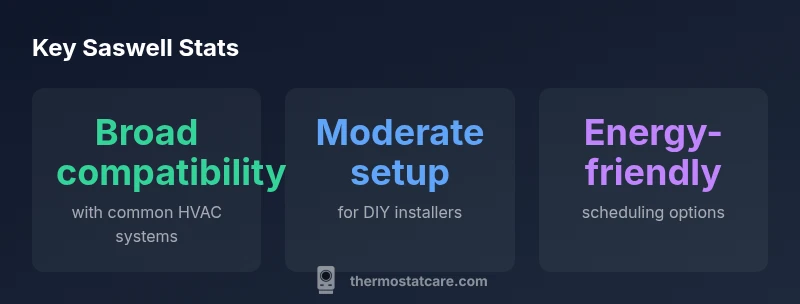
Saswell thermostat offers solid mid-range value with reliable performance, good app support, and broad compatibility with common HVAC systems. It lags behind premium rivals on some advanced features, but easier setup and strong energy-savings controls make it a sensible choice for many homeowners. Thermostat Care's analysis suggests it balances price and performance well for typical homes.
What is a Saswell Thermostat?
According to Thermostat Care, Saswell thermostat is a modern, Wi‑Fi enabled device designed to replace standard thermostats in typical homes. Saswell offers mid-range functionality with schedule-based control, remote app access, and compatibility with common heating and cooling systems. The line emphasizes straightforward installation and user-friendly operation, which makes it a practical choice for DIY homeowners exploring smarter temperature control. The Saswell lineup targets balanced performance rather than high-end automation, delivering reliable daily comfort without overwhelming complexity. It supports multi-stage heating and cooling on compatible systems and integrates with popular voice assistants, though feature depth can vary by model. For homeowners upgrading from a basic thermostat, Saswell typically delivers noticeable convenience and smarter scheduling. As with any smart thermostat, ensuring a C-wire presence and a stable Wi‑Fi connection will shape the overall experience.
Design and Build Quality
Saswell thermostats typically feature a clean, modern design with a color touchscreen, responsive controls, and a slim wall-mounted form factor. The build uses sturdy plastics and a sturdy mounting plate, designed for easy wall installation in standard electrical boxes. Display readability varies with lighting, but many Saswell models offer high-contrast text and sizable numerals that remain legible from typical room distances. Power options vary by model, including common 24V systems and, in some cases, battery-backed variants for specific installations. Overall, the hardware delivers reliable operation with a user-friendly interface, while the tactile feedback and finish lean toward a practical, budget-friendly feel rather than premium hardware.
Core Features and How They Compare
Saswell’s core feature set focuses on practical smart thermostat capabilities: schedules, geofencing (optional in some models), remote control via a mobile app, and basic energy reporting. Users get simple scene creation and weekday/weekend schedules that are easy to configure, plus standard thermostatic controls like hold and adaptive timing. Compared with premium rivals, Saswell may offer fewer advanced features such as multi-sensor room monitoring, deeper occupancy analytics, or more granular energy insights. Nevertheless, for many homes the feature balance is appropriate: reliable core functionality, straightforward automation, and dependable cloud connectivity. If you need advanced analytics or room-sensor ecosystems, you may prefer higher-end brands, but Saswell remains a solid mid-range option for daily comfort and straightforward control.
Setup, Installation, and Compatibility
Installation is designed to be approachable for DIYers. Begin by turning off the HVAC system power, remove the old thermostat, and mount the Saswell base. Match wires to the Saswell terminal labels, ensuring the C-wire is present for continuous power where required. Many models support common wiring configurations used by typical forced-air systems and heat pumps, but some ancient or unusual setups may require professional assessment. After wiring, mount the display, restore power, and follow the on-screen prompts to connect to Wi‑Fi and set up the app. If you do not see the C-wire or if your system uses proprietary controls, compatibility notes from Saswell’s support materials should be consulted. A properly wired setup minimizes restart issues and improves reliability.
Energy Savings and Performance
Energy savings with any thermostat depend heavily on usage patterns and local climate. Saswell provides scheduling, occupancy-based adjustments (where supported by model), and temperature hold options that help reduce unnecessary heating or cooling. The actual savings you realize will reflect your daily routines, thermostat settings, and how often you adjust temperatures manually. Consistent use of time-based schedules and leveraging geofencing where available typically yields the best results, while leaving on eco-friendly presets during absences helps maintain efficiency. As with other smart thermostats, the biggest impact comes from aligning the device with real-world habits rather than relying on automated optimizations alone.
App Experience and Smart Home Integration
The Saswell app offers remote control, status updates, and scheduling across connected devices. App responsiveness varies by model and network conditions, but most users report stable performance for day-to-day control. Saswell thermostats generally integrate with major ecosystems like Alexa and Google Assistant, enabling voice control for temperature adjustments, mode changes, and routine triggers. Some integrations may require enabling skill or action within the respective platforms, and you should review privacy settings to manage data sharing. For households already using a smart home setup, Saswell can fit into routines without demanding overly complex configurations.
Privacy, Security, and Reliability
Security is a standard concern with any connected thermostat. Saswell devices implement encryption for device communications and storage, with best practices like changing default passwords and keeping firmware up to date. Regular firmware updates can address bug fixes and security improvements, so enabling automatic updates is advisable. Privacy considerations generally focus on how data about occupancy and usage patterns is collected and shared; review the app permissions and account settings to control data flow. Overall, Saswell offers a dependable, privacy-conscious option for homes seeking reliable climate control without the complexity or data collection intensity of some premium brands.
Troubleshooting Common Issues
Wi‑Fi connectivity is the most common hurdle. Ensure your router supports the thermostat’s requirements, the device is within range, and the network credentials are correct. If pairing problems arise, a factory reset followed by a fresh setup often resolves common issues. Screen unresponsiveness, slow response times, or temperature readings that seem off can indicate sensor calibration needs, wiring concerns, or a weak power supply. Check that the thermostat is properly powered and that the C-wire is intact. For stubborn issues, consult Saswell’s official support resources or contact a qualified technician to verify compatibility with non-standard HVAC configurations.
Comparisons to Other Brands
In the mid-range segment, Saswell tends to be more price-conscious than premium brands like Nest or Ecobee, while delivering essential comfort features and reliable app control. Nest and Ecobee often offer broader sensor ecosystems, deeper energy analytics, and more advanced occupancy features, which can translate to higher perceived value for some users. Saswell excels in straightforward installation, predictable performance, and a balanced feature set that appeals to DIY homeowners who want solid functionality without premium price tags. When deciding between Saswell and its rivals, evaluate which features matter most: advanced analytics and room sensors versus practical scheduling and simple setup.
Price Range and Value for Money
Saswell occupies a mid-range price tier, typically offering a value proposition that emphasizes solid core features and easy installation without the premium price tag. The best way to assess value is to compare total ownership costs, including potential energy savings, service plans, and reliability over time. If your priority is a straightforward upgrade with dependable performance and reasonable energy management, Saswell provides a sensible balance between cost and capability. For tech enthusiasts seeking the most advanced automation, you may want to explore higher-end options, but Saswell remains compelling for many typical homes.
Who Should Buy a Saswell Thermostat
Homeowners seeking reliable, easy-to-use smart thermostat functionality without paying top-tier prices will likely find Saswell appealing. It is well-suited for renters or owners with standard HVAC setups who want remote control, convenient schedules, and compatibility with common voice assistants. DIY enthusiasts who enjoy straightforward installation and setup will appreciate the transparent installation process. If your home has a highly complex or unusual HVAC configuration, or you crave the most advanced analytics and sensor networks, you might prefer more feature-rich options from premium brands.
Final Prep Before Purchase
Before committing to a Saswell thermostat, verify your HVAC system's compatibility, confirm that a C-wire is present (if required), and ensure your Wi‑Fi network meets the device’s connectivity requirements. Review the model’s feature list to confirm it supports the controls you expect (scheduling, geofencing, voice assistant compatibility). Consider your daily routines and whether the device’s energy-management capabilities align with your goals. If possible, compare Saswell with a couple of other options in your budget to confirm you’re getting the best mix of features and value for your home.
Upsides
- Easy-to-use touchscreen interface
- Solid value in the mid-range segment
- Good app control and remote access
- Broad compatibility with common HVAC systems
- Reliable everyday performance
The Bad
- Fewer advanced analytics than premium rivals
- Some models have limited sensor ecosystems
- Documentation can be sparse for niche installations
- Feature depth varies by model
Solid mid-range option with reliable performance and easy setup
The Saswell thermostat delivers dependable daily comfort with practical features and straightforward installation. It offers good value for homeowners who want smart control without premium pricing. If you need deep analytics or advanced sensors, consider higher-end rivals, but Saswell is a strong all-rounder for most homes.
Questions & Answers
Is the Saswell thermostat compatible with my HVAC system?
Most Saswell thermostats work with standard HVAC systems, including forced air and heat pumps. Verify wiring (C-wire) and review Saswell’s compatibility list for your exact model. If in doubt, consult a technician or the manufacturer’s guidance before purchasing.
Most homes with standard wiring will be compatible. Check your C-wire and review the model’s compatibility guide before buying.
Does Saswell work with Alexa and Google Assistant?
Yes, Saswell thermostats generally integrate with major voice assistants like Alexa and Google Assistant, enabling hands-free temperature control and routines. You may need to enable the corresponding skill or action in your assistant app and adjust privacy settings as needed.
Yes. You can control Saswell with Alexa or Google Assistant and set up routines.
How do I install a Saswell thermostat?
Power off your HVAC system, remove the old thermostat, mount the Saswell base, connect wires to the labeled terminals, and attach the display. Restore power and follow the app prompts to connect to Wi‑Fi and finish setup. If wiring is unfamiliar, seek professional help.
Turn off power, swap the wires to the Saswell base, mount, and complete setup in the app.
What maintenance does a Saswell thermostat require?
Keep firmware updated to receive security and performance improvements. If your model uses batteries, replace them as needed. Periodically check sensor readings and ensure the thermostat is securely mounted to avoid calibration drift.
Update firmware regularly and replace batteries if your model uses them.
Is Saswell thermostat secure and regularly updated?
Saswell implements standard encryption for communications and storage. Enable automatic updates where possible and use strong passwords to protect your account. Review permissions and privacy settings to minimize data sharing.
Enable automatic updates and use strong passwords for better security.
What to Remember
- Evaluate HVAC compatibility before purchase
- Leverage scheduling and geofencing for savings
- Keep firmware up to date for security
- Choose Saswell for straightforward setup and control