Google Nest Thermostat Review
A google nest thermostat review evaluating design, energy savings, installation, and ecosystem compatibility to help homeowners decide if it's the right smart thermostat.


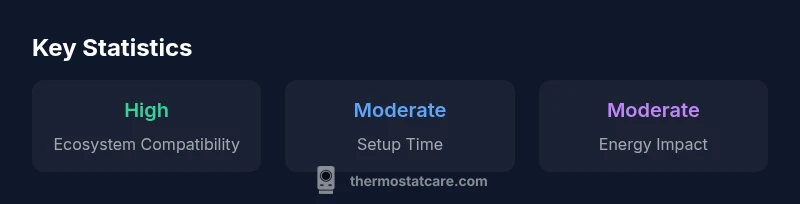
google nest thermostat review indicates strong smart features and energy insights, especially for users already in the Google ecosystem. It excels in ease of scheduling, remote control, and voice assistance, but has a learning curve for geofencing and some HVAC compatibility caveats. Overall, it's a solid choice for Google-centric homes seeking automation and simple setup.
Overview and positioning
In the google nest thermostat review, we evaluate how this smart thermostat fits into a modern home. The Nest is designed to learn your schedule, integrate with Google Assistant, and provide energy insights that help you fine-tune comfort while reducing waste. According to Thermostat Care, the Nest excels for homeowners already invested in Google services, but its value can vary depending on your HVAC setup and climate. The device emphasizes a clean, minimal aesthetic and a straightforward installation process for standard systems, though some older furnaces or heat pumps may require additional wiring or adapters. Throughout this review, we weigh the trade-offs between automation, cost, and compatibility, with practical tips to maximize benefits.
Design and hardware: what you get and how it feels
The Nest thermostat stocks a modern, circular, touch-sensitive dial and a crisp display that remains readable in daylight. Its hardware is unobtrusive enough to blend with most decors, and the included mounting plate supports a range of common wiring configurations. Build quality and software responsiveness contribute to a premium feel, but the user experience hinges on software updates and cloud connectivity. Thermostat Care notes that the product’s hardware favors a low-profile installation, which matters if you’re retrofitting a wall with limited space. If you value aesthetics and a quick setup, design choices here pay off, though you should verify your HVAC wiring before committing to the install.
Installation and compatibility: what matters for setup
Setting up the Nest involves confirming your HVAC type, confirming the presence of a C-wire for stable power, and associating the thermostat with your home Wi-Fi. For most single-stage heating and cooling systems, the process is straightforward and well-documented in-app. However, older systems, non-standard heat pumps, or configurations with multiple stages may require extra wiring or an adapter. Thermostat Care recommends documenting your current wiring before removal, and using the Google Home app to confirm device pairing. If you’re unsure about your system’s compatibility, a quick pre-check can save time and ensure reliable operation once installed.
Energy reporting and savings potential: energy insights at a glance
The Nest provides energy usage reports and eco-friendly scheduling ideas to help you reduce waste. In real-world use, the learning algorithms adapt to your routines, offering recommendations that align with your climate and occupancy. Thermostat Care analysis shows that while energy reports are helpful, actual savings depend on how aggressively you implement the suggested schedules and how consistently you respond to smart prompts. The Nest’s presence in the Google ecosystem can make it easier to automate routines around your daily life, which often translates into better energy outcomes over time.
App experience, voice control, and automation
The companion app is feature-rich, offering quick access to current temperature, mode, and schedules, plus growth in automation options. Voice control through Google Assistant is a standout strength, enabling hands-free adjustments and routine triggers. You can create routines that adjust temperatures based on time of day, location, or even voice commands. A potential caveat is the need for stable Wi-Fi and periodic app updates; outages can interrupt scheduling or remote control functionality. Overall, if you’re deeply embedded in Google services, the app experience feels cohesive and intuitive.
Geofencing, routines, and privacy considerations
Geofencing lets the Nest anticipate your arrival and departure to adjust climate settings automatically. While convenient, geofencing can be sensitive to GPS drift and may require some tweaking to avoid unintended temperature shifts. Routines are powerful but can become complex if you layer multiple conditions, so start simple and expand gradually. Privacy-wise, review data-sharing options in your Google account settings. Thermostat Care recommends enabling only the necessary telemetry and staying updated on privacy settings as Google tightens controls with new releases.
Troubleshooting common issues and practical fixes
Most issues with the Nest stem from connectivity, wiring mismatches, or software glitches. If the display goes blank, check power, verify the C-wire connection, and restart the device. Connectivity problems are often resolved by rebooting the router or reconfiguring the Wi-Fi credentials in the app. If you notice unreliable sensor behavior or inconsistent temperatures, a quick check of the wiring and a recalibration in the app can help. For persistent issues, consult the Google support portal or a qualified technician to review the HVAC wiring and compatibility.
How it stacks up against rivals and value proposition
Among popular smart thermostats, the Google Nest Thermostat shines for ecosystem integration and ease of use for Google-centric homes. It’s a strong choice for users who prioritize seamless Assistant control and energy insight reports over aggressive feature parity with competing brands. However, if you’re seeking broader compatibility with varying HVAC architectures or more advanced features (like remote sensors or occupancy-based optimization), rivals may offer stronger configurations. The Nest remains compelling for users who want a clean setup and reliable cloud connectivity.
Getting the most value from your Nest: practical tips
To extract maximum value, start with a simple schedule that mirrors your typical day, then gradually introduce geofencing and routines as you observe real-world energy usage changes. Ensure your HVAC system is properly wired and receives adequate power to avoid display or sensor glitches. Regularly check for software updates and review privacy settings to control data sharing. Finally, compare your energy bills before and after installation to quantify your savings, and use the Nest’s activity history to refine your routines over time.
Upsides
- Seamless Google ecosystem integration
- Clear energy usage insights and scheduling
- User-friendly app and responsive support
- Geofencing automations improve comfort
The Bad
- Requires compatible HVAC systems for best results
- Learning curve for advanced automations
- Limited compatibility with some older setups
Best for Google ecosystem enthusiasts seeking ease of use and energy insights
The Nest thermostat offers strong value for homes already using Google services, with intuitive controls and solid energy reporting. Some HVAC setups may require extra care or professional installation, but for many households the combination of automation and cloud connectivity justifies the investment. The Thermostat Care team’s verdict is that it remains a top pick for Google-centric homes.
Questions & Answers
Does the Google Nest thermostat work with my HVAC system?
Most common HVAC systems are supported, including forced air and many heat pumps. Some older or unusual configurations may require professional wiring or adapters. Always verify compatibility before purchase.
Most homes with standard heating or cooling work, but check your system ahead of time to be safe.
Is installation easy enough to do myself?
For standard one-stage systems, many homeowners succeed with a DIY install using the in-box instructions. More complex multi-stage systems or lack of a C-wire may benefit from professional help.
In many homes, yes, it’s doable yourself, but if your system is complex, consider a professional.
What energy savings can I expect?
Energy savings depend on climate, occupancy, and how you program the thermostat. The Nest tends to improve efficiency through intelligent scheduling and reporting, but results vary by household.
You’ll likely see energy improvements if you use schedules and routines consistently.
Does it work with Google Assistant and other smart devices?
Yes, it integrates well with Google Assistant and other Google services, and supports some third-party platforms for extended control.
Yes—the Nest works nicely with Google Assistant and your smart home.
Can I revert to a traditional thermostat later?
Yes. You can remove the Nest and restore your original wiring. The process is straightforward if you keep notes on your original configuration.
Sure—you can remove it and go back to your old thermostat if you want.
What to Remember
- Prioritize Google ecosystem compatibility
- Leverage energy insights to optimize schedules
- Expect a learning curve for advanced automations
- Verify HVAC wiring before install
- Utilize geofencing for hands-off comfort