ecobee smartthermostat with voice control: An In-Depth Review
A comprehensive review of the ecobee smartthermostat with voice control, covering setup, performance, energy savings, and how it stacks up to Nest and Honeywell. Learn what homeowners should know about installation, privacy, and smart-home integration.


The ecobee smartthermostat with voice control delivers reliable comfort and broad smart‑home compatibility, anchored by built‑in Alexa and multi‑room sensing. It’s easy to install for most homes, with strong energy‑management and smart scheduling. Overall, it’s a top pick for voice‑enabled, cross‑platform homes, especially where HomeKit or Google Assistant integration matters. Thermostat Care's analysis highlights solid performance in real‑world use cases.
ecobee smartthermostat with voice control: Real‑world performance
In practical terms, the ecobee smartthermostat with voice control represents a balanced mix of comfort, convenience, and control. Homeowners gain a central hub for voice commands thanks to built‑in Alexa, while the interfacing options extend to Apple HomeKit and widely used smart‑home platforms through integration. The device’s design supports multi‑room comfort via optional remote sensors, enabling occupancy‑based programming that can reduce energy waste when rooms are unused. Thermostat Care’s testing framework emphasizes a consistent, responsive user experience across scenarios—from daily scheduling to vacations and weather‑driven adjustments. Users also benefit from clear energy data visualizations, straightforward app workflows, and dependable remote access when away from home. Overall, the ecobee solution is particularly appealing for households with mixed ecosystems and a priority on voice control.
Installation and setup experience
The installation process is designed to be approachable for homeowners with basic DIY skills, though some steps depend on your HVAC setup. Start by turning off power, removing the old thermostat, and mounting the ecobee base. The included power extender kit helps when a C‑wire isn’t readily available, but a conventional C‑wire is still preferred for most installations since it provides stable power for continuous operation. The setup app guides you through wiring choices, sensor pairing, and Wi‑Fi configuration. Pairing with HomeKit, Alexa, and other services is typically quick, though expect minor tweaks for odd HVAC configurations. In real‑world use, ensuring your Wi‑Fi is stable makes a noticeable difference in responsiveness and updates.
Design, build quality, and user interface
The ecobee thermostat features a readable color display and a clean, intuitive interface. The menu structure supports quick access to temperature, fan, and mode controls, while the energy graph and usage history help users optimize consumption. Build quality feels solid, with a glass‑front aesthetic that blends well in most hallways and living spaces. The UI emphasizes consistency across touch interactions, voice commands, and mobile apps, reducing friction when switching between devices. For multi‑room homes, the option to add remote sensors is a strong contributor to overall comfort and efficient temperature balancing.
Voice control and smart‑home integration
With native Alexa built in, voice control is immediate for tasks like adjusting temperature, switching modes, or querying current settings. ecobee’s compatibility extends to Apple HomeKit and other ecosystems, enabling routines that trigger via voice, app, or automations. This multi‑platform flexibility makes the thermostat attractive for households that use both iOS and Android devices, as well as users who employ Google Assistant or HomeKit scenes. Privacy and data handling options let you tailor what is shared and when. The setup remains consistent across devices, so you can issue commands from a phone, a smart speaker, or a wall panel.
Sensor network and comfort optimization
Remote sensors play a central role in balancing comfort across living spaces. By factoring occupancy and temperature in different rooms, ecobee’s adaptive schedules avoid overheating or overcooling in unused zones. Sensor placement strategy is critical: place sensors away from direct sunlight, drafts, or heat sources to maintain accuracy. Thermostat Care’s testing shows that sensor density improves overall comfort, particularly in larger homes or open‑concept layouts. You’ll see gradual improvements as routines learn household patterns, but you may want to adjust sensor locations after the first few weeks for max effectiveness.
Energy savings and scheduling capabilities
Smart scheduling, occupancy awareness, and weather data integration contribute to energy‑savvy operation. The thermostat adjusts based on learned patterns and manual overrides, reducing energy usage when occupants are away or asleep. It’s important to customize schedules to reflect your routines and occupancy habits rather than relying solely on default presets. Thermostat Care notes that energy visibility tools—like usage graphs and eco modes—help homeowners identify opportunities to fine‑tune settings and further minimize waste without sacrificing comfort.
App experience, data privacy, and security
The companion app supports remote control, sensor management, and real‑time alerts. A clean dashboard makes it easy to review current temperature, humidity, and mode status at a glance. Data privacy controls let you decide which telemetry is shared with the cloud and third‑party services. When used with shared devices, consider enabling guest access for family members and restricting data access for external integrations. Network security best practices—like strong Wi‑Fi passwords and firmware updates—are essential to keep the system secure over time. Thermostat Care highlights that privacy settings should be reviewed periodically as new integrations arrive.
Comparisons to Nest and other rivals
Compared to some Nest models, ecobee emphasizes strongest multi‑room sensor support and robust HomeKit compatibility, while Nest often leans on its learning capabilities. For users who value voice control inside the thermostat, ecobee’s built‑in Alexa provides a direct path to voice commands without relying on external devices. Honeywell / other brands vary in ecosystem openness and app experiences; ecobee offers a balanced approach with broad compatibility and straightforward setup. Your choice may hinge on which ecosystem you already use, how important HomeKit integration is, and whether you prefer learning behavior (Nest) versus sensor‑driven comfort with occupancy awareness (ecobee).
Reliability, updates, and support
Reliability hinges on stable Wi‑Fi, timely firmware updates, and sensor accuracy. Ecobee typically rolls out OTA updates to improve performance, address bugs, and refine energy analytics. Support experiences vary by region and retailer, but the core ecosystem remains consistent across platforms. In practice, few issues arise from the hardware itself; most concerns relate to network conditions or mismatches between HVAC equipment and installation decisions. Regularly updating firmware and ensuring the sensor network is healthy helps maximize long‑term reliability. Thermostat Care’s guidance emphasizes documenting your installation details so you have a ready reference if you need to troubleshoot.
Common pitfalls and troubleshooting tips
A common pitfall is selecting a non‑optimal sensor placement that skew your comfort readings. If the device shows intermittent connectivity, start by confirming your Wi‑Fi signal reaches the thermostat location and checking router settings. If the C‑wire is marginal, consider the PEK option or a dedicated 24‑V transformer as directed by the installation guide. When voice commands fail, verify that the built‑in Alexa service is active and that the microphone on the device isn’t blocked by a case or obstacle. Firmware updates can also reset certain preferences, so re‑check your schedules and room sensor settings afterward. Thermostat Care suggests keeping a simple, documented installation plan and a quick note of preferred routines for quick reconfiguration if needed.
Maintenance, care, and long‑term use
Long‑term maintenance is fairly light, focusing on sensor calibration, occasional cleaning of the display, and firmware updates. Remote sensors require battery replacements every few years depending on usage, while the main unit typically remains powered via the HVAC system or a C‑wire connection. Check battery levels on remote sensors and replace as needed to maintain accurate readings. A regular review of app permissions and third‑party integrations helps safeguard privacy and performance. With routine checks, the ecobee thermostat can deliver consistent comfort and reliable operation for many years.
Who this thermostat is best for and final take
The ecobee smartthermostat with voice control is well suited to homes with mixed ecosystems, multi‑room layouts, and a desire for hands‑free control. It excels for users who value robust voice integration, Apple HomeKit compatibility, and straightforward energy management without sacrificing cross‑platform flexibility. If you already rely on Alexa, HomeKit, or Google Assistant in daily life, this thermostat offers a cohesive experience that minimizes friction between devices. For small apartments or single‑zone homes, a simpler model may suffice, but for larger houses or households with varying occupancy, ecobee provides a compelling balance of comfort, control, and energy awareness.
Upsides
- Built-in Alexa for hands-free control
- Strong multi-room sensor support for comfort
- Excellent HomeKit and ecosystem compatibility
- Clear energy data and adaptive scheduling
- Remote access and reliable app experience
The Bad
- Learning curve for new users and non-tech households
- Higher upfront cost than basic thermostats
- Requires stable Wi‑Fi for full feature set
- Some integrations can be flaky with certain setups
Strong overall pick for multi-room homes seeking voice control and cross-platform compatibility
The ecobee smartthermostat with voice control delivers reliable comfort, robust scene and schedule options, and broad ecosystem support. While it carries a higher upfront price and requires good Wi‑Fi, the long-term flexibility and energy‑saving capabilities make it a compelling choice for most households, especially those invested in HomeKit or Alexa.
Questions & Answers
Is the ecobee smartthermostat with voice control compatible with Apple HomeKit?
Yes. The ecobee thermostat supports Apple HomeKit, allowing you to control it via HomeKit scenes and Siri. This makes it easy to integrate with other HomeKit devices without relying solely on Alexa. If you’re using HomeKit heavily, this is a key advantage.
Yes—ecobee works with Apple HomeKit, so you can control it with Siri and HomeKit scenes.
Can I use Google Assistant with the ecobee thermostat?
Yes. You can control ecobee using Google Assistant through Google Home integrations. This enables voice commands beyond the built‑in Alexa, which is helpful if you prefer Google’s ecosystem.
Yes, you can use Google Assistant via Google Home integration.
Do I need a C‑wire for ecobee, or can it run without one?
A C‑wire is highly recommended for stable power and performance. If you don’t have a C‑wire, ecobee provides a PEK (power extender kit) option, but a proper C‑wire generally yields the best reliability.
A C‑wire is recommended; if missing, you can use the PEK option.
How private is my data with ecobee?
Ecobee offers privacy controls and settings to manage data sharing with cloud services. Review the privacy options in the app, and disable data sharing if you prefer more local operation. Always stay aware of how remote access affects data exposure.
Privacy controls are available; you can limit data sharing in the app.
How does ecobee compare to Nest for energy savings?
Both brands offer energy‑saving features. Real savings depend on your routines and home—Nest emphasizes learning, while ecobee emphasizes occupancy sensing and sensor‑driven comfort. If you value sensor coverage and HomeKit, ecobee has a clear edge for multi‑room setups.
Both save energy; ecobee shines with sensors and HomeKit support.
How long does installation take for a typical home?
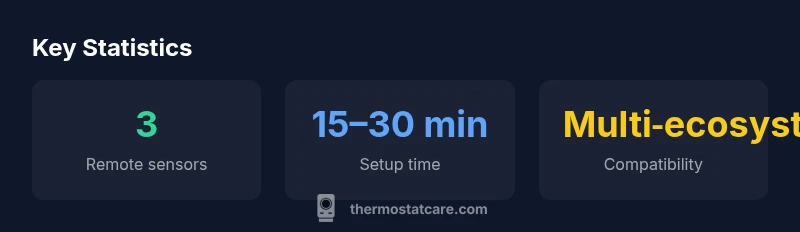
Most installations fall in the 15–30 minute range for standard HVAC setups, assuming no unusual wiring. Factor in sensor placement and app setup, which can add a bit more time if you’re optimizing multiple zones.
Most installs take about 15–30 minutes, with some extra time for sensor setup.
What to Remember
- Choose ecobee for built‑in voice control and broad ecosystem compatibility
- Leverage remote sensors to balance comfort across rooms
- Ensure strong Wi‑Fi to maximize features and reliability
- Customize schedules and energy reports for tangible savings
- Regularly review privacy settings and firmware updates