What Thermostat Works With Vivint: A Compatibility Guide
A practical guide to identify which thermostats work with Vivint, how to verify compatibility, wiring tips, and practical setup steps for homeowners.


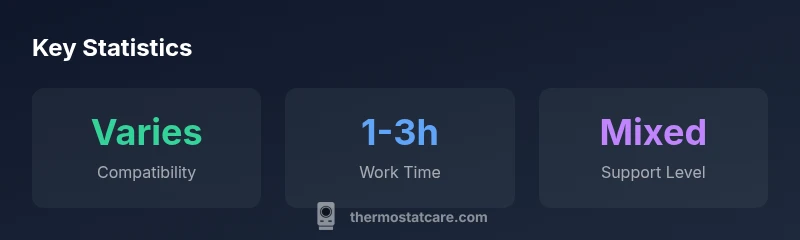
According to Thermostat Care, there isn’t a universal 'what thermostat works with vivint' answer. Compatibility depends on your Vivint hub, control protocols (Wi‑Fi, Z‑Wave, or proprietary), and your HVAC wiring. Typically, Vivint supports its own thermostat within the ecosystem, with limited third‑party options via integration. Always confirm compatibility in your Vivint app or by contacting support before buying.
What what thermostat works with vivint means in practice
Understanding what thermostat works with vivint means more than simply matching a brand to a system. It’s about whether the thermostat can be controlled through the Vivint app, how it communicates with the HVAC equipment, and whether energy features like schedules and geofencing are available. According to Thermostat Care, the compatibility hinges on three pillars: the control hub (Vivint), the thermostat’s communication protocol, and the HVAC system wiring. For homeowners, starting with the Vivint app’s compatibility checker is a smart move. If the thermostat communicates over Wi‑Fi but cannot speak the hub’s protocol, it may lose essential functions such as auto-scheduling or remote control. On the other hand, if the thermostat uses a standard protocol supported by the Vivint ecosystem, you’ll typically gain smoother operation and more reliable remote access.
Vivint ecosystem basics: your own thermostat within the Vivint framework (and why it matters)
Vivint’s ecosystem is designed around a centralized hub that controls heating and cooling devices through a set of approved protocols. The Vivint thermostat experience is optimized when you use a model that communicates through supported channels and can be managed inside the Vivint app. Third‑party thermostats can sometimes be integrated, but the experience may be less seamless, with potential limits on features like adaptive scheduling or energy reports. If reliability and full feature parity matter, many homeowners start with Vivint’s own thermostat offering and verify any third‑party option with Vivint support before purchase.
How to determine compatibility with your HVAC system
Start by collecting three core details: (1) your HVAC equipment type (gas, electric, heat pump, dual fuel), (2) the control wiring present in your furnace/air handler (C-wire availability is common but not universal), and (3) the hub you plan to use (Vivint). Then follow these steps:
- Check the Vivint compatibility guide in the app or on the official site.
- Confirm that the thermostat supports standard HVAC control protocols your system uses (Wi‑Fi is common, but Zigbee/Z‑Wave or proprietary protocols may not be compatible).
- If a C-wire is missing, consider a power adapter or professional wiring option.
- Contact Vivint support with your HVAC make/model to verify real‑world compatibility before buying a thermostat.
Third-party thermostats that commonly work with Vivint (and caveats)
Many users look to third‑party Wi‑Fi thermostats for features like broader app ecosystems or cheaper hardware. In practice:
- Those that use standard HVAC control signals and a compatible hub can work, but setup complexity increases.
- Features such as geofencing, auto‑scheduling, or energy history may be limited or unavailable if the thermostat isn’t officially supported by Vivint.
- Always verify the specific model’s compatibility with Vivint before purchasing, and be prepared for a potential loss of some advanced features.
Wiring and setup steps to maximize compatibility
To maximize the odds of a smooth integration:
- Power down the HVAC system before any wiring changes.
- Confirm a C-wire is available; if not, plan a solution before installation.
- Choose a thermostat model that clearly supports standard HVAC control protocols used by your system.
- Ensure the Vivint hub is updated to the latest firmware, and install any required integration apps.
- If unsure, hire a licensed technician to install and test the thermostat with the Vivint system.
- After installation, run a full system test including heating, cooling, and fan modes to verify stability.
Costs, installation time, and practical tips
Costs vary by the model and whether you hire a professional. Generally, plan for a DIY or professional install that takes roughly 1–3 hours, depending on wiring and existing thermostat setup. If you encounter incompatibilities, you may revert to Vivint’s official thermostat option. Always back up your existing programming before replacing any device, and document wire colors and terminal connections for future reference.
Compatibility overview by thermostat type
| Thermostat Type | Compatibility with Vivint | Power/Wiring Needs | Control Protocol |
|---|---|---|---|
| Smart Wi-Fi Thermostat | Typically supported via integration depending on hub | C-wire often required | Wi-Fi |
| Traditional Non-Smart Thermostat | Generally not compatible without Vivint hub integration | 2-wire power | Wired |
| Z-Wave Thermostat | Sometimes supported if hub supports Z-Wave | C-wire recommended | Z-Wave |
| Vivint Sky Thermostat (Vivint’s own) | Full compatibility within Vivint ecosystem | Often requires C-wire | Proprietary/Vivint protocol |
Questions & Answers
Do all smart thermostats work with Vivint?
No. Compatibility depends on Vivint hub and HVAC wiring. Official support is limited to certain models or protocols. Always check compatibility before purchase.
No—check compatibility with your Vivint hub and HVAC wiring before buying.
Can I use Nest with Vivint?
Nest is not officially supported by Vivint in all setups; some integrations may exist but features may be limited.
Nest may not be officially supported; expect limited features.
Is a C-wire required for compatibility?
Many third‑party thermostats require a C‑wire for reliable power when integrated with Vivint. If your system lacks a C-wire, you may need a power adapter or professional wiring.
A C-wire is often needed for reliable power.
How can I verify compatibility before buying?
Use the Vivint compatibility guide in the app, check with Vivint support, and review HVAC wiring and control protocols before purchasing a thermostat.
Check Vivint's guide and support before buying.
What features might be limited with third‑party thermostats?
Some advanced features like energy reporting, geofencing, and automatic scheduling may be restricted when using non‑Vivint thermostats.
Expect some features to be limited.
“Compatibility isn't guaranteed across third-party models; always verify with Vivint support and your HVAC installer.”
What to Remember
- Verify hub compatibility in the Vivint app
- Check C-wire requirements before purchase
- Consider official Vivint thermostat for full features
- Understand integration limits with third-party models